

Social Media Engagement Dashboard

See Who's Engaging With Your Content, and Why
- Who's engaging: see who's engaging with what content, and what topics they like or don't.
- Where it's coming from: see where engagement comes from around the world.
- Engager demographics: language, occupation, age, favorite topics, and sentiment, on an interactive map.
- Search any time frame: search by keywords, content pipeline stream, sentiment, or demographic.
Filter Engagement by the Metrics That Matter
- ROI metrics: link-clicks, hashtag clicks, profile clicks, reposts, mentions, likes, and quotes 1. For example, you can filter your posts down to only those that received likes or reposts.
- Compare content: compare your content with different metrics to discover what actually works.
- Advanced filtering: filter by sentiment, keywords, locations, or demographics, then sort by the metric you need. For example, if you wanted to know which of your posts generate engagement in the UK, you can filter your posts down to only the ones generating engagement from that country.
Segment Your Audience and Content Separately
Content Segmentation lets you measure how different groups in your audience engage with your content, not as one blended average. Target trending topics by city or time zone, and use that same breakdown to spot new product ideas and the diverse interests hiding inside your community. It's also how you catch what resonates with people around the world, not just your largest segment.
* Content Segmentation is available for X (Twitter), Bluesky, Mastodon, and Pixelfed.See What Worked, Even Years Ago
Fedica's historical analytics cover any theme, content type, or topic's performance over your account's full history*, not just your most recent posts. Delve into the past to reconnect with or celebrate followers who supported you years ago, and get the complete performance picture whenever you need it, not just a snapshot of what's trending this week.
Managing X (Twitter) Specifically?
If X (Twitter) is one of the platforms you manage, Fedica's dedicated page for X (Twitter) Analytics covers the integration in more detail, and shows why Fedica is the most comprehensive service for X-specific analysis. Most services stop at basic engagement stats. Fedica goes further, surfacing engagers and their demographics, content segmentation by demographics (including geography), follower persona, and research analytics built specifically for X.
Pair It With These Fedica Tools
- Follower Analysis: see who your followers really are with Follower Analysis, including growth tracking and your most influential followers, plus full Follower Demographics: language, occupation, gender, age, and location.
- Filter Followers: stack filters to precisely segment your audience with Follower Segmentation, then export the results or categorize them into a list.
How the Engagement Dashboard Works
- Connect the social media accounts you manage to Fedica.
- From the Analyze menu, select Engagement.
- By default, the engagement dashboard is set for the last 30 days, but you can change the analysis period from the top right date range selector.
- At the top of the dashboard, you'll see traditional engagement metrics such as impressions, engagements, and engagement rate.
- In the middle section, your posts are sorted by engagement count; you can sort by other engagement metrics too, like likes, reposts, or impressions.
- The bottom section is where Fedica's unique engager analysis kicks in2 — here you can review who's engaging with your content and their demographics.
- You can also view the engagers on an interactive map, by country, state/province, or city.
- At the top, clicking the "Filter" button allows you to segment by ROI metric, or segment your audience and content separately and drill into demographics, sentiment, and historical performance.
- Act on it: adjust your content strategy or engage directly with the people driving results.
Social Media Engagement Dashboard Specs
The specifics:
| Spec | Detail |
|---|---|
| Platforms (core dashboard) | Bluesky, Facebook, Instagram, LinkedIn, Mastodon, Pixelfed, Threads, TikTok, X (Twitter) (9 total) |
| Content Segmentation & Filterable Metrics | X (Twitter), Bluesky, Mastodon, Pixelfed |
| ROI metrics tracked | Link-clicks, hashtag clicks, profile clicks, reposts, mentions, likes, quotes1 |
| Historical data | Any time period during your subscription; pre-subscription engagement, impressions, and engager data may also be available depending on the platform1 |
| Plan availability | Fedica paid plans members; no free-plan access |
The engagement dashboard requires one of Fedica's paid plans. See Fedica's plans for full pricing details.
1 Metrics, data and capabilities vary by platform. If you have specific requirements, please inquire; we're always happy to hear from you.
2 Engager identification and filtering is only available on X (Twitter), Bluesky, Mastodon, Pixelfed.
Frequently Asked Questions
What does Fedica's social media engagement dashboard show me?
- Fedica's social media engagement dashboard aggregates engagement metrics and metrics by post, filterable by period, across each platform you manage. On some platforms, it also shows who's engaging with your content, what topics they like, and where engagement comes from around the world, with full demographics and sentiment.
Which platforms does the engagement dashboard support?
- Fedica's engagement dashboard supports Bluesky, Facebook, Instagram, LinkedIn, Mastodon, Pixelfed, Threads, TikTok, and X (Twitter), nine platforms in total. Every one of those gets aggregated engagement metrics, filterable by period. Content Segmentation, engager identification, and Filterable Metrics go deeper, but on a narrower set: X (Twitter), Bluesky, Mastodon, and Pixelfed. If your platform isn't in that second group, you still get the core dashboard, just not the engager-level breakdown.
Can I filter engagement by specific metrics?
- Yes. Fedica lets you filter your engagement by keywords or ROI metrics, including link-clicks, hashtag clicks, profile clicks, reposts, mentions, likes, and quotes, so you can sort your best-performing content by the metric that matters to you.
Can I segment my audience and content separately?
- Content can be filtered by keywords. On some platforms, Fedica also lets you segment your audience and measure how each group engages with your content separately, so you can target trending topics by city or time zone.
Does the engagement dashboard include historical data?
- The engagement dashboard covers any theme, content type, or topic's performance over your account's full history while you have an active subscription, so you can see what worked years ago and rebuild relationships with long-time followers.
Are there more capabilities for X (Twitter) if that's the only platform I manage?
- Fedica has additional capabilities for X that are not available on all platforms, with the same engagement analytics plus follower, persona, and research analytics built specifically for X (Twitter) users.
Is the engagement dashboard available on the free plan?
- No. Fedica's social media engagement dashboard requires one of Fedica's paid plans; it isn't available on the free plan. See Fedica's plans page for full pricing details.
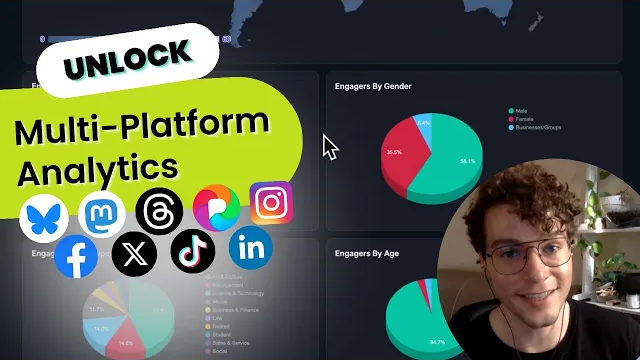
This is what a full Fedica engagement dashboard report looks like, from your worldwide engagement map to filterable metrics and historical performance.
