

Social Media Tools
Pixelfed Scheduling and Analytics Tools
Pixelfed creators, brands, and teams need more than posting tools alone. Fedica brings a Pixelfed post scheduler and Pixelfed analytics together in one place so you can publish consistently and improve performance with real insights. Plan, schedule Pixelfed posts, and measure what grows your community, all from one workflow.
As a long-time advocate of the open social web, Fedica added Pixelfed support in July 2024, its third integration of decentralized social networks and the first social media management service to support Pixelfed.
Scheduler
Pixelfed Scheduler & Publisher
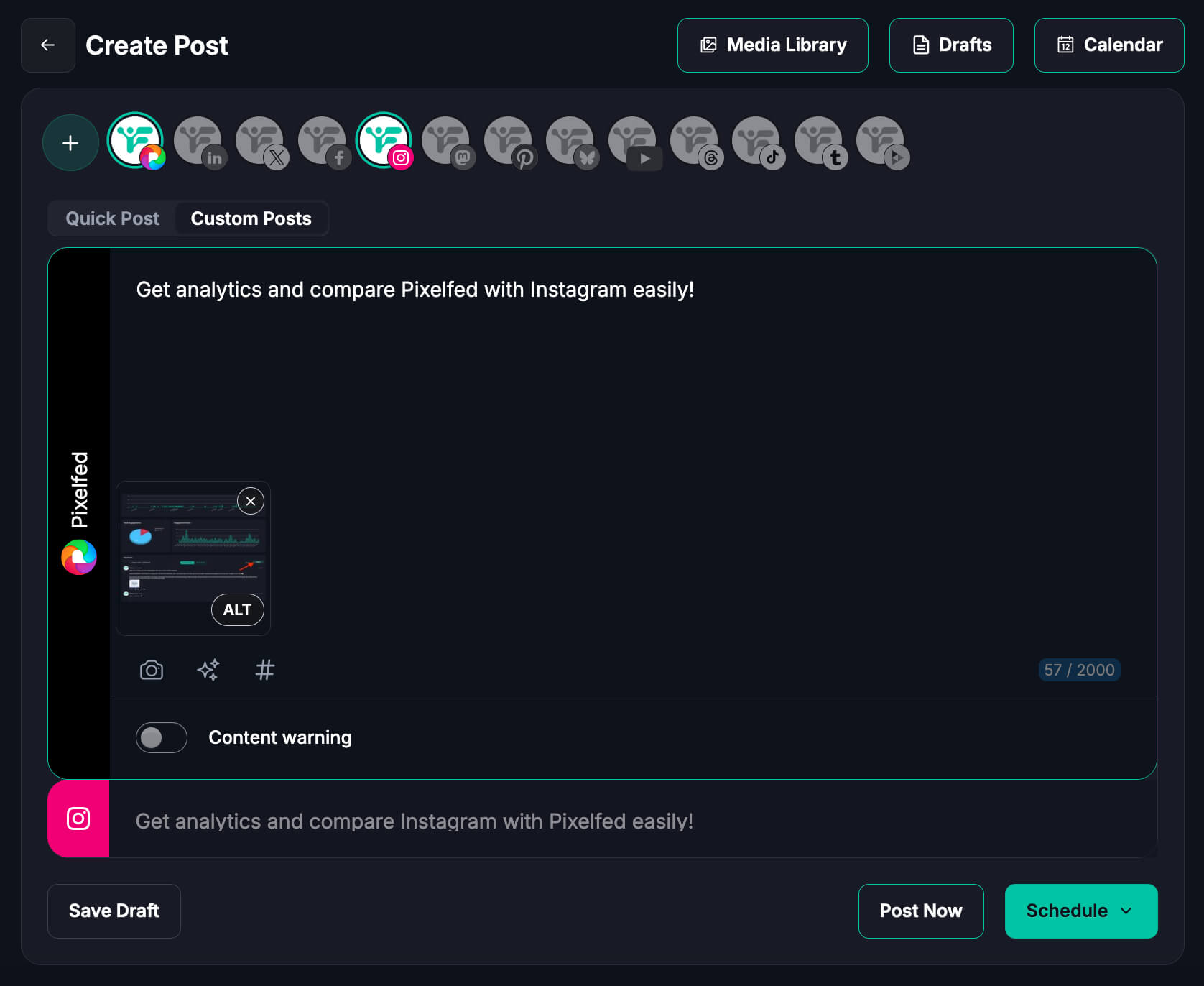
Fedica's Pixelfed scheduler queues evergreen and campaign posts so your content keeps moving without daily manual work. Organize by topic and format for consistency, cycle repeatable content streams while still slotting in timely posts, and coordinate launches or recurring series without duplicating that work each time.
Calendar
Pixelfed Content Calendar & Queues
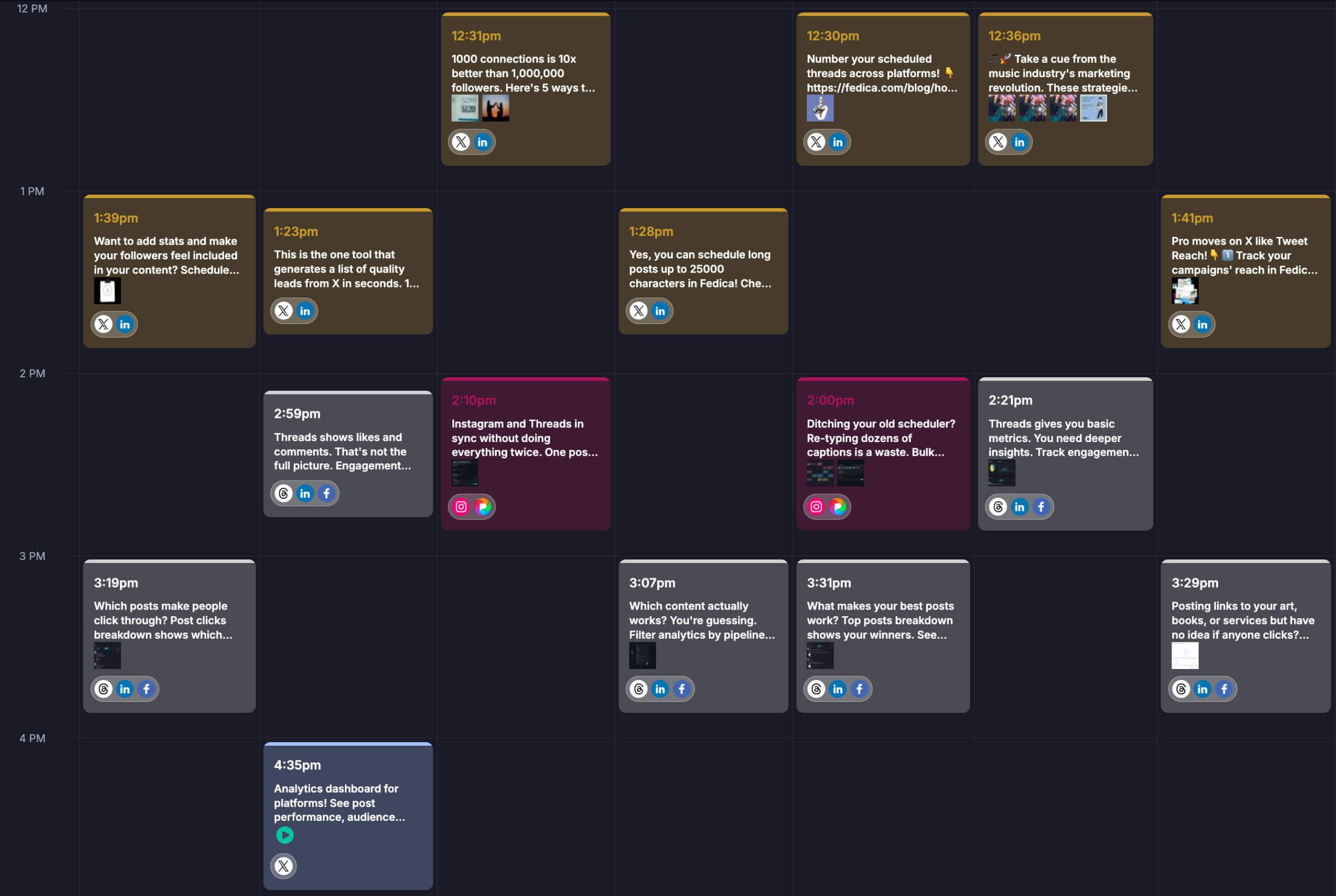
Fedica's Content Calendar gives you one visual view to plan Pixelfed themes, campaigns, and posting frequency. Bulk-upload posts to drafts, queues, or calendar slots, and keep the calendar full without losing manual oversight. Schedule to best-time windows so posts reach your community when they're most active.
Pixelfed scheduling is free on Fedica's Free plan, alongside 14 other platforms.
Publisher
Cross-Post with Fedica's Pixelfed Publisher
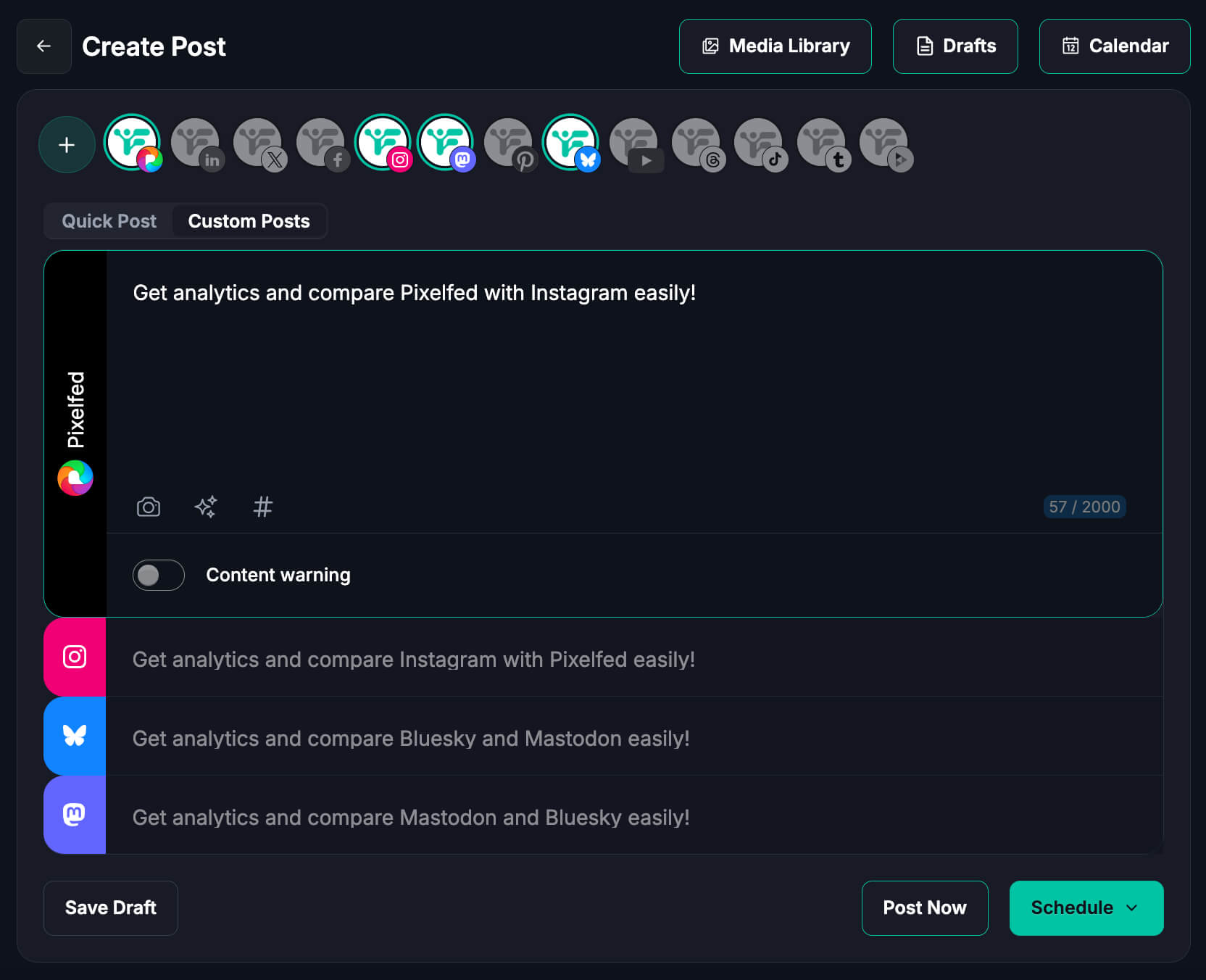
Cross-post from Pixelfed to Bluesky, Mastodon, Threads, and more, all from one workflow with Fedica.
- Per-network captions: customize each post while keeping it native to the platform.
- Schedule once, publish everywhere: timed right for each audience.
- Cohesive campaigns: one strategy across networks without duplicating manual work.
Analytics
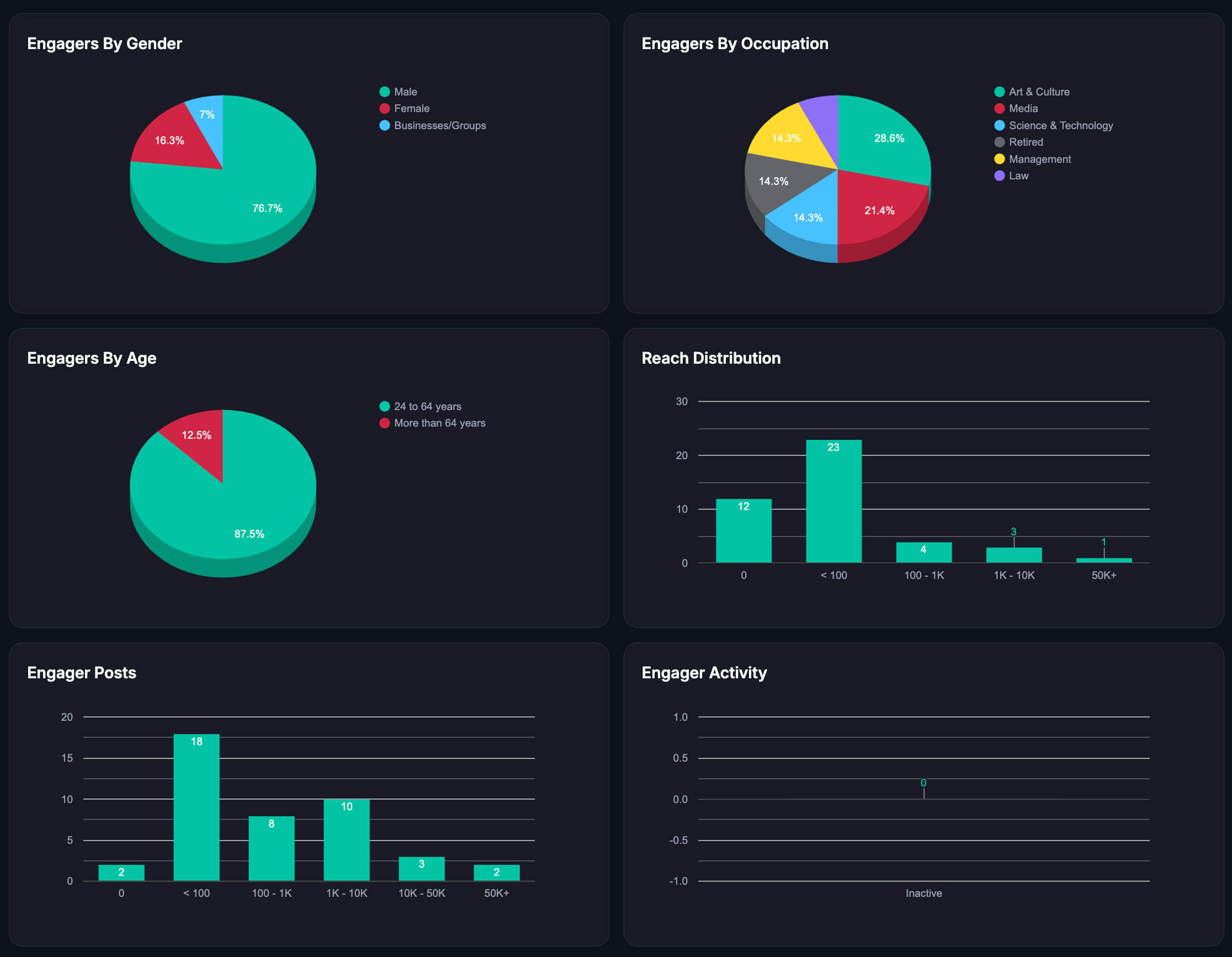
Pixelfed Engagement Dashboard
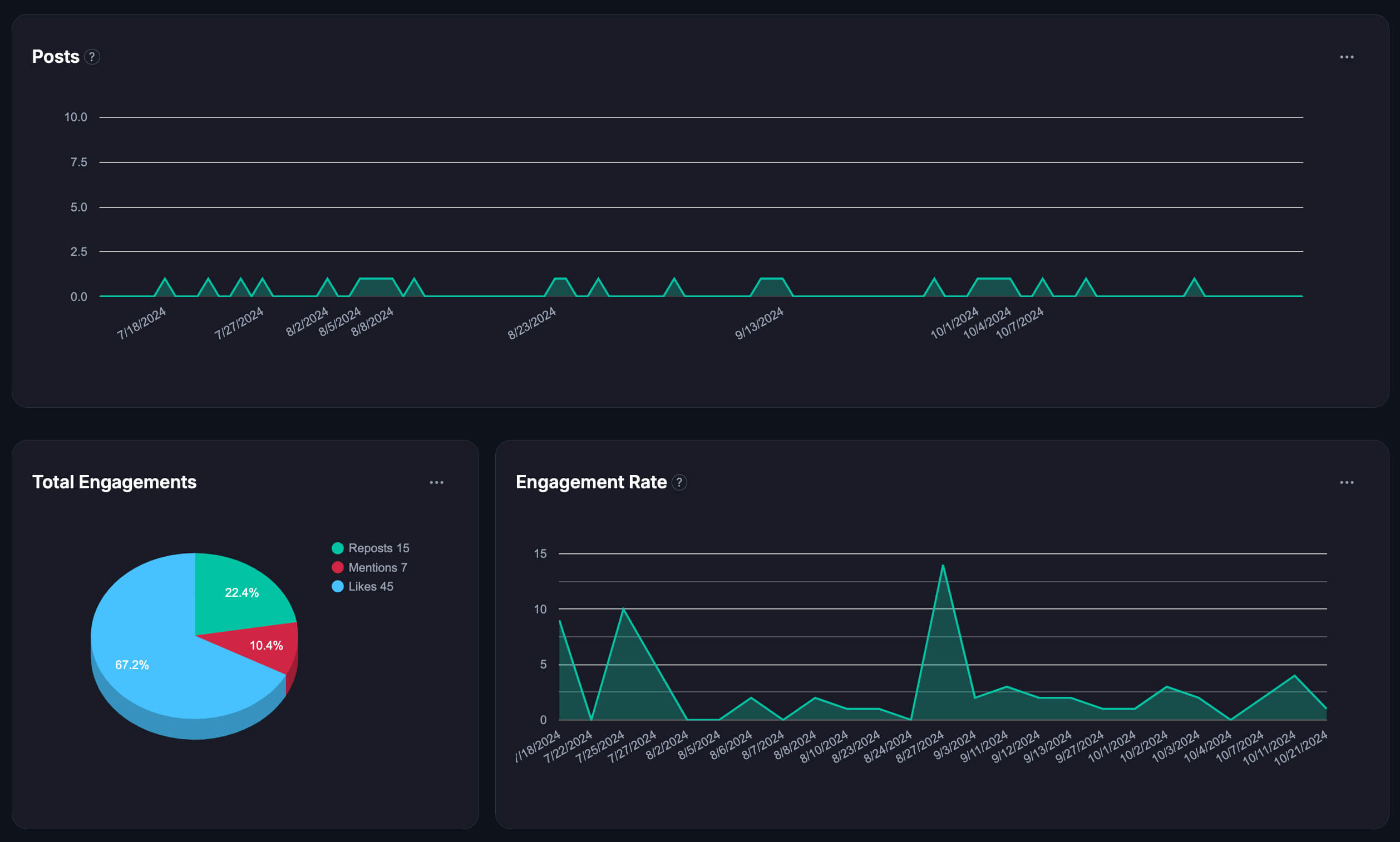
Fedica's engagement dashboard monitors Pixelfed engagement trends: likes, comments, reposts, and replies, so you can repeat what's working.
- Performance by topic and format: measure results by content type and time period.
- Content Segmentation and Filterable Metrics: slice results by keyword, campaign, topic, or hashtag, with engager identification included for Pixelfed.
- See what sparks reactions: review comments and engagement patterns to understand what resonates, then refine your next content batch.
- Export reports: share results or plan your next campaign.
Growth
Track Pixelfed Follower Growth and Audience Insights
See your Pixelfed follower growth and changes over time with clear account-level signals, through Fedica's Follower Growth Tracker.
- Growth tracking: weekly, monthly, or all-time comparison spans.
- Demographic filters: analyze audience quality with follower insights and demographic filters.
- Segment audiences: identify top interactors for community building.
- Connect engagement to people: see who's behind it to improve relevance.
Sort
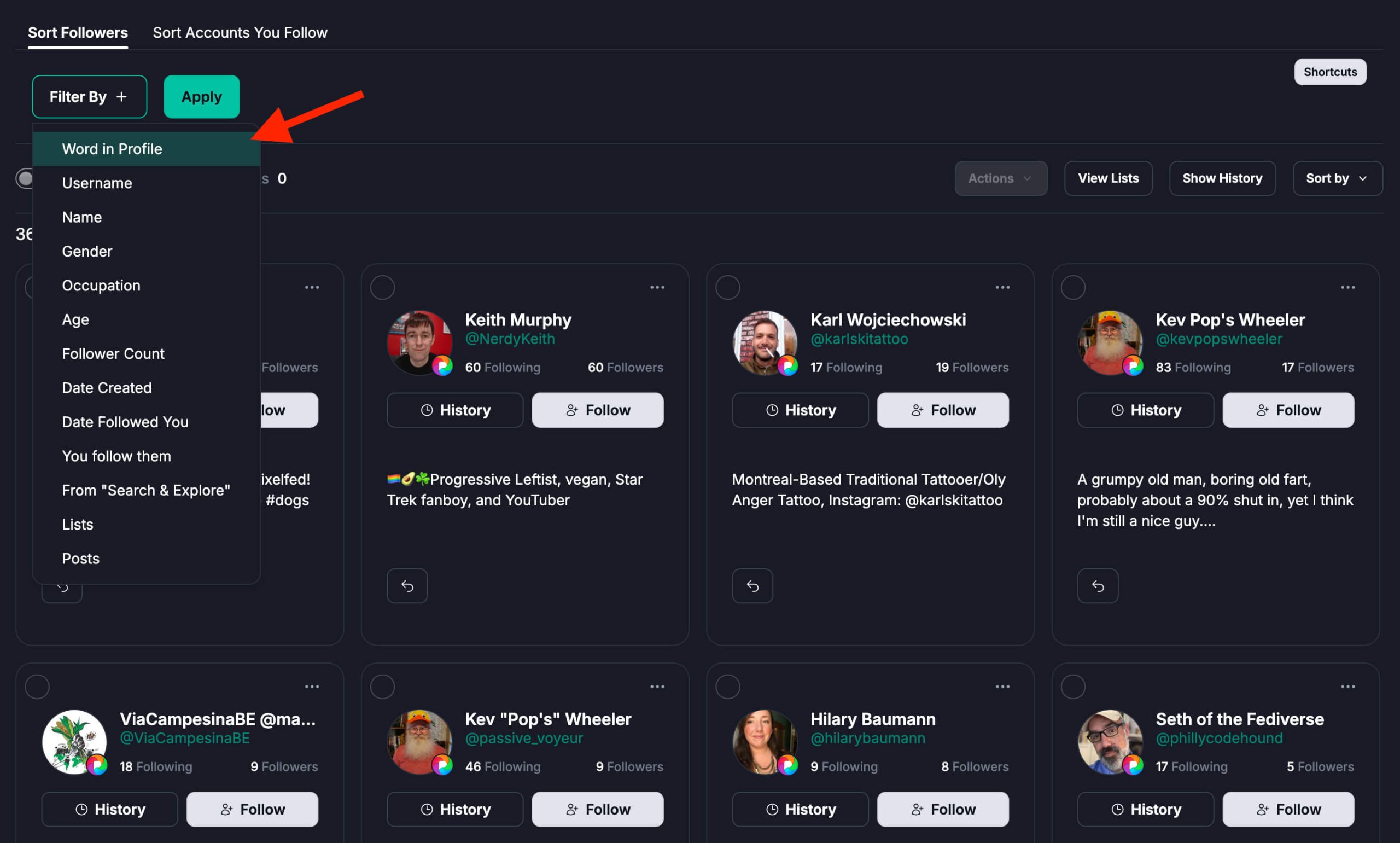
Sort Your Pixelfed Followers
See who's active and engaged versus who's gone quiet, with Fedica's Sort Followers.
- Filter by activity: see who's active and engaged versus inactive.
- Top interactors: identify community members worth prioritizing.
- Spot engagement patterns: adjust your posting rhythm based on what you find.
- Audience signals: guide content topics and campaigns.
Track
Track Pixelfed Unfollows and Top Interactors
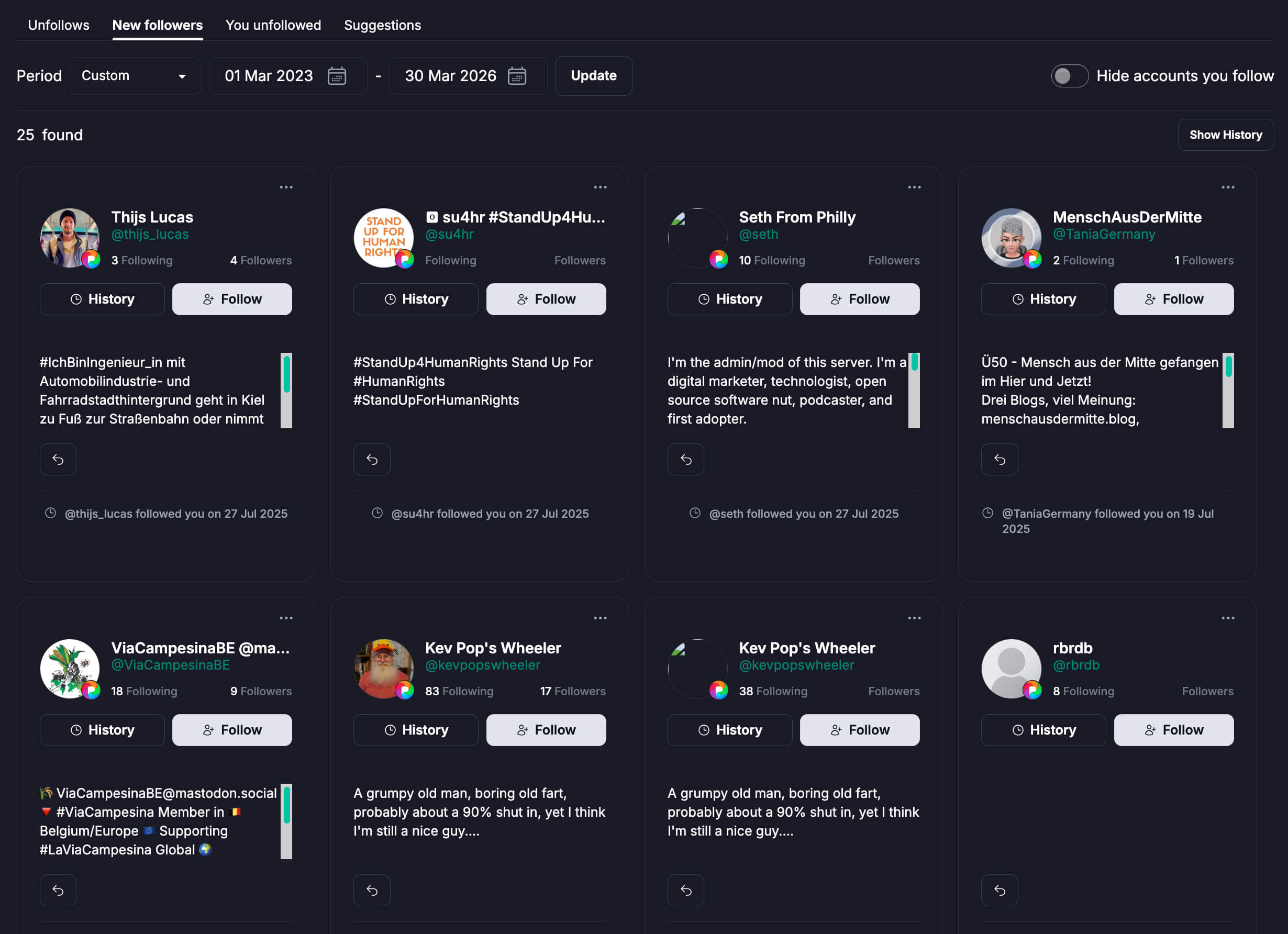
Track who unfollows and follows your Pixelfed account to monitor shifts in audience momentum.
- Track unfollows and new followers: see Fedica's unfollow tracking to monitor audience momentum shifts.
- Sort followers you follow: quickly review activity and relevance.
- Top interactors and top followers: prioritize your most valuable community members.
Why Fedica
Why Use Fedica for Pixelfed
Fedica combines Pixelfed scheduling, analytics, and follower tools in one workflow, so you're not juggling separate tools, alongside 14 other platforms. Plan Pixelfed alongside Mastodon, Bluesky, Threads, PeerTube, and more from the same calendar, and export insights and audience metrics so reporting and long-term history live outside any single app. It's built for creators who want consistency without giving up control over their community or their metrics.
How It Works
How Fedica's Pixelfed Tools Work
- Connect your Pixelfed account in Fedica.
- Create your post and add media and ALT text.
- Choose a content queue, calendar slot, or optimized scheduling.
- Customize per-network captions if cross-posting.
- Confirm and schedule, then review performance on the engagement dashboard and follower tools.
Who It's For
Who Uses Fedica's Pixelfed Tools
Fedica's Pixelfed tools are built for anyone managing a Pixelfed presence who needs more than posting tools alone.
- Social media managers at small agencies: manage every client's Pixelfed account, plus their other platforms, from one place.
- Creators: schedule, analyze, and grow your Pixelfed presence without juggling separate apps.
- Pixelfed users in general: get the scheduling, analytics, and follower tools Pixelfed doesn't build in natively.
Pixelfed Tools Specs
Here's the specifics:
| Category | What it covers |
|---|---|
| Platform | Pixelfed |
| Scheduling | Free: Content Calendar, queues, bulk upload, cross-posting |
| Engagement Dashboard | Fedica paid plans members. Content Segmentation, Filterable Metrics, and engager identification included |
| Follower Growth Tracker | Grow plan or higher |
| Sort Followers | Grow plan or higher |
| Unfollow tracking | Grow plan or higher |
| Also scheduled from the same calendar | Bluesky, Facebook, Google Business, Instagram, LinkedIn, Mastodon, PeerTube, Pinterest, Pixelfed, Telegram, Threads, TikTok, Tumblr, X (Twitter), and YouTube |
Pixelfed scheduling is free on Fedica. Analytics and follower tools require a paid plan. See Fedica's plans for full pricing details.
FAQ
Frequently Asked Questions
Can I schedule Pixelfed posts?
- Yes. Fedica lets you schedule Pixelfed posts with queues, calendar planning, and timing controls so you can post consistently. Bulk-upload images to drafts, queues, or calendar slots, and cross-post to Bluesky, Mastodon, Threads, and other platforms at the same time.
Is there a Pixelfed post scheduler?
- Fedica works as a Pixelfed post scheduler with a visual calendar, queues, bulk uploads, and scheduling controls to keep your posting consistent.
Does Fedica show Pixelfed analytics?
- Pixelfed analytics from Fedica cover engagement, post performance, growth tracking, and audience insights. The engagement dashboard includes Content Segmentation, Filterable Metrics, and engager identification, so you can filter results by keyword, campaign, topic, or hashtag and see reach alongside engager activity.
What can I track with Pixelfed analytics?
- You can track post performance and engagement trends, follower growth over time, and narrow results by content type and date range. Fedica also tracks Pixelfed unfollows and new followers, and identifies your top interactors so you know who to prioritize.
Can I manage scheduling and analytics in one workflow?
- Yes. You can plan content, publish it, and review the results without switching tools. Fedica's Content Calendar, engagement dashboard, and follower tools all work from the same connected Pixelfed account. Nothing needs re-uploading or re-exporting between them. Scheduling and analysis stay in sync because they're reading from that one account the whole time.
Is this useful for multi-platform creators?
- Fedica supports multi-platform planning so you can tailor content per network while keeping one strategy. Cross-post from Pixelfed to Bluesky, Mastodon, Threads, and more, with per-network captions that keep each post native to its platform instead of one generic blast.
Are more Pixelfed tools coming later?
- This page currently focuses on Scheduling and Analytics, though Fedica's Pixelfed support already includes follower sorting and unfollow tracking alongside what's covered here, with more planned.