

Twitter Account Search

Why Search Twitter Accounts?
Mission impossible: scrolling Twitter until the right people turn up. With filters, finding them takes minutes.
The people you want are already on Twitter, and their bios say so. Leads name the job, industry, or problem your business deals with. Collaborators and influencers show their reach in their follower count before you ever reach out. And when you engage with active people in your niche, the followers you gain actually care about your posts.
It works for research too. Pull a group of people in your target market who already talk about products like yours, and it's like having a focus group at your fingertips. When you're ready to advertise, the same list becomes an ad audience you picked by hand.
That's how a thriving community grows fast.
Twitter Bio Search: Find Profiles by Keyword
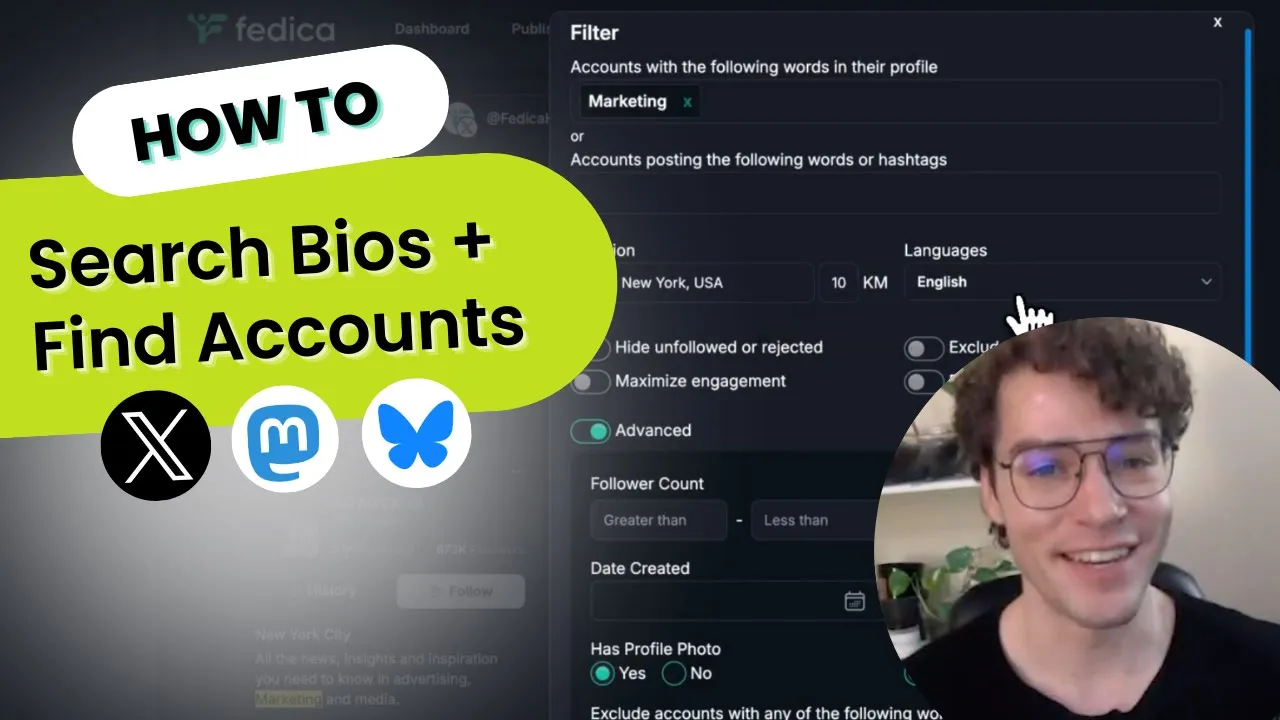
To search Twitter profiles by keyword, type the words you'd expect in someone's bio, like a job title, an industry, or a hobby, and Search Accounts finds the profiles that use them. Add as many keywords or phrases as you need, and a bio that matches any one of them makes the list. When a phrase has more than one word, Fedica asks how to match it: the exact phrase, or all the words anywhere in the bio. Case doesn't matter.
You can also exclude any profile that contains words you don't want. Tweet keywords get their own box, which matches people by the topics, keywords, and hashtags they tweet about, and you can fill in both boxes in one search. Bio keywords search the bio text only, not display names, and matches are highlighted in the results so you can see why each account made the list.
Fedica's own X Ads walkthrough starts here: "Youtuber" in the bio, narrowed to one city.

Find Twitter Profiles by Location and Activity
A bio tells you who someone says they are. The other filters tell you whether they're worth your time.
- Location by country, state, or city (one location per search), with an optional radius in km, and the language they speak.
- Last activity: pick a date, and only accounts active since then make the list. The date has to be at least 3 weeks back.
- Follower and following counts as a range, for anything from big influencers to small, active community members.
- Date created: filter by when the account was opened.
- Profile photo and verified-only filters, to keep empty or unverified profiles off the list.
- Skip people who already follow you or that you already follow, and hide anyone you've unfollowed or rejected, so the list only has new faces.
Then stack them. Founders and CEOs in San Francisco with a verified account and no "bitcoin" in their bio is one search.
Twitter Account Search Results and Export
Every search runs on two sources. Fedica queries Twitter for matching accounts, then adds matches from its own index, for full coverage and better filtering.
There's no cap on results per search. How many you can export depends on your plan's limits, and each export comes with 13 columns:
| Group | Export columns |
|---|---|
| Who they are | Username, Name, id, Description (bio), Website, Location |
| Reach and activity | Followers, Following, Posts, Last Active |
| Account status | Verified Account, Account Protected, Date Created |

Create a Tailored X Ads Audience from the Results
Found the right people? Put your ads in front of them. Drop your search results into a Fedica Ads Audience and Fedica sends that audience to X Ads (Ads.X.com) for you. No file to upload yourself.
Select the accounts you want (or all of them), choose Send Selection To, pick your X ad account, and add them to a new custom audience or an existing one.
One audience can mix sources. In Fedica's X Ads targeting guide, an audience of New York YouTubers combines people found with bio and keyword search and people filtered out of Fedica's own followers with Follower Segmentation. You can add the accounts that follow several brands at once, from Compare Followers, too.
Once the audience reaches X, click Set Ad to attach it to a campaign. You can also add it under Audiences in an ad group in X's Ads Manager, where several Fedica audiences can target one ad. X can need as long as 10 days to process a large audience, so add everyone before you send.

How Twitter Account Search Works
- Connect your Twitter account to Fedica.
- Set your filters: bio keywords, words they post, location, last activity, follower count, and the rest.
- Review the matching accounts, with their bio keywords highlighted.
- Export the list with one click, add it to a Fedica list, or add it to an Ads Audience.
- Want a closer look at someone? Analyze their Twitter account before you reach out.
Twitter Account Search Specs
| Spec | Detail |
|---|---|
| Filters | Bio keywords (include or exclude), words or hashtags they post, location with radius, language, follower count, following count, date created, last activity, profile photo, verified, exclude your followers, exclude accounts you follow, and hide unfollowed or rejected |
| Location detail | Country, state, or city; one location per search |
| Results | No cap per search; matching bio keywords highlighted; Twitter data plus Fedica's own index |
| Bio matching | Multiple phrases; exact phrase or all words; case-insensitive; bio text only |
| Last activity | Active since a date at least 3 weeks back |
| Export | One click, 13 columns; export limits follow your plan; or add results to a Fedica list |
| Ads | Add results to a Fedica Ads Audience and send it to X Ads (Ads.X.com) |
| Plan availability | Grow plan or higher |
See Fedica's plans for full pricing details. Searching beyond Twitter? Fedica also offers account search for Bluesky and Mastodon.
Last updated: October 13, 2026
Frequently Asked Questions
How do I search Twitter bios?
- Connect your Twitter account to Fedica, open Search Accounts, and type the words you want to find in a bio. Type more than one word and Fedica asks whether to match the exact phrase or all the words. Add any words you want to exclude, too.
Is there a Twitter account lookup by keyword?
- Yes. Fedica's Search Accounts looks up Twitter accounts by the keywords in their bio or the keywords they post about. You can then narrow the list by location, language, and last activity.
Can I search only my own followers?
- That's a separate tool: Fedica's Filter Twitter Followers sorts the followers you already have by demographics, interests, and engagement.
What can I do with an account once I've found it?
- Run it through Fedica's analyze a Twitter account tool. You'll see the top topics its followers discuss and where those followers are located. You also get engagement rates, reach, and follower demographics such as age, language, and time zone. That's worth checking before you pitch an influencer or target a competitor's audience.
Does Search Accounts work on Bluesky and Mastodon?
- It does: Fedica's account search for Bluesky and Mastodon uses the same tool.
Is Twitter account search free?
- No. Twitter account search is part of Fedica's Grow plan and isn't included on the Free plan. Visit Fedica's plans page to compare tiers and pricing.