

Filter X Followers
Why Filter X Followers
How do large accounts get millions of followers? They stop seeing their community as one group of people. Filtering your X followers gives you that same edge. Here's what that looks like in practice:
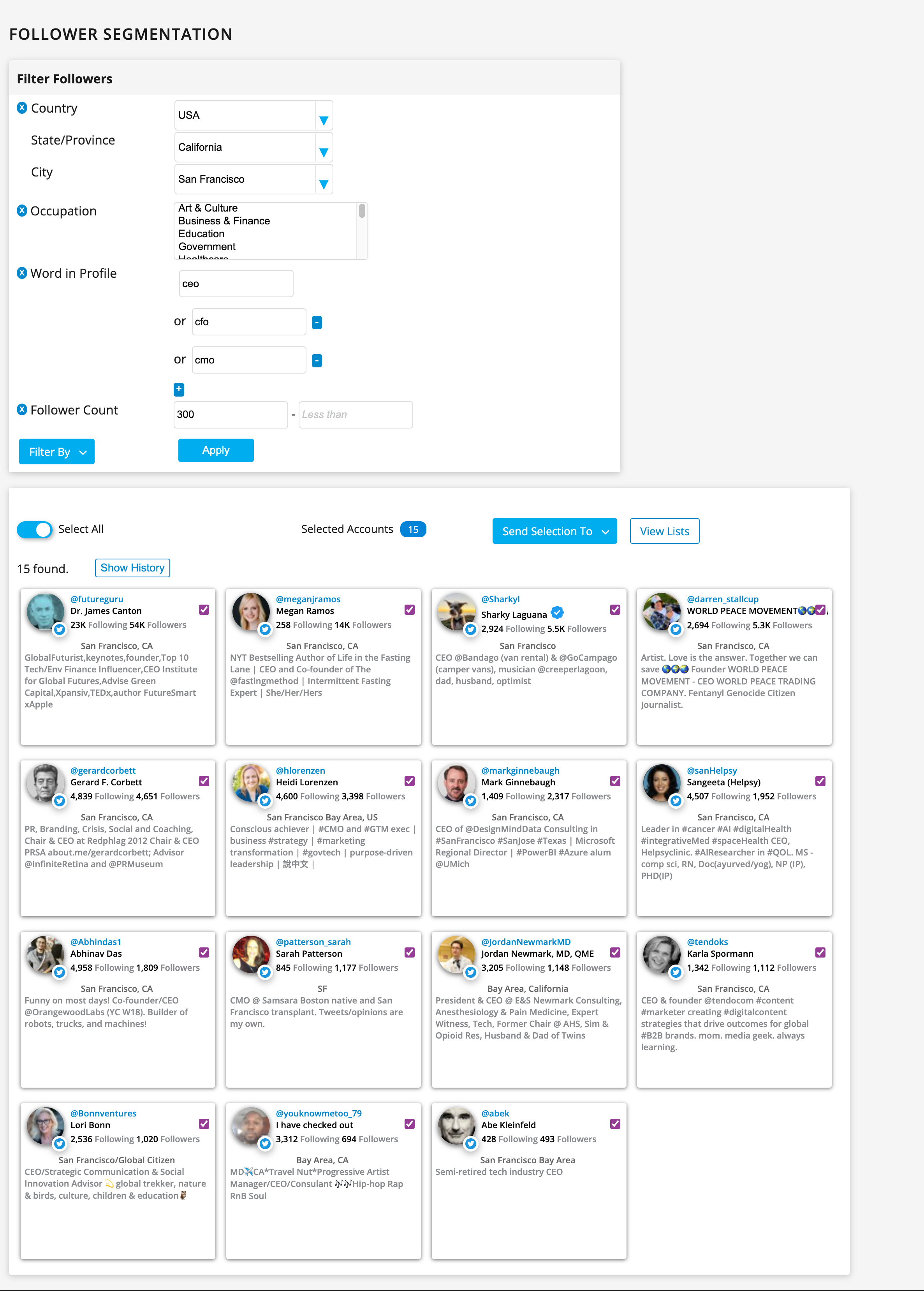
Create a segment for hyper-targeted engagement, categorize it into a list, and message the right people with relevant content. Say you're attending a tech conference in Austin and want to meet founders or executives based in Texas: filter your followers down to founders in Texas, then reach out individually.
Or, if you're running split-tested ad campaigns, export a segment to Excel for high-ROI targeting, then feed it to your ad platform, or use Fedica's direct integration with X Ads to curate a tailored audience for that campaign.
You can also filter by follower count to find which of your followers has the biggest reach, then reach out about advocating for your next announcement or collaborating on a project.
How Filtering Works
- Create a Fedica account, if you don't already have one.
- Connect your X account, which requires authorizing Fedica to access it.
- Fedica analyzes your followers and classifies them using its own proprietary algorithms.
- From the Manage menu (or the main dashboard), select Sort Followers.
- Select "Filter By" to pull up the list of available filters.
- Pick the filters that match what you're looking for: location, activity, bio keywords, or any combination.
- Set values for each filter (for example, enter "founder" in the Word in Profile filter), then click Apply.
- Stack multiple filters together to narrow a broad follower list down to a specific segment.
- Act on the segment: categorize it into a list, export it to Excel for any ad platform or your own systems, curate a tailored X Ads audience directly through Fedica, or reply and send DMs right from the dashboard, without switching over to X.

Filters You Can Stack
- Location: narrow followers down with a map-based drilldown.
- Gender
- Occupation
- Age
- Language
- Bio keywords: search for any word in a follower's profile.
- Follower count
- Last active date: find followers who've gone quiet. For accounts you follow, find and unfollow inactive accounts instead.
- Date they followed you, or you followed them
- Search & Explore results: filter followers who came up in a Twitter profile search.
- Verified status
- Profile photo: whether a follower has one set.
- Lists and posts
- Your own customer list: upload a list and filter your followers against it.
Plan Availability
| Feature | Plan required |
|---|---|
| Filter X Followers | Grow plan and higher |
Fedica also offers a Follower Quality Audit for bot and fake-follower detection, not segmentation.
Frequently Asked Questions
What can I filter my X followers by?
- Fedica lets you filter X followers by location, gender, occupation, age, language, bio keywords, follower count, last-active date, date followed you, date you followed them, Search & Explore results, verified status, profile photo presence, Lists, posts, and your own uploaded customer list, stacking any combination you want.
What can I do with a filtered segment of followers?
- Once you've filtered your X followers into a segment, you have a few ways to act on it. Categorize it into a Fedica list, or export it to Excel to upload into any ad platform yourself or plug into your own internal systems. If you specifically want X Ads, skip the manual export and use Fedica's direct integration to curate a tailored audience instead. You can also reply and send DMs right from the Fedica dashboard, without switching over to X.
What plan do I need to filter X followers?
- Filter X Followers is available on Fedica's Grow plan and higher.
Can I filter X followers by location on a map?
- Yes. Fedica includes a map-based drilldown for the location filter, so you can narrow followers down to a specific area instead of just a text field.
Go beneath the surface and really identify your audience.