

Social Media Tools
Search Accounts
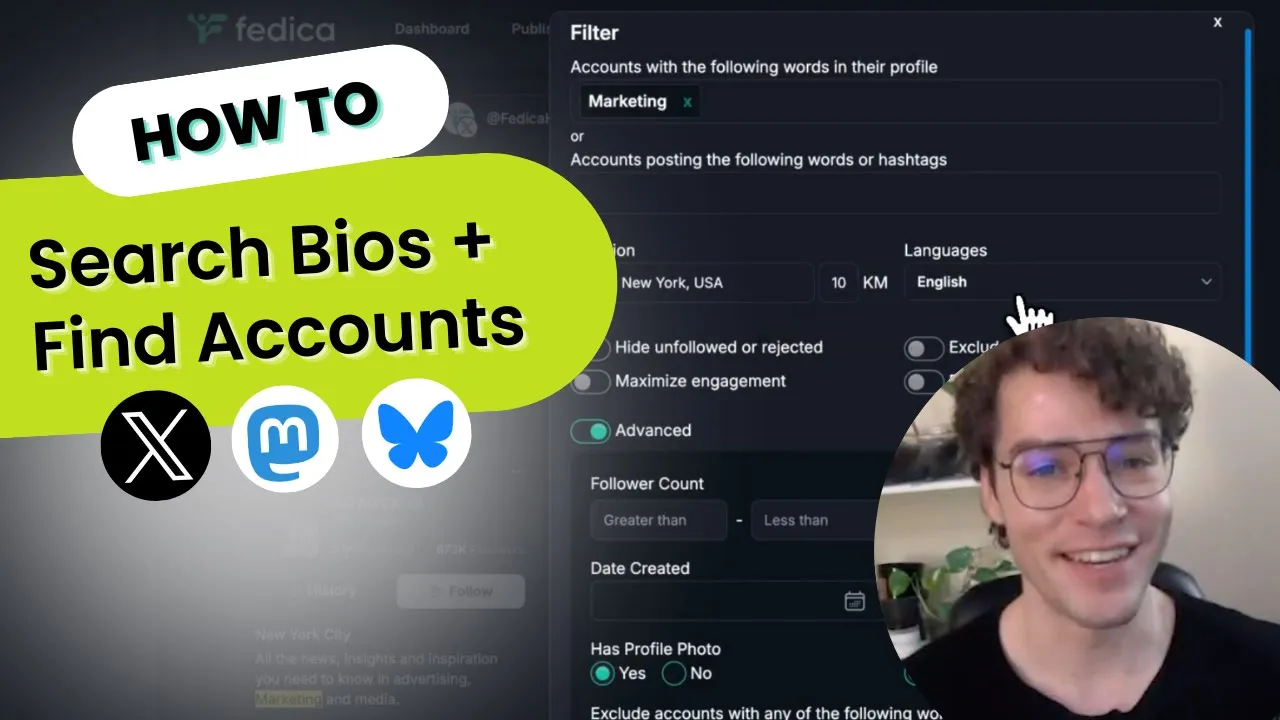
Fedica's Search Accounts (also known as Search & Explore) finds Bluesky, Mastodon, and X (Twitter) accounts by profile keywords, location, language, follower count, and more. Built for social media managers, agencies, and creators, it turns a vague idea of "the right people" into an exportable list of real prospects. Searching on Twitter? Fedica's Twitter account search covers bio search, location filters, and X Ads audiences in detail.

Why It Matters
Why Search for Accounts
Getting new followers is as easy as interacting with people you know would love your content.
- Find leads: build a list of prospects for your business without guessing who to reach out to.
- Find collaborators: identify accounts worth partnering with for more reach.
- Grow a targeted following: build your community with the ideal prospects instead of random followers.
How It Works
How Search Accounts Works
- Connect your X (Twitter), Bluesky, or Mastodon account to Fedica.
- Set your filter criteria: keywords, location, language, follower count, and more.
- Review the accounts Fedica's algorithm matches to your criteria.
- Export your results with a click, or add them to a Fedica Ads Audience.
X Ads
Build a Tailored X Ads Audience from Your Search
Add your Search Accounts results directly to a Fedica Ads Audience, then send that audience to X Ads without leaving Fedica.
Search Accounts is one of several Fedica tools that feed the same Ads Audience, so you can combine its results with other reports first. Fedica's guide to X Ads targeting walks through the full setup.
Filters
What You Can Filter By
Fedica's Search Accounts matches accounts to your target demographic using these filters:
| Filter | Detail |
|---|---|
| Profile keywords | Include keywords in a profile, or exclude keywords from a profile |
| Keywords they use | Match accounts by trending topics and keywords they post about |
| Location and language | Where they're from, and the language they speak |
| Follower and following counts | How many people follow them, and how many people they follow |
| Last activity | How recently they were active |
| Profile photo and verification | Whether they have a profile photo, and whether they're verified |
| Hide unfollowed or rejected | Hide people you unfollowed or already rejected |
Search Accounts Specs
The specifics:
| Spec | Detail |
|---|---|
| Platforms | X (Twitter), Bluesky, and Mastodon |
| Filter criteria | Profile keywords, location, language, follower counts, activity, and verification |
| Export | One-click export of matched accounts |
| Combines with | Fedica Ads Audience, for sending matched accounts directly to X Ads |
| Plan availability | Select paid Fedica plans |
See Fedica's plans for full pricing details.
FAQ
Frequently Asked Questions
What does Fedica's Search Accounts show me?
- Fedica's Search Accounts finds X (Twitter), Bluesky, and Mastodon accounts that match your filters, from profile keywords to follower count, so you can build a targeted list of prospects. Filter by keywords in a profile, excluded keywords, location, language, follower and following counts, last activity, and more. Fedica's algorithm matches accounts against all of it at once. The result: specific people worth reaching out to, not a random pile of followers.
Can I export my results?
- Export your matched accounts with one click to use them outside Fedica, or add them straight to a Fedica list.
Can I use Search Accounts to build an X Ads audience?
- Yes. Add your results to a Fedica Ads Audience, then send it to X Ads without a manual upload.
Is Search Accounts free?
- No. Search Accounts is available on select paid Fedica plans for X (Twitter), Bluesky, and Mastodon; it isn't included on the Free plan.