

RSS Feed to Social Media

Why Post From an RSS Feed?
Manually posting every new article, video, or episode takes time you could spend elsewhere. Configure a Pipeline once, and it keeps working in the background — no pasting the same link into each platform by hand every time you publish. That frees up time for replies and community conversations instead of routine sharing, while a steady stream of new content keeps landing on your profiles the moment it's published, sending a steady trickle of traffic back to your site.
What Fedica Does With Your RSS Feed
- Connect a feed to a Pipeline, with its own schedule, time zones, and platforms.
- Stream several RSS feeds to your social media at once, one feed per Pipeline.
- Content too long for one post is automatically split into a thread, or truncated to the platform's max length if threads aren't supported.
- Pipeline suffix (e.g. hashtags) and a link to the original post are added to the end of the post, or the last post of the thread if it's split.
- Up to 4 images from your feed's <enclosure> elements are attached, or the first <img> tag found in your content if there are no enclosures.
- Filter out posts by keyword, searched across the <title>, <description>, <category>, and <content> fields.
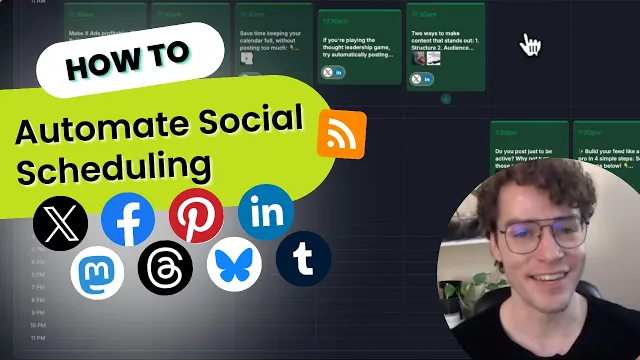
How RSS Feed to Social Media Works
- Connect your RSS feed to a Pipeline.
- Set the Pipeline's schedule, target platforms, time zones, and any word-exclusion filters, alongside your other scheduled content in Fedica's Post Scheduler.
- Fedica checks your feed on average every 5 minutes for new items.
- Each new item is automatically formatted: images attached, suffix and the original link added, and split into a thread if it's too long.
- Fedica posts it to your chosen platforms on schedule, with no manual work required.
Who Uses RSS Feed to Social Media
Fedica's RSS feed poster works for anyone who regularly publishes content outside social media and wants it shared automatically: bloggers and publishers connecting a WordPress feed with no special configuration needed, YouTube channels sharing new videos the moment they go live, podcasters pushing out new episodes automatically, and news or content curators keeping a steady stream flowing from their favorite sources.
RSS Feed to Social Media Specs
RSS feed posting works on the following technical terms:
| Spec | Detail |
|---|---|
| Required RSS fields | <link>, <Guid> (or <id>), <title> (or <description>), <pubDate> (or <published>) |
| Polling frequency | Multiple times per hour, on average every 5 minutes; never more than once per 5 minutes per feed unless multiple pipelines are configured |
| Long content handling | Auto-split into a thread; truncated to the platform's max post length if threads aren't supported |
| Image handling | Up to 4 images from <enclosure> elements; otherwise the first <img> tag found in <content> or <description> |
| Feeds per account | Multiple feeds supported, one feed per Pipeline |
| Platforms | X (Twitter), Bluesky, Facebook, Instagram, LinkedIn, Mastodon, PeerTube, Pinterest, Pixelfed, Threads, TikTok, Tumblr, YouTube |
| Plan availability | Fedica paid plans, not available in the Free plan |
RSS feed posting is available in Fedica's paid plans. See Fedica's plans for full pricing details.
Frequently Asked Questions
What does Fedica's RSS feed poster do?
- Fedica's RSS feed poster automatically shares new content from any RSS feed to your social media accounts, using a Pipeline to control the schedule, platforms, and formatting for each feed.
What RSS fields does Fedica require?
- Four fields are required: a <link>, a <Guid> or <id>, a <title> or <description>, and a <pubDate> or <published> field. Most WordPress and podcast feeds already include all of these and work without any extra setup.
What happens if my RSS content is too long for one post?
- Fedica automatically splits content that's too long for one post into a thread. If the platform doesn't support threads, the content is truncated to that platform's maximum post length instead.
How often does Fedica check my RSS feed?
- Fedica checks your feed multiple times per hour, on average every 5 minutes, and never more than once every 5 minutes unless you've configured multiple pipelines for the same feed.
Does Fedica attach images from my RSS feed automatically?
- Yes. Fedica downloads and attaches up to 4 images from your feed's <enclosure> elements, or, if there are none, the first image it finds in an <img> tag inside your <content> or <description> fields.
Will my WordPress or podcast feed just work?
- For most WordPress and podcast feeds, yes. These feeds already include the fields Fedica requires, so you can connect one and it works without any special configuration. We get a lot of questions about this, and for the vast majority of feeds it really is that simple. If a firewall on your site blocks bot traffic, you'll need to whitelist Fedica's bot so it can read your feed; contact Fedica's support team and they're happy to help you get it set up.