
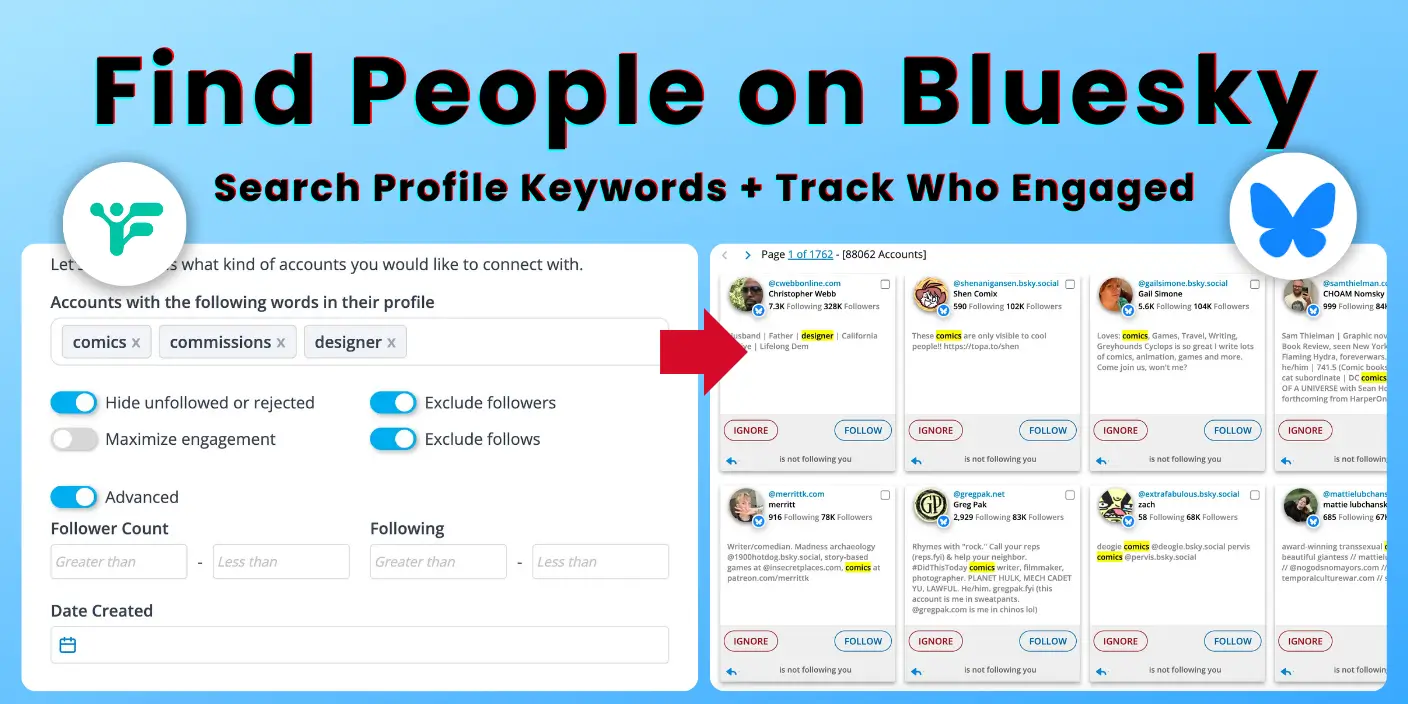
To find people on Bluesky strategically, use Fedica’s advanced search by targeting profile keywords, engagement, and demographics. This lets you discover potential clients, collaborators, and community members based on specific criteria like keywords in their bio, follower counts, and activity levels, all while staying on Bluesky instead of migrating to new platforms.
Key Takeaways:
- Transform basic friend-finding into strategic community building with Fedica’s Search & Explore tool
- Discover potential clients, collaborators, and community members by searching every user for profile keywords
- Build targeted communities fast through search and content analytics, while finding who to engage wich based on their interaction with you
- Export results as CSV for full control of your data for systematic outreach and analysis
Skip to Section:
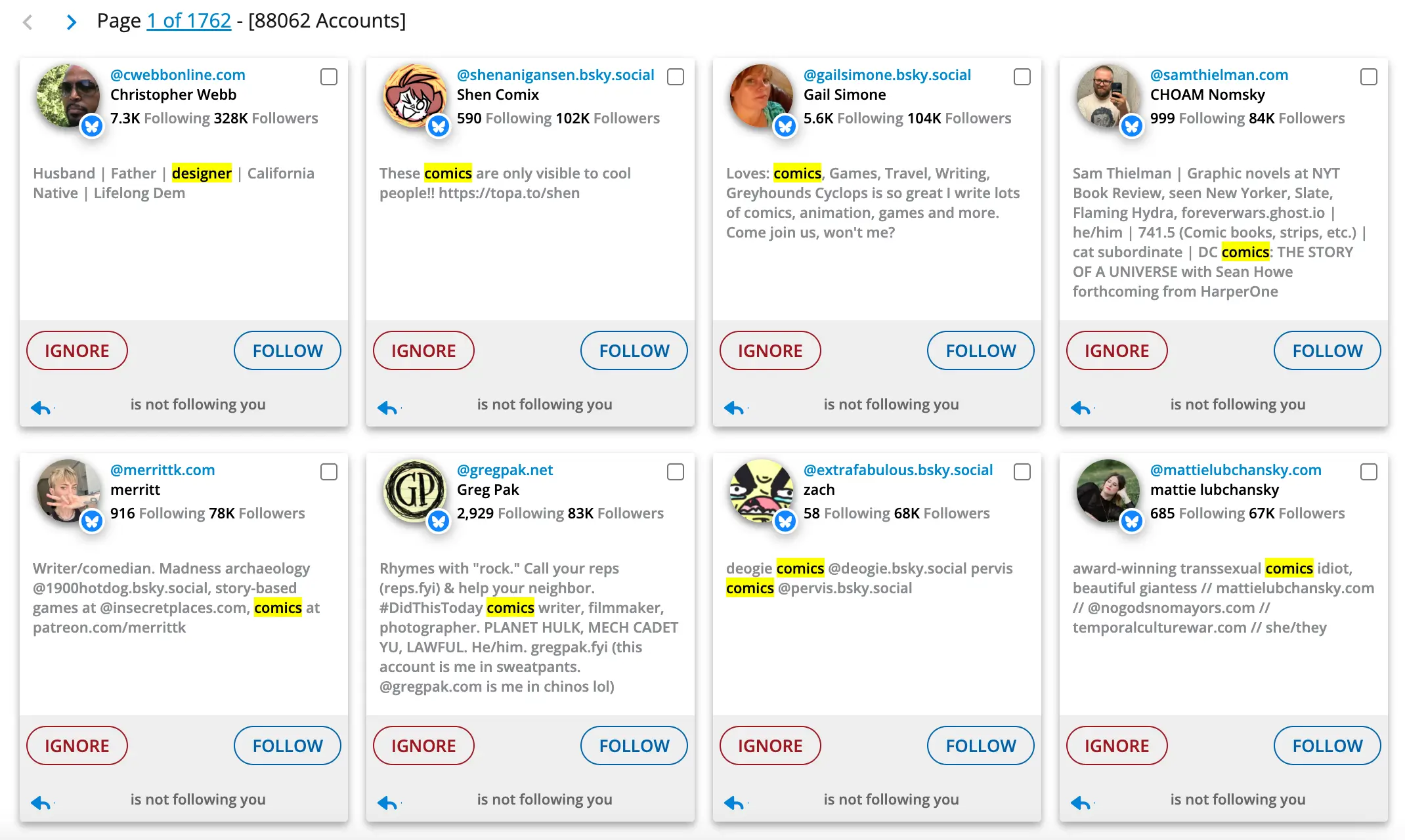
Why Can’t I Find People on Bluesky? The Basic Search Problem
Bluesky’s basic search only finds specific usernames, making it impossible to discover people by interests or professional background. This fundamental limitation prevents you from building meaningful networks and accessing the platform’s 40 million users strategically.
You’re stuck with manual, time-consuming searches that rarely lead to meaningful connections, while the platform’s 40 million+ users remain largely inaccessible for strategic networking.
This limitation hits especially hard when you’re trying to build something bigger than just a personal network. Whether you’re looking for potential crowd-supporers, industry collaborators, or community members for a project, basic search leaves you guessing and hoping.
You’re missing out on the people who could become your next client, collaborator, or community member because you can’t search beyond exact usernames.
Recent community feedback confirms this frustration. Users report that Bluesky’s “Discover” feature is “fundamentally broken” and makes it “genuinely painful” to find content or people they’re actually interested in.
Not only that, you could miss out on using search to build your community and continue expanding into groups of people you like.
How to Search Bluesky with Fedica’s Advanced Tools
Fedica’s advanced search tools let you find people on Bluesky using keywords, engagement metrics, and professional background. This transforms basic username search into strategic community building with precision targeting filters.
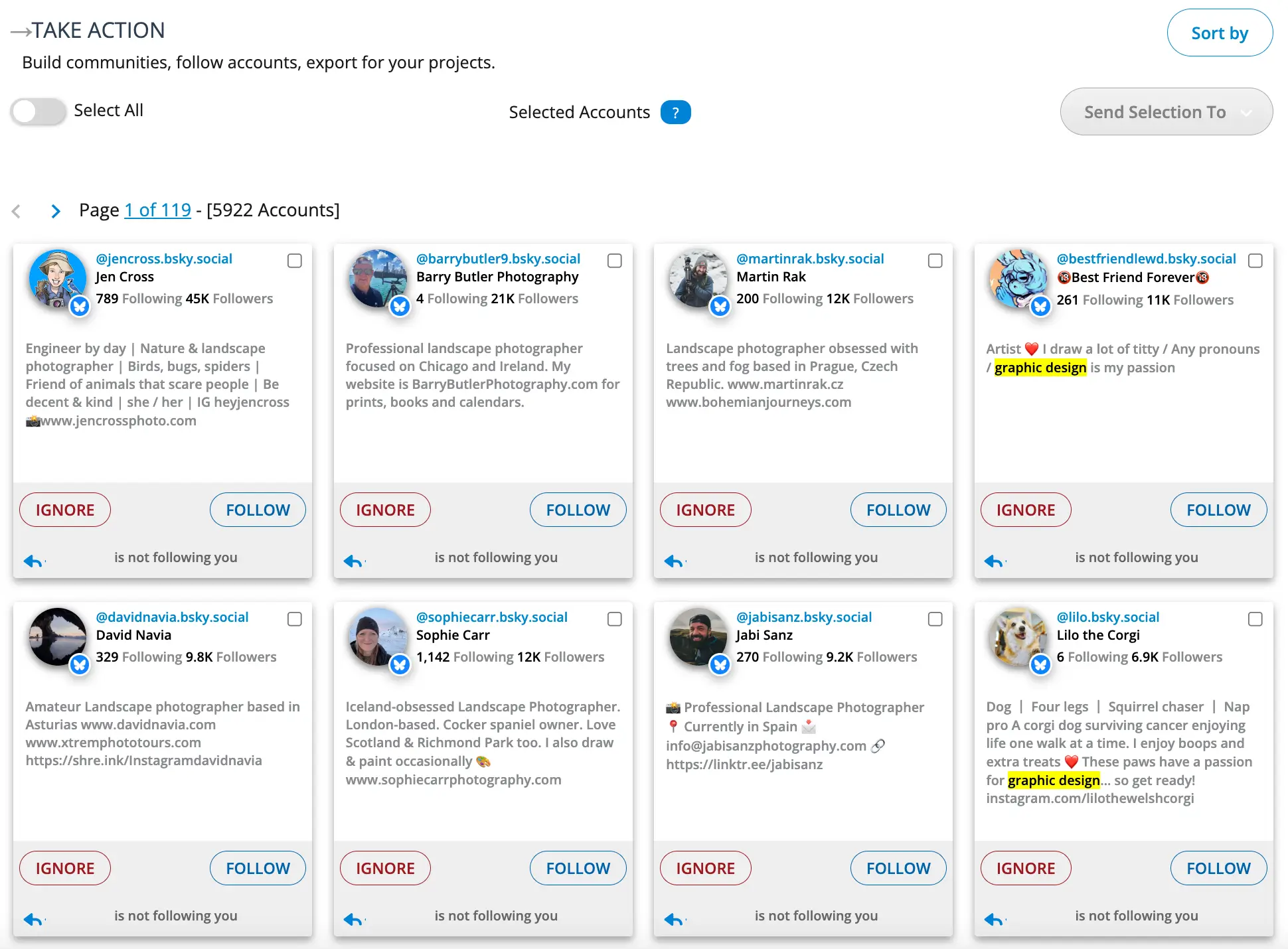
Fedica’s Bluesky search tools are built for strategic community building, not just basic friend-finding. With precision targeting filters, you can find exactly the type of people you need for your goals:
How to Filter People on Bluesky with Precision
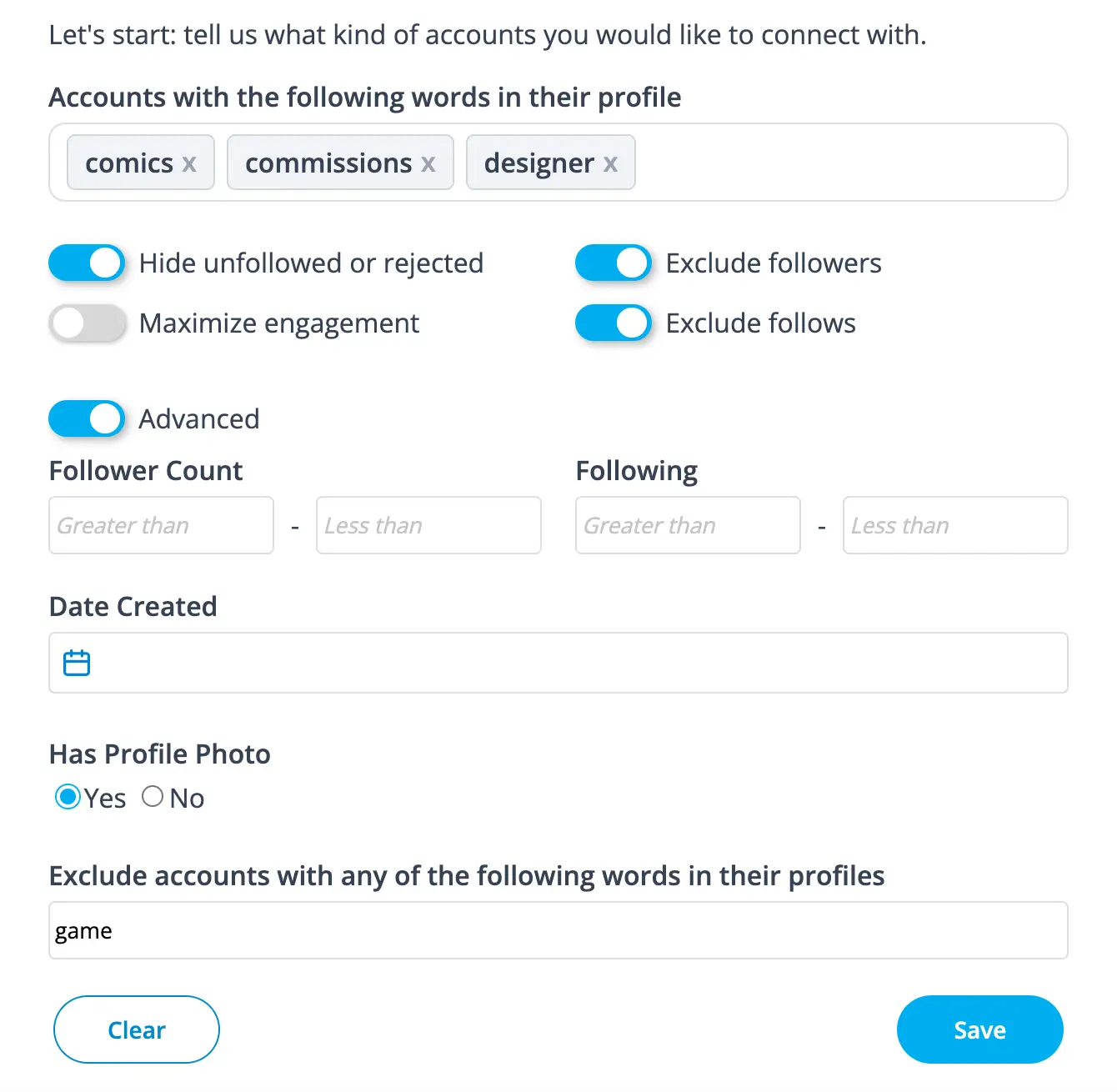
- Profile Content Search: Find accounts using specific keywords in their bio/profile (e.g., “montreal AND artist”)
- Engagement Metrics: Filter by follower count ranges, following counts, and activity levels
- Account Quality: Hide unfollowed/rejected accounts, exclude followers/follows, maximize engagement results
- Account Quality Filters: Account creation date, profile photo presence, verification status
- Exclusion Filters: Find accounts containing specific words in their profiles
💡 Search Capabilities: Fedica’s search tools focus on profile content, engagement metrics, and account quality. While demographic search filters are not available, these tools provide powerful targeting based on what people actually share in their profiles and how they engage with content.
How to Sort Bluesky Search Results for Better Discovery
- Sort by influence, follower count, following count, date created, or number of posts
- Ascending/descending order for all sort criteria
- Fast results with instant filtering updates
How to Build Communities on Bluesky with Fedica
- Find people based on shared interests or professional backgrounds
- Identify high-engagement accounts for networking opportunities
- Discover potential clients, collaborators, or community members
- Export search results as CSV for further analysis and outreach
Fedica’s search and explore accounts feature goes far beyond what Bluesky offers natively. You can find social media accounts that fit your target audience by adding keywords they use, words in their profile, their follower size, last active status, language, and more.
Then, Fedica’s algorithm will show you all the people perfect for any campaign or ideal for your community.
This is about finding the right people at the right time. Whether you’re looking for leads for your business, collaborators for more reach, or growing a targeted following with ideal prospects, Fedica’s precision targeting turns every search into a strategic community building opportunity.
⚖️ Basic Search vs. Advanced Search Comparison
| Feature | Basic Bluesky Search | Fedica Advanced Search |
|---|---|---|
| Search Method | Username only | Keywords, interests |
| Filtering Options | None | Profile content, engagement, quality |
| Results | Random discovery | Strategic targeting through engagement |
| Export | Manual copying | CSV download |
Unlike other social media management tools that focus primarily on scheduling and analytics, Fedica combines advanced discovery with comprehensive community building capabilities.
⚡ Fedica vs. Traditional Tools: While Hootsuite and Buffer help you manage content, Fedica helps you build the audience that will engage with that content. This unique combination sets Fedica apart.
How to Use Fedica to Find People on Bluesky: Step-by-Step Guide
Here are 5 steps to use Fedica’s advanced search: access the tools, define your target audience, apply filters, sort results, and export for follow-up. This process transforms random discovery into strategic community building.
Here’s how to use Fedica’s advanced search for strategic community building:
📋 Your 5-Step Action Plan
- Access the Tools
Log into Fedica and navigate to Bluesky Search & Explore - Define Your Target
Specify keywords and professional backgrounds - Apply Filters
Use profile content and engagement filters - Sort Results
Organize by influence, engagement, or other criteria - Follow Up & Connect
Build relationships with your discoveries
Step 1: How to Access Fedica’s Bluesky Search Tools
Log into your Fedica account and navigate to the Bluesky Search & Explore section where you can search keywords in people’s profiles. You’ll see a comprehensive interface with multiple filtering options that go far beyond what Bluesky offers natively.
Step 2: How to Define Your Target Audience on Bluesky
Think strategically about who you want to find. Are you looking for potential clients, industry collaborators, or community members? Define specific keywords or professional backgrounds.
Fedica’s search interface makes it easy to input multiple criteria at once.
Step 3: How to Apply Advanced Filters on Bluesky
Use the advanced filtering options to narrow your search.
Start with profile content search, then add “max engagement” filter to find the most relevant accounts.
Fedica’s algorithm will quickly show you people who match your exact criteria.
Step 4: How to Sort and Analyze Your Bluesky Search Results
Sort your results by influence, engagement, or other criteria that matter for your goals. Look for patterns and identify the most promising connections.
Fedica’s sorting options help you prioritize the accounts most likely to become valuable community members.
Step 5: How to Follow Up and Build Relationships with Your Bluesky Discoveries
Don’t just find people, build meaningful connections. Create a systematic approach to reaching out and building relationships with your discoveries.
Fedica’s search results give you everything you need to make informed decisions about who to connect with and how to engage authentically.
This five-step process transforms random discovery into strategic community building. Instead of hoping to bump into the right people, you’re systematically identifying and connecting with accounts that align with your goals and can help you build the community you want.
Not sure if Bluesky search tools are what you need right now?
Schedule to Bluesky, Mastodon, Threads, and more, for free.
How to Use Analytics to Find People to Follow on Bluesky
Your post analytics and audience insights are goldmines for discovering new people to follow. Instead of guessing who to connect with, use data-driven insights to find accounts that match your engagement patterns and audience demographics.
📋 Your Analytics-Driven Discovery Strategy
- Analyze Post Performance
Identify which content attracts your target audience. - Study Audience Insights
Use follower demographics to find similar accounts. - Track Engagement Patterns
Discover who interacts with your content most with a detailed Bluesky Tracker. - Leverage Follower Analytics
Find accounts similar to your engaged followers to get followers on bluesky.
Step 1: Analyze Your Post Performance Data
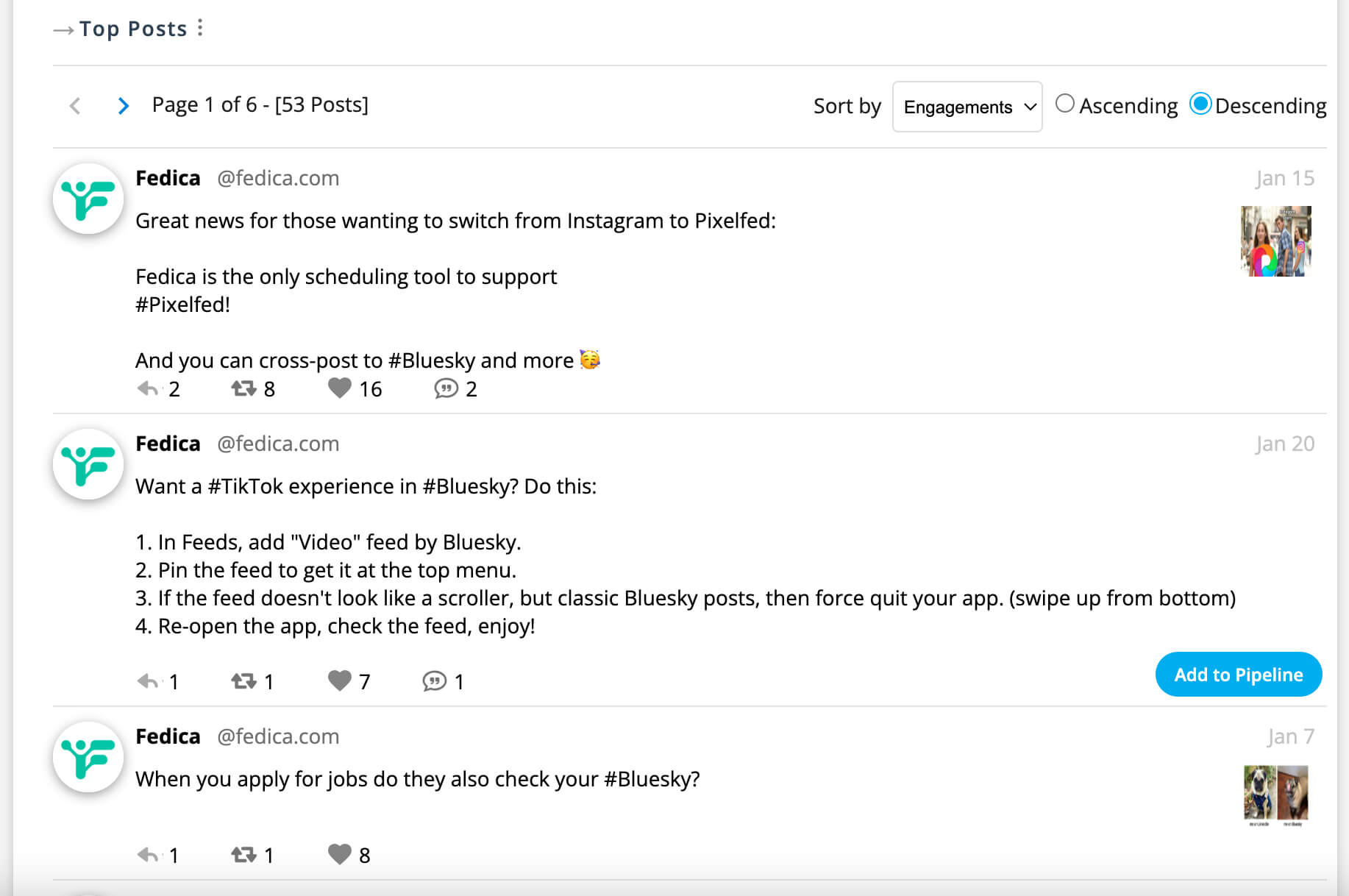
Look at your top-performing posts to understand what content resonates with your target audience. Fedica’s analytics show you which posts get the most engagement, helping you identify the type of people you should be following.
Step 2: Use Audience Insights for Discovery
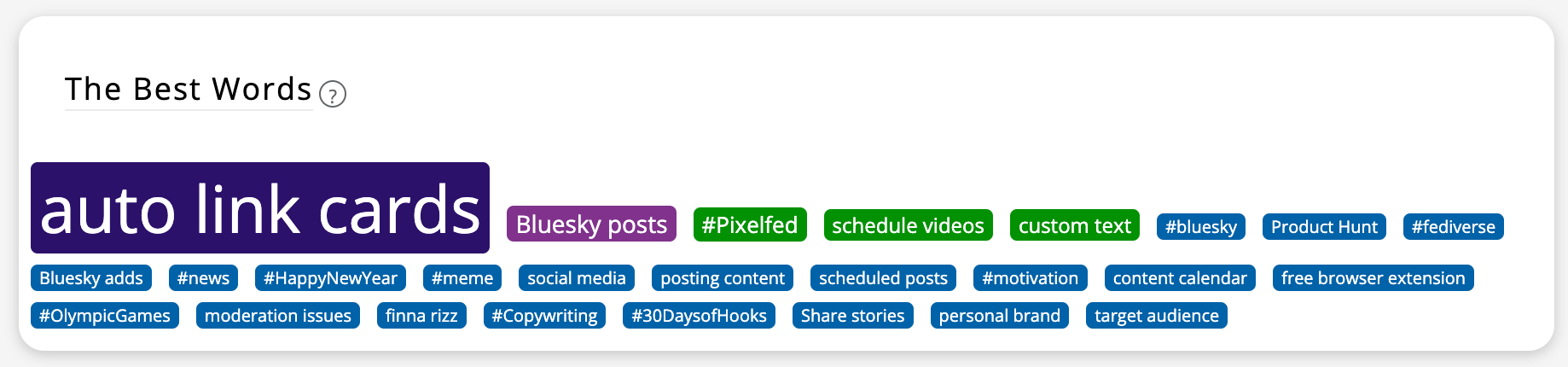
Break down your followers by gender, occupation, and interests. These insights help you find new accounts that match your current audience profile, ensuring you’re connecting with people likely to engage with your content.
Step 3: Track Analytics Patterns
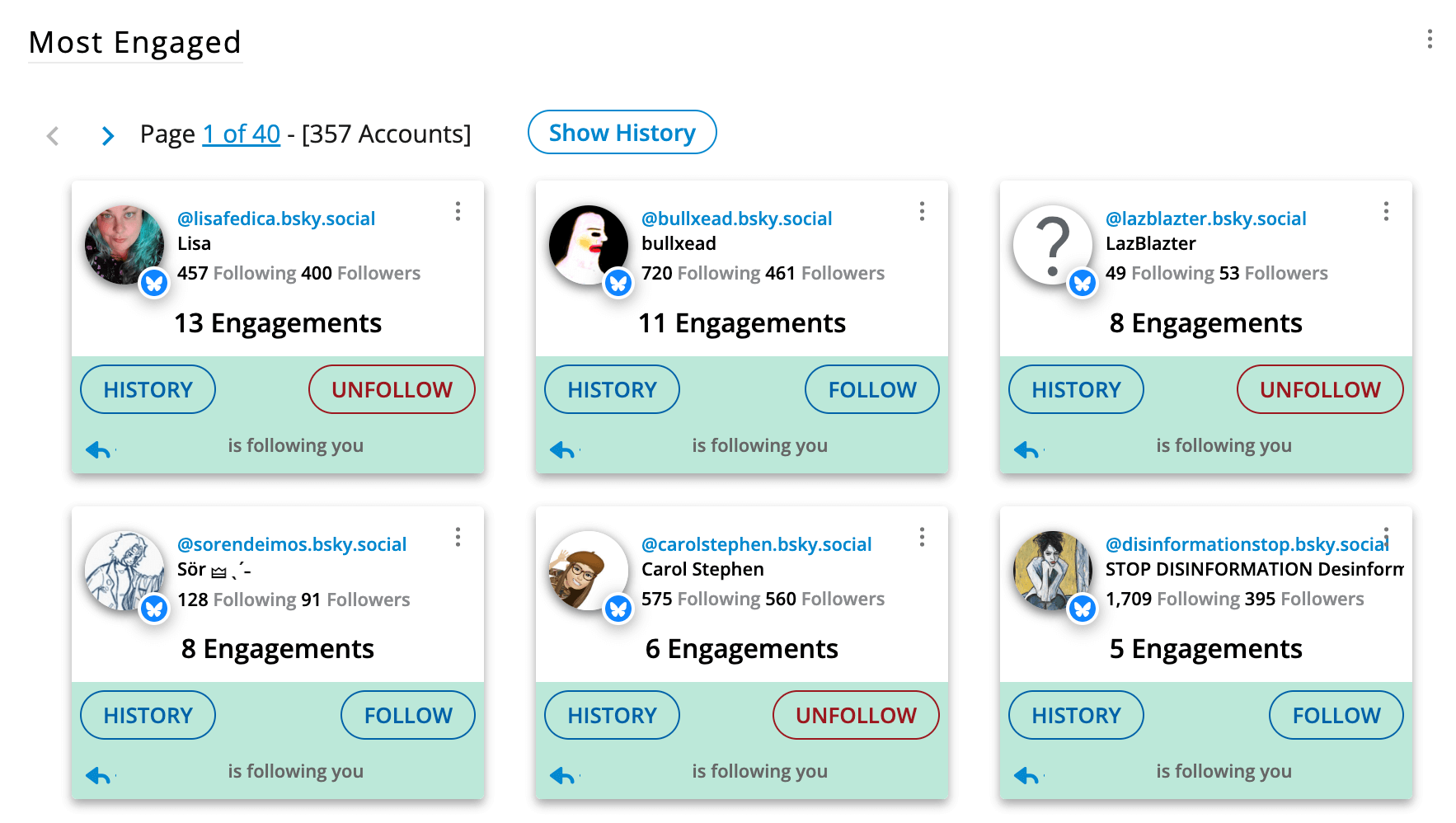
Monitor who likes, reposts, and replies to your content in Bluesky Analytics. These engaged users often have similar interests and can lead you to other accounts worth following. Fedica’s engagement dashboard makes this discovery process systematic.
Step 4: Leverage Follower Analytics
Use Fedica’s follower analytics to identify your most engaged followers, then find similar accounts. This data-driven approach ensures you’re following people who align with your community goals.
⚡ Why Use Top Engagers to Build Your Network?
- Data-driven targeting vs. random following
- Audience-aligned connections vs. guesswork
- Engagement-focused discovery vs. follower count obsession
- Strategic community building vs. scattered networking
Fedica has Search, Scheduling Analytics, Audience Growth Tracking,
Bluesky Unfollower Tracking and More for Bluesky and Other Platforms!
How to Find People on Bluesky: What Basic Search Can’t Do
Basic Bluesky search can’t help you find people by interests or filter engagers and followers by professional background or keyword. You’re missing out on potential clients, collaborators, and community members because you can’t search beyond exact usernames.
Current Bluesky discovery tools help you find contacts, but they don’t help you discover new people based on your strategic goals. You’re missing out on:
- People with specific interests or professional backgrounds
- High-engagement accounts that could amplify your message
- Potential clients or collaborators in your industry
- Community members who share your vision
- Networking opportunities based on expertise
Imagine trying to build a business network without being able to search for “author” or find people with “artist” in their profiles. That’s exactly what you’re dealing with on Bluesky right now.
You’re limited to hoping people find you or manually asking friends for introductions, while thousands of potential connections are just a few strategic searches away.
This isn’t just about finding friends, it’s about missing business opportunities, potential collaborations, and community members who could help you achieve your goals.
Every day you’re limited to basic search is another day you’re not building the strategic network that could transform your Bluesky experience from social networking to community building.
💡 Key Differentiator: Fedica is the only tool that enhances Bluesky without requiring platform migration, giving you advanced discovery capabilities while maintaining your existing audience and relationships.
Frequently Asked Questions
Why can’t I find people on Bluesky?
Bluesky’s basic search only finds specific usernames, no filtering by interests or professional background. Fedica’s advanced search tools solve this by providing precision targeting and filtering capabilities that basic search can’t offer.
How do I search for people on Bluesky effectively?
Use Fedica’s advanced search with keywords, engagement metrics, and profile content filters. Just type the keywords in people’s profiles to find all of them on Bluesky at once. This transforms random discovery into strategic community building that aligns with your specific goals.
How to get found on Bluesky?
Connect with the right people who share your interests using Fedica’s advanced search tools. By interacting with the people you see in your analytics brief, it’s easy to know who to engage with to boost your numbers. Strategic networking and content optimization help you get discovered by the right audience when you interact with those interacting with you.
Does Bluesky provide analytics?
No, Bluesky doesn’t provide profile view analytics. Fedica’s analytics, reporting tools, and audience data help you identify engaged followers and discover similar accounts for valuable connections.
How do I start building a community on Bluesky?
Start with Fedica’s advanced search using 2-3 criteria, find 10-20 quality matches, engage before following, and use performance tracking to monitor your progress weekly for sustainable community growth. Post often with Fedica’s free Bluesky scheduling, and track analytics for those engaging with you the most. Engaging with your fans is how you continue growing through the connections-based algorithm on Bluesky.