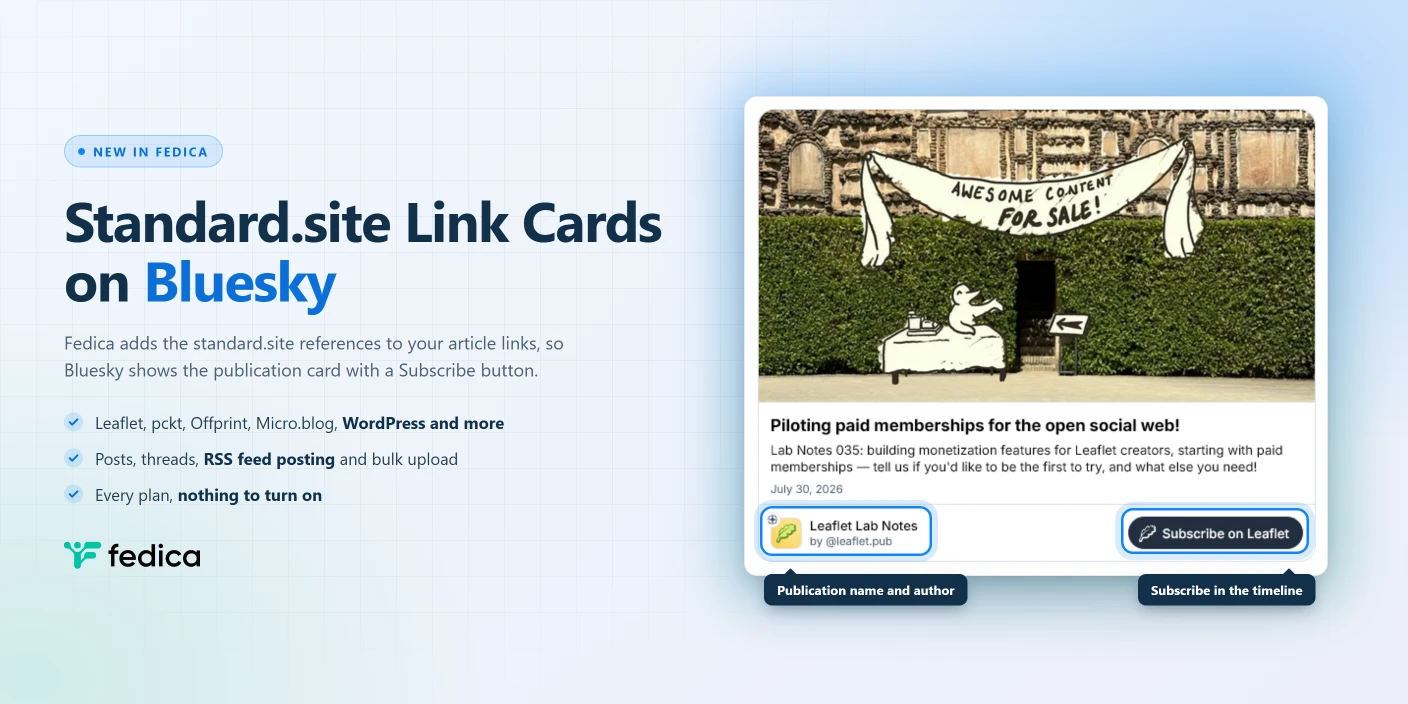
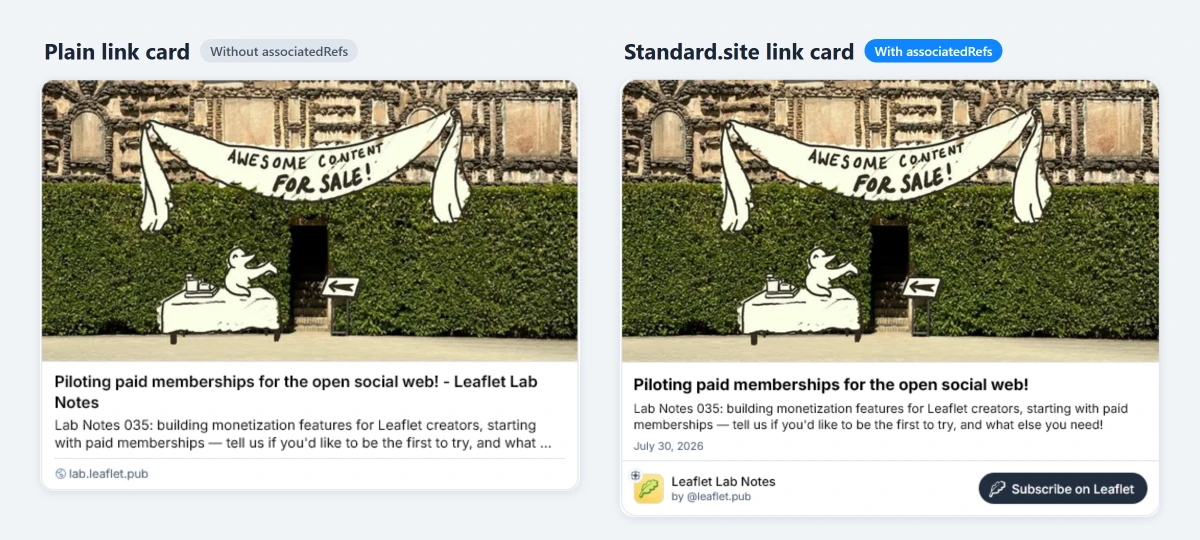
Share an article to Bluesky and the link card is most of what people see. A plain card gives them a headline, a thumbnail and a domain. The card Bluesky draws for standard.site articles gives them your publication’s name, its icon, the author, a date or reading time, and a Subscribe button. That’s the difference between a click and a subscriber.
Bluesky only draws the enhanced card when the post itself tells it which standard.site article the link belongs to. Since October 2026, Fedica adds that information automatically, so links to Leaflet, pckt, Offprint, Micro.blog, WordPress and other standard.site articles get Bluesky’s enhanced card when Fedica posts them. It works in scheduled posts, threads, RSS feed posting and bulk uploads, on every Fedica plan, with nothing to turn on.
What Standard.site Is
Standard.site is a community-built Lexicon format for long-form publishing on the AT Protocol, the open network Bluesky runs on. That’s Bluesky’s own definition, from its developer documentation. It describes a blog or newsletter as a publication record and each article as a document record, plus a subscription record for readers who follow a publication.
Those records live in the writer’s own AT Protocol account, next to their Bluesky posts. Any app can read them. Leaflet, pckt and Offprint publish them out of the box. Micro.blog creates them for blog posts with a title when it cross-posts them to Bluesky, as long as link previews are turned on in its Bluesky settings. There’s also a WordPress plugin plus command-line tools for static sites built with 11ty, Hugo, Astro or Jekyll. The format itself is documented at standard.site.
What the Enhanced Bluesky Link Card Shows
Bluesky announced standard.site cards on its developer forum on May 20, 2026, and publishers like pckt and Offprint switched them on for their writers on May 28. Here’s how the two kinds of card compare:
| Plain link card | Standard.site link card | |
|---|---|---|
| Article title | Yes | Yes |
| Thumbnail image | Yes | Yes, plus the publication’s theme colors |
| Publication name and icon | No | Yes |
| Author | No | Yes |
| Estimated reading time | No | Yes, when the article’s text is in its record |
| Subscribe button | No | Yes |
The Subscribe button is the part writers care about. In Bluesky’s words, it “creates a subscription for the reader”, right there in the timeline, without sending them off to a sign-up page.
Bluesky handles three cases: an article that belongs to a publication, a standalone article, and a link to the publication’s home page. If a publication has no icon, Bluesky uses its theme colors and the first letter of its name instead.
Why the Posting Tool Decides Which Card You Get
A Bluesky link card is part of the post, not something Bluesky looks up later. When a post includes a link, the app or tool that sends it writes the card: the URL, title, description and thumbnail.
For the enhanced card, Bluesky added a new field to that link card, associatedRefs. It points at the article’s site.standard.document record and its site.standard.publication record. Bluesky only renders the standard.site card when the post carries those references and the records check out. If the tool posting your link leaves the field out, Bluesky shows a plain card, even for an article that’s fully set up for standard.site.
Fedica fills in associatedRefs for you. When you add a link, Fedica reads the article page, finds its standard.site link tags, and attaches the document and publication references to the Bluesky card. You paste the URL. That’s it.
Where It Works in Fedica
Every way Fedica posts to Bluesky picks up the enhanced card:
- Create Post and Custom Post. Paste the article URL into a post for your Bluesky account and schedule it as usual with Fedica’s Bluesky Scheduler.
- Threads. A link in any post of a thread gets the card. Handy when you schedule Bluesky threads that walk through an article and link to it at the end.
- RSS feed posting. Point Fedica’s RSS feed posting at your Leaflet, pckt, Micro.blog or WordPress feed, and each new article goes out to Bluesky with its publication card and Subscribe button.
- Bulk upload. Links in a CSV file get the card too when you bulk schedule social media posts, so a month of evergreen article promos keeps its branding.
It’s on every Fedica plan, including the free one.
What Your Site Needs for the Card to Appear
Fedica can only attach references that the article page points to. Bluesky’s developer discussion lists what a site needs:
- Article pages carry a
<link rel="site.standard.document">tag and a<link rel="site.standard.publication">tag. - The publication’s home page carries the
<link rel="site.standard.publication">tag. Without it, links to the home page show a plain card. - The tags are in the HTML the server sends. Bluesky’s crawler doesn’t run JavaScript, so tags added by a script after the page loads aren’t seen.
- The records are valid. Bluesky skips records that fail validation, and the post gets a plain card.
Leaflet, pckt and Offprint handle all of this for you. On a self-hosted site, it’s down to the plugin or tool that publishes your records.
One timing detail matters for scheduled posts. Bluesky doesn’t refresh a card after the post goes out, so a headline you change later won’t show up on posts that already published. Get the article live and final before its Bluesky post publishes.
Frequently Asked Questions
Do I need to turn anything on in Fedica?
No. Fedica detects standard.site articles automatically when you add the link, on every plan, in posts, threads, RSS feed posting and bulk uploads.
Which publishing platforms work with standard.site link cards?
Any platform that publishes standard.site records and adds the link tags to its pages. Leaflet, pckt and Offprint do this by default, Micro.blog does it for blog posts with a title, and WordPress and static sites can do it with a plugin or command-line tool.
Why does my Bluesky post still show a plain link card?
Usually the article page is missing its standard.site link tags, the tags are added by JavaScript instead of being in the page HTML, or the records failed Bluesky’s validation. Check the page source for site.standard.document and site.standard.publication link tags first.
Does the card update if I edit the article after posting?
No. Bluesky builds the card when the post is published and doesn’t refresh it, so edits to the title or publication details only show on posts made after the change.