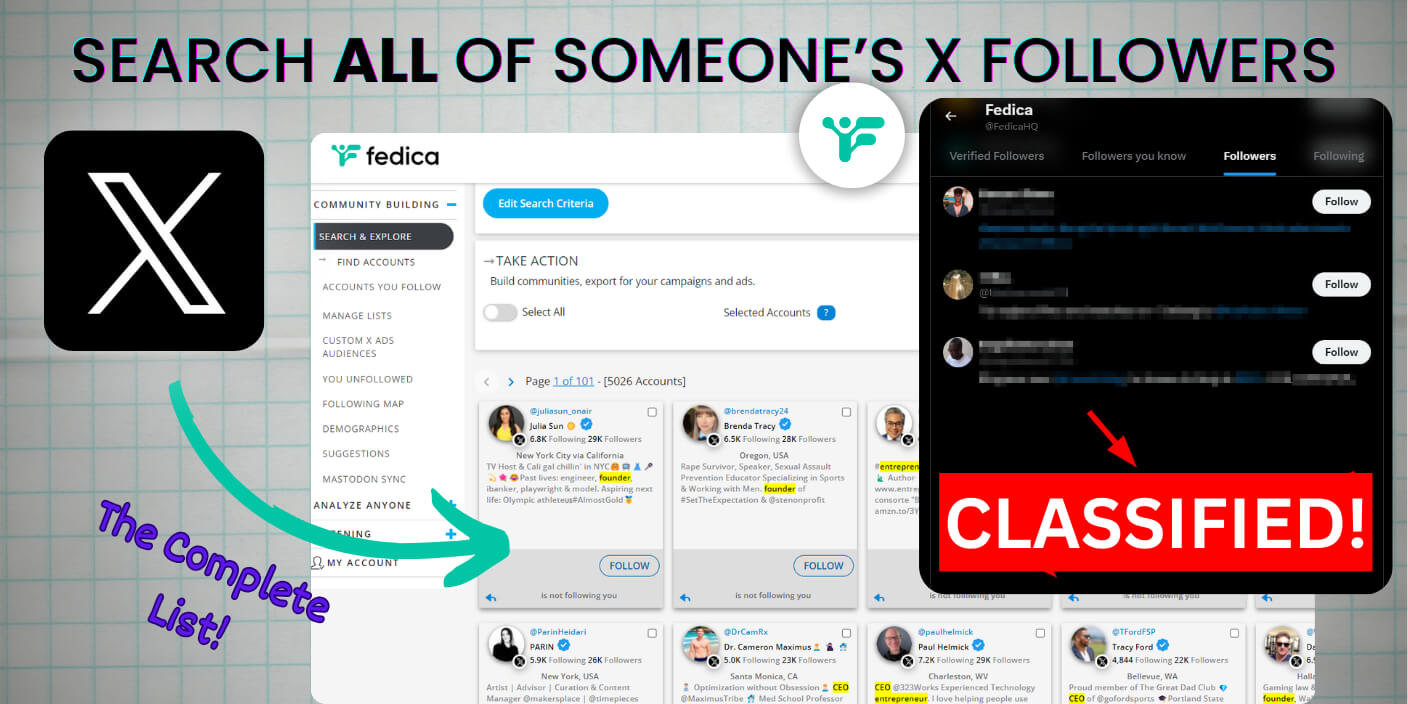
If you’ve ever tried to search Twitter followers, or see all of someone’s followers, you’ve probably hit a wall. It’s frustrating, right?
You might be wondering,
“Why can’t I search followers on Twitter?” or
“How do I see all the followers on someone’s account?”
Well, you can get a complete list of someone’s followers. Here’s how:
(by the way, if you want to search people in your X followers, use Filter X Followers tool called Sort Followers)
How to Search Someone’s Twitter Followers
X has some limitations when you’re trying to search Twitter followers:
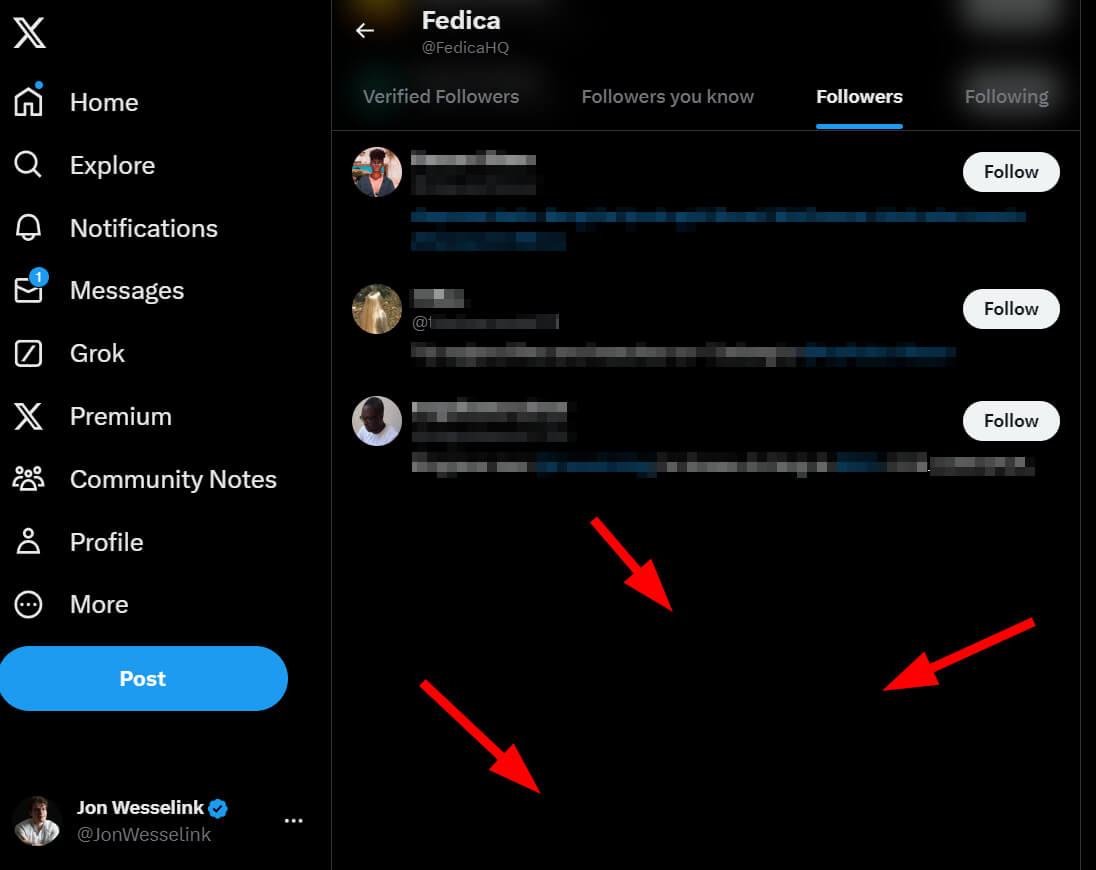
- Twitter (X) caps the number of accounts you can see in someone’s followers or following list. In our October 2026 checks, X showed between 52 and 71. That’s barely scratching the surface for most accounts.
- There’s no good way to search through Twitter either. You can’t filter by keywords, location, or any other criteria using X advanced search.
- Can you view another user’s Twitter follower stats over time? Not on Twitter.
So, what’s the solution?
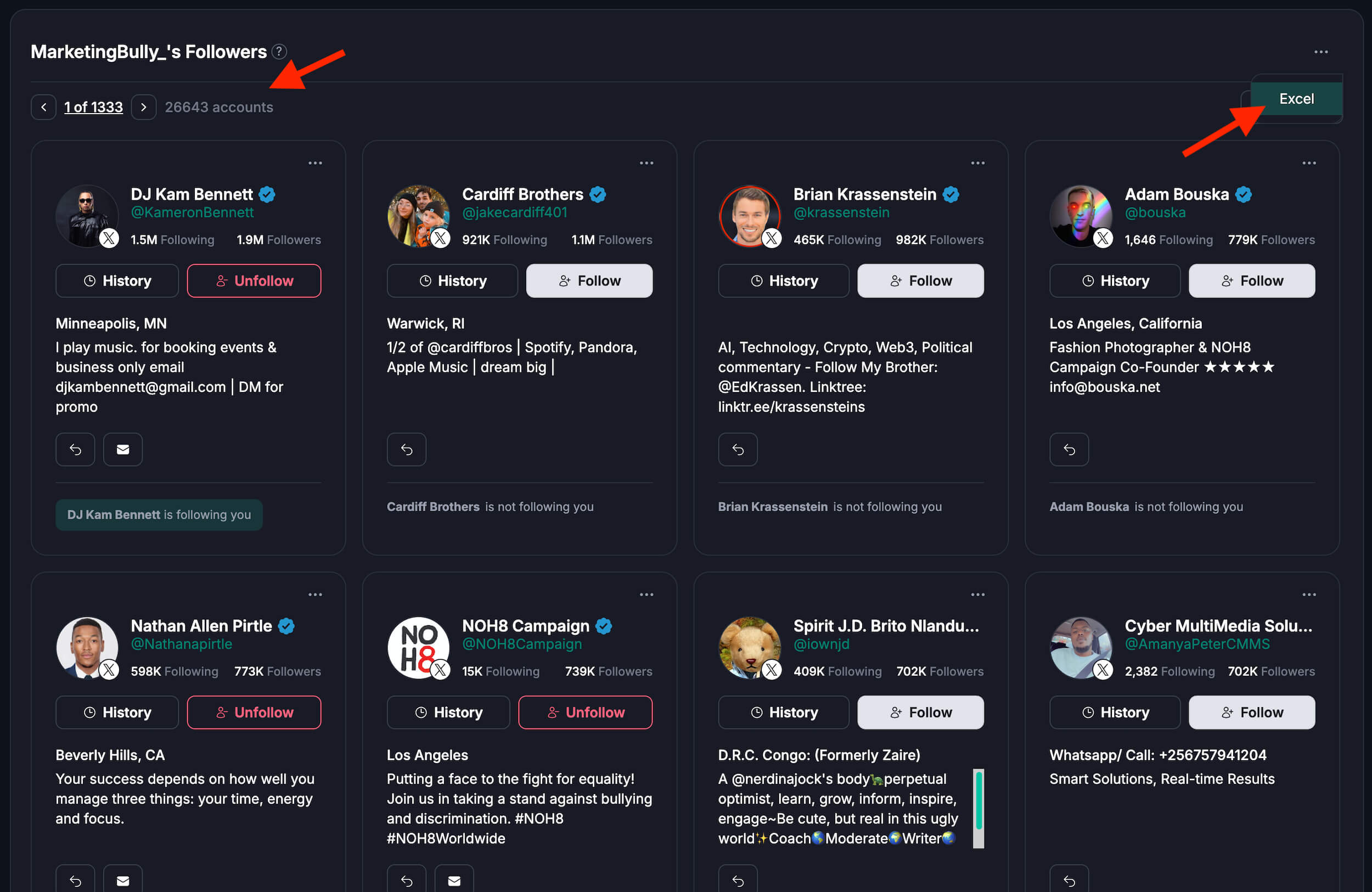
You’ll need Fedica. But luckily it comes with all the possible tools for finding and tracking accounts you need:
- To search through the stats of an account and get a complete list of someone’s followers, Analyze a Twitter Account with Fedica.
- Complete Twitter account analytics for another account (with extra unique demographic data)
- Search in your Twitter followers with Sort Followers tool (for people who follow your account using Segmentation).
How to Quickly Search Twitter Followers of an Account:
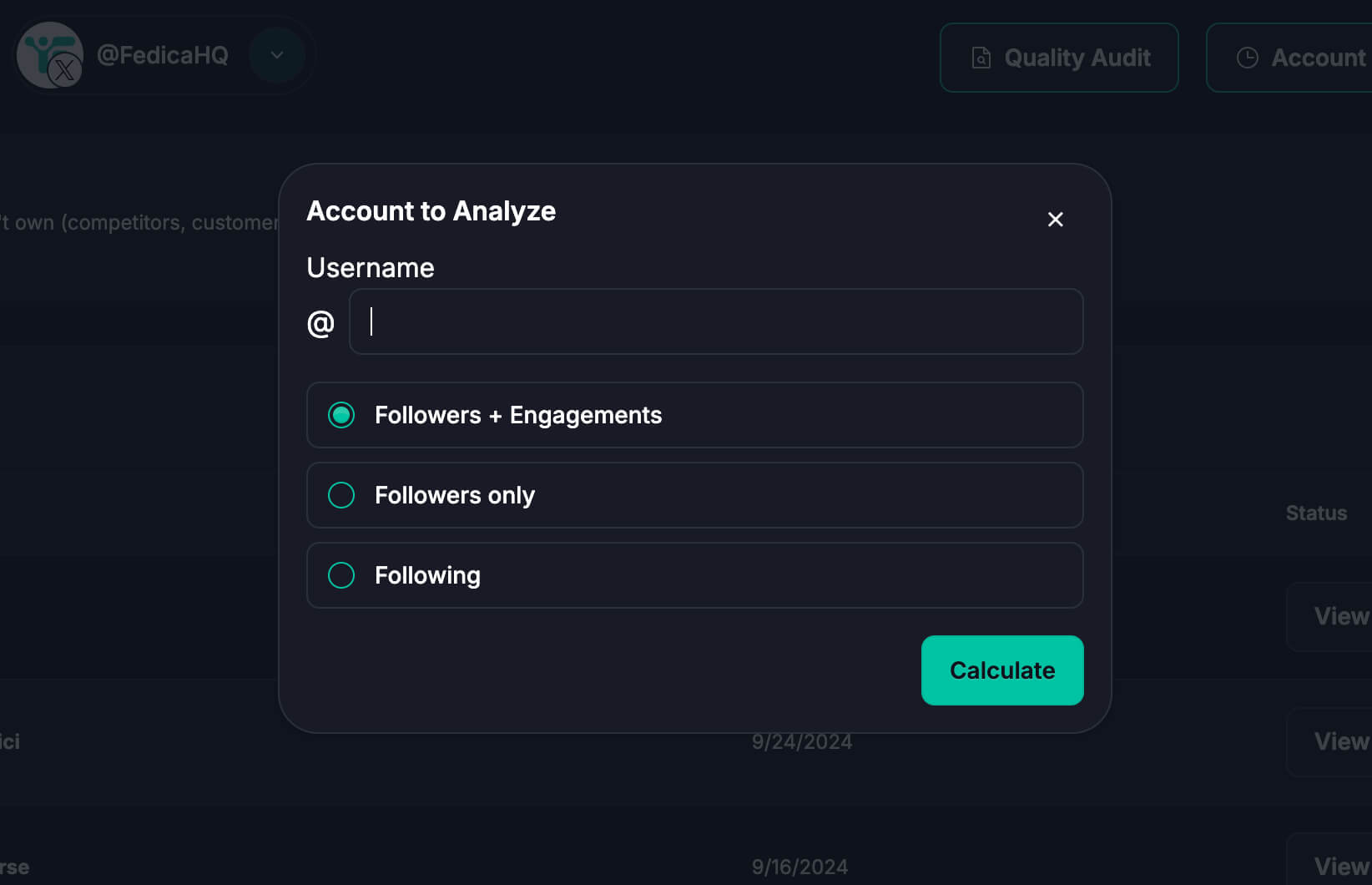
1. Use Analyze an Account tool in Fedica, select “Followers only” or “Followers + Engagements“.
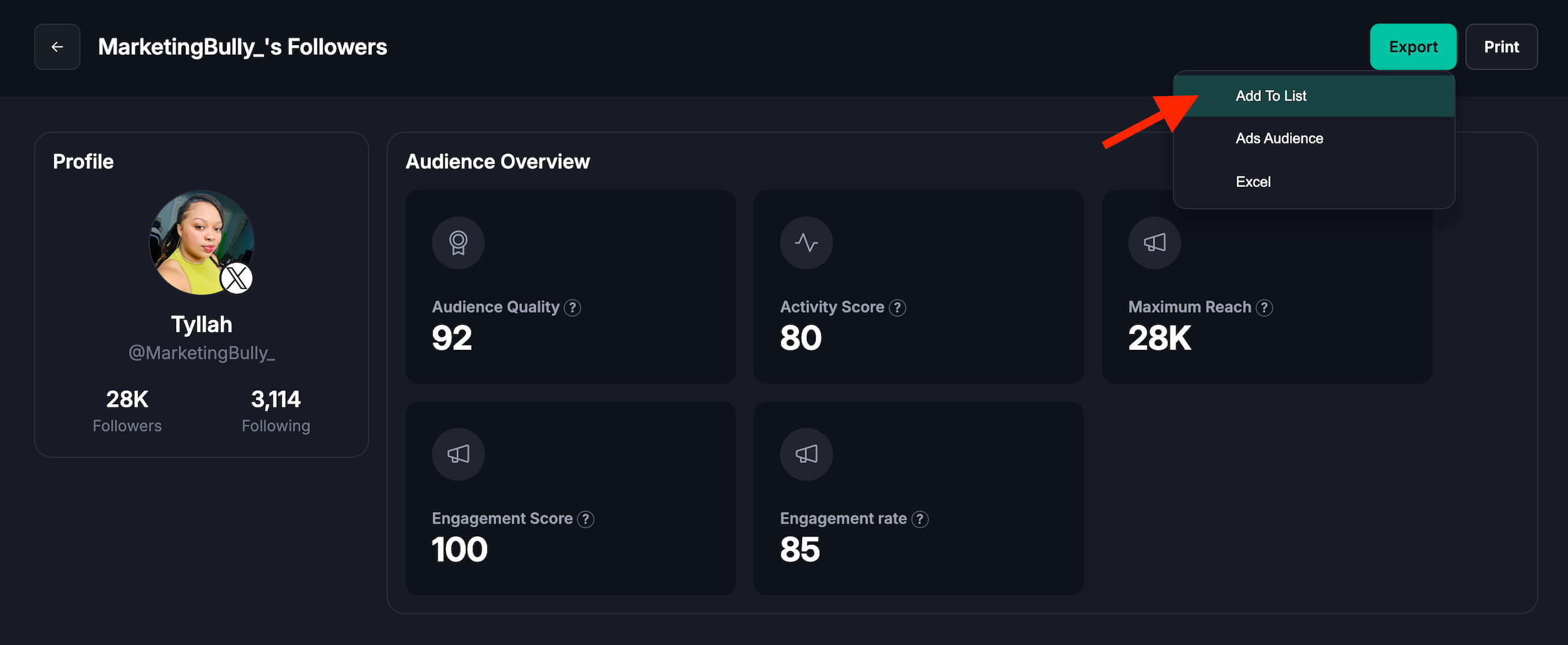
2. Export the complete list of followers (downloads are subject to X’s daily download limit and your plan’s limits).
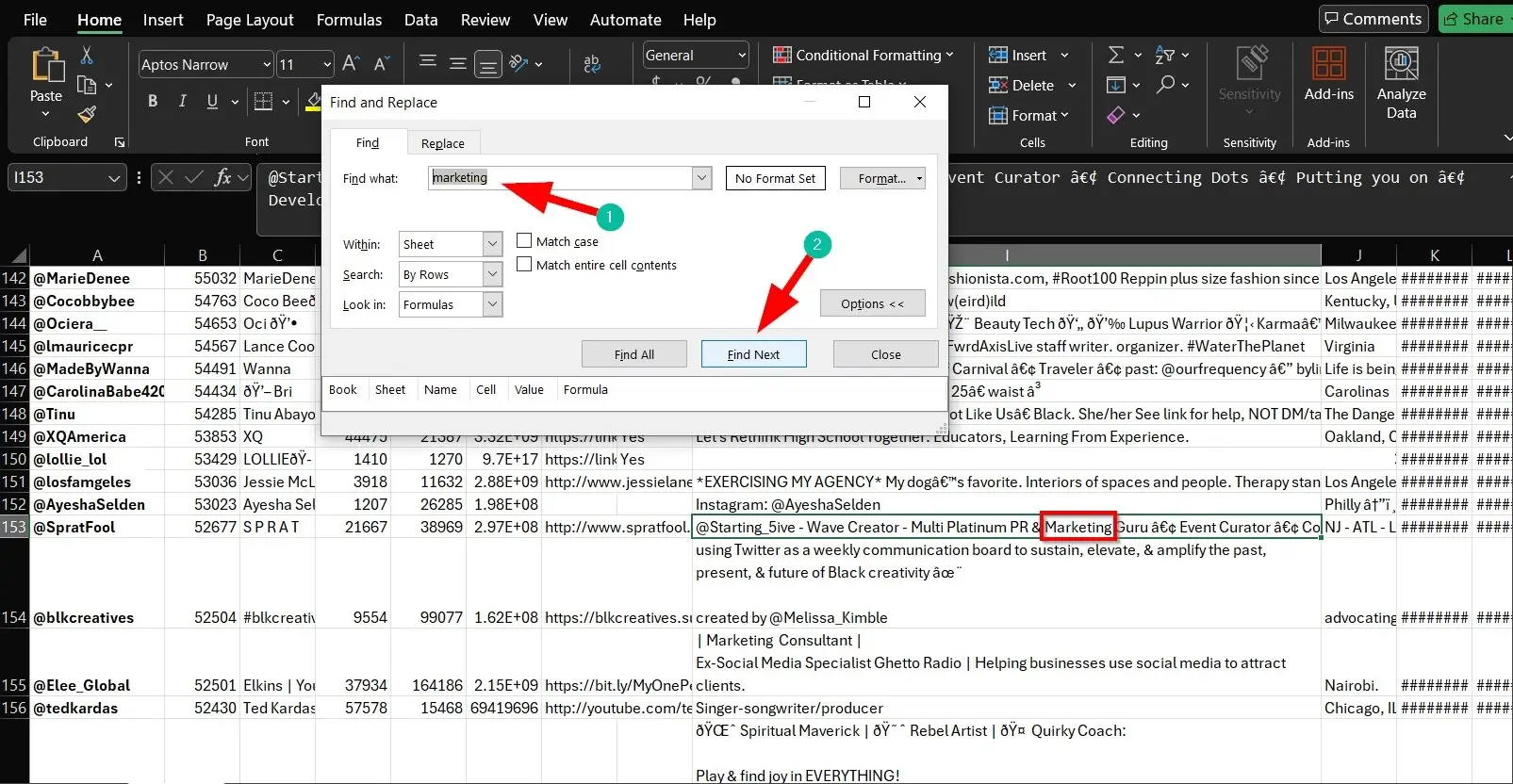
3. Search through the list of followers you downloaded.
Want the accounts someone follows instead? Pick “Following” in step 1. Fedica’s followers and following list viewer covers both lists, sorted by each account’s follower count.
How to Search Twitter Accounts by keywords they post:
- Use Search & Explore in Fedica to search all of X using the “Accounts posting the following words or hashtags” filter, adding keywords they would use in their posts.
- Alternative: Use the filter “Accounts with the following words in their profile” to search their bios and filter out the same kinds of people.
How to Search Someone’s Twitter Followers by location:
1. Use Analyze an Account in Fedica and write their handle.
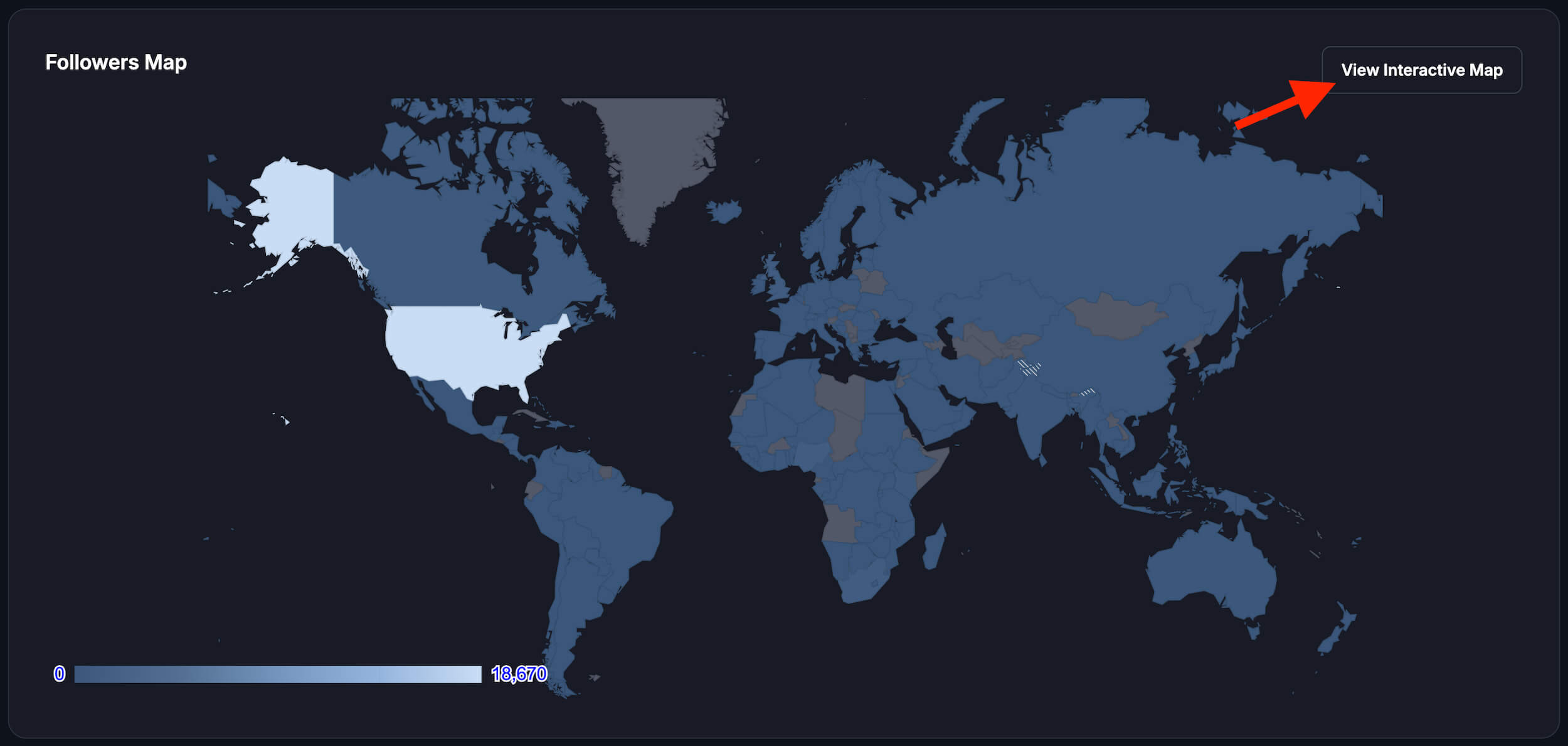
2. Scroll to the Map of Followers to see that account’s users from a specific country, region, state, or even city.
3. Select a part of the map, like the USA, then save the followers to a list, or browse them there.
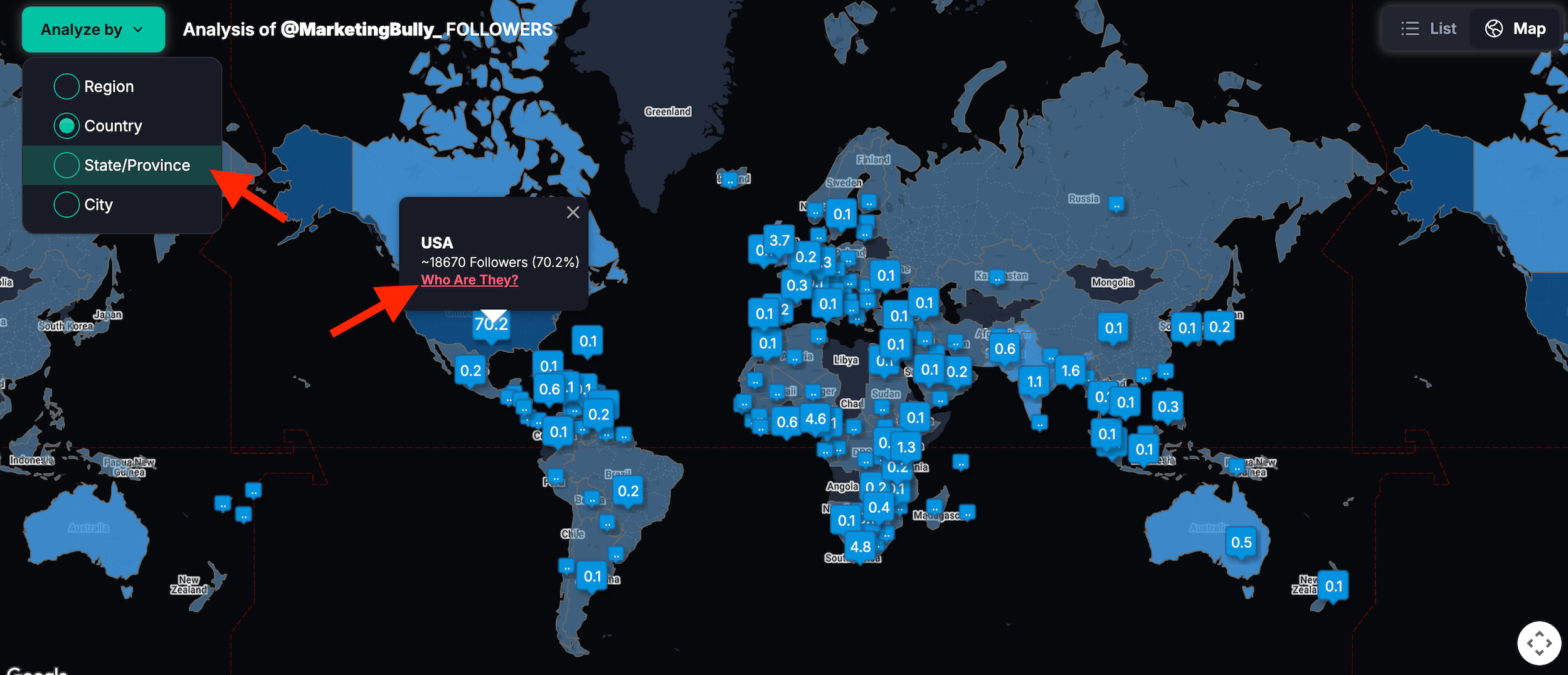
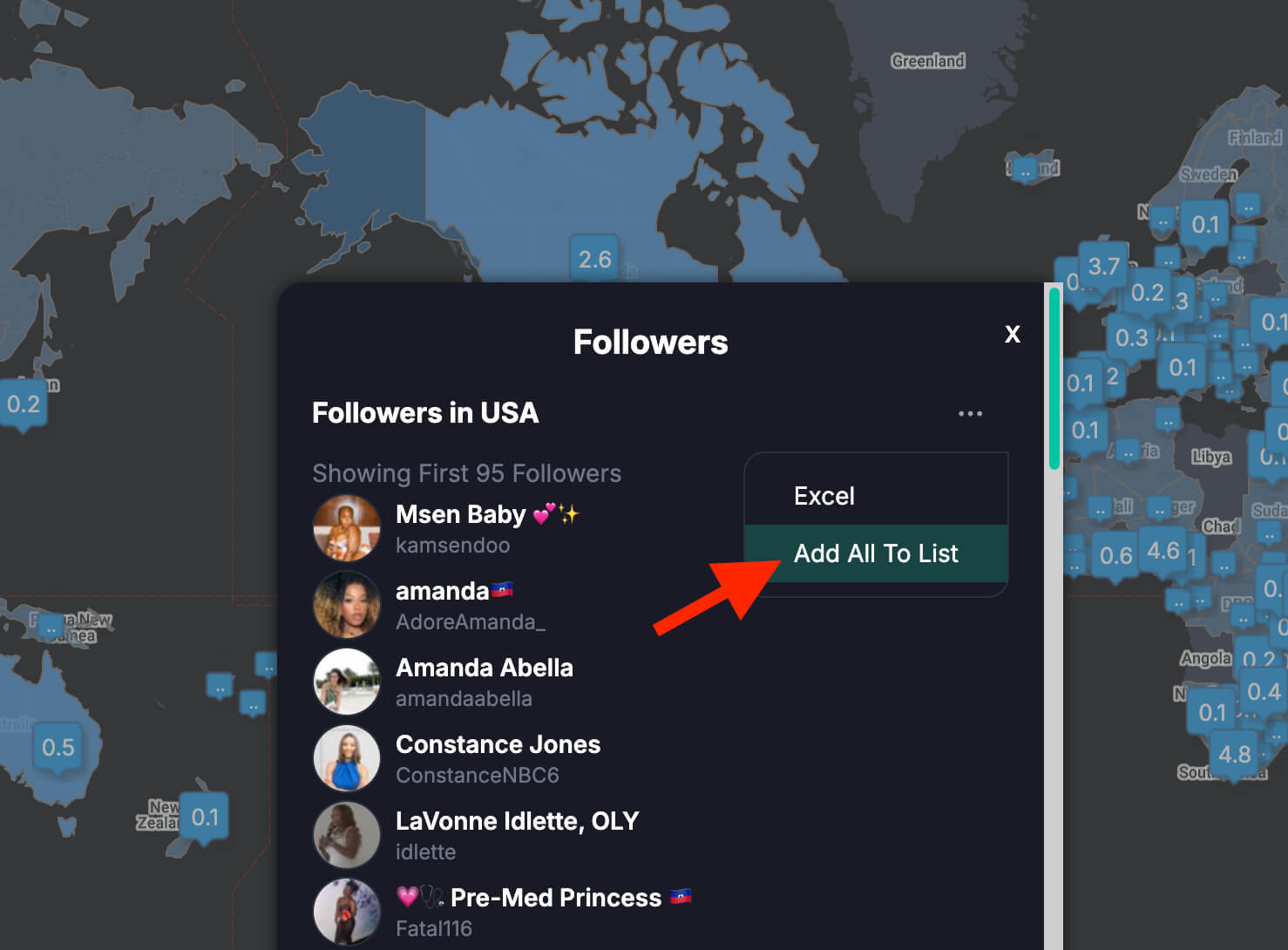
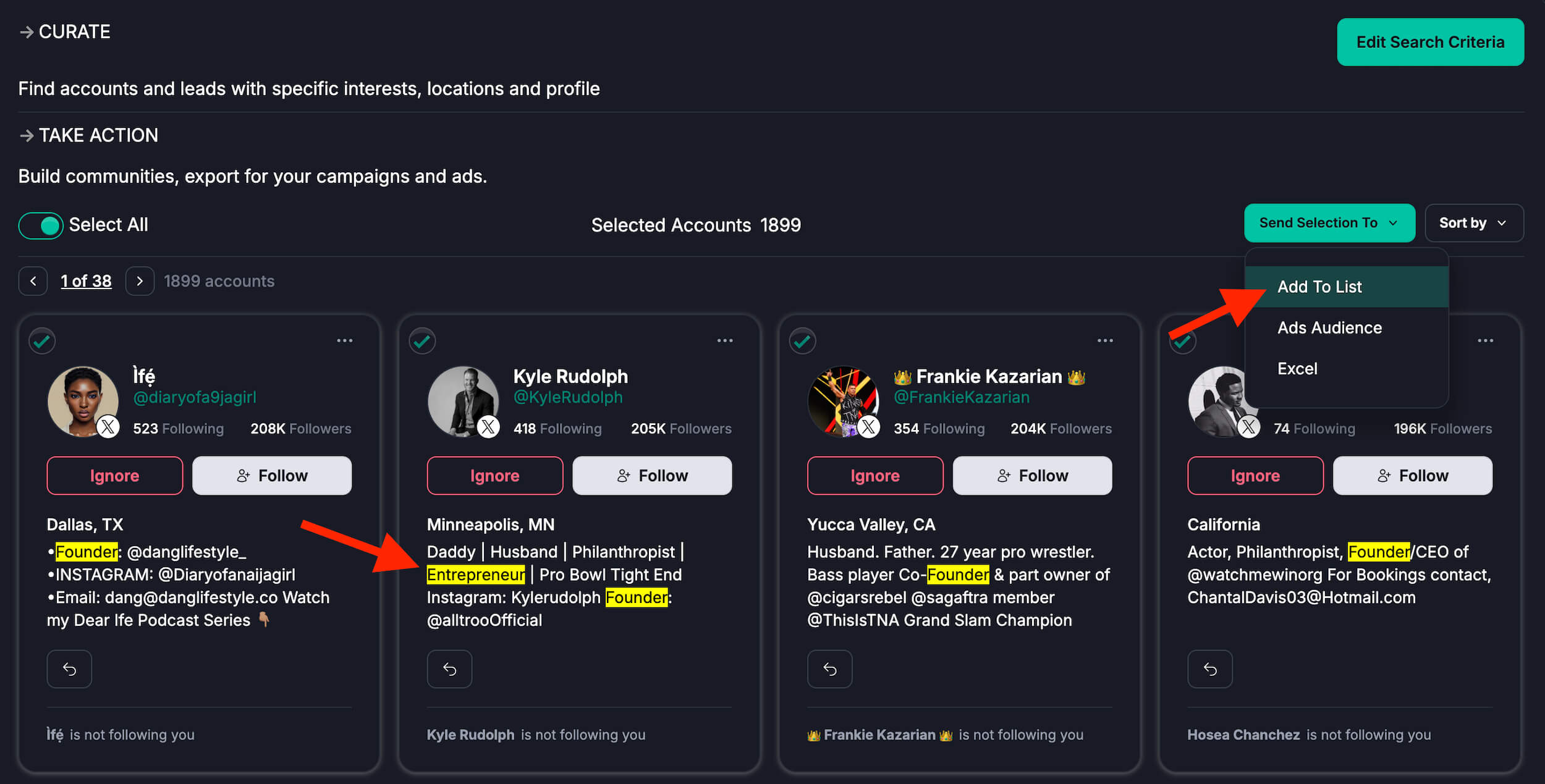
Also, if you wanted to send ads to a group of people like this, you can literally pick and choose them, make sure they’re active and make an X Ads Audience sent right to X for an extremely effective ad campaign.
Search Twitter Followers the Right Way with Fedica
Imagine being able to:
- Find followers who are interested in specific topics
- Discover potential customers in your target demographic
- Identify influencers or thought leaders in your niche
With Fedica’s Search and Explore Accounts feature, you can do what seemed impossible before:
- Search through ALL of Twitter, not just your followers
- Filter followers by keywords in their bio or tweets
- Find followers based on location, language, or activity level
- Track follower growth and changes over time
These are only a few of the tools available for X on Fedica.
Searching Twitter Followers: All Questions Answered
Why can’t I search followers on Twitter?
Twitter’s native platform doesn’t offer a comprehensive search function for followers. However, Fedica provides a powerful Analyze any Account tool that allows you to search through all of someone’s followers using various criteria such as keywords in their bio, location, and activity level.
Why can’t I see all the followers on Twitter?
X (Twitter) limits the number of followers you can view to protect their website from bot scraping. Fedica believes in empowering people – not AI robots – by providing access to a complete list of followers for any account, giving you a comprehensive view of an account’s audience to find the people you’re looking for.
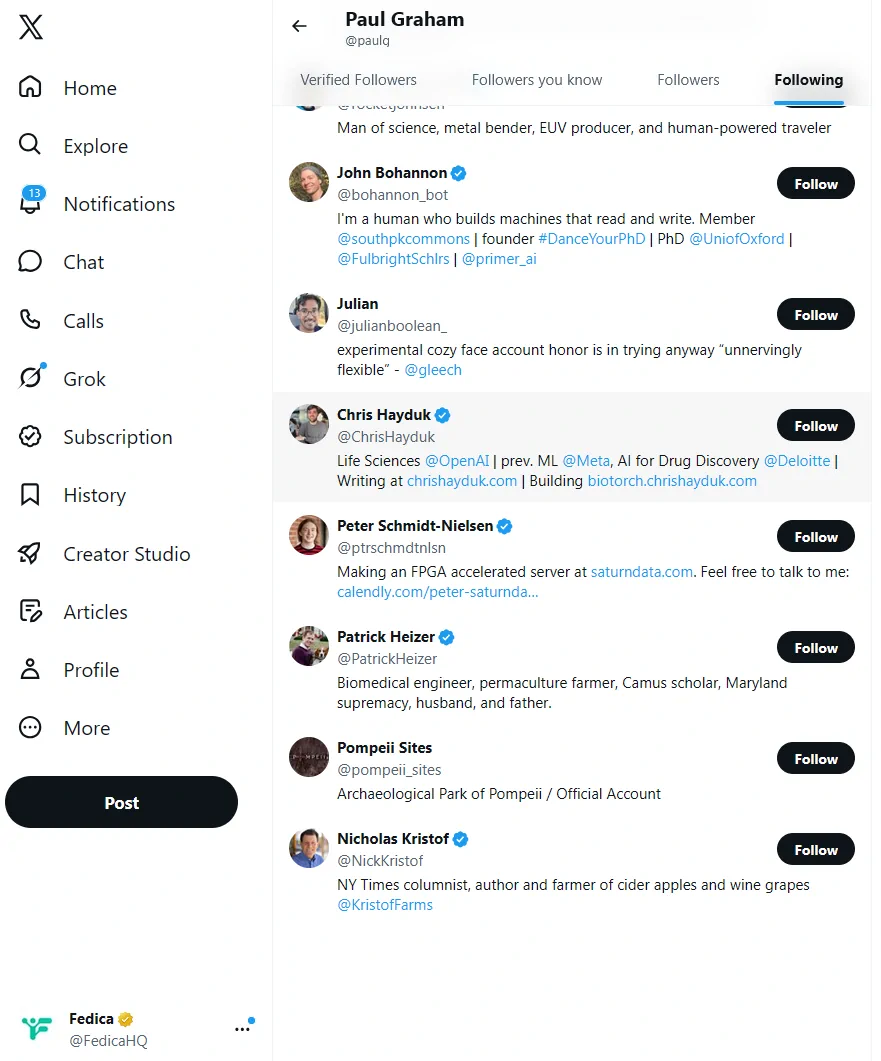
How much does X show? We checked five accounts on X’s web app on October 15, 2026. Each one follows hundreds or thousands of accounts, and the Following tab showed between 52 and 71 of them:
| Account | Following | Accounts X showed |
|---|---|---|
| @elonmusk | 1,420 | 71 |
| @XBusiness | 368 | 53 |
| @FedicaHQ | 2,239 | 52 |
| @sama | 1,034 | 69 |
| @paulg | 806 | 69 |
The cutoff doesn’t grow with the list. @FedicaHQ follows the most accounts of the five and got the fewest on screen: 52 out of 2,239. Protected (private) accounts’ lists aren’t visible at all, on X or in any tool.
Can you see someone’s full following list for free?
Only part of it. X’s own Following tab is free, but in our October 2026 checks it stopped after 52 to 71 accounts. The full list takes a report like Fedica’s Analyze an Account, which is on the Grow plan or higher.
How do you search Twitter followers of followers?
While Twitter doesn’t offer this functionality, Fedica’s Analyze an Account tool allows you to uncover similar kinds of people in someone’s followers or following. You can search followers by location or bio keyword helping you discover valuable connections within extended networks.
How do you track someone else’s followers on Twitter?
Tracking followers on Twitter itself is limited, but Fedica offers Twitter follower tracker capabilities. You can always monitor lists of followers of someone, export the Twitter Follower Analytics data and compare the two lists from before and after to see who is newly following that account.
If you really want to track someone else’s followers, Analyze An Account with Fedica and look at the demographics, fake follower audit, and activity stats of their followers to compare for a rounded view of someone’s community.
If you’re specifically looking to track who unfollowed you on Twitter, we break that down in detail over on WhoUnfollowedMe, our dedicated tool for this.
How to see someone’s Twitter following in order?
Twitter doesn’t provide a way to view someone’s following list in the order they followed people. X’s Following tab appears to rank accounts by relevance, and the order changes depending on who’s viewing.
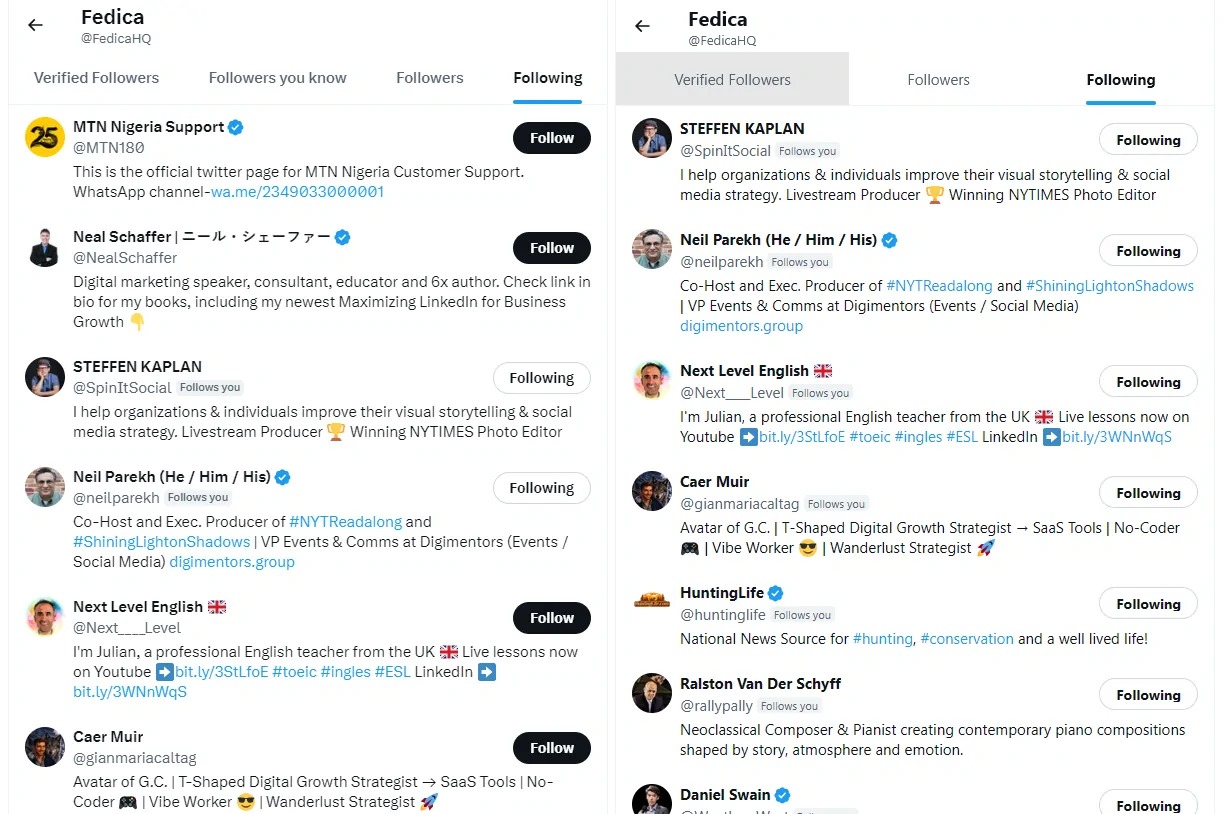
Fedica’s tools allow you to sort someone’s following list by bio keyword and follower count when you export it (downloads are subject to X’s daily download limit and your plan’s limits). To spot new follows, run a second report later and compare the two lists.
Although, Fedica always shows the ‘History’ of your followers so you know when they followed you, unfollowed and followed back along with your follow history with that account.
Can I view another user’s Twitter follower statistics over time?
Not really. You can get a complete report of Twitter analytics for another account with Fedica, but you would have to create a report, then create another one in the future and compare the two. Our platform provides detailed data on follower growth, follower health, and other key audience metrics, allowing you to track and analyze changes over time, but these analyses do not go back in time.
How can I see someone’s Twitter followers without logging in?
You can view someone’s Twitter followers without logging into Twitter by using Fedica. While you do need to create a Fedica account and connect a Twitter account, you don’t need to be logged into Twitter itself. Once set up, you can see a complete list of someone’s followers and perform detailed analysis, all without directly accessing Twitter.
Key Takeaways
While Twitter itself doesn’t provide the tools to thoroughly search and analyze followers, that doesn’t mean it’s impossible. Fedica fills this gap, offering a solution for anyone looking to gain deeper insights into Twitter audiences, people’s followers and following, just like we do for X Analytics.
Whether you’re a marketer, researcher, or just curious, Fedica’s Search and Explore, and Find an Account tools opens up a world of possibilities. So forget about trying use Twitter account finders or doing Google reverse image searches. It’s not just about seeing followers; it’s about understanding them, connecting with them, and growing your online presence or customer base strategically.
So, the next time you find yourself frustrated by Twitter’s limitations, remember: there’s a better way. With Fedica, you’re not just searching followers; you’re unlocking the full potential of your Twitter network, with demographic and user data unavailable on Twitter itself.