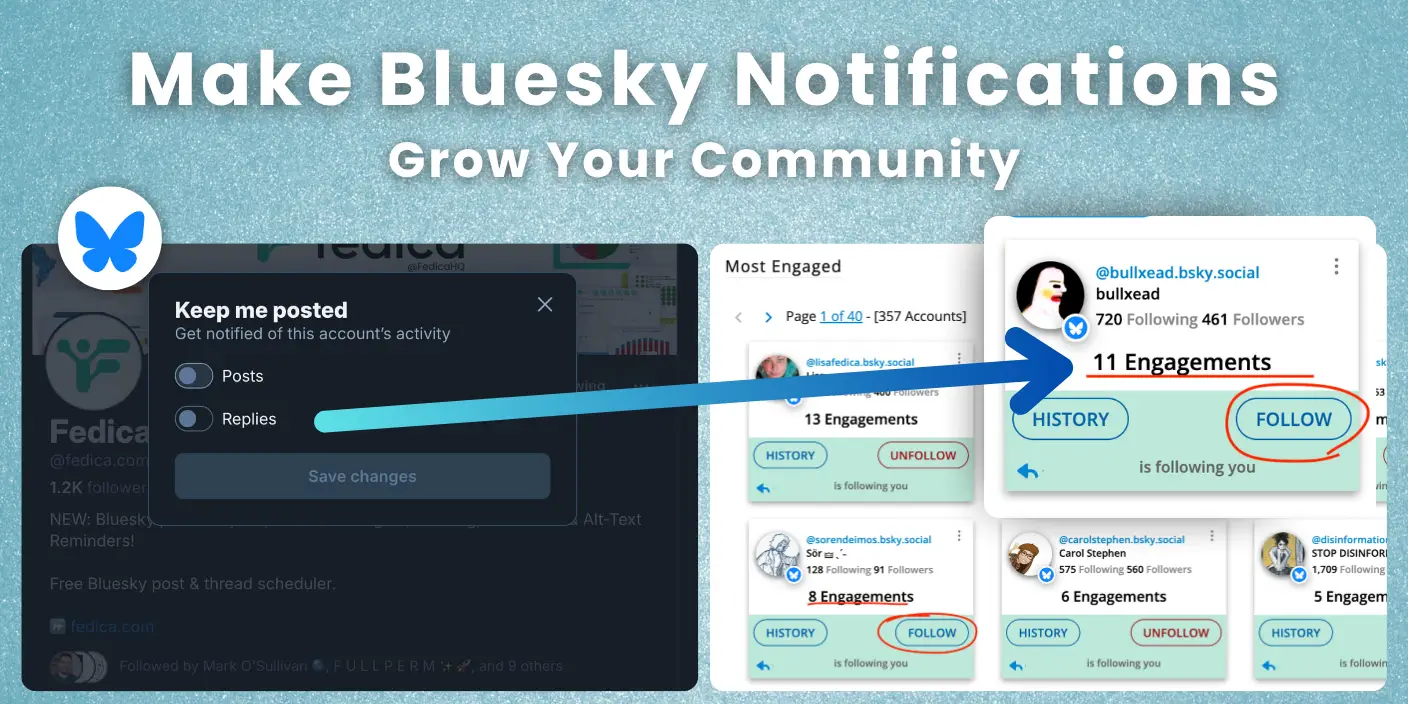
The new bluesky post notifications feature is more than just another alert setting; it’s a tool for building a real community and even to get followers on Bluesky. If you’ve ever felt like you’re shouting into the void, here’s how you can use this update to grow your community.
Turn casual interactions into loyal followers. This is how we’re using the bell notification as a strategy. This guide will walk you through five actionable strategies to use post notifications to build a thriving community on Bluesky.
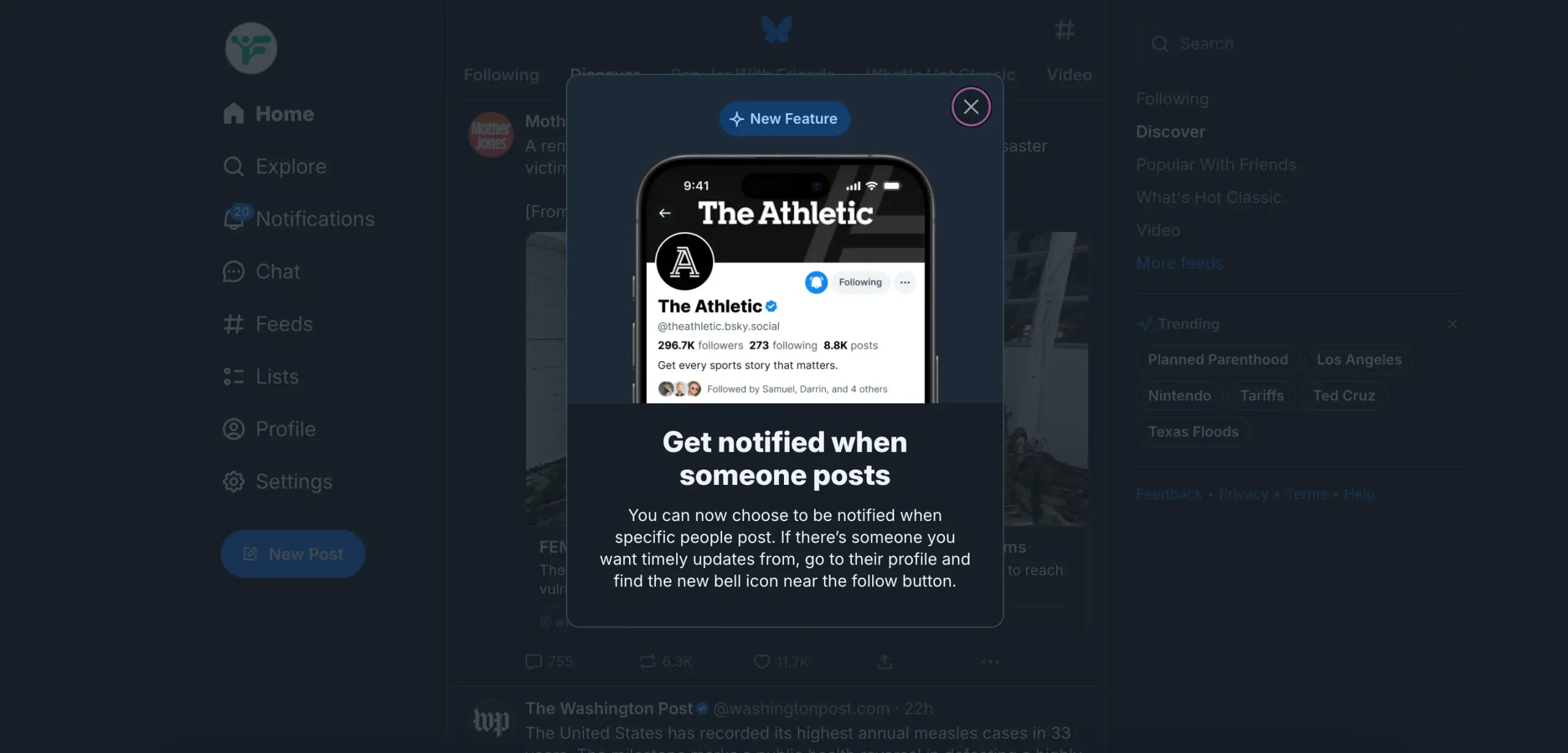
The key – Combine them with post analytics and identify your most engaged followers to build a network of loyal fans who are genuinely interested and actually engage with most of your posts.
How to Turn On Post Notifications for Someone on Bluesky
- Navigate to their profile – Click on the username of the person you want to get notifications from
- Look for the bell icon – On their profile page, you’ll see a bell icon (🔔) next to the “Follow” button
- Click the bell – Tap or click the bell icon to turn on notifications, then select posts, replies, or both.
- Confirm the setting – The bell should now appear filled in and ‘ringing’, indicating notifications are active
- Test it: When they post next, you should receive a notification in your Bluesky notifications tab
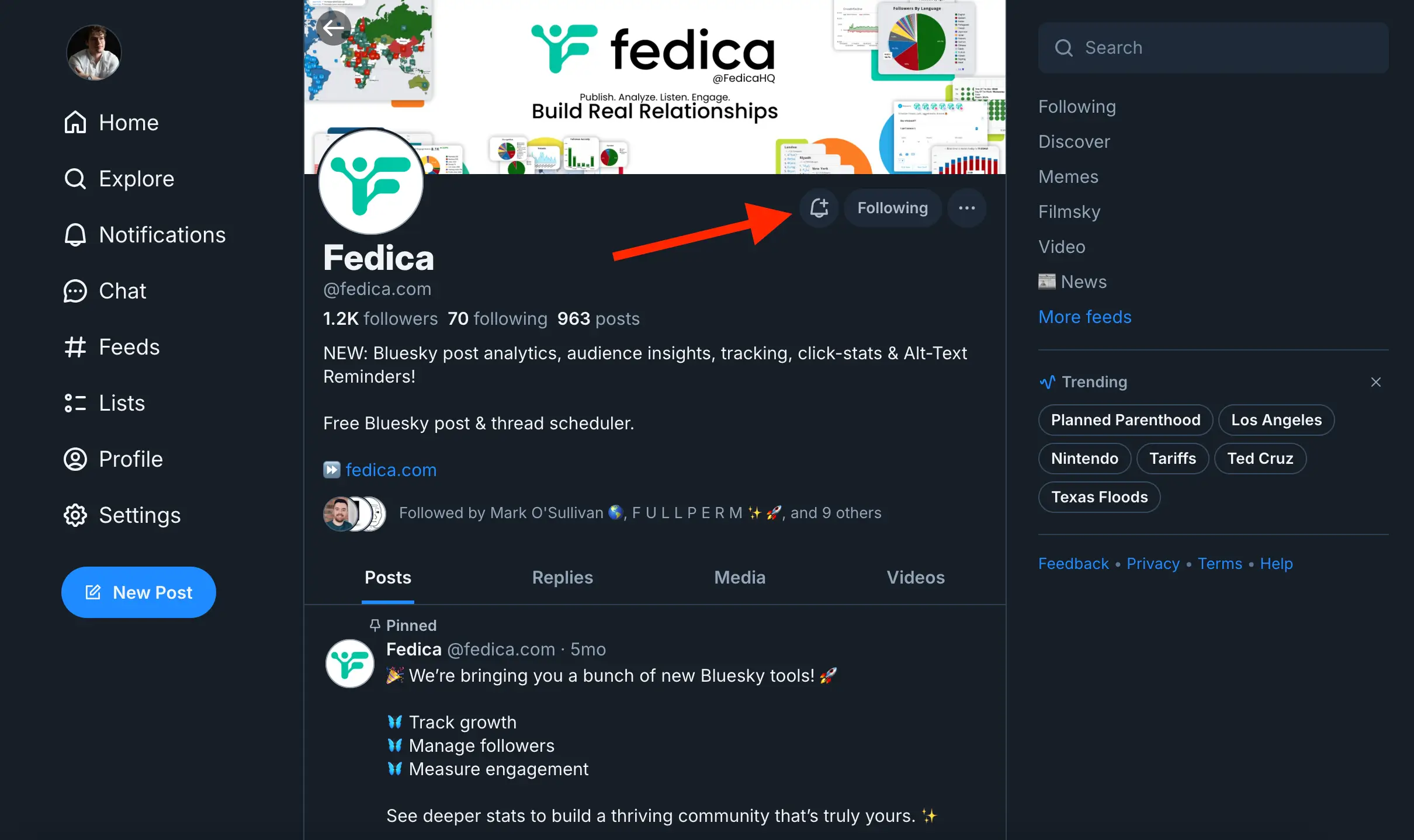
Note: You can only turn on post notifications for accounts you’re already following. If you haven’t followed them yet, you’ll need to click “Follow” first, then the bell icon.
Here’s how we use Bluesky Post Notifications to build our communities easier:
Strategy 1: The “Community Builder” Method
The foundation of any strong online presence is a real, engaged “Forever Community.” That means building genuine relationships, not chasing follower counts. The new Bluesky post notifications are a powerful tool for this, and when combined with advanced Bluesky analytics from Fedica, you can create a simple, repeatable workflow for community building.
While basic analytics show you who liked a post, a more powerful platform will allow you to see who consistently engages with your content over time.

- Look at your post engagement analytics to identify the people who are consistently liking, reposting, and replying. These are your active supporters.
- Follow them back and immediately hit the “bell” icon to turn on post notifications for them.
This sends a clear signal that you see and appreciate their support. By getting notified of both their original posts and their replies to others, you can reciprocate the engagement, leaving thoughtful replies and showing up in their notifications. This is the first and most important step to transforming passive followers into an active, loyal community.
See what the analytics reports give you!
Strategy 2: The “Quiet Superfans” Method
Your most dedicated supporters might not even be following you yet. These are the “quiet superfans”, people who repeatedly engage with your content without hitting the follow button. They are a goldmine for community growth because they are already showing a high level of interest.
- Use Fedica’s post analytics to get a detailed view of who is engaging with your content like in Strategy 1.
- Filter your engagers to identify those who aren’t currently in your followers list.
- Compare your report with the previous month. Once you’ve spotted these repeat engagers, the strategy is similar to the first: follow them and turn on post notifications.
- But take it one step further: quote one of their recent posts with a thoughtful comment to start a conversation.
This direct acknowledgment can be the nudge that converts a quiet lurker into a vocal, loyal follower.
Strategy 3: The “Algorithm Bypass”
Bluesky’s algorithm doesn’t always surface your content to everyone. To ensure your best ideas get the attention they deserve, you need to be strategic. This is where the “Algorithm Bypass” turns your best-performing posts into mini-campaigns.
- Use Fedica’s analytics to identify your top posts from the last week or month. These are the posts that have already proven to resonate with your audience.
- Instead of letting them fade away, quote yourself with a new take, an update, or a follow-up question.
- More importantly, you can then tag or reply to the people who engaged with the original post, pulling them back into the conversation. This keeps the discussion going without being spammy and ensures your most engaged followers see your new content.
Option 2: Threads as a way to get your content seen by more people
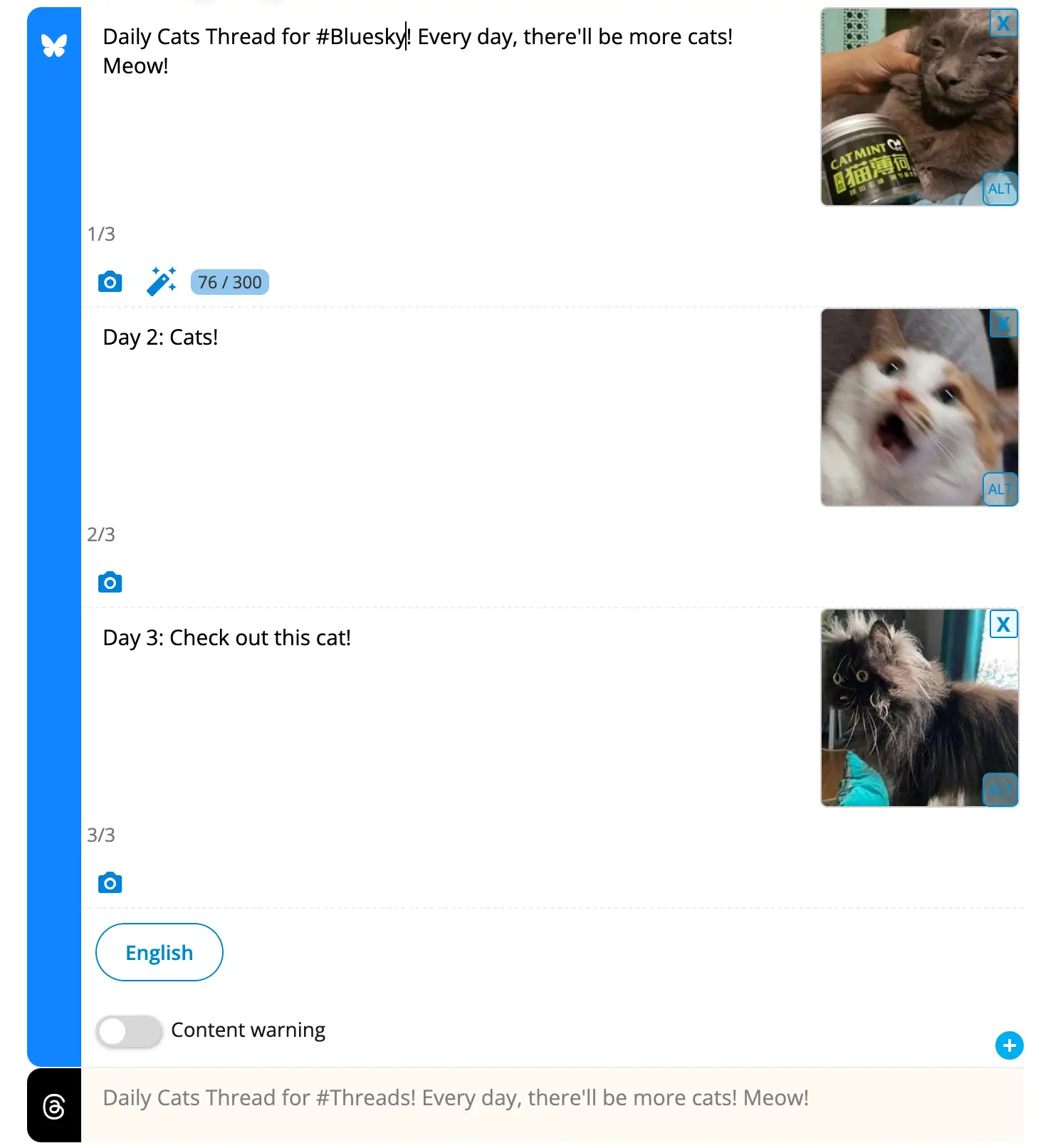
Using Fedica’s Bluesky thread scheduler works this way because you can spread each post over time.
That means you can:
- Reply to yourself automatically with a new take, an update, or a follow-up question, or
- Quote yourself manually but schedule it for later with Fedica too.
Then, tag or reply to the people who engaged with the original post, pulling them back into the convo.
Strategy 4: The “Conversation Web”
Great conversations on Bluesky are not just between you and your followers; they happen in the replies and quote posts. Create a “Conversation Web” to recognize and reward thoughtful discussion, which in turn encourages more of it.
Whenever you reply to a thread or quote someone…
- Use Fedica’s post analytics after to see who else joined the conversation.
- Look for people who added insightful replies, not just those who liked the post. These are the people who are contributing to the quality of the discussion.
- Follow them and turn on their post notifications. This creates a network effect, signaling to the community that you value and pay attention to substantive contributions.
Strategy 5: The “Feed Builder Shortcut”
Custom feeds are one of Bluesky’s most powerful features for curating content. The “Feed Builder Shortcut” is about proactively building your own influential niche feeds. You don’t need to go viral when you can get into 10-15 quality feeds.
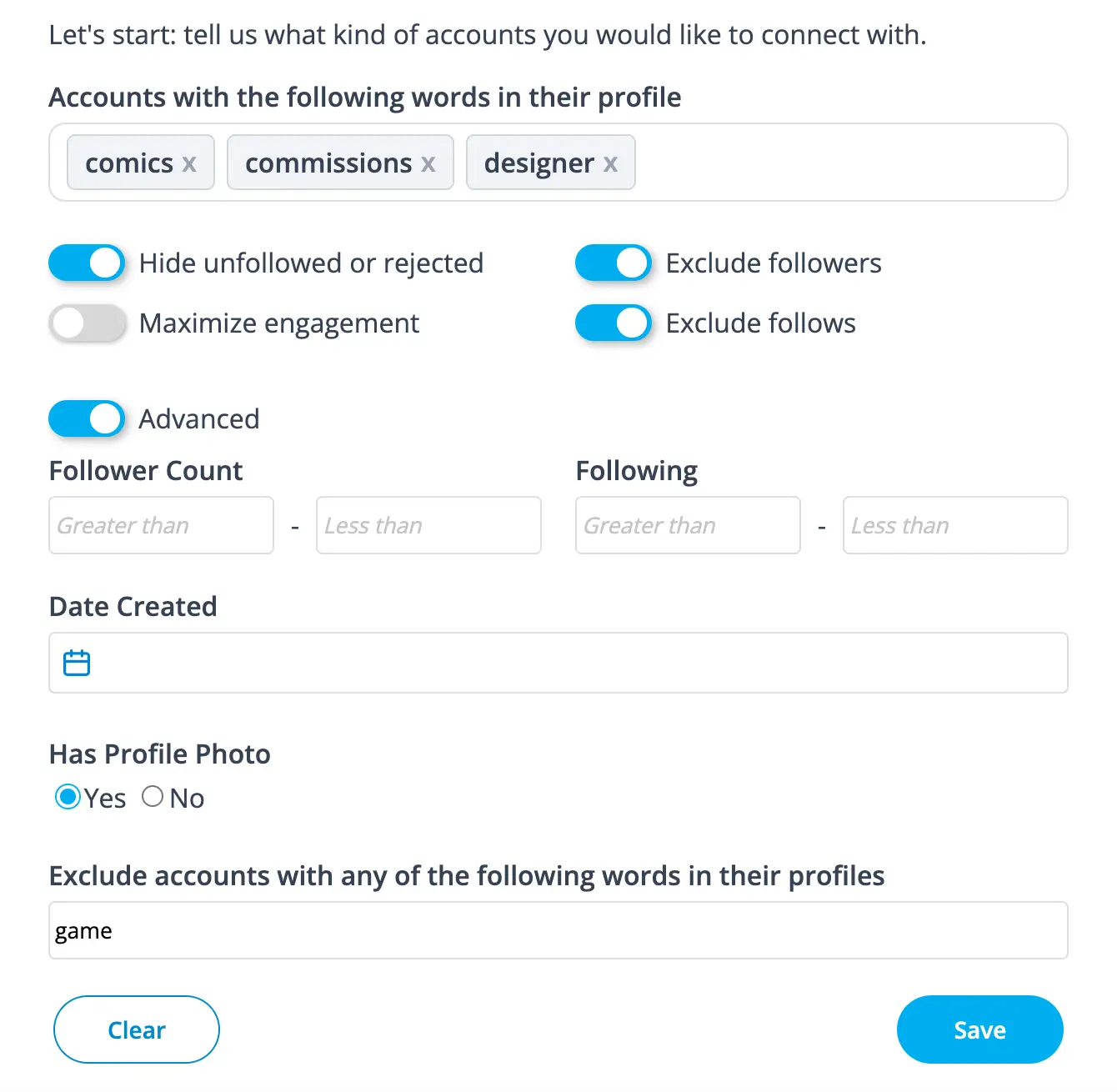
- Use Fedica’s Sort Bluesky Followers or Advanced Bluesky Search feature to spot commenters and engagers who are active in your niche (e.g., AI, writing, marketing).
- You can search by keywords in their profiles to find the people who matter most.
- Add these people to your own custom feed and make a point to engage with their content weekly.
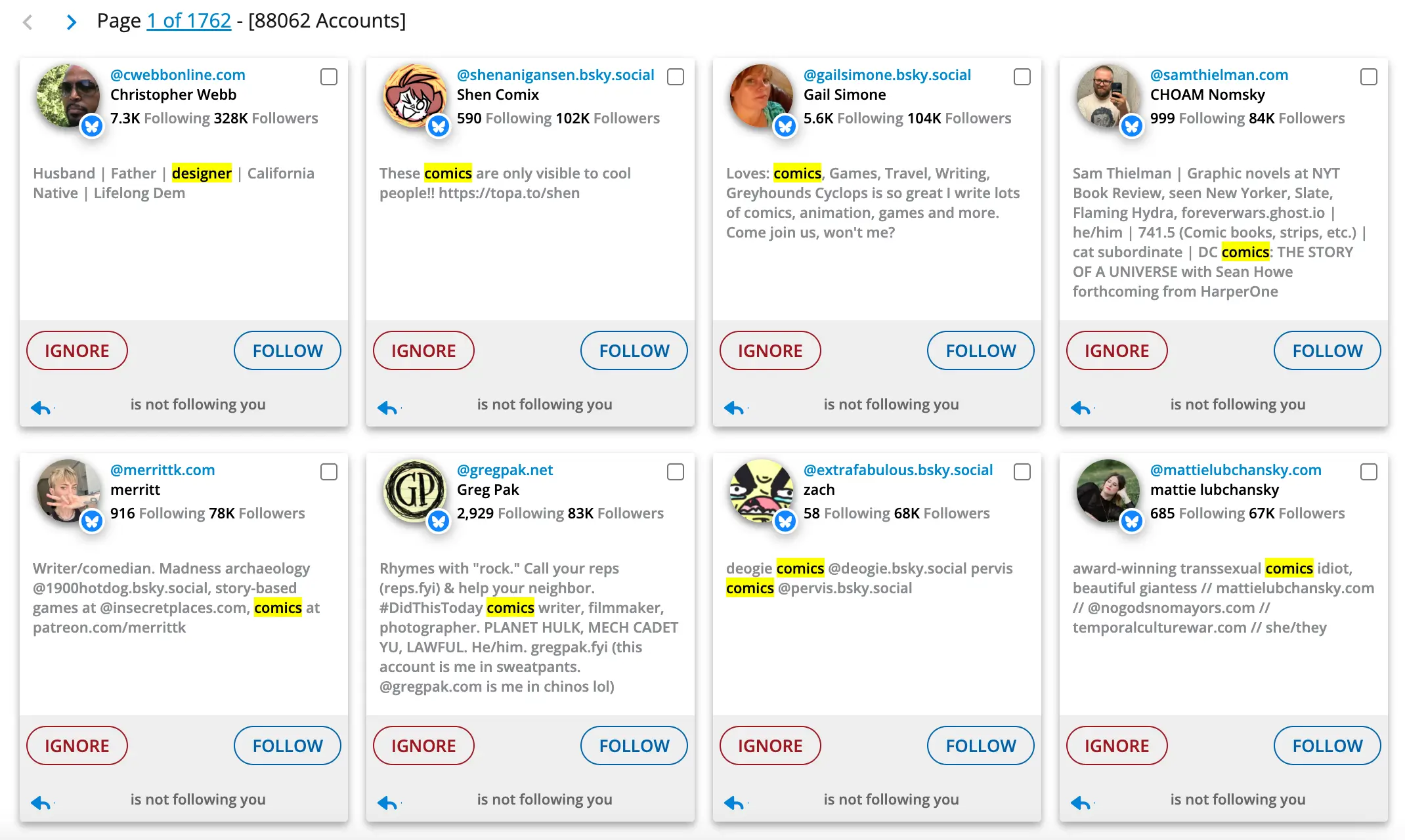
Many will follow you back or add you to their own custom feeds, creating a powerful flywheel of visibility and engagement.
Schedule Bluesky posts for free!
Frequently Asked Questions About Bluesky Post Notifications
How do I get notifications for specific people on Bluesky?
On Bluesky, you can go to any user’s profile that you follow and click the “bell” icon to receive notifications whenever they post. This is a great way to keep up with your favorite accounts. For a more advanced workflow, you can use Fedica to identify your top engagers in your post analytics and systematically turn on notifications for them, so you give the love back and get even more engagment from them.
Can I see who is engaging with my posts the most?
Bluesky’s native notifications will show you who is liking, reposting, and replying to your posts. However, to see who engages with your content the most over time, you’ll want to use an analytics tool. Fedica’s post analytics can show you your top engagers, including those who don’t follow you yet, giving you a clear picture of your most loyal fans.
How can I get my posts seen by more people on Bluesky?
Since Bluesky’s feed is largely chronological, posting when your audience is most active is key. Beyond that, a great strategy is to re-engage with your own popular content. Use Fedica to find your top-performing posts and then quote them with new thoughts or questions, tagging the original engagers to restart the conversation and bypass the algorithm.
What’s the best way to find people to follow in my niche?
You can search for keywords and hashtags on Bluesky to find people discussing topics you’re interested in. For a more targeted approach, you can use Fedica’s Sort Followers or Search Accounts feature to find people in your existing audience who are interested in specific niches. This allows you to build custom feeds and identify key people to follow and engage with.
How do I build a real community on a new platform like Bluesky?
Building a real community is about genuine, reciprocal engagement. Use Bluesky’s post notifications to keep up with your most important followers and reply to their posts. Go beyond that by using analytics to find your top supporters, seek out “quiet superfans,” and reward thoughtful discussion in your replies. These small, consistent actions are what turn a group of followers into a thriving community.