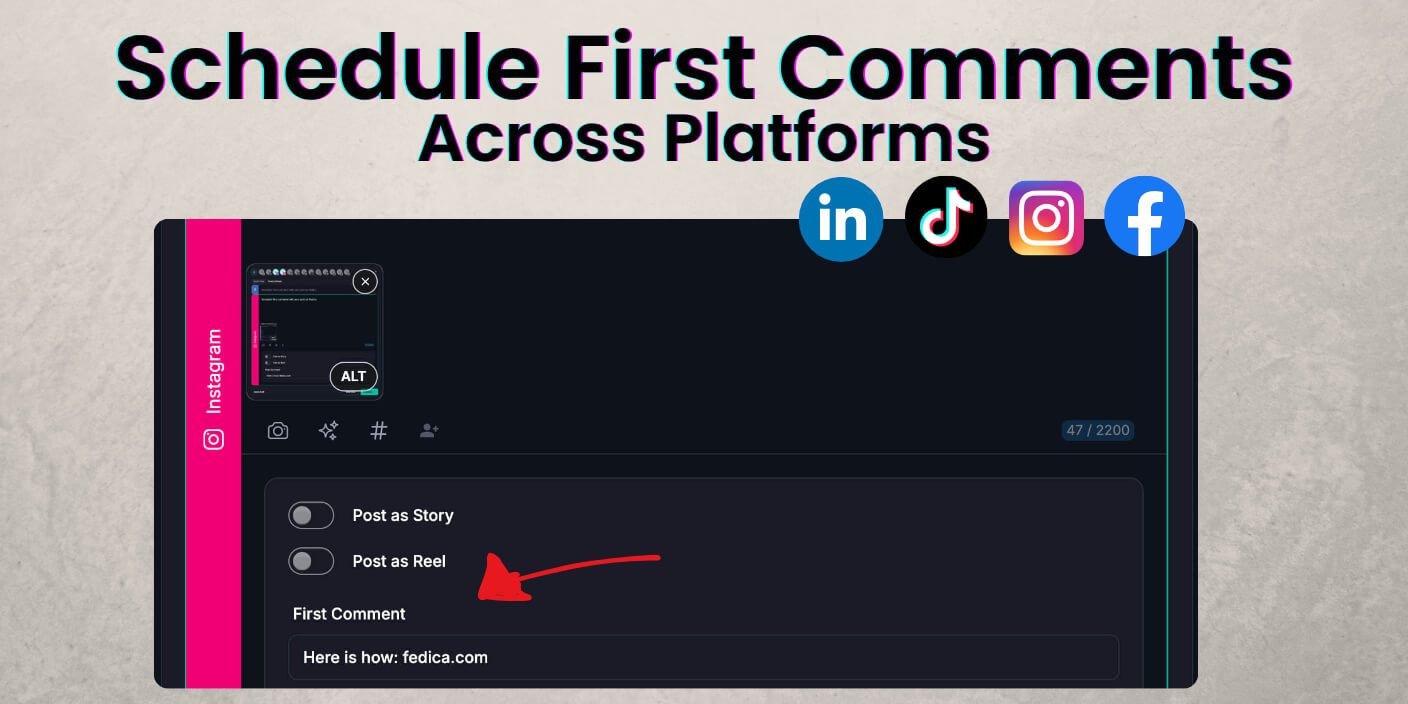
First comment scheduling in Fedica lets you draft the post and the reply underneath it in one pass on Facebook, Instagram, LinkedIn, and TikTok. Add the comment while you build the schedule; when the parent post goes live, Fedica posts that first comment for you.
Key takeaways
- Add the first comment while you schedule the post in Fedica, not in a separate step after publish.
- Supported on Facebook, Instagram, LinkedIn, and TikTok from the same calendar workflow.
- Use Custom posts after you pick platforms so each network can carry its own first comment text.
- When the parent post publishes, Fedica posts your first comment right underneath it (same timing as go-live).
- Put hashtags, links, and CTAs in the comment when you want a clean caption on the main post.
First comment scheduling doesn’t have to be Instagram-only
First comment scheduling belongs on every network you cross-post to, not only Instagram. Fedica treats the comment as part of the same scheduled post on Facebook, Instagram, LinkedIn, and TikTok so you are not rewriting the playbook per app.
Similar services often gate first comments behind paid tiers or limit them to Instagram business profiles. Fedica’s angle is one calendar and four networks with the comment field built into Publish.
That mirrors how teams actually publish now: one 2024 social survey reported brand adoption at 98% Instagram, 96% Facebook, 74% LinkedIn, and 47% TikTok.
How teams use first comments on each network
Instagram teams often put hashtags or extra context in the first comment to keep captions short. On LinkedIn, many teams keep the post text clean and put the URL in the first comment. Facebook pages do the same for signup or event links. On TikTok, teams often use the first comment for a question or a resource link.
Each network has different norms, but the scheduling step can stay the same.
Schedule the comment at the same time as the post
When you schedule the post in Fedica, add the first comment in the same entry. Your link, hashtags, or CTA then publishes with the post, so you do not need a separate reminder to open each app.
How Fedica first comment scheduling works on one content calendar
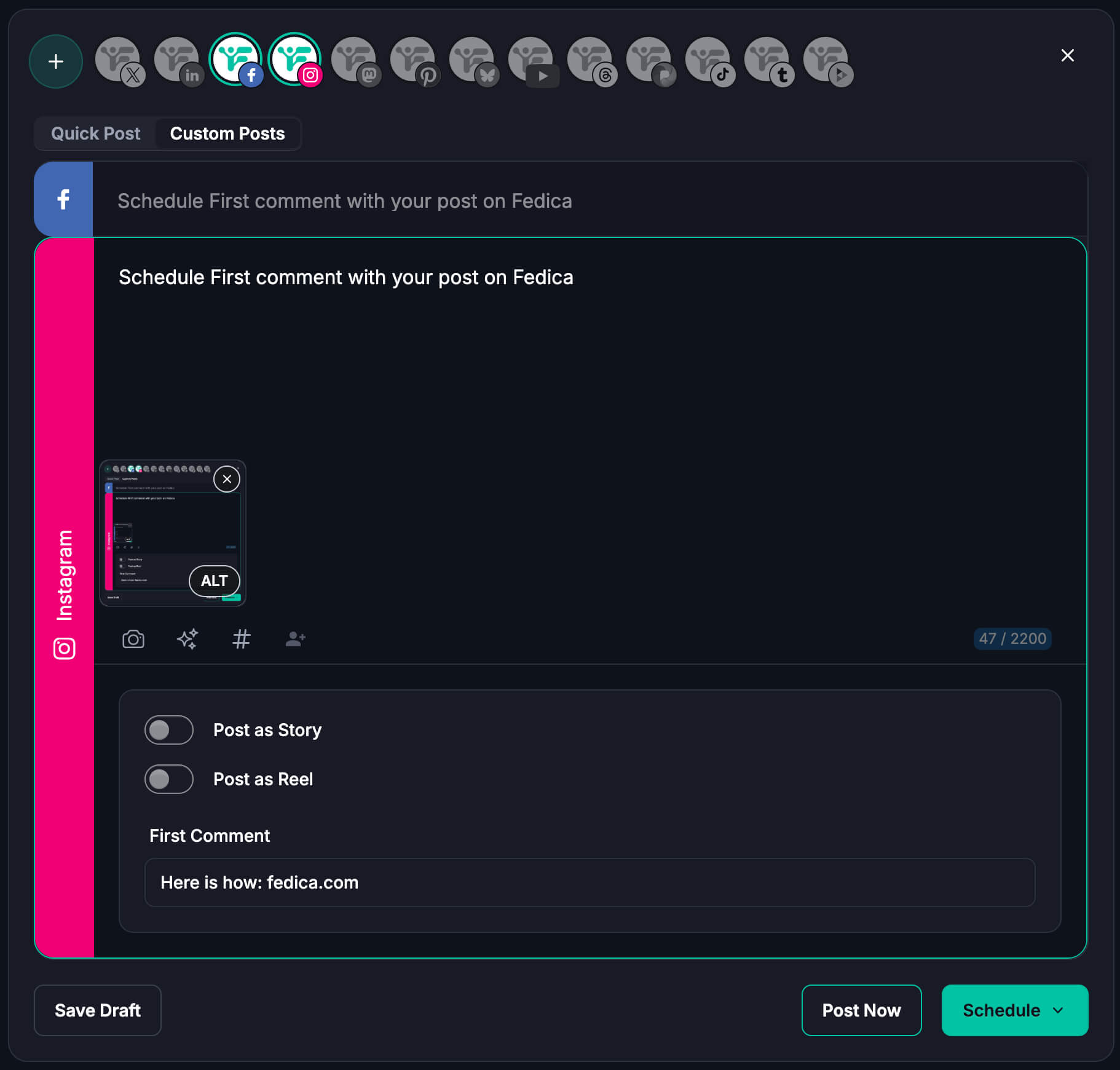
In Fedica, first comment scheduling means the post and first comment are scheduled together. Pick your platforms, choose Custom posts, add each network’s comment text, choose your time, and Fedica publishes the comment when the post goes live.
You do not need a separate comment tool or a post-publish checklist.
This is part of Fedica’s publishing workflow. You can plan posts on a content calendar, create custom cross-posts, target time zones, and run pipelines or bulk uploads. In some tools, comments are manual or locked behind higher plans. In Fedica, the first comment is in the same calendar entry as the post.
Custom posts: edit the first comment per platform
Start a post in Publish and select the platforms you need. Choose Custom Posts so each network gets its own caption. On Facebook, Instagram, LinkedIn, and TikTok you will see a first-comment area you can edit before you schedule.
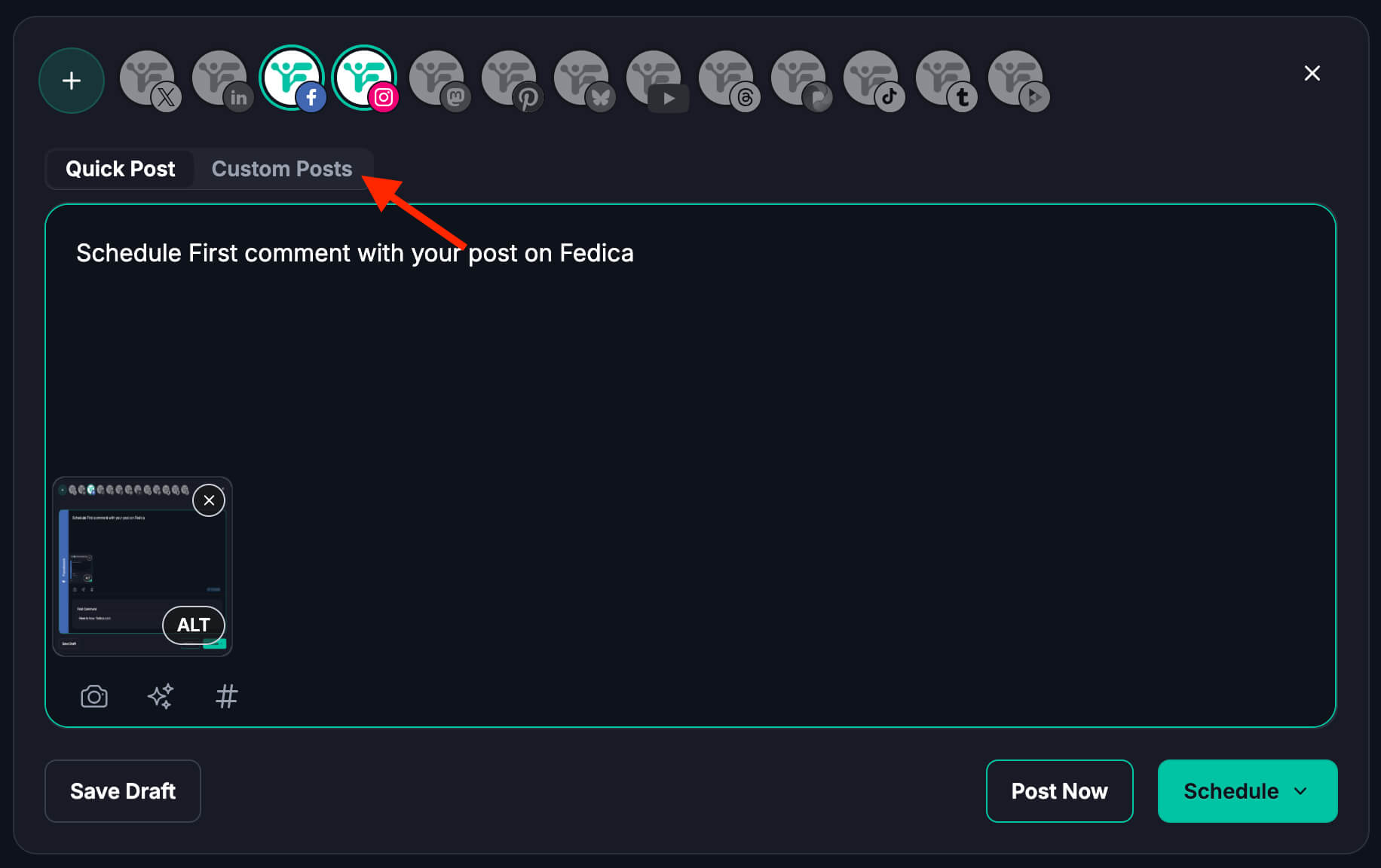
LinkedIn might need the article link in the comment while TikTok gets a reply prompt. Facebook might carry a longer CTA. Custom posts let you tune each version instead of forcing one comment block across every network. For example, you might want to auto-post to Instagram and Threads and keep those posts crafted differently.
Fedica posts the comment when the post goes live
When the post publishes, Fedica posts the first comment for you. You are not racing notifications to paste text manually.
Need to change the comment before go-live? Edit the scheduled draft the same way you edit the post body on the calendar.
Schedule a first comment on Facebook, Instagram, LinkedIn, and TikTok
Yes, you can schedule a first comment on all four networks inside Fedica’s Publish flow. Pick the platforms, open Custom posts, and edit the first-comment field for each network before you schedule.
Other schedulers often document Instagram first, gate first comments behind paid plans, or cover LinkedIn in a standalone workflow while TikTok gets left out of the same guide.
Cross-posting teams feel that gap fast. One campaign might need hashtags in an Instagram comment, a link under a LinkedIn post, a Facebook signup line, and a TikTok reply prompt. Fedica lets you set each version in Custom posts instead of accepting Instagram automation and doing the rest by hand. So when you crosspost Instagram posts, you do it in the same post while customizing it for each platform.
Links, hashtags, and CTAs: caption vs first comment
Keep the main post on the hook, visual, or story. Move hashtags, URLs, disclaimers, or “details below” lines into the first comment when you want the feed card to stay clean.
A short line in the caption like “Link in the first comment” still helps on LinkedIn and Instagram. The scheduled comment should deliver what that line promises.
Instagram first comment: hashtags without a crowded caption
Instagram is where most teams already batch hashtags or extra context in the first comment. Scheduling that text with the post means you are not opening the app at publish time to paste thirty tags.
Links in Instagram comments are still not clickable the way bio links are. Plan traffic accordingly if clicks are the goal.
LinkedIn first comment: link-free post, URL underneath
On LinkedIn, external links in the post body often earn less distribution than text-first posts. Putting the URL in the first comment keeps the feed post readable while the link still sits directly under it.
Industry write-ups often note weaker reach on posts that lead with outbound links in the body versus keeping the link in the comments. Results vary by audience, but the split is easy to test once the comment is scheduled with the post.
Facebook and TikTok first comments: links vs conversation starters
On Facebook, the first comment is a natural place for a signup link, event details, or a softer CTA that would crowd the post. On TikTok, the same field can hold a question that invites replies without stretching the short caption.
Character limits still differ by network, so trim or rewrite the comment per platform in Custom posts before you hit schedule.
First comment examples for launches, LinkedIn links, and TikTok replies
Use these first comment patterns as templates. Each one uses the same Fedica scheduling step; only the comment text changes per platform.
You are not copying one comment into four apps after publish or maintaining a separate checklist per channel.
Product launch: Post is the hero and one-line hook; first comment holds the purchase or signup link plus one proof point.
LinkedIn thought leadership: Post is story-only; first comment holds the article URL and one takeaway.
Instagram carousel: Caption stays short; first comment carries hashtags or a slide-by-slide breakdown.
TikTok clip: Caption is the hook; first comment asks a question or points to the longer resource.
Facebook community post: Post invites discussion; first comment adds rules, links, or volunteer sign-up without turning the main post into an ad.
Schedule your next post with a first comment in Fedica
Open Publish, select Facebook, Instagram, LinkedIn, and/or TikTok, choose Custom posts, write the post and first comment for each network, then schedule. One entry replaces the old process of scheduling first, then adding comments manually in each app.
Start free with Fedica and run your next cross-platform post with the comment built in from the start.
For Bluesky link formatting, RSS Pending Review, and other release notes, see Fedica’s changelog. This article focuses on first comment scheduling for Facebook, Instagram, LinkedIn, and TikTok.
Frequently asked questions
What is first comment scheduling?
First comment scheduling means you write the comment while you schedule the post, and your tool publishes that comment when the post goes live. In Fedica the first comment is attached to the same calendar entry as the parent post.
Can you schedule a first comment on Instagram?
Yes. In Fedica you add the first comment in Custom posts when Instagram is selected, then schedule the post as usual. Fedica publishes the comment when the scheduled Instagram post goes live.
Can you schedule a first comment on LinkedIn?
Yes. Use Custom posts for LinkedIn, add your first comment text (often the link or CTA), and schedule. Fedica posts the comment under the LinkedIn post at publish time.
Can you schedule a first comment on Facebook?
Yes. Fedica supports first comment scheduling on Facebook in the same workflow as Instagram and LinkedIn. Add the comment while you build the scheduled post instead of returning to the page after publish.
Can you schedule a first comment on TikTok?
Yes. When TikTok is among your selected platforms in Custom posts, you can edit the first comment for that network before you schedule.
Why put links in the first comment instead of the post?
On some networks, links or heavy hashtags in the main post can hurt reach or clutter the caption. The first comment keeps the feed post clean while still giving viewers a place to find the URL or extra detail.
Does the first comment publish at the same time as the post?
In Fedica the first comment is meant to go out when the parent post publishes, so you are not maintaining a separate manual step after go-live.
What should you put in a scheduled first comment?
Common choices are links, hashtags, disclaimers, extended context, or a CTA. Match what you would have pasted manually, but write it once in the scheduler so it ships with the post.