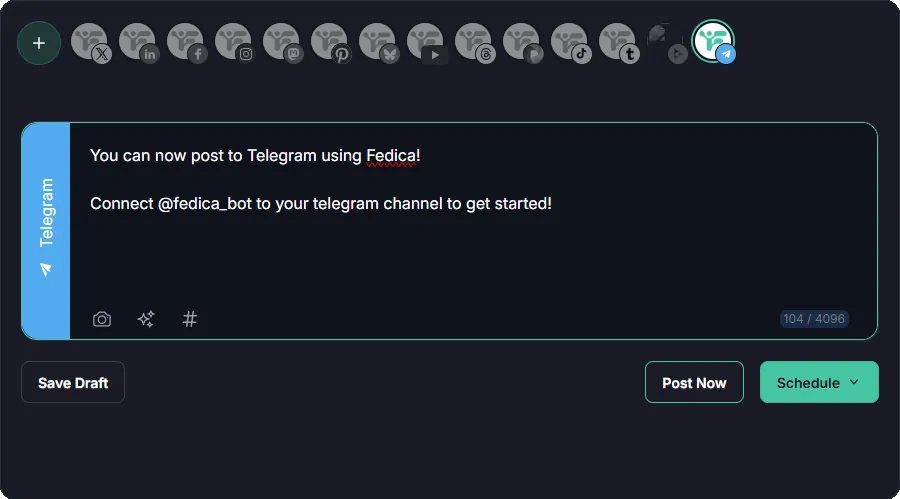
Fedica now lets you schedule Telegram channel posts, right alongside the 13+ other platforms it already supports. Connect a channel once by adding @fedica_bot as an administrator, then write and queue a week or a month of updates in one sitting — Fedica delivers each post from its own servers at the time you set, so the queue keeps running even if your phone is off.
If your channel already sits next to an Instagram, Bluesky, or Mastodon account you’re managing, you don’t need a separate tool just for Telegram anymore, Fedica’s Telegram scheduler makes posting to Telegram as simple as checking a box.
Telegram has a native Scheduling Feature, But
Telegram’s schedule feature is a server-side queue. Set a schedule_date when you send a message, and Telegram holds it on its own servers until that time, then sends it automatically. No device needs to be open or connected when it goes out, according to Telegram’s own API documentation. If you pick a time less than 10 seconds away, Telegram just sends the message right then instead of queuing it.
For one-on-one chats, there’s a special case: instead of a fixed time, you can set a message to send the moment the recipient comes back online. That option doesn’t extend to channels. A channel post you schedule goes out at the exact time you picked, full stop.
Recurring posts are where the native feature runs into a wall. Telegram’s repeat option only works for Premium subscribers, and even then it covers a single message at a time, not photo albums or forwarded batches. That’s the gap a scheduler built for channels needs to close: queue a stretch of individual posts once, and each one still goes out on time without Premium or a manual resend.
Connect a Telegram Channel to Fedica
Fedica connects to Telegram through a bot, and the whole setup happens inside the Telegram app itself. Fedica never asks for your Telegram password; instead, you grant @fedica_bot admin rights on the specific channel you want it to post to, and nothing more. Here’s how to connect a channel:
- Authorize Fedica to your Telegram account. Start from Fedica; this is what lets Fedica talk to Telegram in the first place.
- Open the channel in your Telegram app. Pick the channel you want Fedica to post to.
- Tap Edit, then select Administrators. This is where channel admin roles live.
- Tap Add Admin.
- Search for @fedica_bot and select it. That’s the bot Fedica uses to post on your channel’s behalf.
- Set @fedica_bot’s administrator rights. Make sure “Post Messages” is turned on. Without it, the bot can’t publish anything you schedule.
- Accept the changes.
Once @fedica_bot has posting rights, the channel shows up in Fedica’s calendar like any other connected account, ready to schedule.
Schedule Telegram Posts for Free!
How to Schedule a Telegram Post with Fedica
Connecting a Telegram channel to Fedica is a one-time step. Scheduling a post itself works the same way across everything Fedica supports:
- Open Fedica’s content calendar and create a new post.
- Select your Telegram channel, then write your update and attach any photos or video.
- Set the date and time. Use the same calendar view you’d use for an Instagram or Bluesky post; Telegram sits in the same queue as everything else.
- Save it. The post publishes automatically at the time you set, and Telegram handles delivery from there.
Write a batch of these in one sitting, a week’s worth or a month’s worth, and the whole queue runs itself. You’re not opening Telegram again until you want to check on something.
Why Schedule Telegram Posts Instead of Sending Them Live
A Telegram channel often reaches people across a dozen time zones at once. Posting in real time means either being awake at odd hours for your best engagement window or skipping it entirely. Queuing posts ahead of time solves that without anyone touching a phone at 3 a.m.
Channels that run recurring content hit Telegram’s own ceiling fast. A daily digest or a launch countdown doesn’t work with native scheduling unless you’re a Premium subscriber, and even then you’re re-sending single messages by hand, one at a time. Fedica’s queue handles that whole run in one sitting: batch the week, then walk away.
A news or announcement channel runs into the same problem from a different angle. Updates need to go out at a specific moment, not whenever someone happens to be at their desk, and a channel covering a global audience doesn’t have one good posting time; it has several, spread across time zones. Queuing the day’s or week’s updates in advance means each one still lands on time, even if nobody’s watching the clock when it does.
Here’s what that adds over Telegram’s built-in scheduler:
| Telegram (native) | Fedica | |
|---|---|---|
| Cost | Free | Free on Fedica’s Free plan |
| Queue more than one post at a time | No, one message at a time | Yes, batch weeks or even months in one sitting |
| Recurring posts | Premium only, single messages only | Queue individual posts on any cadence you set |
| Other platforms in the same queue | Telegram only | 14+ platforms, including Bluesky, X, Mastodon, and Instagram |
| Delivery while your device is offline | Yes, from Telegram’s own servers | Yes, from Fedica’s own servers |
Telegram Posts Alongside Everything Else You Post
Telegram is one of more than 14 platforms in Fedica’s calendar, including decentralized ones a lot of schedulers skip entirely: Bluesky, Mastodon, Pixelfed, and PeerTube sit next to Telegram, Instagram, and X (Twitter) in the same queue. If your channel update also needs to go out as a post on X, Fedica’s X scheduler runs from the same calendar, so you’re not rebuilding the update in a second app.
That matters most for anyone managing a channel as one piece of a bigger presence. Instead of a Telegram tool, a Bluesky tool, and a separate calendar for everything else, Fedica’s scheduling covers all of it from one place, so you write once and schedule the whole batch together, adjusting per platform only where you need to.
Frequently Asked Questions
Is Telegram scheduling free on Fedica?
Yes. Telegram scheduling is included on Fedica’s Free plan, along with other platforms Fedica supports.
Do I need to keep my phone or a browser tab open for scheduled Telegram posts to send?
No. Once a post is queued, Fedica delivers it from its own servers at the time you set, not from your phone or computer.
Can I schedule recurring Telegram posts without Telegram Premium?
Not as a single repeating rule; that specific feature is Telegram Premium-only, and even then it covers just one message at a time. Fedica’s workaround is different: queue a batch of individual posts, a countdown, a digest, a month of updates, in one sitting, and each one publishes on its own schedule.
Does Fedica connect to Telegram groups, or only channels?
Fedica’s Telegram integration connects to channels, where @fedica_bot posts as an administrator you add yourself.
What can I schedule to a Telegram channel with Fedica?
The same kind of update you’d send manually: a text post, or one with photos or video attached, written and queued from Fedica’s content calendar ahead of time.
How many platforms can I schedule alongside Telegram in Fedica?
Telegram is one of more than 14 platforms in Fedica’s calendar, including Bluesky, Mastodon, Pixelfed, PeerTube, Instagram, and X, so a Telegram update can sit in the same queue as everything else you post.