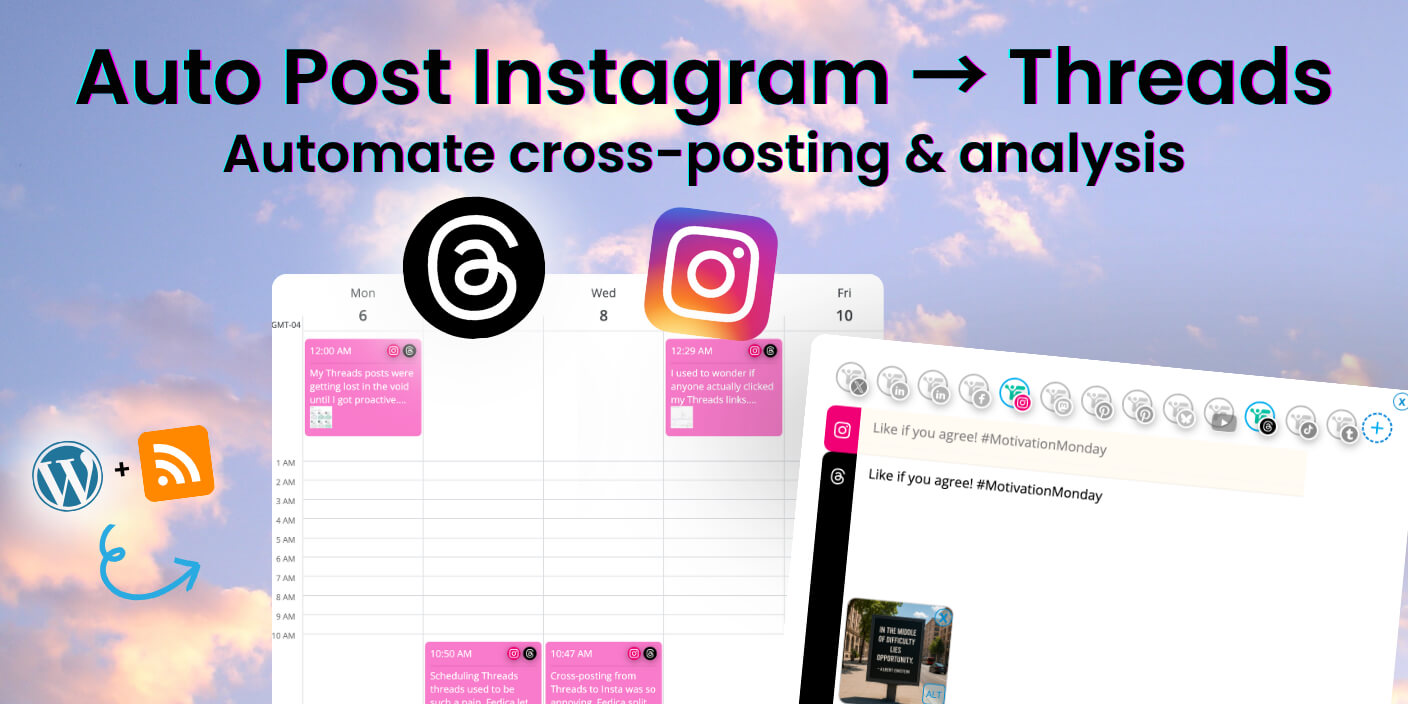
Auto post instagram to threads and reach over 2 billion users across both platforms. Fedica’s scheduling platform makes cross-posting easy and we cover how to schedule crossposts for free, set up blog automation and other ways to have posts automatically publish to Instagram and Threads.
Fedica’s platform handles the technical complexity. You focus on creating content that resonates with your followers. You’ll save hours each week while maintaining authentic engagement.
In my years of experience with social media strategies, it’s smart to leverage crossposting when Instagram is pushing Threads into their feeds. This helps the platform grow and beat competitors and you get extra reach because of it. It’s a low-hanging fruit for expanding reach. It also takes little extra effort for big impact using Fedica.
Key Takeaways
- Save 5-10 hours weekly with streamlined Instagram to Threads cross-posting
- Platform makes it easy to customize content for each platform’s audience
- Cross-post everything from Instagram to Threads (posts, stories, reels)
- Threads polls and Instagram alt-text give competitive advantages
- Three-step setup process takes minutes with no technical knowledge required
Cross-posting between these platforms gives you access to one of the largest combined audiences in social media without the complexity of managing separate strategies.
Why Fedica’s Scheduling Platform is Essential for Instagram to Threads Cross-Posting
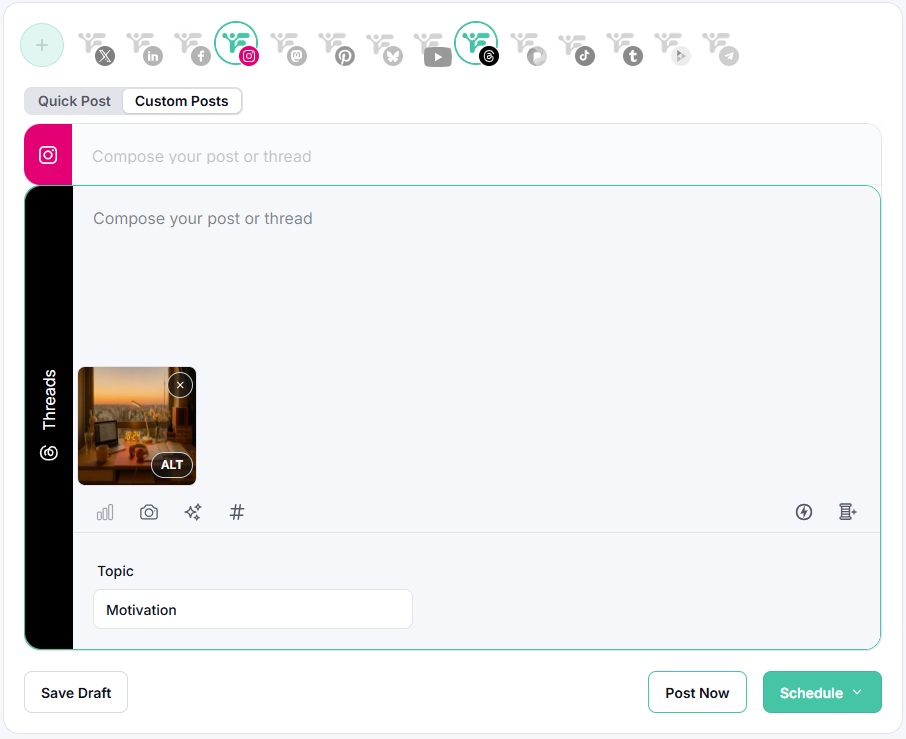
Fedica’s scheduling platform streamlines the time-consuming manual work of cross-posting while giving you full control over content optimization for each social network. When you auto post instagram to threads with Fedica, the platform makes it easy to customize formatting, timing, and content adaptation. This ensures maximum engagement across both platforms with manual control. You customize your content specifically for each platform’s unique requirements, making your posts feel native to each environment.
Unlike basic cross-posting tools that simply copy content, Fedica’s platform gives you the tools to adapt content specifically for each platform’s unique requirements.
You can customize visuals for Instagram’s optimal presentation while adapting content to Threads’ conversational style, maximizing your reach and engagement across both platforms.
How Fedica’s Scheduling Platform Solves Instagram to Threads Cross-Posting
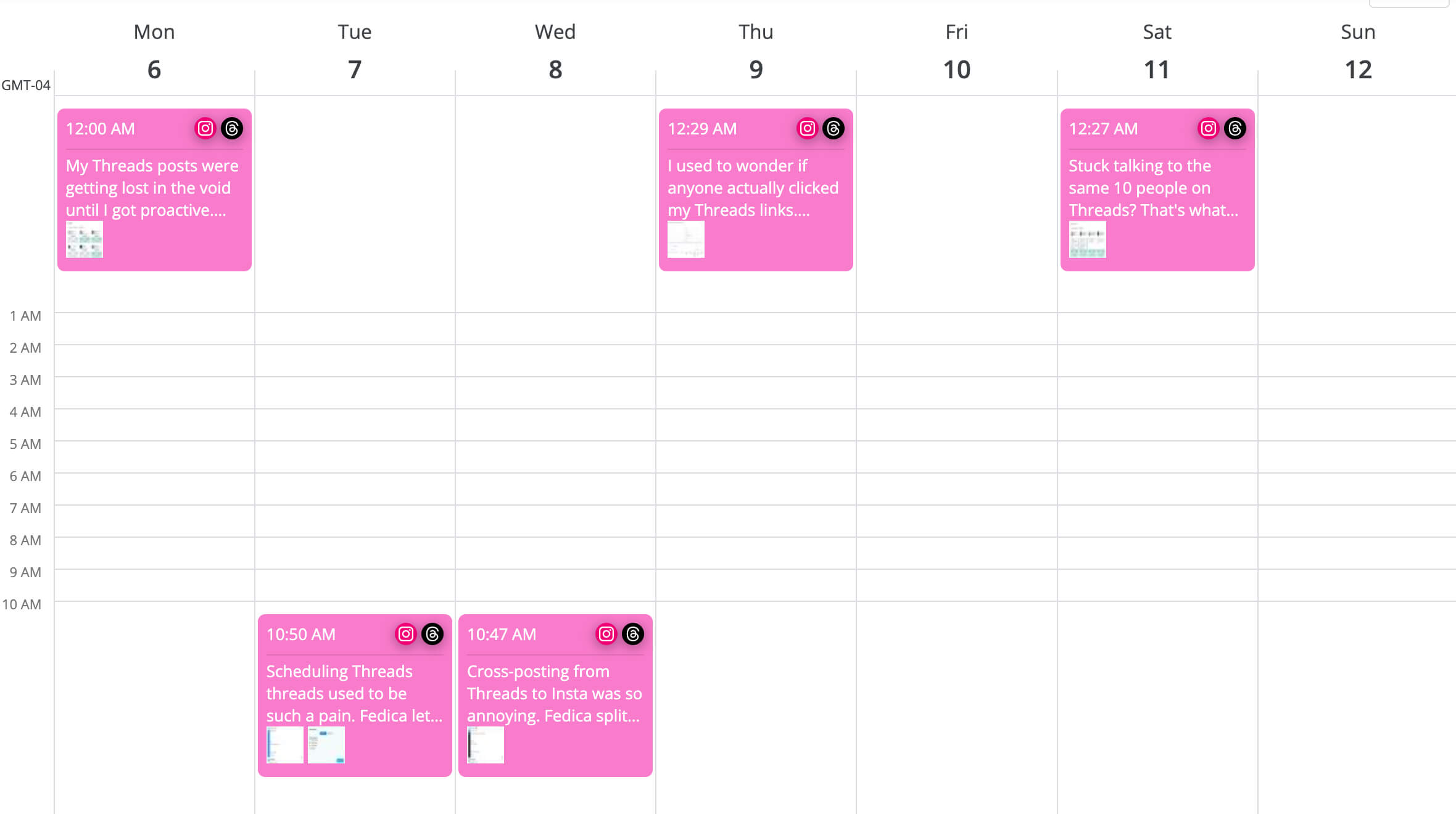
Fedica is a powerful scheduling platform that makes cross-posting between Instagram and Threads easy and efficient. Instead of posting to each platform separately, you can create one post idea and customize it for each platform’s unique requirements.
With Fedica, you can post an image to Instagram and text to Threads as part of the same scheduled post. You customize each platform’s content manually, ensuring all hashtags and captions are relevant for each platform. This allows you to maintain platform-specific optimization while posting as one cohesive idea that goes out at the same time.
Fedica’s bulk upload feature lets you schedule multiple posts at once, streamlining your content workflow. You have full control over how your content appears on each platform, making it easier to edit and customize manually. For true automation, Fedica’s RSS feed integration (covered below) automatically posts content from your blog or podcast feeds.
Schedule to Instagram and Threads at once, automatically.
How to Auto Cross Post Instagram to Threads
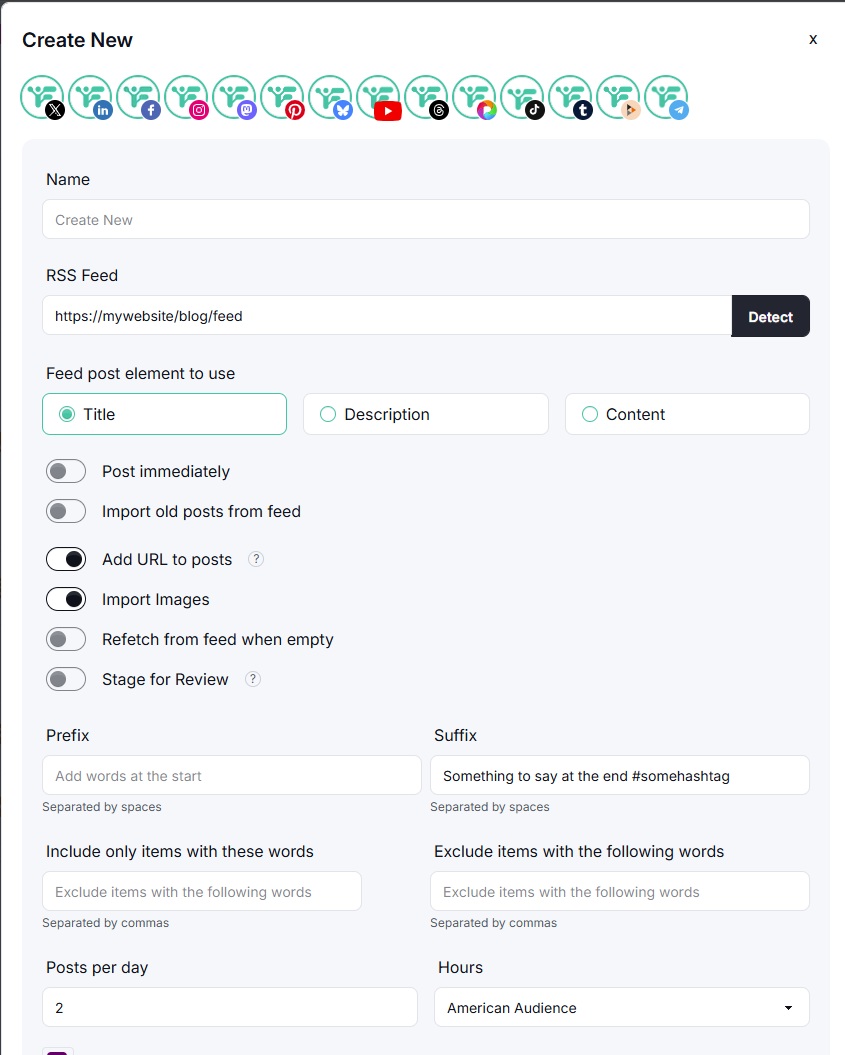
You can automatically cross-post from Instagram to Threads using Fedica’s RSS feed automation. This true automation posts content from your blog or podcast feeds without manual intervention. For manual scheduling, you can also cross-post with Fedica which only takes a minutes without technical knowledge.
Learn to set one up for yourself in a few minutes.
How Can I Auto Post Instagram to Threads With it’s Own Schedule?
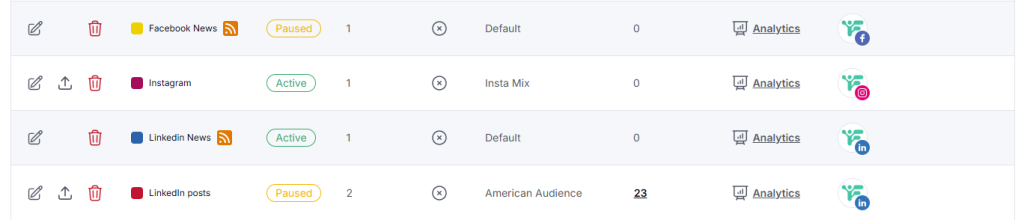
You can automatically post everything from Instagram to Threads using Fedica’s RSS feed automation right from your wordpress blog, youtube channel or any RSS feed.
For example, you can customize your posts to share certain images and meta text automatically from your blog:
- Set up a news RSS feed about industry insights to balance your content in your calendar
- Set up a posts feed on your website, and have it automatically feed into your socials from Fedica’s RSS feed to social media customizations
- Turn your blog posts into social posts with a little customizing.
Simply add your WordPress feed or podcast feed links, and Fedica automatically posts content across platforms without manual intervention. The system handles formatting, image attaching, link inclusion, and hashtag management automatically.
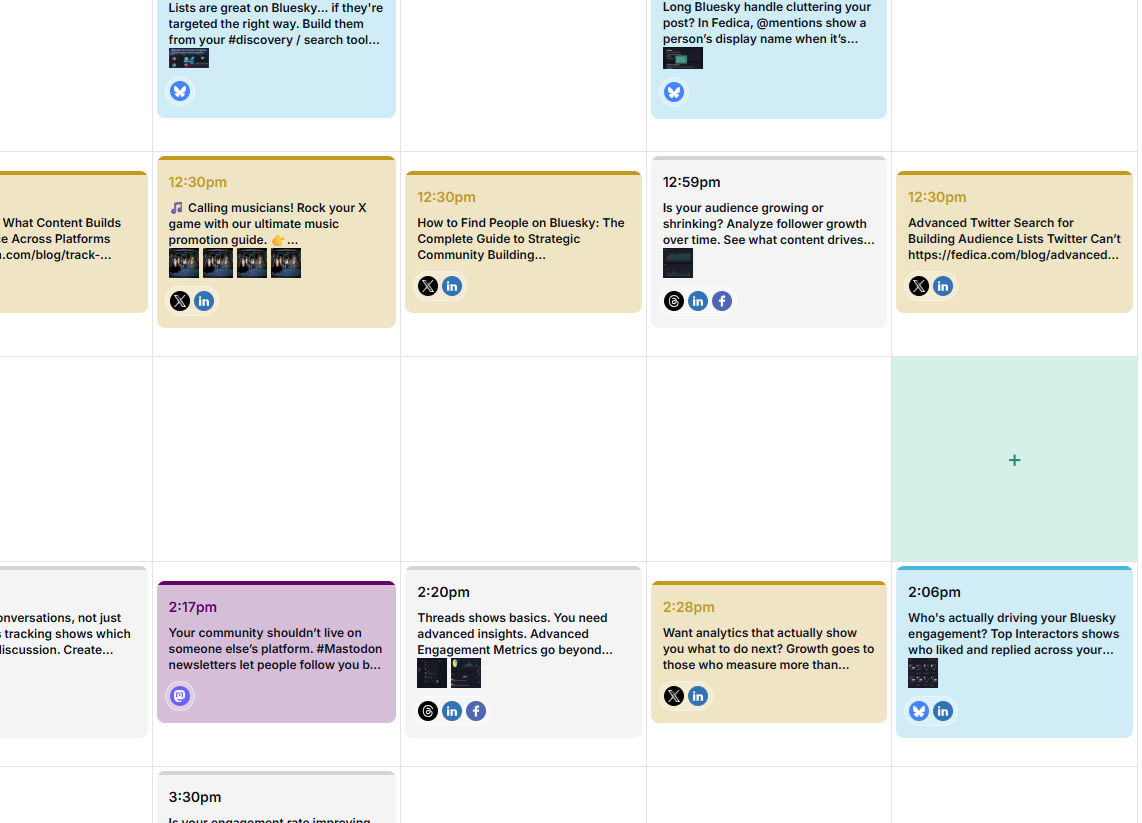
For manual cross-posting, Fedica’s scheduling platform lets you post an image to Instagram and text to Threads as part of the same scheduled post. You customize each platform’s content manually, ensuring all hashtags and captions are relevant for each platform. This allows you to maintain platform-specific cohesive ideas that goes out at the same time.
Advanced Fedica Features That Make Cross-Posting Effortless
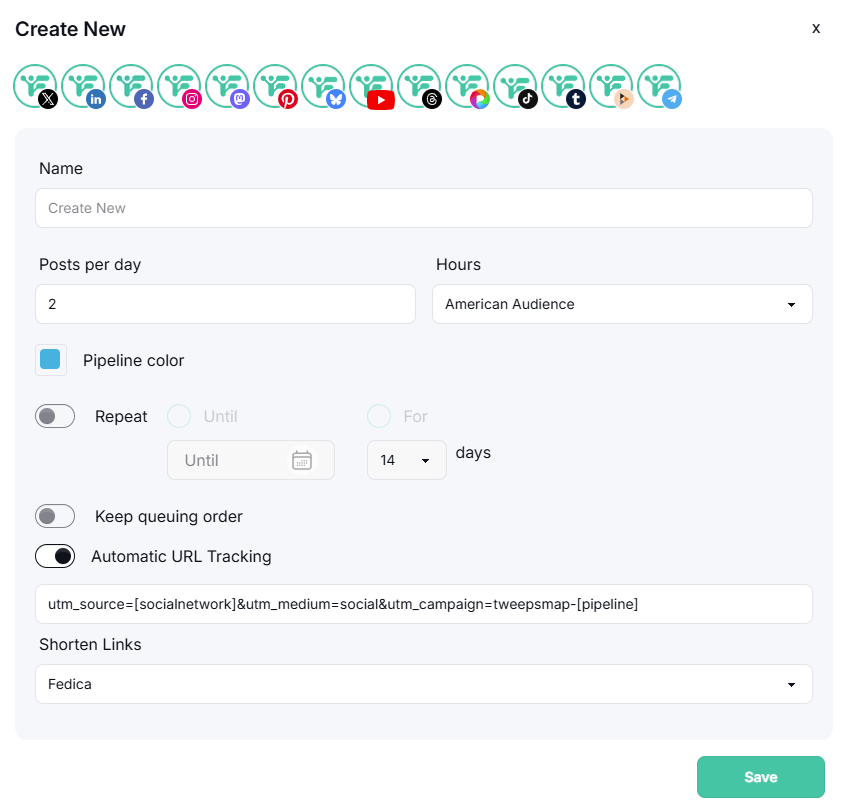
Fedica’s intuitive calendar interface makes advanced features feel simple. You can access powerful optimization tools directly from your scheduling dashboard. Other social media tools make these features complicated or don’t offer them at all.
Track Performance with Google Analytics Integration
Fedica’s calendar integrates seamlessly with Google Analytics to track link clicks by content topic. When you schedule posts with links, Fedica automatically adds UTM parameters that categorize your content by topic, platform, and campaign type. This gives you detailed insights into which content topics drive the most engagement and traffic for supported platforms.
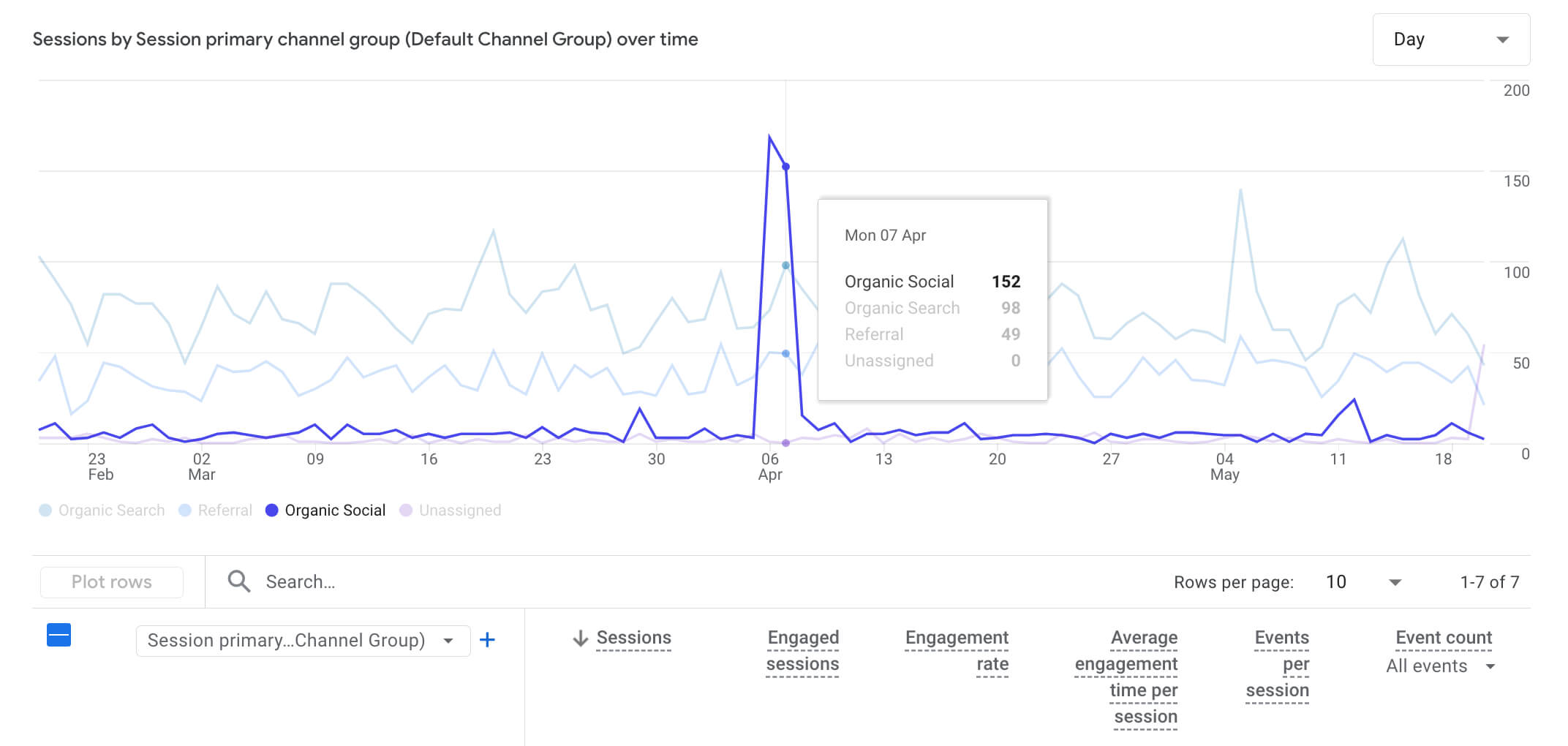
You can easily identify your top-performing content topics and optimize your calendar scheduling based on real data in your web analytics. The integration works automatically when using Fedica’s Pipelines. Simply connect your Google Analytics account once, and Fedica handles the rest while you focus on creating content that resonates with your audience.
Track link clicks, and post automatically with your blog’s RSS link!
Threads Polls Made Simple
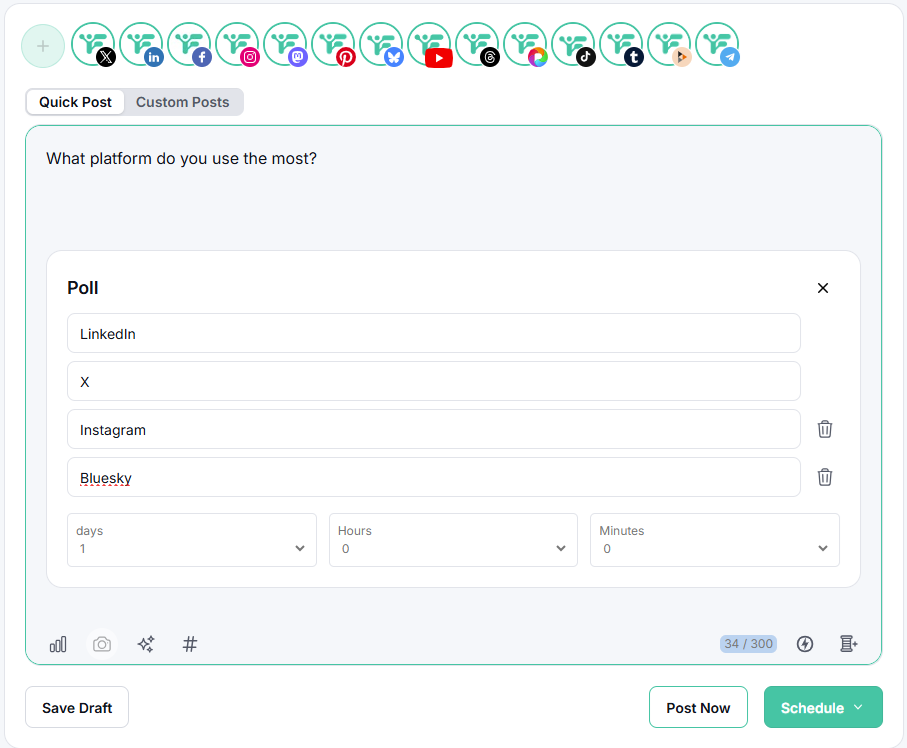
Create and schedule polls on threads directly from your Fedica calendar and have it publish with an image and question, or a video / reel for Instagram. The interface guides you through poll creation with simple dropdown menus and text fields. These polls engage your audience in conversations and increase engagement on Threads without any technical complexity.
Other automation tools struggle with Threads’ format, but Fedica’s native support for polls integrates smoothly into your calendar workflow, like it does for LinkedIn, Mastodon, and X / Twitter. You can schedule polls alongside regular posts, making audience engagement part of your regular content strategy.
Analytics
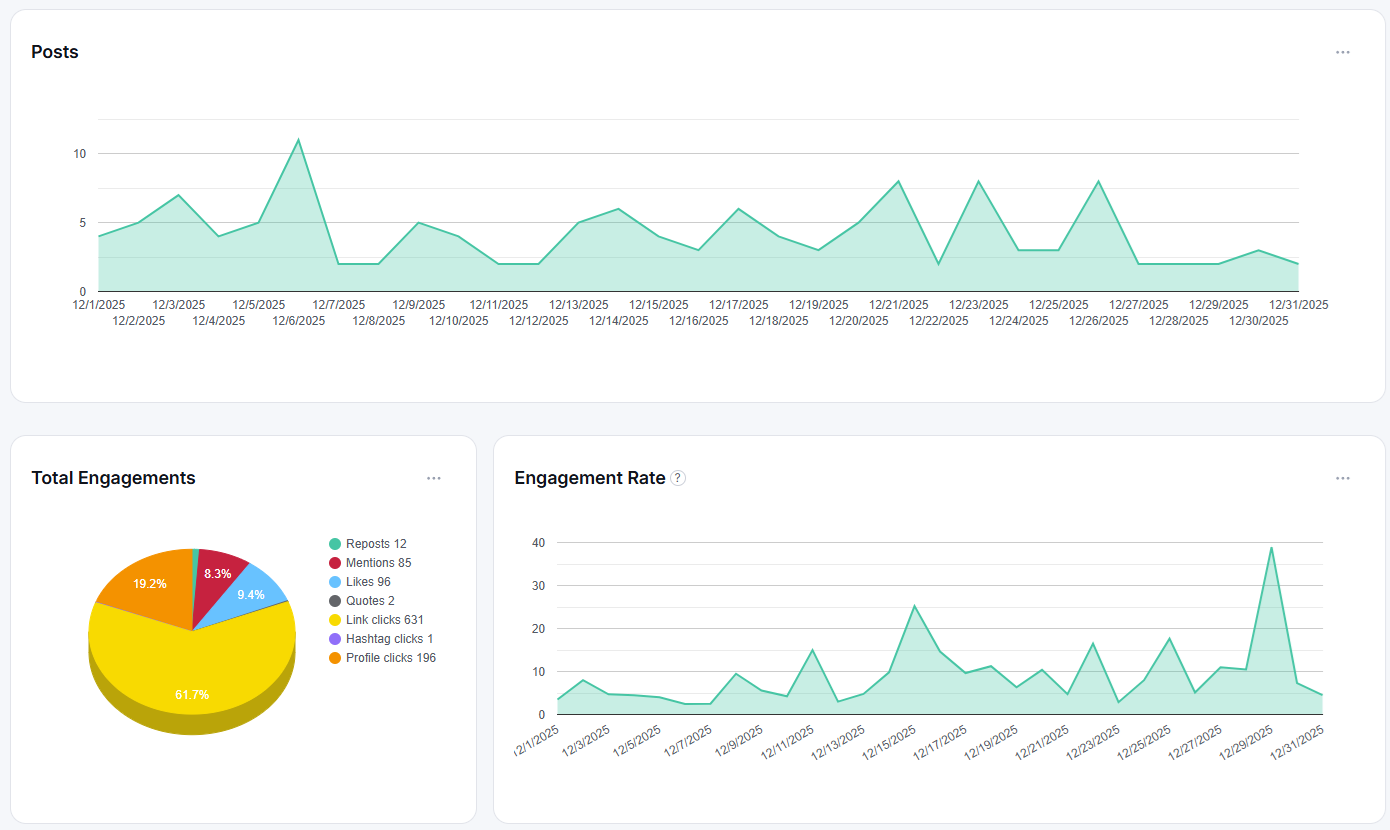
Fedica’s threads analytics provide insights into how your content performs. You can track:
- Engagement patterns
- Audience demographics for popular platforms
This helps you refine your cross-posting strategy. It’s what separates Fedica from other automation solutions.
RSS Feed Automation
Fedica’s RSS feed integration makes content automation easier than using complex APIs. Instead of building custom integrations, you can simply connect your WordPress feed or podcast feed to automatically post content across platforms.
The system automatically handles:
- Content formatting
Long text is split into threads automatically - Image attachment
Downloads up to 4 photos from RSS enclosures - Link inclusion
Always adds links to original posts - Hashtag management
Adds configured hashtags to posts - Content filtering
Excludes posts with specified words
Feeds are checked multiple times per hour (every 5 minutes on average), ensuring your content goes live quickly. This RSS feed automation is available for Mastodon, Facebook, Bluesky, Pinterest, LinkedIn, and X (Twitter) on Fedica premium plans.

Complete Content Automation
Fedica posts everything from Instagram to Threads. This includes:
- Regular posts
- Stories
- Reels
- Carousel posts
The platform adapts each content type for Threads’ format with a bit of your help. It maintains the original message, and you can edit the media or content type for each platform.
Best Practices for Instagram to Threads Cross-Posting Success
To maximize success when you auto post instagram to threads, follow these best practices. Fedica’s features help you implement these strategies easily.
Adapt Content for Each Platform
Don’t post identical content across platforms. Each platform has different audiences:
- Instagram: Visual storytelling with compelling captions and hashtags
- Threads: Conversational, text-focused content
Use Fedica’s customization features to adapt your tone and format. Other tools can’t match this sophistication.
Monitor and Optimize
Regularly analyze your cross-posted content performance.
Track:
- Which content types perform better on each platform
- Engagement patterns
- Audience preferences
Adjust your strategy based on this data. This ensures your cross-posting strategy evolves with your audience.
Track link clicks, and post automatically with your blog’s RSS link!
Frequently Asked Questions
Here are the most common questions about automating Instagram to Threads cross-posting.
Do Instagram posts show up on Threads?
No, Instagram posts don’t automatically appear on Threads. While both platforms are owned by Meta, they operate independently. You need to manually enable cross-posting or use automation tools like Fedica to share content between the platforms.
How to automate thread posts?
You can automate Threads posts using Fedica’s platform. Simply connect your Threads account, create your content, and schedule it for optimal posting times. Fedica handles the formatting and posting automatically, saving you hours of manual work each week.
Can I automate Instagram posting?
Yes, Fedica allows you to fully automate Instagram posting with scheduling, content optimization, and platform-specific formatting. You can schedule posts in advance and maintain consistent engagement without manual intervention, ensuring your content reaches your audience at optimal times.
Are Threads automatically linked to Instagram?
While Threads and Instagram are both Meta platforms, they’re not automatically linked. You need to manually connect them through cross-posting settings or use automation tools like Fedica to establish the connection for automated sharing. Fedica makes this process simple and secure.
Can Instagram auto post to Threads?
Instagram has basic cross-posting features, but they’re clunky and don’t help you optimize content for each platform in calendar that keeps all your posting schedules in the same planner. Fedica provides advanced automation that formats content appropriately for both platforms, ensuring optimal engagement on each. This gives you better results than Instagram’s basic features.
How do I link an Instagram post to Threads?
You can link Instagram posts to Threads using Fedica’s crossposting instagram feature. Connect both accounts, create your content, and Fedica will automatically format and post it to both platforms keeping all platform-specific optimizations.
Can you schedule posts to Threads?
Yes, Fedica’s scheduling feature allows you to plan and schedule threads posts free. You can set specific times, create content queues, and optimize posting times based on your audience’s activity patterns. This ensures consistent posting without manual intervention.
How many Threads should I post per day?
The optimal posting frequency depends on your audience and content strategy. Generally, 1-3 posts per day works well for most accounts. Fedica’s analytics can help you determine the best posting frequency for your specific audience and engagement goals. You can also schedule threads topics without hashtags to maintain consistent content flow.
Can I automate content using RSS feeds?
Yes! Fedica’s RSS feed integration is much easier than building custom API integrations. Simply connect your WordPress feed or podcast feed, and Fedica automatically posts content across platforms. The system handles formatting, image downloads, link inclusion, and hashtag management automatically. Feeds are checked multiple times an hour, ensuring quick content distribution without manual work.