
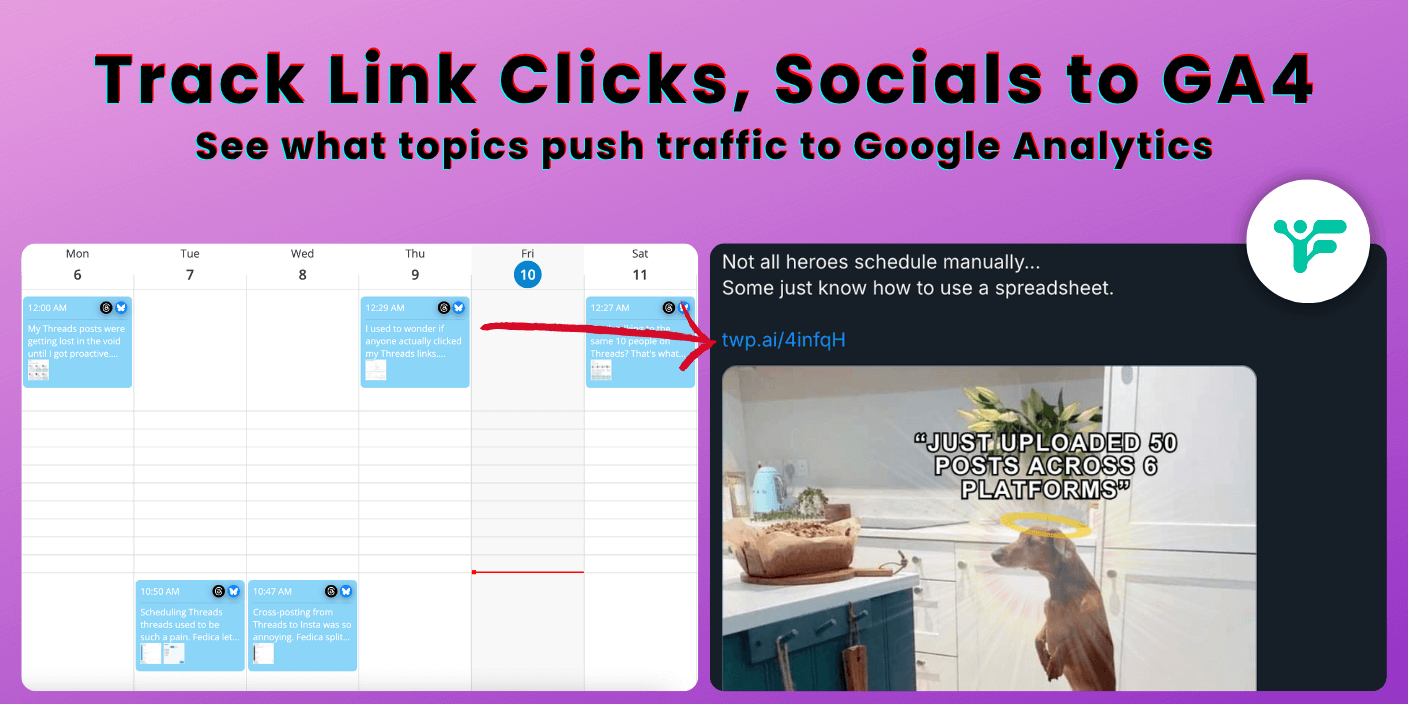
Track link clicks on Threads and you’ll finally see which of your social posts actually drive traffic to your website. After years of helping marketers optimize their social media strategies, I’ve found that most platforms provide basic engagement metrics but lack the detailed link tracking that actually drives business results.
Businesses using effective conversion tracking see 23% higher ROAS compared to those without proper tracking. Fedica’s URL shortener with UTM tracking helps you identify which CTAs are most effective by organizing your content into pipelines for better analytics.
This integration closes the loop between your social media efforts and business results. Instead of just knowing a Threads post got 50 likes, you can see it drove 25 website visitors. Twelve spent more than 2 minutes on your site. Three completed a purchase.
You can track clicks across all supported platforms and integrate the data with Google Analytics for a complete picture of your social media ROI.
Key Takeaways
- Track link clicks across all supported platforms (Threads, Bluesky, Facebook, LinkedIn, Mastodon, Pinterest, Pixelfed, X, YouTube) from a single dashboard
- Organize content into content Pipeline queues for better UTM tracking and analytics organization by topic
- Enable UTM tracking data in Fedica and Google Analytics tracks it automatically for customer journey from social media to website conversion
- See which social posts actually drive website traffic instead of just getting likes and comments
- Optimize your posting times and content strategy based on real click data rather than guessing
Get Complete Link Analytics That Threads Can’t Provide
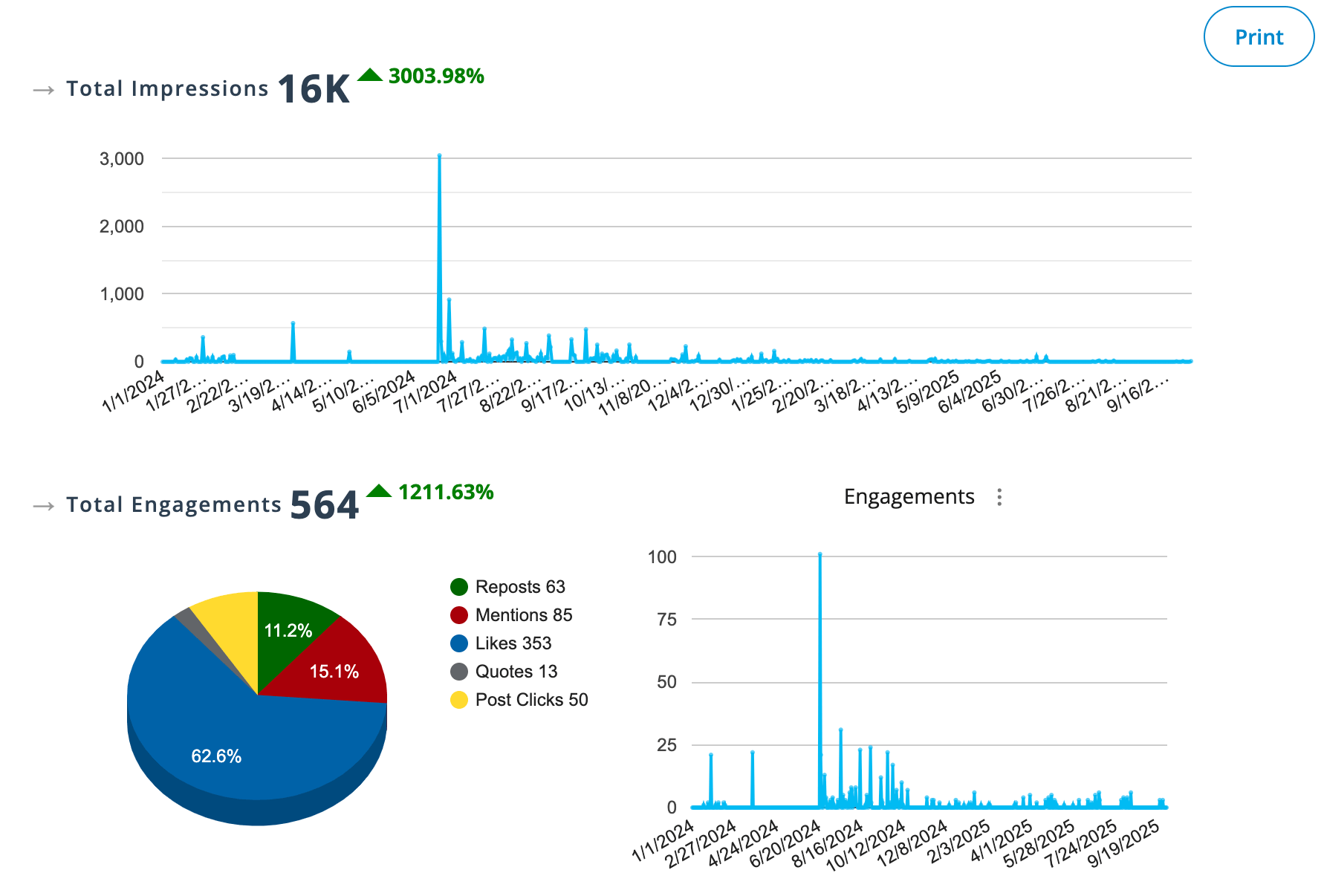
Fedica’s URL shortener gives you UTM tracking and pipeline organization that Threads’ basic analytics can’t match. While Threads only shows follower count and post engagement, Fedica provides UTM tracking, pipeline-based content organization, and cross-platform performance comparisons so you can track topics like polls you schedule to Threads and X, for example.
Research indicates that 61.4% of social marketers identify measuring ROI as their top challenge. This makes link tracking essential for marketing decisions.
With Fedica, you get:
- Real-time link click tracking and analytics
- Audience analysis
- Optimal posting time recommendations based on click data
- Cross-platform performance comparisons
- Detailed engagement analytics beyond likes and replies
This tracking capability lets you measure the ROI of your Threads marketing efforts. Instead of posting blind, you can optimize your content strategy and understand your audience better. You can justify the time you’re spending on the platform with concrete data.
Track Thread Link Clicks Now!
Fedica’s URL Shortener with Analytics
Fedica’s built-in URL shortener with UTM tracking provides analytics that go beyond what most social media management tools offer. While other platforms offer basic URL shortening, Fedica delivers UTM tracking with pipeline organization and cross-platform integration.
Fedica’s URL shortener works across all supported platforms. These include Threads, Bluesky, Facebook, LinkedIn, Mastodon, Pinterest, Pixelfed, TikTok, X (Twitter), and YouTube. When you share a link through Fedica, you get:
- Real-time click tracking and analytics
- UTM parameter tracking with automatic pipeline organization
- Track instantly with Google Analytics and other website analytics tools
- Cross-platform performance comparisons
- Pipeline-based content organization for better analytics
What makes Fedica valuable is how it connects your social media engagement with UTM tracking and pipeline organization. Unlike other tools that only provide basic click counts, Fedica gives you organized tracking data that integrates seamlessly with Google Analytics, even if you crosspost from Bluesky to Threads for example.

Instead of just knowing that someone liked your Threads post, you can see which pipeline drove the click and track the user’s journey through Google Analytics. You can see when they clicked and how they behaved once they arrived. This gives you organized data that’s impossible to get from Threads alone.
Over the years working with social media analytics and data science, I’ve seen a big shift in how we track online marketing. With the rise of AI snippets and AI-powered search, SEO is bringing in fewer organic visitors from search engines.
That means the data you get from tracking clicks from social media to your website has become more valuable than ever. Fedica stands out because it links your social media engagement with UTM tracking and pipeline organization. This gives you organized data that integrates with Google Analytics. That’s what marketers should be focusing on.
Setting Up Link Tracking for Threads (Step-by-Step)
Fedica’s URL shortener is built into the platform. This makes it easy to start tracking your Threads link clicks immediately. Unlike other social media management tools that require complex setup processes, Fedica provides a unified experience.
Step 1: Create Your Fedica Account
First, head to fedica.com and sign up for a free account. The free plan includes unlimited posts and drafts. You can schedule up to 10 posts at any time. This is more generous than many competitor solutions that limit free users to just a few posts per month.
Step 2: Connect Your Threads Account
Once you’re logged in, navigate to the accounts section and connect your Threads profile. Fedica supports Threads integration for scheduled posts. You’ll be able to schedule Threads posts and track links directly from the platform. The connection process is simple and doesn’t require any technical knowledge.
Step 3: Create a Pipeline and Enable URL Tracking
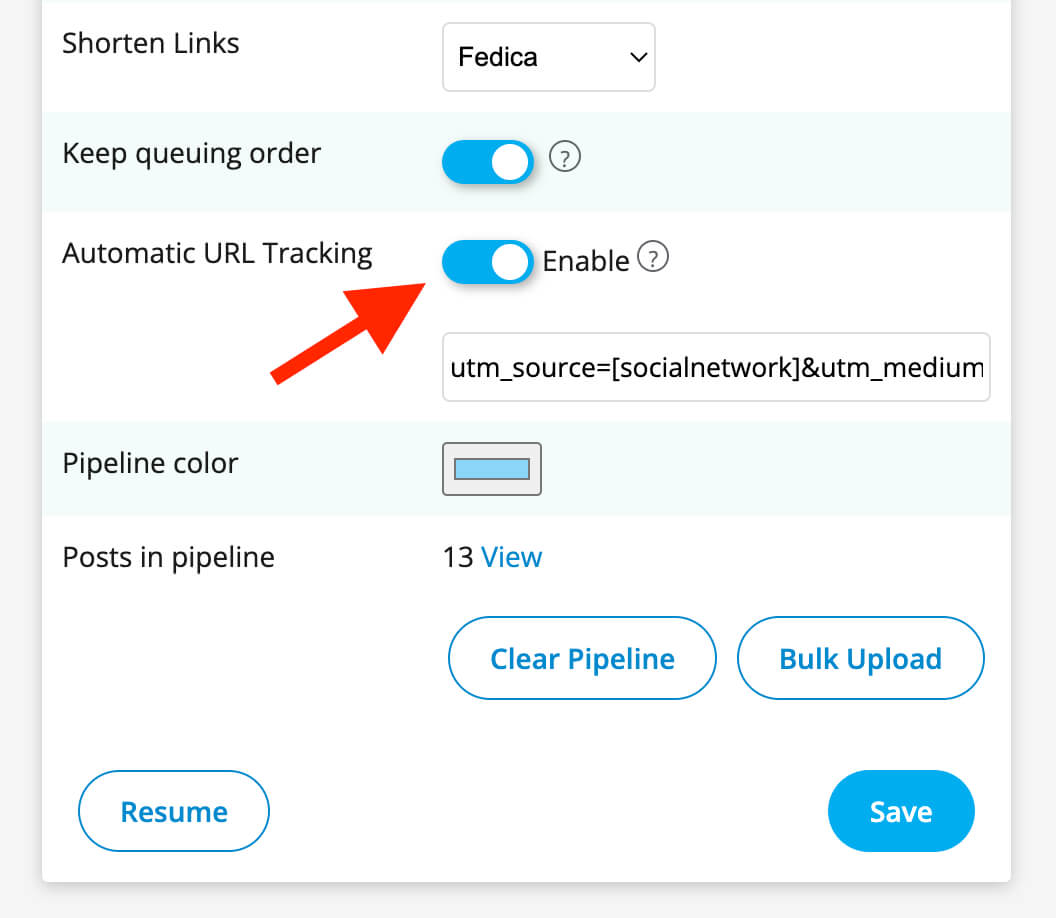
Create a pipeline in Fedica to organize your content by topic or campaign. When you enable URL tracking for a pipeline, all scheduled posts from that pipeline will automatically send UTM data to Google Analytics. You can optionally choose to shorten URLs, but the key is ensuring URL tracking is enabled for the pipeline. This ensures every link gets proper attribution data.
Step 4: Schedule Your Threads Post
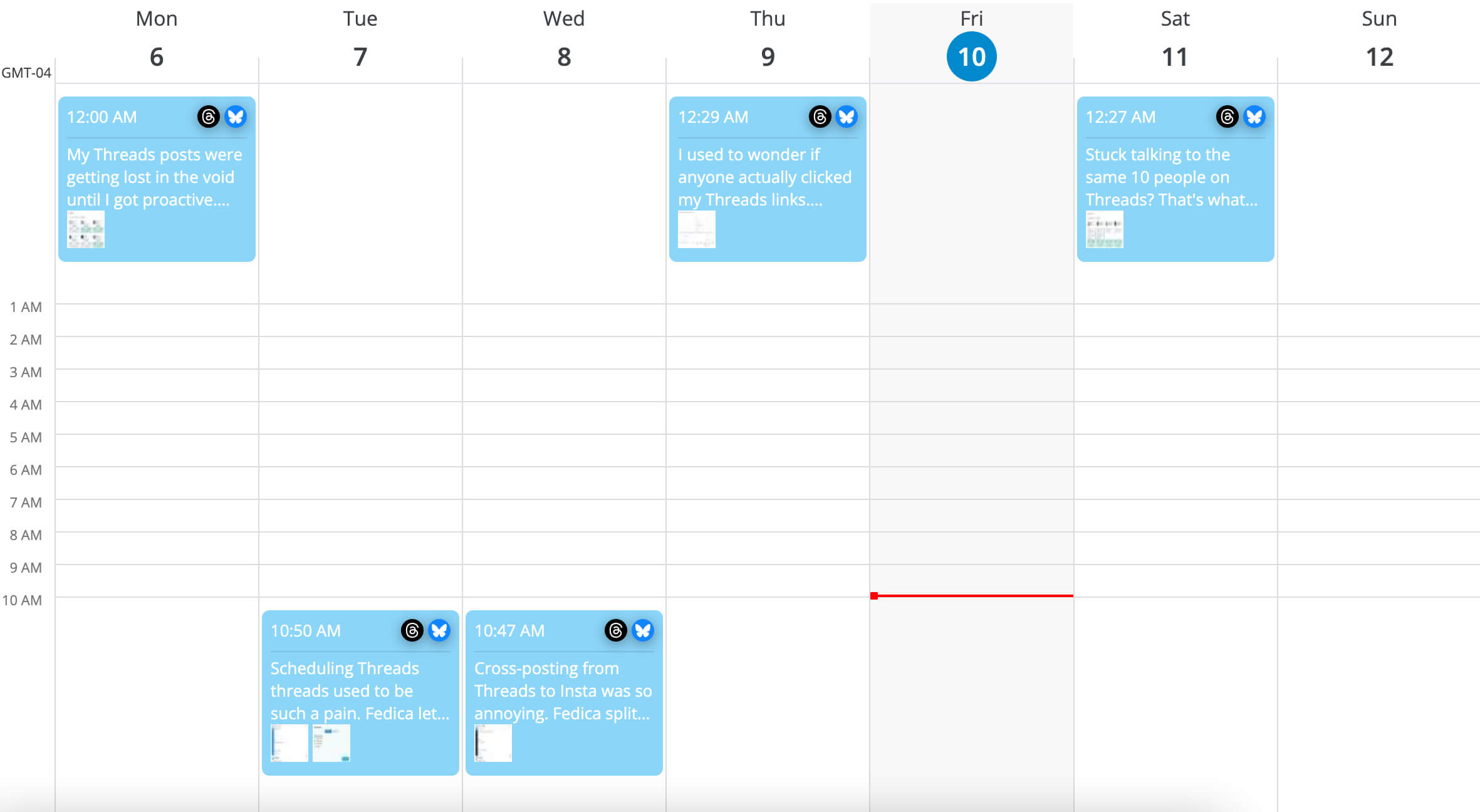
Compose your Threads post as usual and add your link. When you schedule the post from your pipeline, Fedica will automatically add UTM tracking parameters to any links in the post. You can schedule it for later or post it immediately. The key difference is that now every click on that link will be tracked and recorded in your Fedica analytics dashboard. Note that Fedica supports scheduled posts only.
Step 5: Monitor Your Click Data
Once your post goes live, you can start monitoring click data in real-time through Fedica’s analytics dashboard. You’ll see how many people clicked your link and when they clicked. Note that Threads analytics don’t include demographic data, but other platforms do and Threads has a separate demographics section.


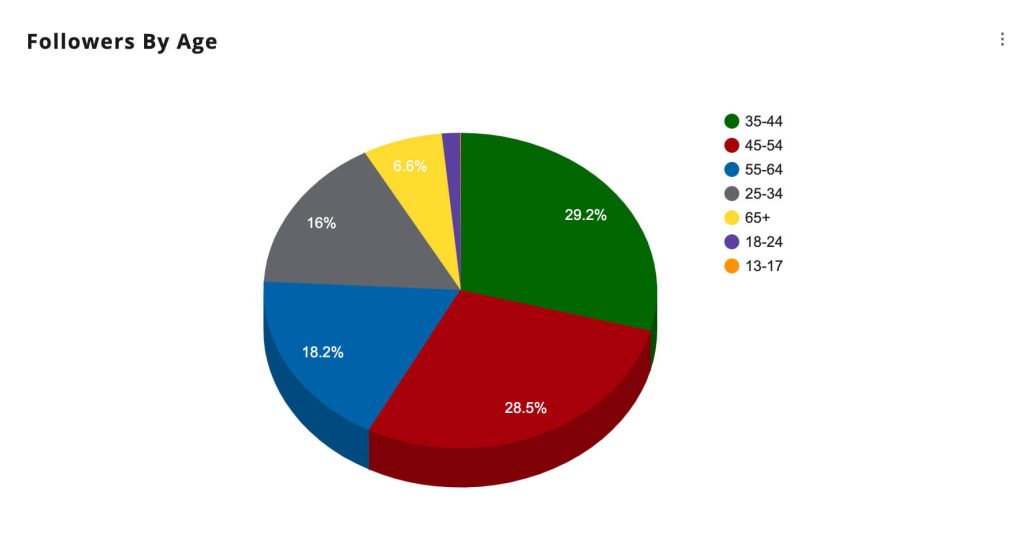
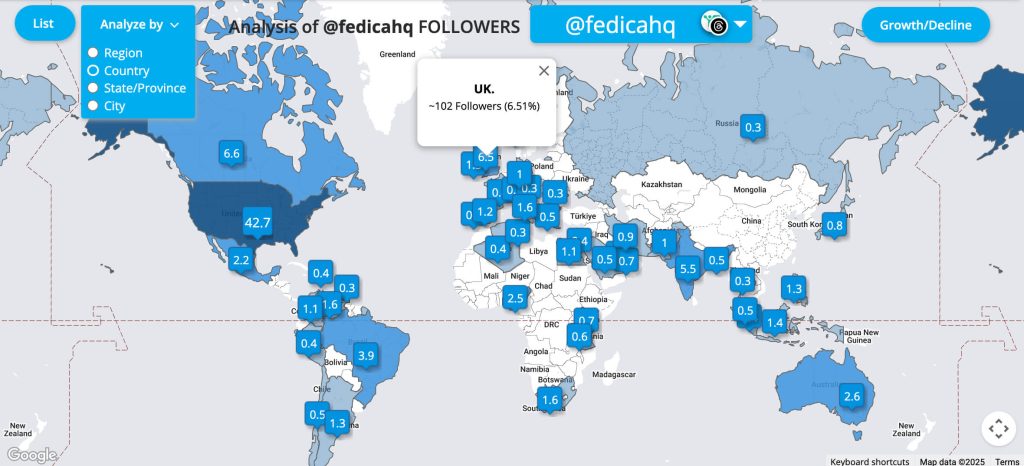

This process works the same way across all of Fedica’s supported platforms. Once you’ve set it up for Threads, you can easily track links on Bluesky, LinkedIn, X, and all the other supported platforms you use. Most other tools require separate setup for each platform. Fedica provides a unified experience.
Track Threads Traffic to Your Website
Understanding Your Threads Click Analytics Dashboard
Fedica’s analytics dashboard shows you what’s happening with your links. It provides data that Threads can’t provide. You get insights into your link performance, including:
- Click Count
See how many people clicked your link, updated in real-time - Audience Analysis
Understand who’s clicking your links (available for platforms other than Threads currently) - Timing Data
Know when people are clicking your links, helping you optimize posting times - Platform Performance
Compare how your links perform across different social platforms - Engagement Correlation
See how link clicks relate to likes, comments, and shares on your posts
Fedica’s dashboard connects your social media engagement with click tracking and UTM data. Instead of just knowing someone liked your Threads post, you can see which pipeline drove the click and track the user’s journey through Google Analytics. You can see when they clicked and how they behaved once they arrived.
For example, you might discover that your Threads posts about productivity tips get the most clicks during weekday afternoons. These clicks typically happen between 2-4 PM on weekdays. This insight is impossible to get from Threads alone. But it’s the data you need to optimize your content strategy and posting schedule.
The dashboard shows which types of content drive the most clicks, helping you understand what resonates with your audience. This data-driven approach separates successful brands from those posting blindly.
Compare Analytics Across Platforms
Integrating UTM Tracking with Google Analytics
Fedica’s UTM tracking integration with Google Analytics shows your customer journey from social media click to website conversion. When someone clicks a Fedica-shortened link from your Threads post, UTM parameters automatically flow into your Google Analytics dashboard. You’ll see:
- Traffic Source Attribution
Know which Threads posts and pipelines are driving website visitors - User Behavior
See how visitors from Threads behave on your website – which pages they visit, how long they stay, and what actions they take - Conversion Tracking
Track which social media posts and pipelines lead to actual conversions, whether that’s newsletter signups, purchases, or other goals - Pipeline Performance
Compare how different content pipelines perform across platforms using UTM campaign data
This integration closes the loop between your social media efforts and business results. Instead of just knowing a Threads post got 50 likes, you can see it drove 25 website visitors. Twelve spent more than 2 minutes on your site. Three completed a purchase.
Setting up this integration is straightforward. Fedica automatically adds UTM parameters to your shortened links when you enable URL tracking for a pipeline. The parameters include utm_source=[socialnetwork], utm_medium=social, and utm_campaign=[pipeline]. You don’t need complex setup or coding.
Note: the [socialnetwork] and [pipeline] in brackets can be left blank and Fedica will automatically adjust them for the network and pipeline name.
Think of UTM parameters as invisible tags that tell Google Analytics where your traffic came from. When someone clicks your Fedica-shortened link, Google Analytics sees “this visitor came from Threads via the productivity-tips pipeline” instead of just “unknown social media traffic.”
This integration is what modern marketers need. With traditional SEO becoming less reliable, the data from tracking social media clicks to your website has become more valuable than ever.
Tracking Links Across All Supported Social Platforms

Fedica’s URL shortener works across all supported platforms from a single dashboard. This cross-platform tracking lets you see which platforms actually drive traffic to your website. It’s not just about which ones get the most likes or comments. You might discover that:
- Your Threads posts get fewer likes than your Facebook posts, but drive more website traffic
- LinkedIn posts have the highest click-through rates, even though they get less engagement
- Your TikTok videos are viral, but don’t convert to website visits
- Bluesky and Mastodon users are more likely to click through to your website than users on other platforms
This insight is impossible to get when using different tools for different platforms. Fedica gives you a unified view of your social media performance, making it easy to identify which platforms are worth your time.
For example, you might find that your Threads posts about productivity tips consistently drive more website traffic than similar posts on Facebook, even though Facebook posts get more likes. This tells you that your Threads audience is more engaged and more likely to take action.
The cross-platform comparison also helps you understand your audience better. Users who click through from Threads might prefer long-form content, while users from X prefer quick, actionable tips. This behavioral insight helps you tailor your content strategy for each platform.
Analyzing Your Link Performance Data
Fedica’s analytics dashboard provides comprehensive tracking and filtering capabilities to help you make informed decisions about your Threads strategy. Here’s what you can analyze:
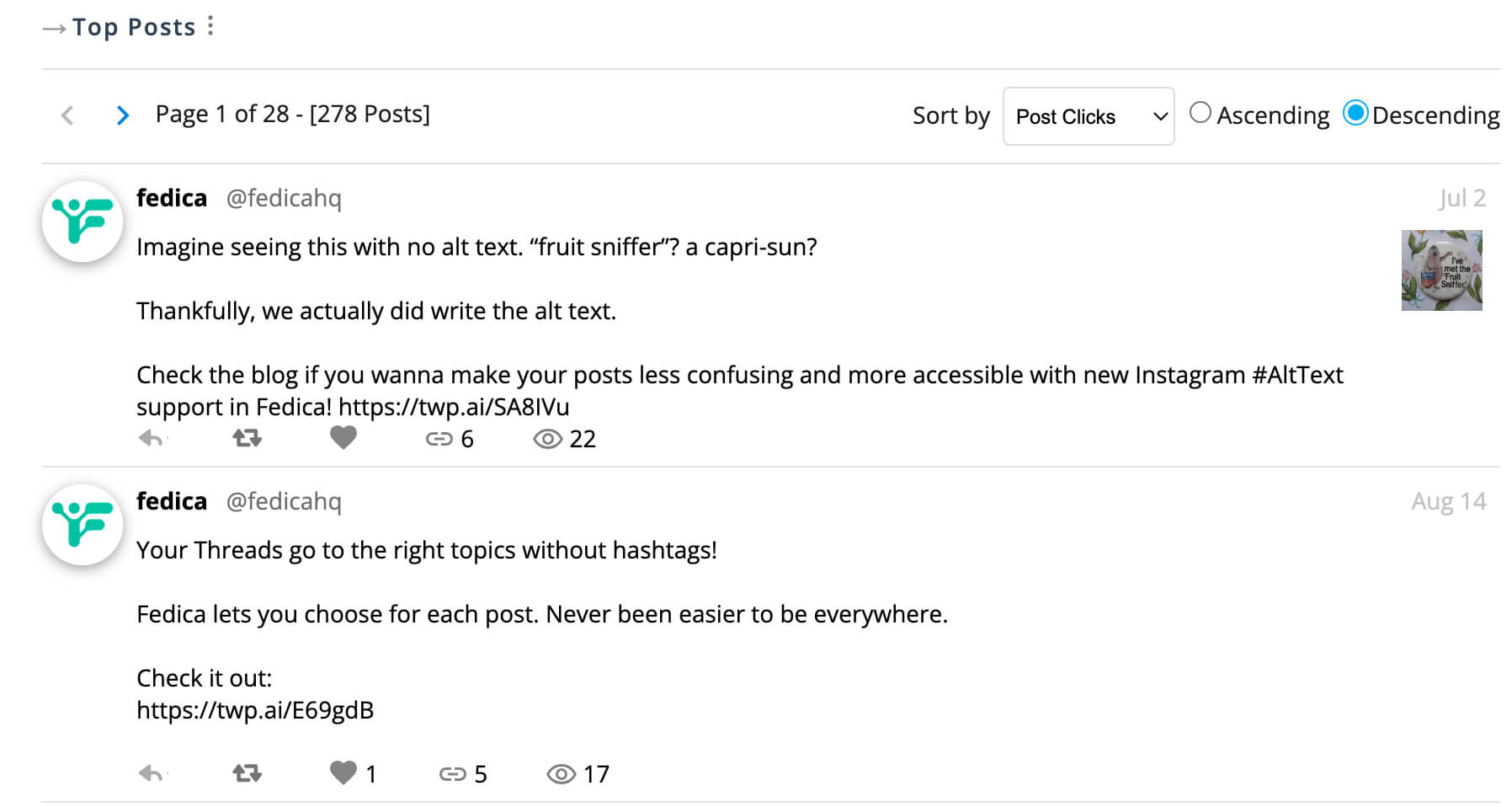
View All Posts and Link Clicks
See every post listed in Fedica’s analytics with their link click counts. The dashboard shows all posts, engagements, and metrics in one place, making it easy to identify which content drives the most traffic to your website.
Filter and Sort Analytics
Use Fedica’s filtering to sort your analytics by keyword, date range, or performance metrics. Filter by specific topics to see which content types consistently drive the most clicks. This helps you focus your content strategy on what actually works. Also with Threads, you don’t need to use hashtags to post directly to a Threads topic through Fedica!
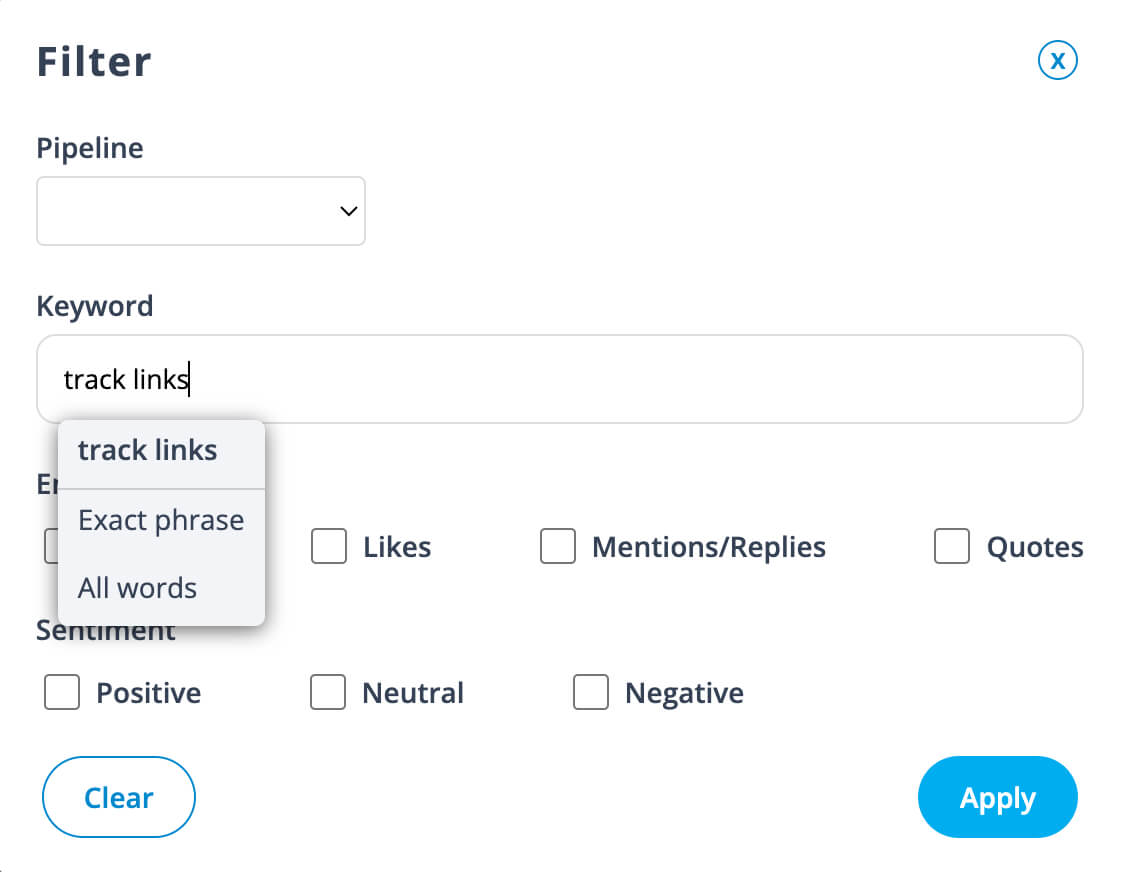
Identify Top Performing Topics
Easily see top topics from your best posts. The dashboard highlights which content themes drive the most engagement and link clicks, helping you understand what resonates with your audience.

Export Data for Analysis
Export your analytics data to CSV for deeper analysis in spreadsheet software. This makes it easy to create custom reports and share performance data with your team.
Multi-Platform Performance Comparison
Compare how your links perform across different platforms. You might discover that the same content gets more clicks on Threads than on Facebook, or that LinkedIn drives higher-quality traffic. This helps you allocate your time and effort more effectively.
The goal is to use this organized data to make informed decisions about your content strategy. Instead of guessing what works, you’ll have concrete click data that shows what resonates with your audience and drives the most website traffic.
Optimizing Your Social Strategy Based on Click Data
These strategies work because they’re based on actual data rather than assumptions.
Always Use Fedica’s URL Shortener
Never share raw URLs on Threads or any other social platform. Always use Fedica’s URL shortener to ensure you’re tracking every click. This is the foundation of your analytics strategy. It gives you insights that most other tools can’t provide.
Test Different Content Types
Experiment with different types of content to see what drives the most clicks. Try posts with questions. Try posts with tips. Try posts with personal stories. Try posts with industry insights. Track which types consistently perform best. Focus your content strategy accordingly.
Optimize Your Posting Times
Use your click timing data to optimize when you post. If you discover that your Threads posts get the most clicks between 2-4 PM on weekdays, schedule your most important posts for those times.
Create Platform-Specific Content
Don’t just copy the same content across all platforms. Use your cross-platform data to understand what works best on each platform. Tailor your content accordingly. Your Threads audience might prefer different content than your Facebook audience.
Track Your ROI
Use the Google Analytics integration to track which social media posts lead to actual conversions. This helps you justify your social media efforts. It helps you focus on the platforms and content types that drive real business results.
Remember, the goal isn’t just to get more clicks. It’s to get more clicks from the right people. These are people who are likely to become customers or take the action you want them to take. Fedica’s analytics help you understand which content drives the most valuable clicks. They help you reach your audience more effectively. 95.8% of marketers believe social platforms provide high return on investment when properly tracked.
Track Threads Traffic to Your Website
Frequently Asked Questions
Is there a way to track link clicks?
Yes, you can track link clicks using URL shorteners with UTM tracking capabilities. Fedica’s built-in URL shortener provides UTM tracking across all supported platforms, including Threads, Bluesky, LinkedIn, and more. You’ll get organized click data and UTM parameters that integrate with Google Analytics to see traffic sources and pipeline performance.
Can you put links in threads?
Yes, you can absolutely put links in Threads posts. Threads supports clickable links, and you can share URLs directly in your posts. However, Threads doesn’t provide analytics for link clicks, which is why using Fedica’s URL shortener is so valuable – it gives you the tracking data that Threads can’t provide.
How to track link clicks on social media?
Most social platforms’ native analytics don’t show individual link clicks, but you can track them using Fedica’s URL shortener. When you share a Fedica-shortened link on your supported platforms, you’ll get UTM tracking including click counts, timing data, and pipeline organization that gets sent right to Google Analytics.
What is the best link click tracker?
Fedica’s URL shortener is one of the best link click trackers for social media because it provides UTM tracking across supported platforms, pipeline organization, Google Analytics integration, and clean URL shortening. Unlike basic URL shorteners that only show click counts, Fedica gives you organized tracking data to optimize your social media strategy.
Can you see how many times a link is clicked?
Yes, with Fedica’s URL shortener you can see how many times each link is clicked, updated in real-time. You’ll also see when people clicked and which pipeline drove the traffic. Combined with Google Analytics, you can track how those clicks converted into website visits or other actions you’re tracking.
How do I view activity on Threads?
Threads provides basic activity metrics like follower count and post engagement, but it doesn’t offer detailed analytics. To get activity insights, use Fedica’s analytics dashboard which shows engagement data, UTM tracking, and pipeline organization that Threads can’t provide.
What is the difference between Facebook and Threads?
Facebook focuses on diverse content including photos, videos, and text posts, while Threads is text-based and designed for conversations. Both platforms have limited native analytics, but Fedica’s URL shortener works on both platforms, giving you consistent link tracking and analytics across Facebook, Threads, and 9 other supported platforms.
Do hashtags work on Threads?
Yes, hashtags work on Threads and can help increase the discoverability of your posts. You can use hashtags to categorize your content and make it easier for people to find your posts. When you include links in hashtagged posts, Fedica’s URL shortener will track clicks regardless of whether people found your post through hashtags or other means.