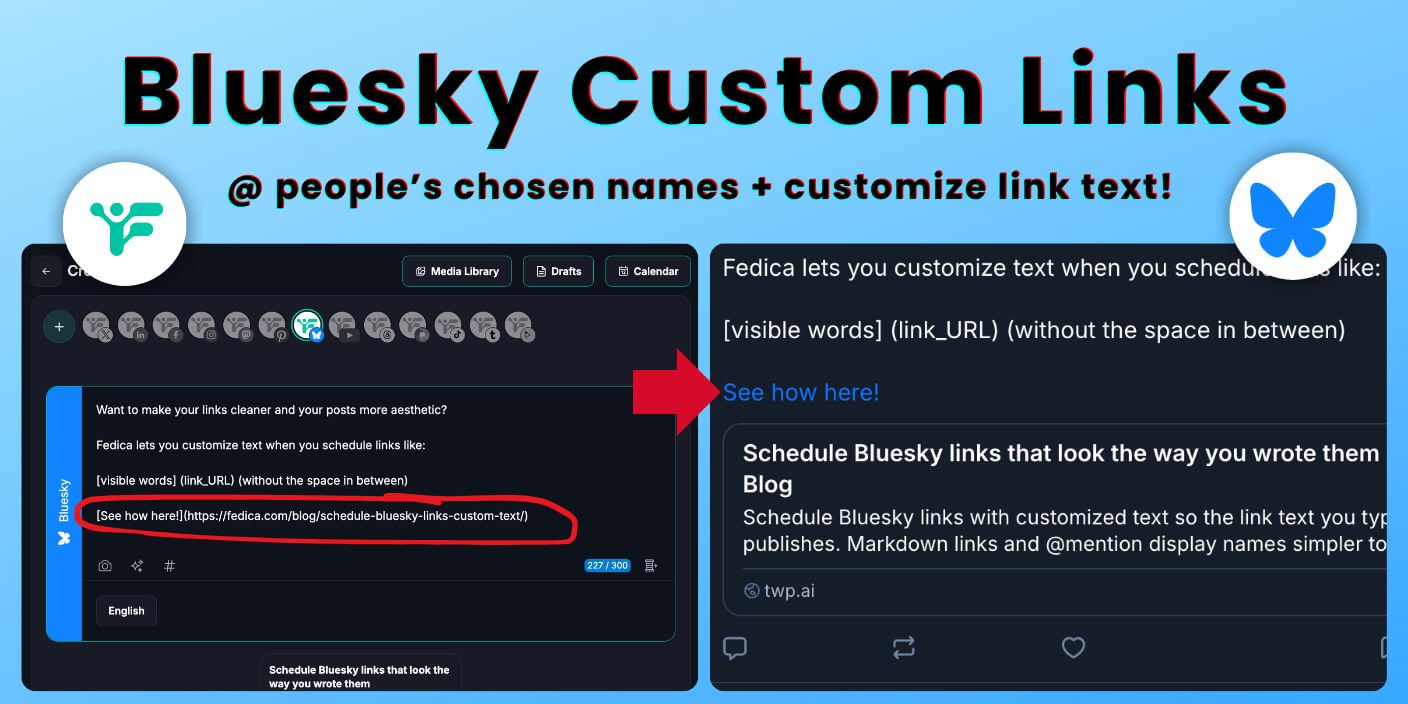
When you schedule a Bluesky post in Fedica, the link text you typed is what publishes at the scheduled time. This article covers Markdown links, link cards, and @mention display names, and other unique Bluesky scheduling features that keep posts looking clean.
Bluesky links use this format when you schedule with Fedica:
[visible words](https://example.com)
with no space between ] and (. The words inside the square brackets are what people see in the post.
Key takeaways
- In Fedica’s Free Bluesky scheduler, use
[anchor](https://url)with no gap between]and(. A space between them breaks it into plain text and a separate URL. - Scheduled Bluesky posts publish with the same link text and URL you typed.
- Fedica adds link card displays to Bluesky posts automatically.
- When you @mention someone, Fedica uses their chosen name for the visible text when it is shorter than their handle. You can disable this so @mentions always show the full handle.
- You can add Bluesky to the same Fedica calendar as your other networks.
Put words in the link instead of a raw URL
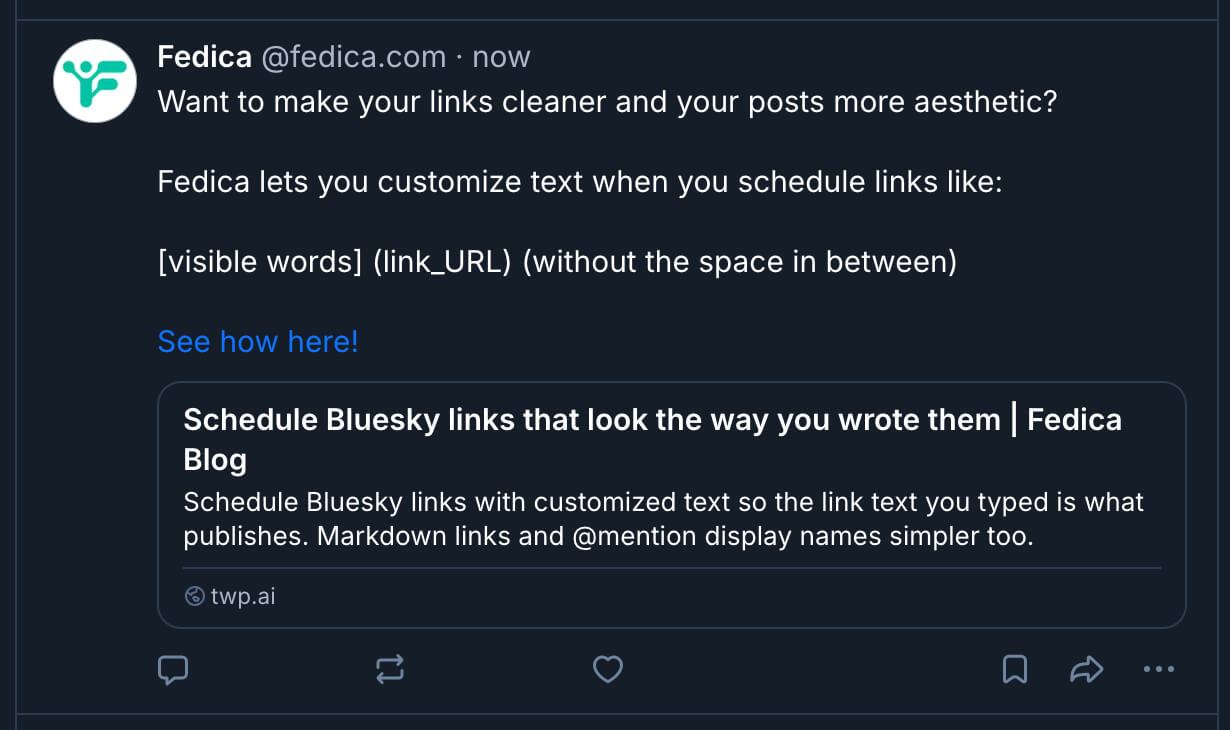
Put the words people should tap inside square brackets. Put the full URL inside parentheses immediately after, with no gap between ] and (. Example: [Read the update](https://example.com/news). If there is a space between ] and (, Fedica reads it as two separate pieces of text and the post publishes a raw URL instead.
You type Markdown-style links in Fedica and we convert them to Bluesky’s link format before publishing, including for scheduled posts.
Why the link shows wrong: a space between ] and (
If there is a space between ] and (, you get plain text and a separate URL instead of one link. Fix the gap in the composer, save, and reschedule. Most wrong link text problems come from that space.
Link cards on Bluesky with Fedica
Fedica adds link cards to Bluesky posts automatically. When you share a link or quote-post, the post includes a card with the page title, image, and description instead of only a bare URL. See the full walkthrough: scheduling Bluesky link card posts.
Fedica shows the bluesky link preview before the post goes out so you can check it. If the preview is missing or looks wrong, check whether the destination page has a title, description, and image set up for sharing. Fedica reads what the page provides and cannot add information that is not there. When your post includes images, you can require alt text on Bluesky from Fedica so scheduled media stays accessible.
After links go live, Bluesky track link clicks in Fedica helps you see how people engage with what you shared. Bluesky analytics in the same hub rounds out post and account metrics beyond individual link taps.
Bluesky scheduling in Fedica is part of the same Publish section as Bluesky thread maker workflows, threads, polls, bulk upload, pipelines, RSS, media library, and crossposting. This article covers just the link and mention behavior.
@mentions on Bluesky: display name or handle
When you @mention someone, Fedica links to their profile using their chosen name for the visible text when it is shorter than their handle. The mention still points at the right account. Scheduled posts publish with the same behavior. You keep typing @mentions the same way and Fedica applies the name-or-handle rule for you. You can disable this so @mentions always publish with the full handle. If you are still choosing who to mention, how to find people on Bluesky walks through discovery and search habits that pair well with scheduling.
Other Bluesky scheduling tools
Not every scheduled post is only links and @mentions. When you need sensitive labels or content rules on the calendar, read Bluesky adult content NSFW so warnings and audience settings match what you publish.
Add Bluesky to your Fedica calendar
Open Publish, write a Bluesky post with [anchor](https://url) in the composer, and add it to your calendar. The scheduled post publishes with the link text you wrote.
Frequently asked questions
Can you do hyperlinks on Bluesky?
Yes. Bluesky posts support tappable links. In Fedica you write them with [text](url), and scheduled posts publish with the same link text you typed.
How do I add links in Markdown?
Put the visible words in square brackets and the URL in parentheses immediately after, with no space between ] and (. Example: [Read the update](https://example.com/news).
Does Bluesky shorten URLs?
Bluesky can show short link text even when the destination URL is long. In Fedica, the words you put in brackets are what show in the post.
How do I change the URL on Bluesky?
After a post goes live, you follow Bluesky’s own edit rules for your account. Before it goes live, edit the draft in Fedica like any other text, then save or reschedule.
Will scheduling change how my Bluesky links look?
In Fedica, scheduled posts publish with the same link text and URL you typed. If something looks wrong, check for a space between ] and ( in the composer first, then check that the destination page has a title and image set up for sharing.
Why doesn’t my Bluesky link preview show?
The destination page needs a title, description, and image set up for sharing, and must be publicly accessible. Fedica reads and attaches that information when publishing. If the page is missing those or blocks outside access, the preview will not show.
Can @mentions show a display name instead of a handle on Bluesky?
Yes. Fedica uses a person’s chosen name for the visible mention text when it is shorter than their handle. The mention still points at the correct account. You can disable this for handle-only posts.