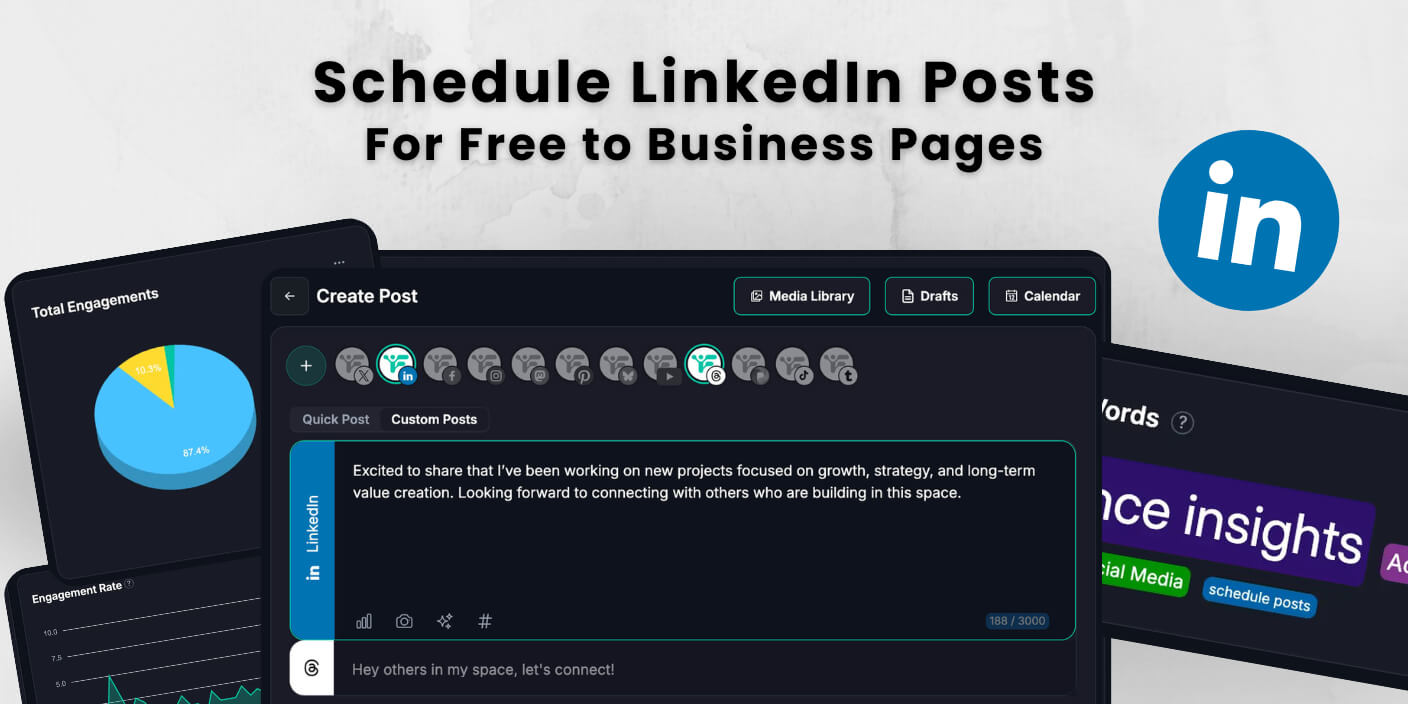
You can schedule LinkedIn posts for free and save 20-25 hours every month by planning weeks ahead instead of posting manually each day. Fedica has millions of free users who schedule posts across multiple platforms, transforming posting from a daily chore into a strategic advantage. With Fedica’s free plan, you can schedule LinkedIn posts alongside other platforms, all from one dashboard.
Industry research analyzing millions of LinkedIn posts shows that moving from 1 post per week to 2-5 posts weekly significantly boosts performance and engagement. LinkedIn’s algorithm rewards consistent posting, distributing content more widely and improving per-post performance when you post multiple times per week. Free scheduling tools make this achievable without the daily time commitment.
LinkedIn offers built-in free scheduling directly in the platform, and tools like Fedica provide free LinkedIn scheduling with advanced features like bulk CSV uploads, calendar views, and cross-platform posting. You can plan an entire month of LinkedIn posts in one sitting and schedule them for times when your audience is most engaged, boosting your reach and visibility.
Key Takeaways
- Save 20-25 hours monthly by scheduling LinkedIn posts for free instead of posting manually each day.
- Fedica offers completely free LinkedIn scheduling with unlimited drafts, calendar views, bulk CSV uploads, cross-posting customized content, and polls.
- Schedule LinkedIn posts for free using LinkedIn’s native scheduler or Fedica’s free plan, which includes 10 accounts across platforms, unlimited drafts, and 10 scheduled posts at a time in the calendar (once posts publish, you can schedule more).
- Fedica’s free plan includes advanced features like 2 content pipelines and cross-platform posting, all free.
- Maintain consistent posting schedules and maximize engagement by scheduling posts when your LinkedIn audience is most active.
Table of Contents
- Can You Schedule LinkedIn Posts for Free? Yes, Here's How
- How to Schedule LinkedIn Posts Using LinkedIn's Native Feature
- Best Free Tools to Schedule LinkedIn Posts Compared
- How to Schedule LinkedIn Posts with Fedica (Free Step-by-Step Guide)
- What Types of LinkedIn Posts Can You Schedule for Free?
- Free LinkedIn Post Scheduling Tool Limitations and When to Upgrade
- Best Practices for Scheduling LinkedIn Posts for Free
- Troubleshooting Common Issues When Scheduling LinkedIn Posts
Can You Schedule LinkedIn Posts for Free? Yes, Here’s How
Yes, you can schedule LinkedIn posts for free using two options. LinkedIn’s built-in native scheduler is 100% free with no limits. Free third-party tools like Fedica add calendar views, bulk scheduling, and cross-posting.
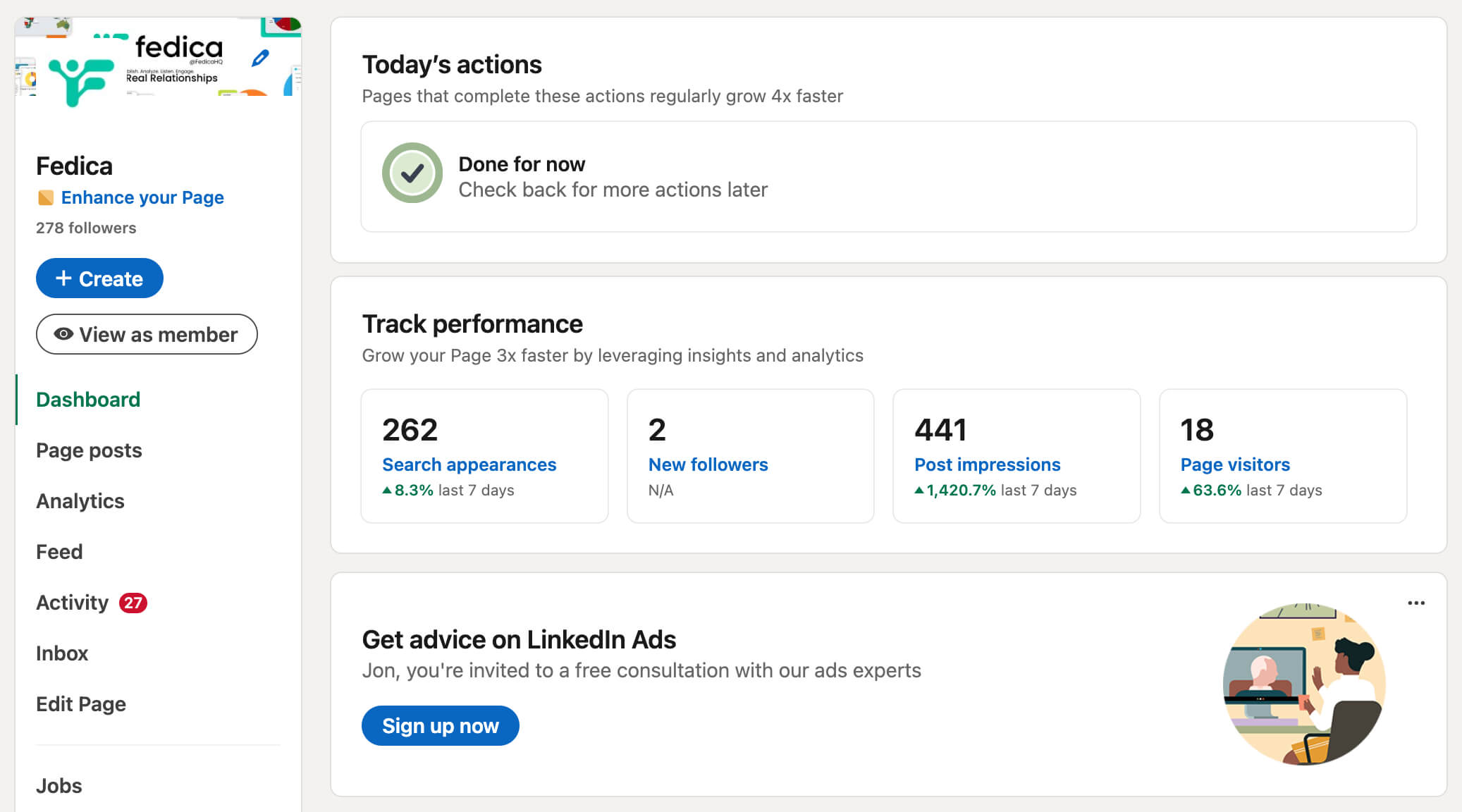
LinkedIn’s native scheduler works for personal profiles and company pages. However, it can’t schedule Events, Jobs, or Services posts. Fedica’s free plan offers free LinkedIn scheduling across 10 accounts. These include Instagram, X/Twitter, Mastodon, Facebook, bluesky scheduler, Pinterest, and TikTok (photo posts).
It allows 10 scheduled posts at a time in the calendar (once posts publish, you can schedule more), plus unlimited drafts and advanced features like cross-posting customized content and polls, all free. Both options let you schedule LinkedIn posts for free without paying for premium tools. The native scheduler is perfect if you only post to LinkedIn. Fedica’s free plan gives you more flexibility with calendar views, bulk uploads, and the ability to customize and schedule content across multiple platforms.
How to Schedule LinkedIn Posts Using LinkedIn’s Native Feature
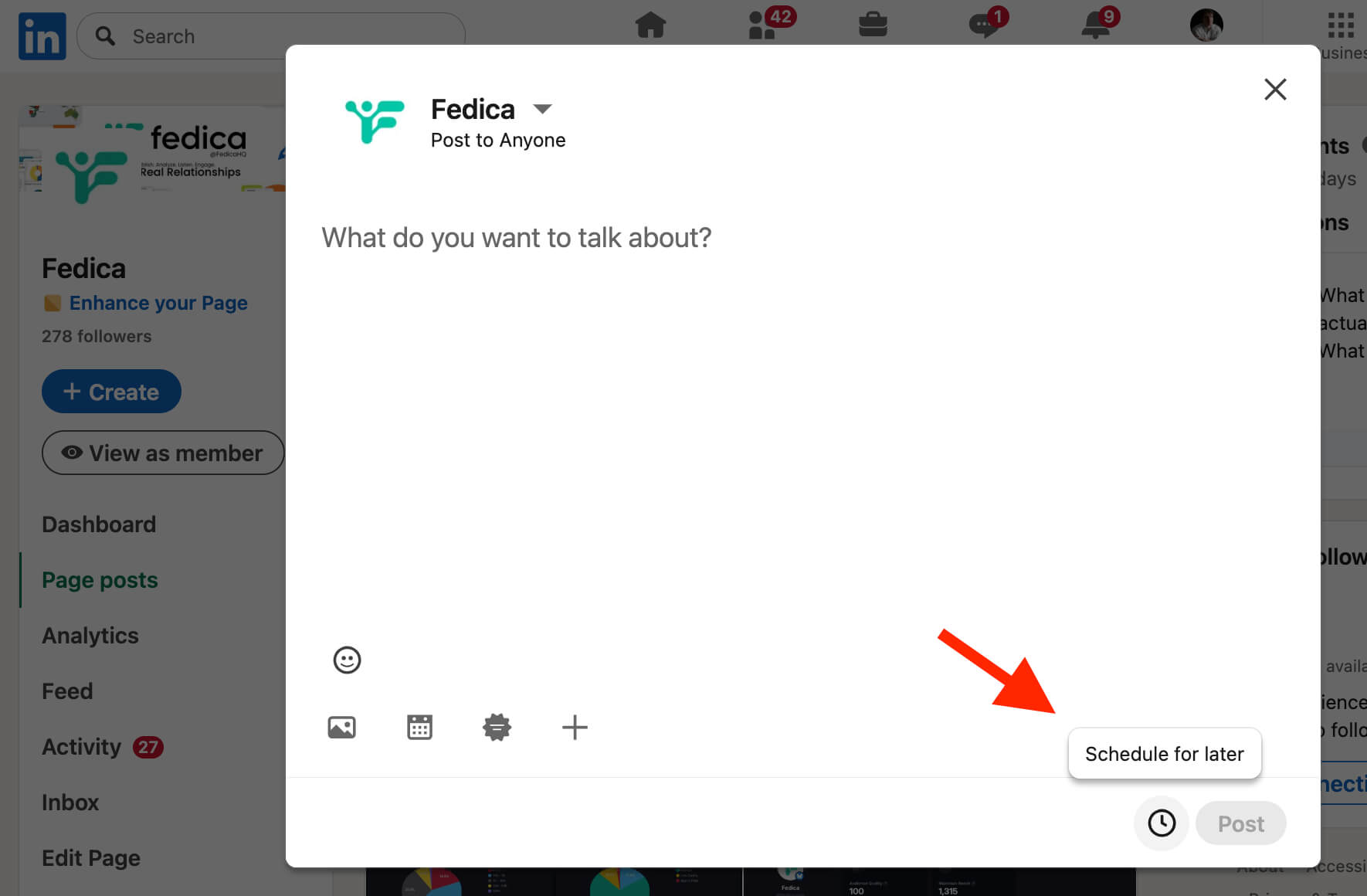
Schedule LinkedIn posts for free directly from your LinkedIn account using the built-in clock icon. No third-party tools or signups needed. Click “Start a post,” write your content, then click the clock icon in the lower-right corner. Select your date and time (within 10 minutes to 3 months) and click “Schedule.”
This native feature works on both desktop and mobile. It supports text, images, videos, carousels, and link previews. However, it cannot schedule Events, Jobs, or Services posts. The process takes less than a minute. You can schedule posts up to three months in advance. Once scheduled, you can view, edit, reschedule, or delete any post before it publishes.
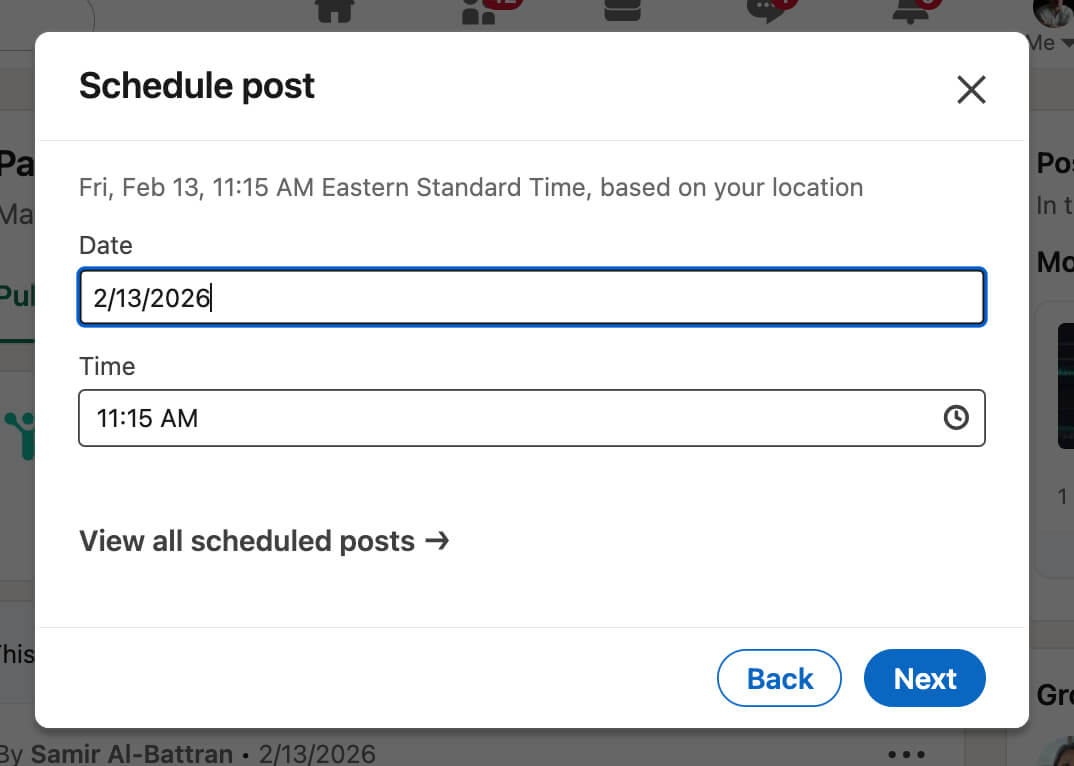
On Desktop:
- Click “Start a post” at the top of your LinkedIn homepage
- Type your post content in the “What do you want to talk about?” field
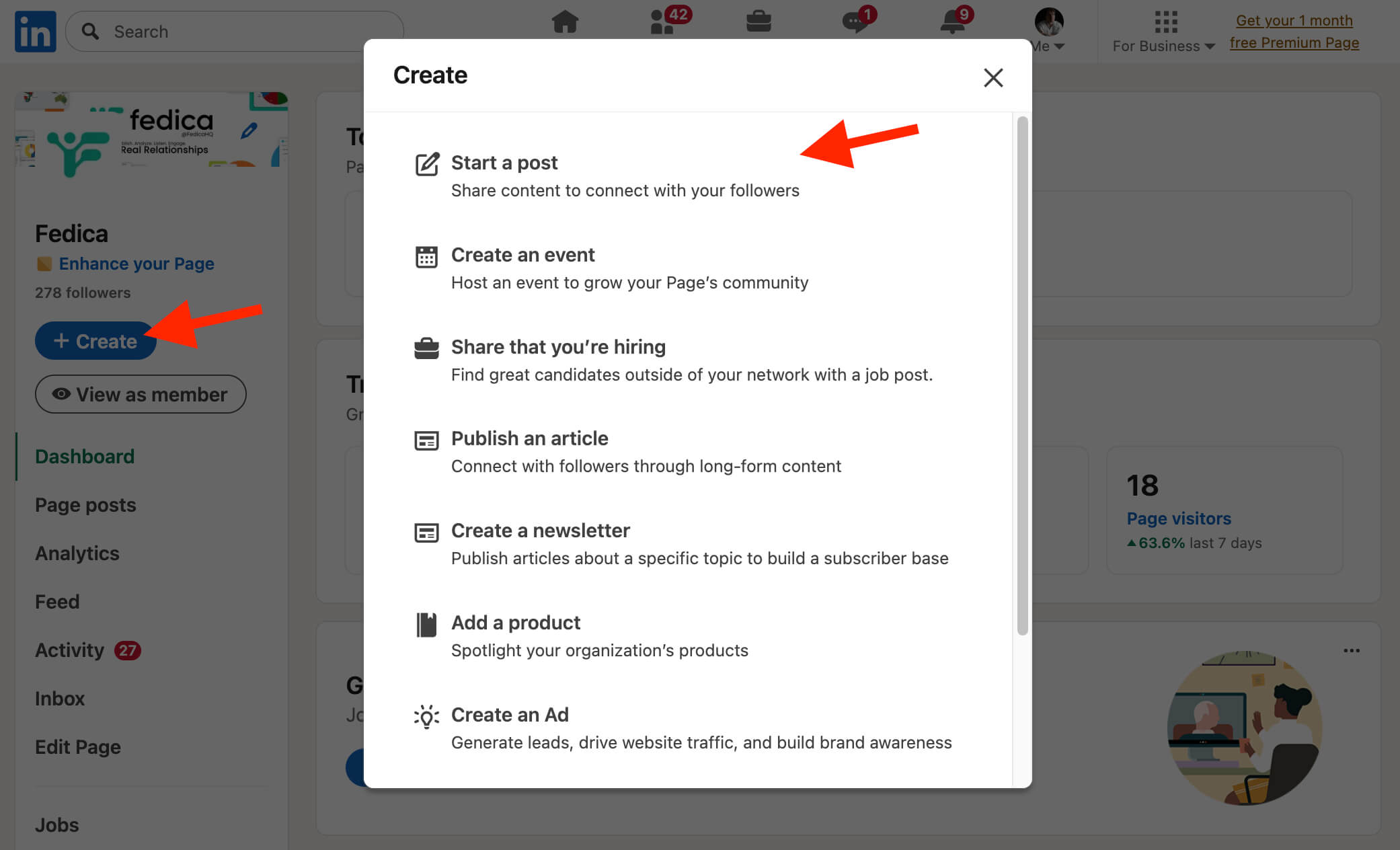
- Click the Clock icon in the lower-right corner
- In the Schedule post pop-up, select a date and time (must be within 10 minutes to 3 months from now)
- You can enter exact times or use 30-minute increment options
- Click “Next” to review your scheduled date and time
- Click “Schedule” to confirm
On Mobile:
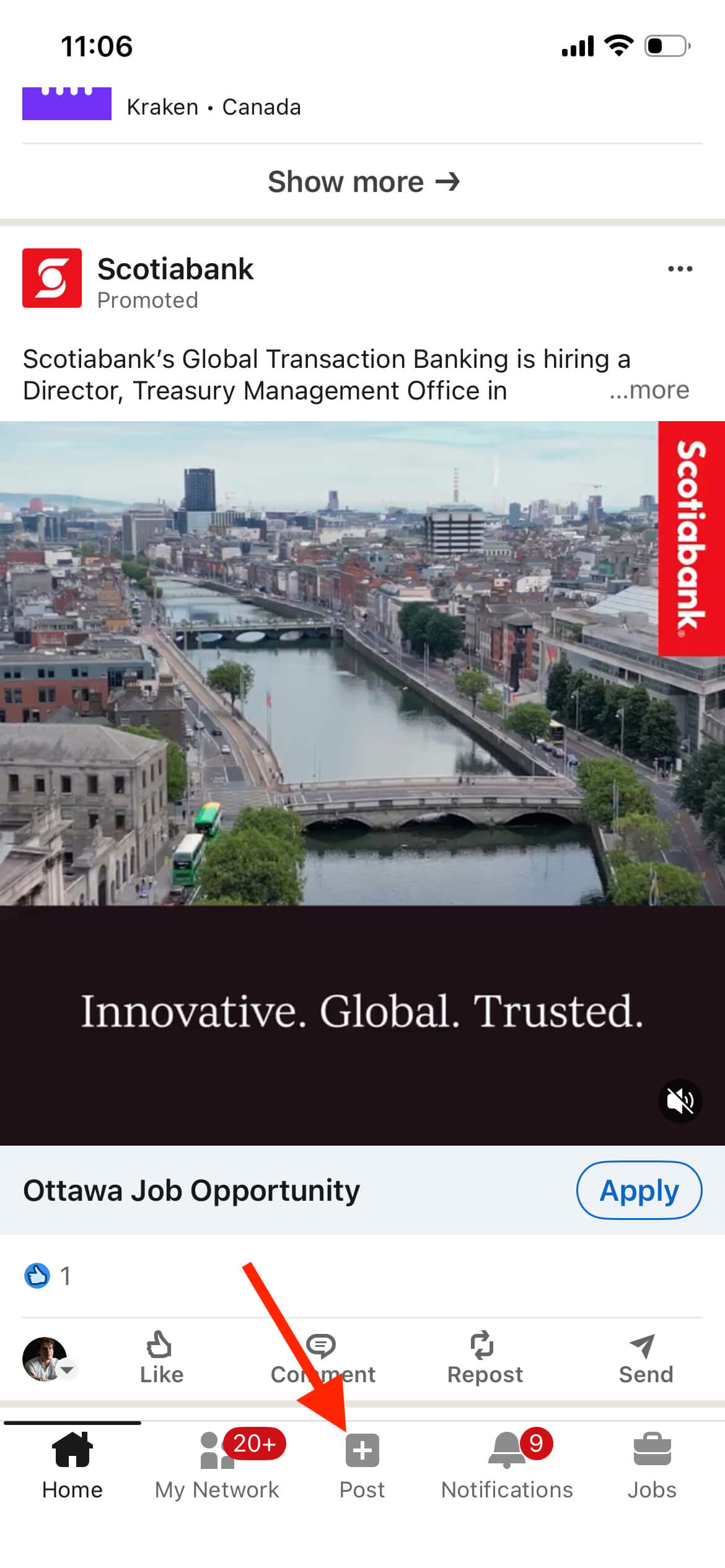
- Open the LinkedIn mobile app
- Tap the “Post” icon
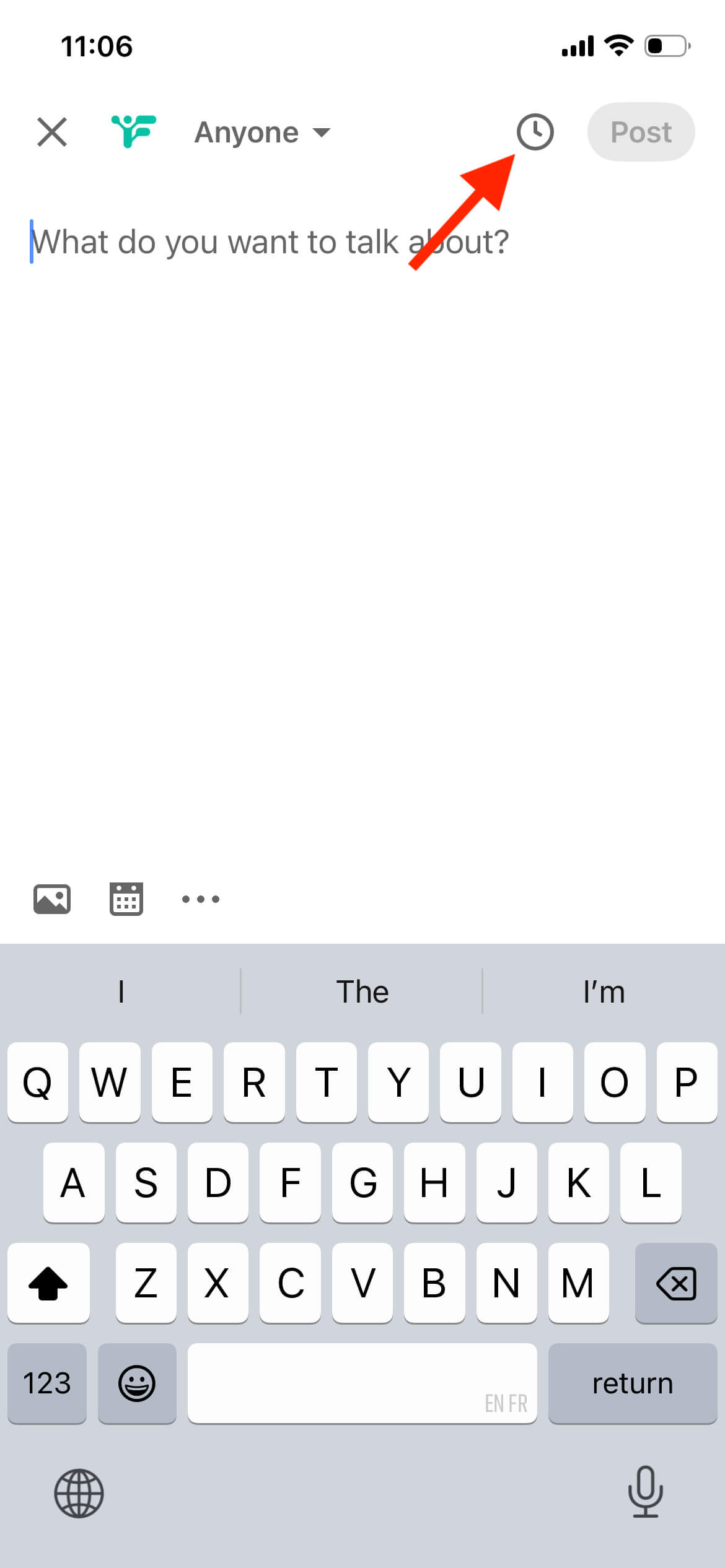
- Add your content
- Tap the clock icon to schedule
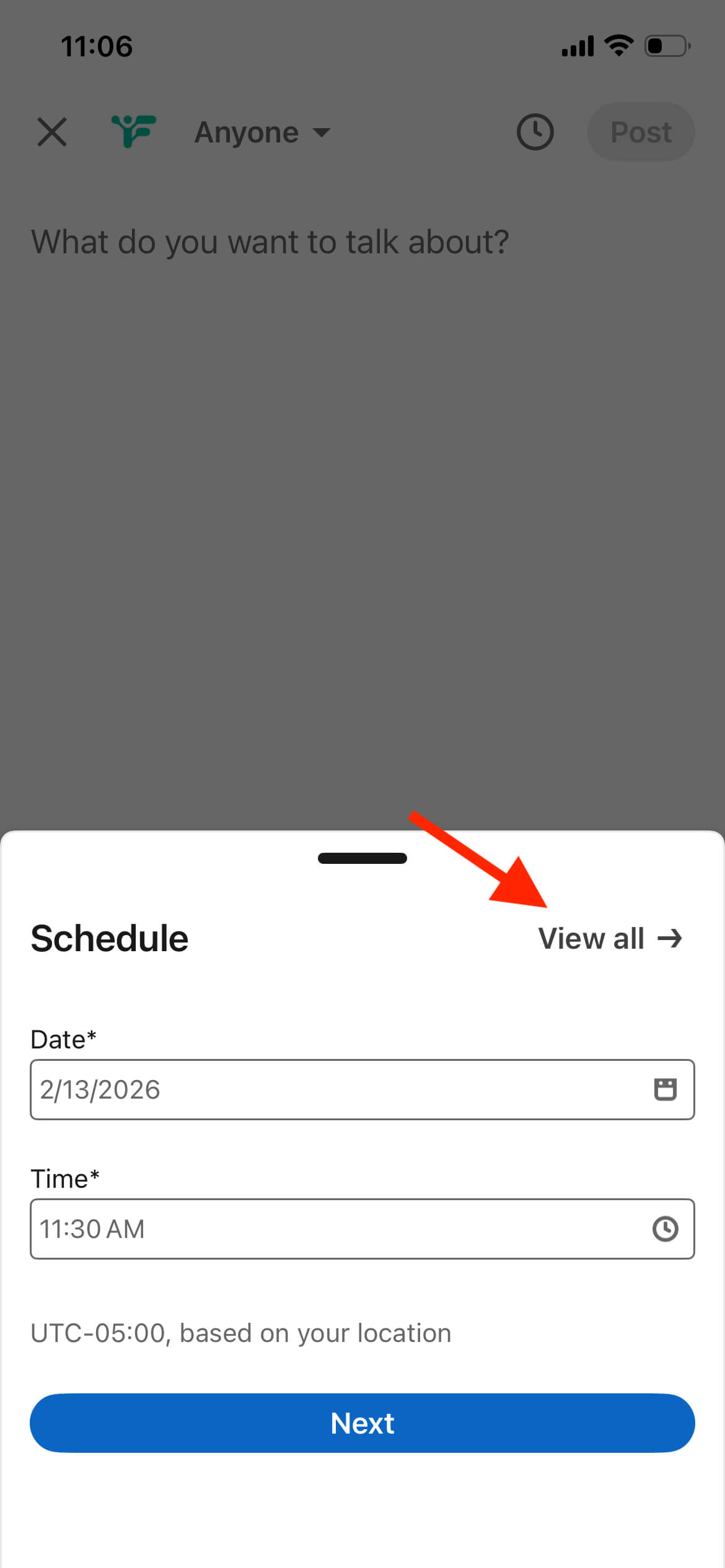
- Select your date and time
- Tap “Schedule”
What You Can Schedule
Regular text posts, posts with images, videos, carousel posts, and link previews.
What You Cannot Schedule
Events, Jobs, or Services posts. If you try to schedule these, LinkedIn will show an error and ask you to either clear the scheduled time or remove the invalid post type.
Managing Scheduled Posts
To view all scheduled posts, click “Start a post,” then click the Clock icon on the lower-left of the Create a post window. Click “View all scheduled posts” to see everything you’ve scheduled. You can preview, edit, reschedule, or delete any scheduled post before it publishes.
Important Note
Scheduled times are standardized in UTC based on your device’s time zone settings, so make sure your device time zone is correct.
Best Free Tools to Schedule LinkedIn Posts Compared
Third-party free tools add calendar views, bulk scheduling, and cross-posting that LinkedIn’s native scheduler lacks. Most other free tools restrict you to 3-5 social accounts, limit scheduled posts to 5-10 at a time, or cap monthly posts at 50.
Fedica
Fedica offers completely free LinkedIn scheduling across 10 accounts (Instagram, X/Twitter, Mastodon, Facebook, schedule bluesky posts free, Pinterest, TikTok, and more). Fedica’s free plan allows 10 scheduled posts at a time in the calendar (once posts publish, you can schedule more), plus unlimited drafts. Key free features include calendar view, bulk CSV uploads, cross-posting customized content across platforms, polls, and 2 content pipelines.
Other Popular Free Tools
Alternative platforms offer free LinkedIn scheduling with limitations: 3-5 social accounts total, 5-10 scheduled posts at a time, or 50 posts per month caps. These limits work for occasional posting but restrict users who want to schedule multiple posts per week or manage multiple LinkedIn accounts.
Comparison Summary
Fedica stands out for free LinkedIn scheduling because it offers unlimited drafts, supports advanced features like cross-posting customized content and polls typically found only in paid plans, and includes 10 accounts across platforms in one free account. While Fedica allows 10 scheduled posts at a time in the calendar (once posts publish, you can schedule more), its unlimited drafts feature sets it apart.
Want to test it out?
How to Schedule LinkedIn Posts with Fedica (Free Step-by-Step Guide)
Schedule LinkedIn posts for free with Fedica by signing up. Connect your LinkedIn profile or company page, create your post, and select your date and time. Fedica’s free plan lets you schedule 10 posts at a time in the calendar with unlimited drafts and no monthly limits.
It includes a visual calendar view for managing all scheduled posts. It also supports advanced features like cross-posting customized content, polls, bulk CSV uploads, and scheduling across platforms, all free. The entire setup process takes about five minutes. Once connected, you can start scheduling immediately.
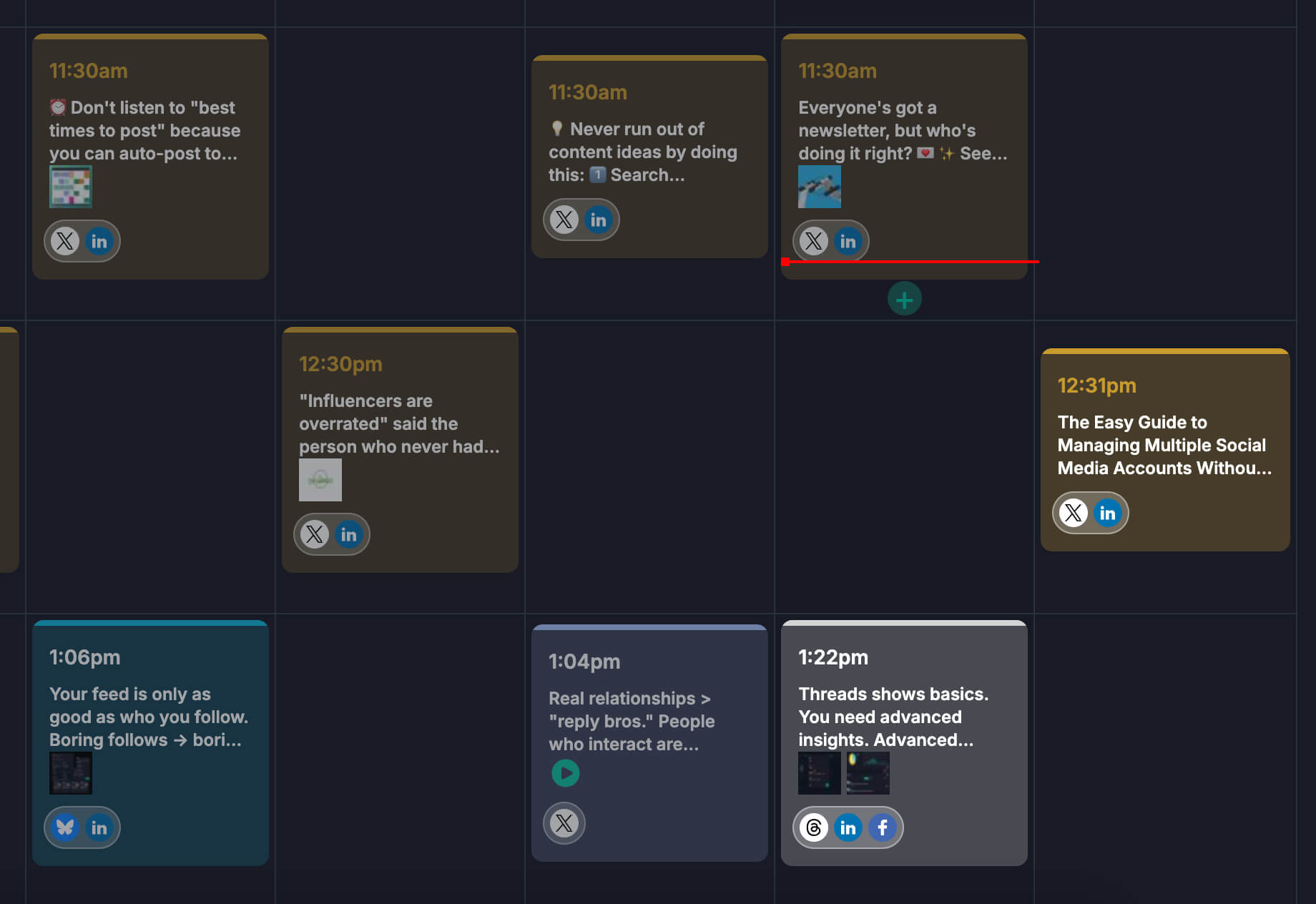
Fedica’s calendar view makes it easy to see all your scheduled posts at once. You can drag and drop to reschedule and edit content before it publishes.
Step 1: Sign Up for Free Go to Fedica.com and click “Get Started” or “Sign Up Now.” The free plan includes LinkedIn scheduling along with 9 other accounts across platforms. You can manage all your social accounts from one place.
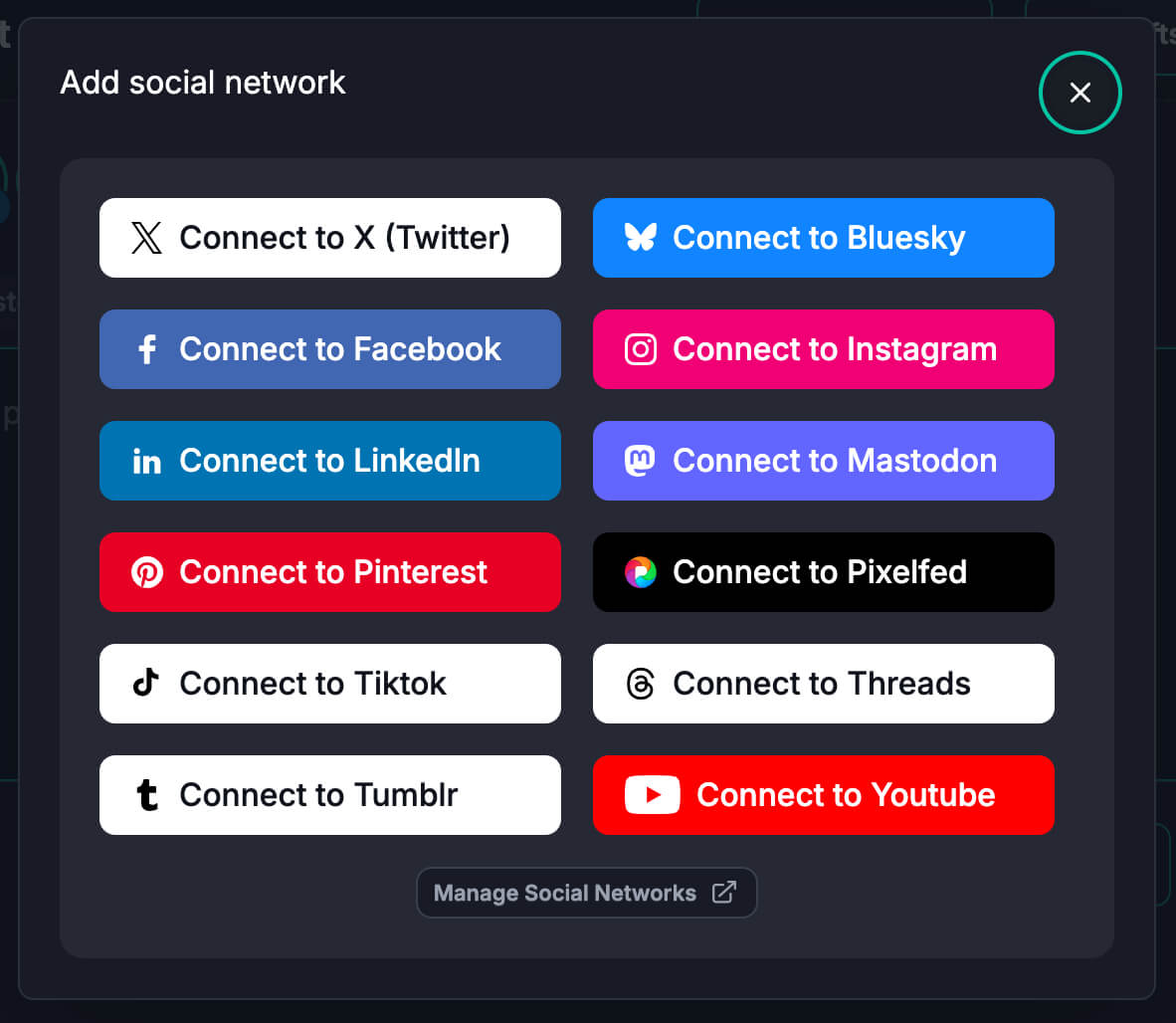
Step 2: Connect Your LinkedIn Account After signing up, connect your LinkedIn profile or company page. Fedica securely connects via LinkedIn’s API, so your account stays safe. You can connect both personal profiles and company pages if you manage multiple accounts.
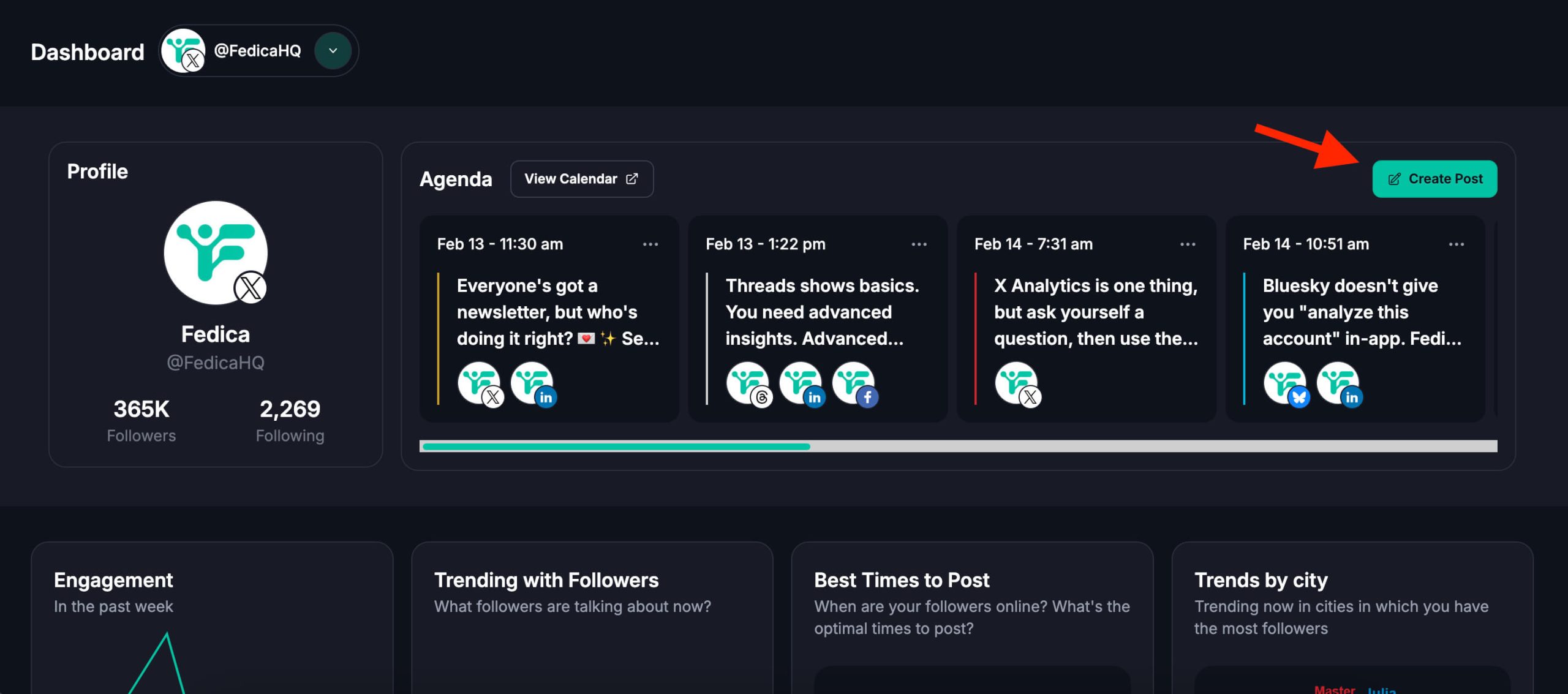
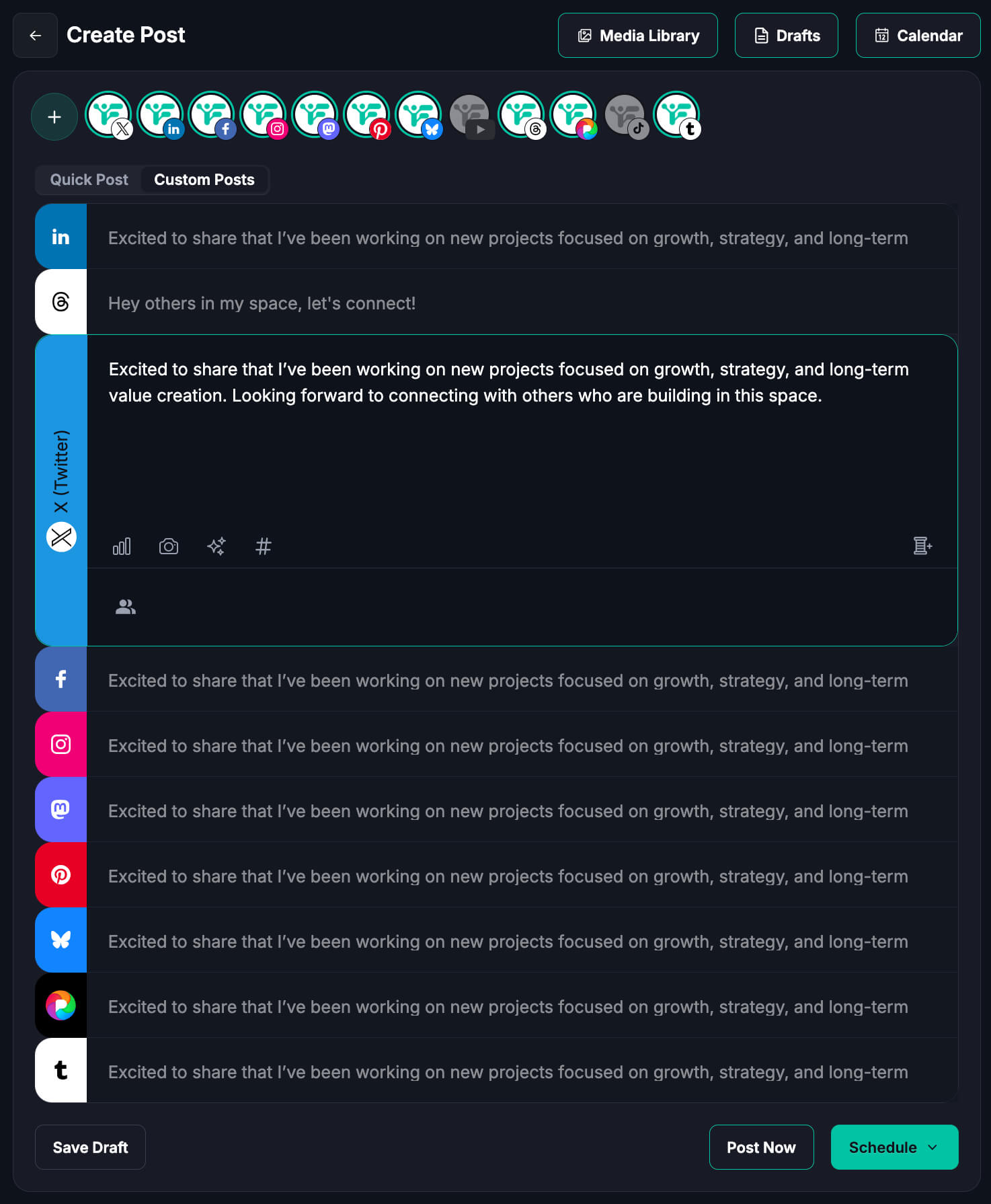
Step 3: Create Your Post Click “Create Post” or navigate to the content calendar. Write your LinkedIn post, add images or carousels. Fedica’s free plan supports LinkedIn post types including text, images, carousels, and link previews. Video posts are available in Fedica with the affordable Publish plan.
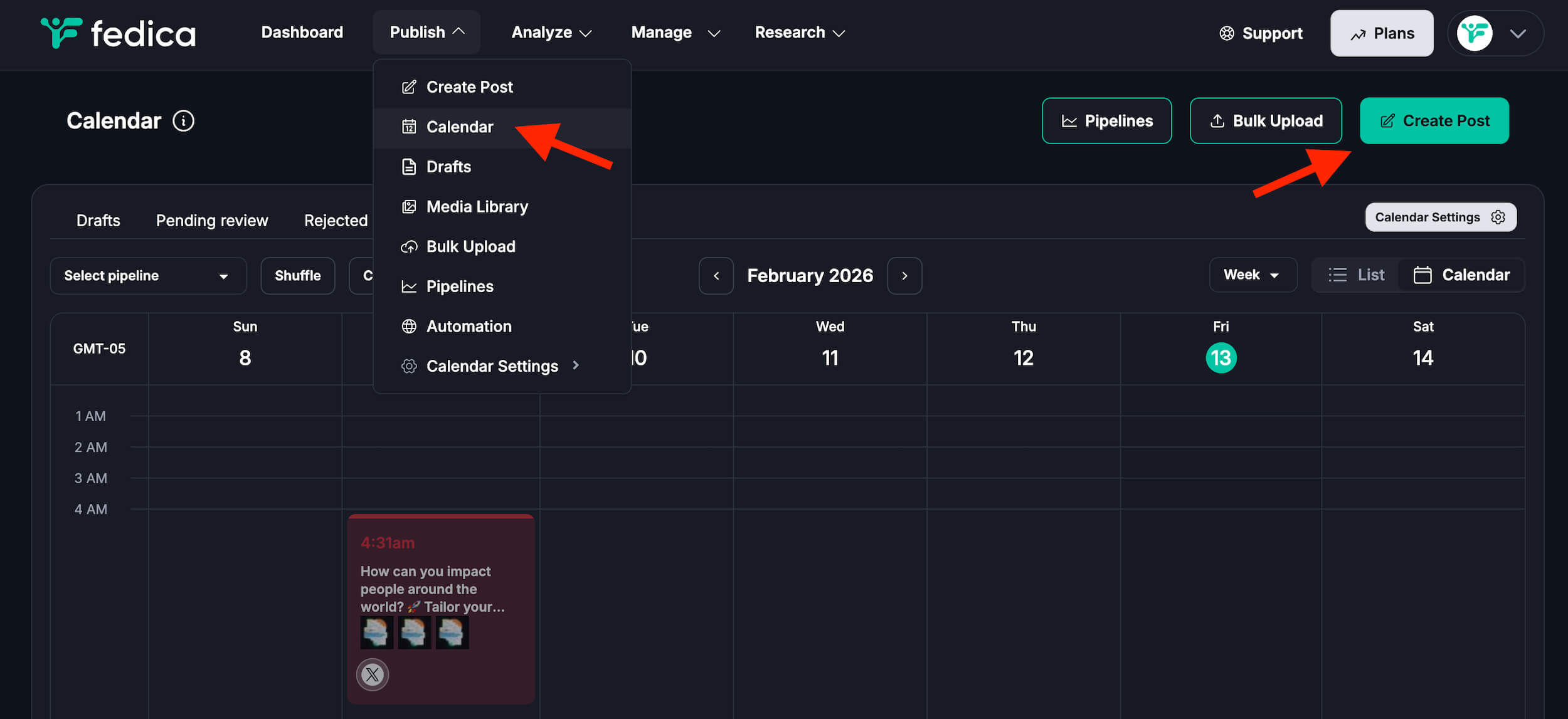
Step 4: Schedule Your Post Select LinkedIn as your platform, choose your date and time. Fedica’s free plan lets you schedule as far in advance as you need with no monthly limits. You can schedule down to the exact second for precise timing, which is helpful if you want posts to go live at specific moments.
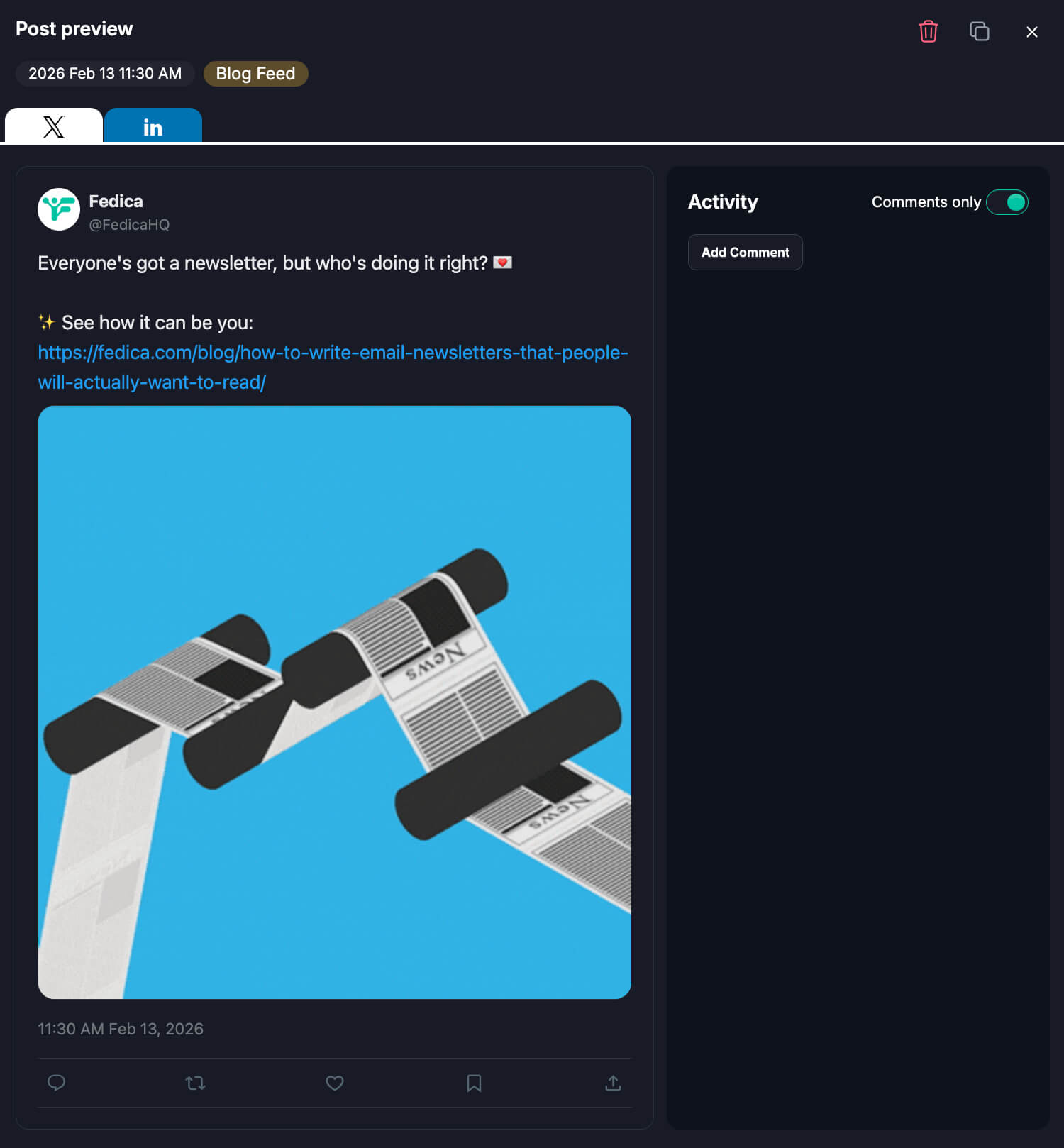
Step 5: Use Calendar View Fedica’s free plan includes a visual calendar view where you can see all your scheduled LinkedIn posts at once. Drag and drop to reschedule, or click to edit any post. This makes it easy to plan your content and make last-minute changes.
Step 6: Cross-Post (Optional) Fedica’s free plan lets you schedule the same post to multiple platforms simultaneously. Create your LinkedIn post and also schedule it to schedule instagram posts free, post long posts on twitter, schedule to x communities, Mastodon, Facebook, or other supported platforms, all from one dashboard. This saves time when you want to share the same content across multiple networks.
Scheduling to LinkedIn and other platforms is FREE!
Advanced Free Features
Fedica’s free plan includes cross-posting customized content across platforms, polls, bulk uploads via CSV, and 2 content pipelines for organizing different types of content. These advanced features are typically paid-only on other platforms.
These advanced features are typically found in paid plans, but Fedica includes them free.
Editing Scheduled Posts
You can edit, reschedule, or delete any scheduled LinkedIn post in Fedica’s calendar view. Changes sync automatically, and you’ll see updated previews before posts publish.
What Types of LinkedIn Posts Can You Schedule for Free?
You can schedule LinkedIn posts for free including text, images, videos, carousels, link previews, and polls. Use LinkedIn’s native scheduler or free tools like Fedica.
LinkedIn’s native scheduler supports text, images, videos, carousels, and link previews. However, it cannot schedule Events, Jobs, or Services posts. Fedica’s free plan supports text, images, carousels, link previews, and cross-platform poll scheduling. Video posts are available in Fedica with the affordable publish plan.
You can schedule everything from simple text updates to multi-image carousels and interactive polls. All without paying a dime. Video posts are available in Fedica with the affordable Publish plan. The only post types you can’t schedule are Events, Jobs, and Services posts, which LinkedIn requires you to publish manually.
Text Posts
Simple text-only posts work with both native LinkedIn scheduling and all free third-party tools.
Image Posts
Single images can be scheduled for free using LinkedIn’s native scheduler or tools like Fedica. Fedica’s free plan supports multiple images in carousel format.
Video Posts
LinkedIn’s native scheduler supports video posts for free. Fedica’s free plan does not support video scheduling, but video posts are available in Fedica with the affordable Publish plan.
Carousel Posts
Multiple images in a carousel can be scheduled using LinkedIn’s native feature or Fedica’s free plan. Some other free tools may limit carousel support.
Link Previews
Posts with link previews (sharing articles or websites) can be scheduled for free using both native LinkedIn and third-party free tools.
Cross-Posting Customized Content
LinkedIn doesn’t support threading or multi-part posts natively. Fedica’s free plan lets you cross-post customized content across platforms. For example, you can schedule a thread to platforms like X/Twitter while keeping LinkedIn as a longer-form single post, all as one idea in your calendar. This gives you flexibility to adapt your content format to each platform’s strengths.
This advanced feature is typically reserved for paid plans on other platforms, but Fedica includes it free, giving you more content flexibility without upgrading.
Polls
LinkedIn’s native scheduler supports polls. Fedica’s free plan also supports schedule linkedin polls to LinkedIn, and you can cross-post polls to other platforms simultaneously. This feature helps maximize engagement across your entire social media presence without additional cost.
Limitations
Native LinkedIn scheduling cannot schedule Events, Jobs, or Services posts. Most free third-party tools have the same limitation. However, Fedica’s free plan offers more flexibility than native LinkedIn, including advanced features like cross-posting customized content and cross-platform poll scheduling that aren’t available in LinkedIn’s native scheduler or most other free tools.
Free LinkedIn Post Scheduling Tool Limitations and When to Upgrade
Most free tools that let you schedule LinkedIn posts for free have significant limits. These include 3-5 social accounts, 5-10 scheduled posts at a time, or 50 posts per month caps. LinkedIn’s native scheduler has no post limits. However, it only works for LinkedIn with no calendar view or bulk uploads.
Fedica’s free plan allows 10 scheduled posts at a time in the calendar (once posts publish, you can schedule more), plus unlimited drafts, 10 accounts across platforms, and advanced features like cross-posting customized content and polls, all free. Consider upgrading only if you need team collaboration, advanced Company Page analytics, or white-label options. For most users, Fedica’s free plan provides everything needed to maintain a consistent LinkedIn presence.
LinkedIn Native Scheduler Limitations
The native LinkedIn scheduler is 100% free with no post limits, but it only works for LinkedIn. You can’t cross-post to other platforms, use bulk uploads, or access advanced calendar management features.
It’s perfect if you only post to LinkedIn and don’t need multi-platform management. However, it lacks features like visual calendar views, bulk CSV uploads, and advanced scheduling capabilities that third-party tools provide.
Free Third-Party Tool Limitations
Most free tools have significant limits that can restrict your LinkedIn scheduling:
- Account Limits: Many free tools restrict you to 3-5 social accounts total across all platforms
- Feature Restrictions: Advanced features like bulk CSV uploads, cross-posting customized content, or cross-platform posting are often paid-only
- User Limits: Some free tools limit you to a single user, making team collaboration impossible
- Fedica Free: 10 scheduled posts at a time in the calendar (once posts publish, you can schedule more), unlimited drafts, 10 accounts across platforms, advanced features like cross-posting customized content and polls, all free
When Free Isn’t Enough
Consider upgrading if you need team collaboration features, advanced Company Page analytics beyond basic metrics, white-label options, priority support, or if you exceed free plan limits on tools other than Fedica.
Fedica’s free plan is unusually generous. Most users find it sufficient for LinkedIn scheduling needs, including bulk planning, cross-posting, and advanced features that other platforms charge for.
Cost Comparison
Paid LinkedIn scheduling tools typically cost $10-30/month per user. Fedica’s free plan includes features like bulk CSV uploads, cross-posting customized content, 10 scheduled posts at a time in the calendar (once posts publish, you can schedule more), unlimited drafts, and the ability to schedule across platforms with one account each included. This makes it an excellent free alternative.
If you do need to upgrade, Fedica’s paid plans offer comprehensive features at competitive pricing, making it cost-effective even when moving beyond the free tier.
Fedica has LinkedIn Company Page Analytics, and more!
Best Practices for Scheduling LinkedIn Posts for Free
Maximize your free LinkedIn scheduling by posting Tuesday through Thursday at 8-10 AM or 12-1 PM in your audience’s time zone. Maintain consistent frequency. Post 2-5 times per week for personal profiles. Post 1-2 times per day for company pages.
Use Fedica’s calendar view to plan and schedule your posts. Leverage bulk CSV uploads to plan entire months at once. Cross-post high-performing content to other platforms. These practices help you schedule LinkedIn posts for free while maximizing engagement and saving 20-25 hours monthly.
Consistency matters more than frequency. Posting three times per week regularly beats posting five times one week and zero the next. Use calendar views to plan content themes and ensure variety, balancing educational content with promotional posts.
Optimal Posting Times
Research shows LinkedIn engagement peaks Tuesday through Thursday, 8-10 AM and 12-1 PM in your audience’s time zone. Fedica uses activity data from your other connected platforms to help inform posting times. If your audience uses multiple platforms around the same times, that can be a good gauge for when to post on LinkedIn as well. For deeper insights into your LinkedIn post performance, consider using Linkedin Analytics tools to track engagement patterns and optimize your posting schedule.
Posting Frequency
For personal profiles, post 2-5 times per week. For company pages, 1-2 posts per day works well. Research shows that increasing posting frequency from once per week to 2-5 posts weekly significantly improves content distribution and per-post engagement rates.
Consistency matters more than frequency. Better to post 3 times per week consistently than 5 times one week and zero the next.
Free scheduling tools like Fedica help you maintain consistency by planning weeks ahead. This makes it easier to achieve the optimal posting frequency that drives better results.
Content Planning
Use free tools’ calendar views to plan content themes, balance promotional vs. educational content, and ensure variety. Fedica’s free plan includes 2 content pipelines to organize different content types (quotes, articles, tips) into separate schedules.
Engagement Strategies
Schedule posts that ask questions, share insights, or start conversations. Use Fedica’s free poll scheduling feature to boost engagement. Cross-post high-performing content to other platforms using Fedica’s free cross-posting. What works on LinkedIn often works elsewhere too.
Bulk Planning
Use Fedica’s free CSV bulk upload feature to plan an entire month of LinkedIn posts in one session. Download the template, fill it with your content, upload once, and schedule everything automatically. This saves hours compared to scheduling posts individually.
Review Before Publishing
Always review scheduled posts in calendar view before they publish. Check for typos, verify links work, ensure images are appropriate, and confirm timing makes sense.
Free tools like Fedica let you edit scheduled posts anytime before they go live, so you can catch mistakes and make adjustments without losing your scheduled time slot.
Troubleshooting Common Issues When Scheduling LinkedIn Posts
When scheduling LinkedIn posts for free, common issues include posts not publishing, time zone confusion, and connection problems. If posts don’t publish, reconnect your LinkedIn account in third-party tools. LinkedIn uses UTC based on device settings.
Connection problems usually happen after changing LinkedIn passwords. Fedica’s free calendar view makes editing scheduled posts easier than LinkedIn’s native scheduler. Bulk upload errors are prevented with included CSV templates.
If cross-posting fails, check each platform connection individually in Fedica’s dashboard. Most connection issues resolve after reconnecting your LinkedIn account.
Posts Not Publishing
If scheduled posts don’t publish, check your LinkedIn connection in the third-party tool. Reconnect if needed. For native LinkedIn scheduling, ensure you’re logged into the correct account. Verify your device time zone settings match your intended posting time zone.
Time Zone Issues
LinkedIn’s native scheduler uses UTC based on your device settings. When using Fedica, you can schedule posts for specific times, but make sure to account for your time zone when setting the schedule. Always double-check time zone settings when scheduling to ensure posts publish at the intended time.
Connection Problems
If your LinkedIn account disconnects from a third-party tool, reconnect it. This usually happens after changing LinkedIn passwords. Fedica’s free plan makes reconnection simple. Just click “Connect” and authorize again.
Editing Scheduled Posts
Native LinkedIn lets you edit scheduled posts by viewing your scheduled posts list. Fedica’s free calendar view makes editing easier. Click any scheduled post to edit content, images, or timing. Changes save automatically.
Post Type Limitations
If you get errors scheduling certain post types, remember that Events, Jobs, and Services cannot be scheduled natively. Some free tools may have additional limitations. Fedica’s free plan offers more flexibility than native LinkedIn, including cross-posting customized content across platforms.
Bulk Upload Errors
When using CSV bulk uploads in Fedica’s free plan, ensure your CSV follows the template format exactly. Check for date formatting, time formats, and required fields. Fedica’s free plan includes CSV templates to prevent errors.
Cross-Posting Issues
If cross-posting to multiple platforms fails, check each platform connection individually. Fedica’s free plan shows connection status for all platforms. Reconnect any that show as disconnected.
Start Scheduling LinkedIn Posts for Free Today
Frequently Asked Questions
Can you schedule posts on LinkedIn for free?
Yes, absolutely. LinkedIn offers native free scheduling built directly into the platform, and third-party tools like Fedica provide free LinkedIn scheduling with additional features like calendar views, bulk uploads, and cross-platform posting.
How to automate LinkedIn posts for free?
You can automate LinkedIn posts for free using LinkedIn’s native scheduler or free third-party tools like Fedica. Fedica’s free plan includes automation features like bulk CSV uploads, 2 content pipelines, and scheduled posting across platforms, helping you maintain consistent posting without manual effort.
Can I pre-schedule posts on LinkedIn?
Yes, you can pre-schedule posts on LinkedIn using LinkedIn’s native scheduler (up to 3 months in advance) or free tools like Fedica (with no time limit). Pre-scheduling helps you plan content weeks or months ahead and maintain consistent posting schedules.
Do scheduled posts do well on LinkedIn?
Scheduled posts perform identically to manually posted content on LinkedIn. LinkedIn’s algorithm doesn’t distinguish between scheduled and manual posts. The key is posting quality content at optimal times, which scheduling helps you achieve consistently. Fedica’s calendar view helps you plan and schedule posts efficiently.
Does LinkedIn have a scheduling tool?
Yes, LinkedIn has a built-in native scheduling tool that’s completely free. You can also use third-party free tools like Fedica that offer additional features like calendar views, bulk scheduling, cross-posting customized content, and advanced capabilities like polls.
What’s the best time to schedule a LinkedIn post?
Research shows LinkedIn engagement peaks Tuesday through Thursday, 8-10 AM and 12-1 PM in your audience’s time zone. Fedica uses activity data from your other connected platforms to help inform posting times. If your audience uses multiple platforms around the same times, that can be a good gauge for when to post on LinkedIn as well.
Can you post for free on LinkedIn?
Yes, posting on LinkedIn is always free. You can post manually or use free scheduling tools like LinkedIn’s native scheduler or Fedica’s free plan to schedule posts in advance without any cost.
Is there a limit to scheduled LinkedIn posts?
LinkedIn’s native scheduler has no post limits. Fedica’s free plan allows 10 scheduled posts at a time in the calendar (once posts publish, you can schedule more), plus unlimited drafts. Most other free tools restrict you to 5-10 scheduled posts at a time or cap monthly posts at 50.
What is the free tool to schedule LinkedIn posts?
LinkedIn’s native scheduler is the built-in free tool, and Fedica offers a comprehensive free LinkedIn scheduling tool with advanced features. Fedica’s free plan includes calendar views, bulk CSV uploads, cross-posting customized content, polls, and cross-platform posting. These features are typically found only in paid plans elsewhere.
How to edit scheduled posts on LinkedIn?
With LinkedIn’s native scheduler, view your scheduled posts list and click to edit. Fedica’s free calendar view makes editing easier. Click any scheduled post to edit content, images, or timing, and changes save automatically.
Can you schedule posts on LinkedIn business Page?
Yes, you can schedule posts to LinkedIn business pages using both LinkedIn’s native scheduler and free third-party tools like Fedica. Fedica’s free plan lets you connect and schedule to both personal profiles and company pages from one dashboard.
How to see scheduled posts on LinkedIn mobile?
On LinkedIn mobile, tap “Start a post,” then tap the clock icon to view scheduled posts. Fedica’s free plan includes a mobile-friendly calendar view where you can see and manage all scheduled LinkedIn posts from any device.
How many posts can I schedule for free?
LinkedIn’s native scheduler has no limits. Fedica’s free plan allows 10 scheduled posts at a time in the calendar (once posts publish, you can schedule more), plus unlimited drafts. Most other free tools restrict you to 5-10 scheduled posts at a time or cap monthly posts at 50.
How far in advance can I schedule posts?
LinkedIn’s native scheduler allows scheduling up to 3 months in advance. Fedica’s free plan has no time limit. You can schedule posts years in advance if needed, making it perfect for long-term content planning and bulk scheduling entire months of content at once.