
Expressing yourself freely on social media is important, but so is being respectful of your audience. That’s why, in May 2024, Fedica added content warnings to scheduled Bluesky and Mastodon posts, so you can schedule spoilers, politics, and NSFW posts with the right warning attached.
Looking for the how-to? The full, up-to-date guide is how to schedule content warnings on Mastodon and Bluesky. It covers how the two networks differ, threads, and posting to both at once.
Bluesky Labels in Fedica
Bluesky’s content warnings are labels you put on the media in your post. Fedica offers four labels:
- Suggestive for pictures meant for adults
- Nudity for artistic or non-erotic nudity
- Porn for sexual activity or erotic nudity (Bluesky’s app calls this label Adult)
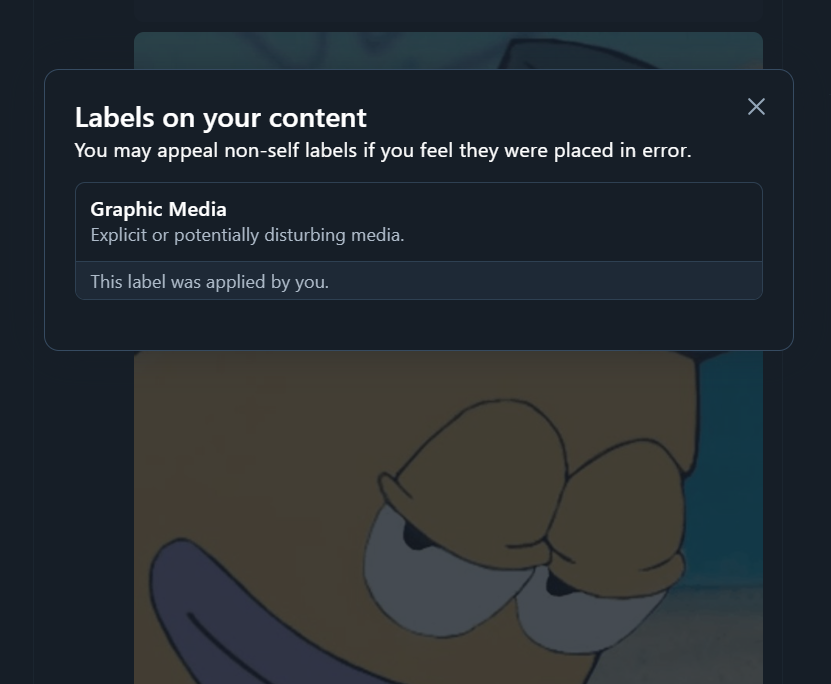
- Graphic Content for media that may be disturbing or inappropriate for some audiences (shown on Bluesky as Graphic Media)
Bluesky labels need media, so attach the image or video before you pick one. When you schedule a Bluesky thread with a label, all the media in that thread goes out behind a warning matching the label you chose.
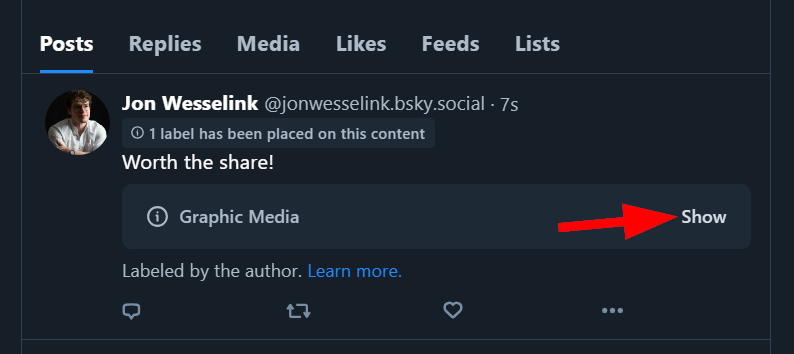
If you want to see or hide labeled posts as a reader, that’s in your Bluesky settings, covered in Fedica’s guide to Bluesky adult content.
Mastodon Content Warnings in Fedica
On Mastodon, you write your own warning, like “NSFW,” “spoiler alert,” or “politics,” and the post is hidden behind it until a reader clicks to open it.
When you schedule a Mastodon thread with a content warning, the warning is applied to every post in that thread, even text-only ones.
Setting a Content Warning When You Schedule
Content warnings are set per network in Custom Posts: write the post, switch to Custom Posts, and turn on Content warning for each network. On Mastodon you type the warning, and on Bluesky you pick a label. A Mastodon warning doesn’t carry over to Bluesky, or the other way around, so set both when you post to both.

Here’s how a labeled post looks on Bluesky once it’s published:
Step-by-step instructions, with screenshots for both networks, are in the content warnings guide.