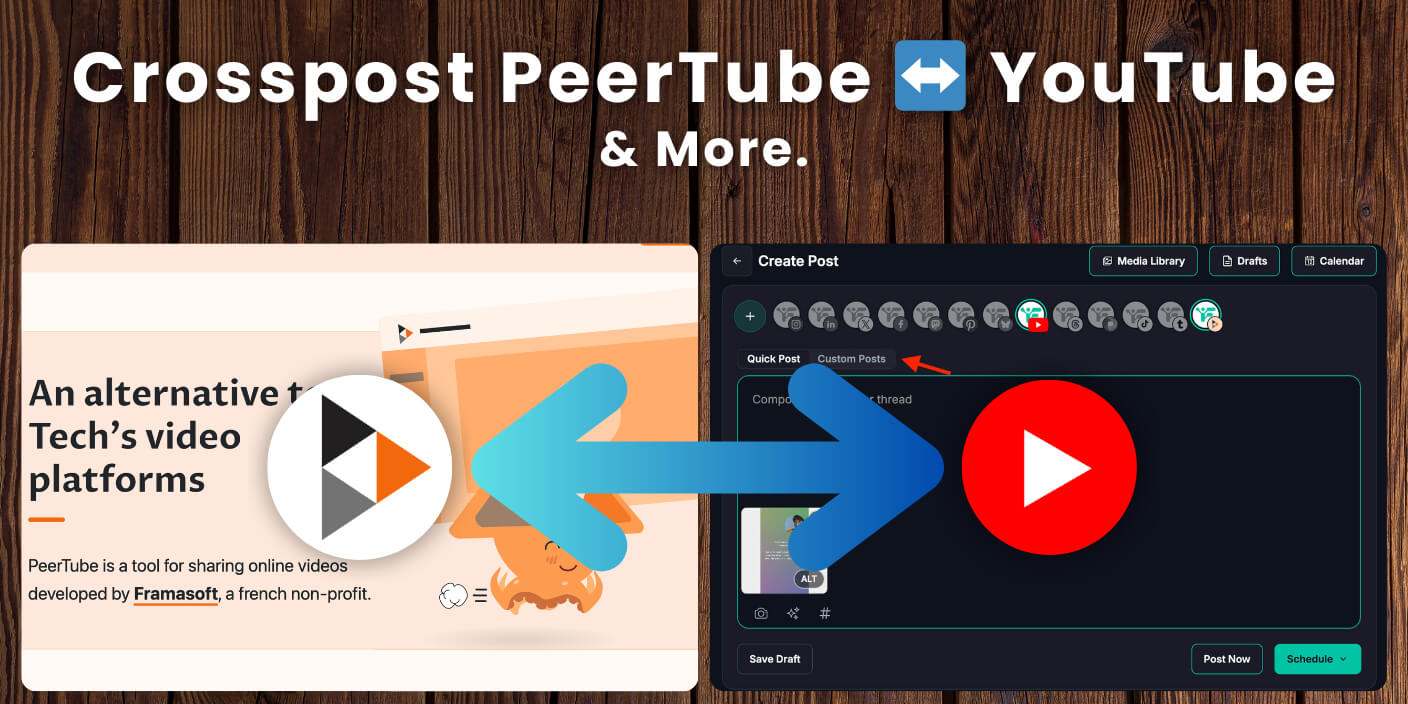
You can now schedule PeerTube videos and have them post to YouTube at the same time. Crosspost Peertube YouTube in one go: one video, one schedule, both platforms. YouTube is rented space; decentralized social media is about data empowerment, transparency, and ownership, and interest in those platforms is growing, so publishing to both is a smart move.
With Fedica, you upload once, write your title and description once, choose your PeerTube instance and YouTube channel, and pick a time. When that time hits, the video goes live on both platforms. No second upload, no extra checklist. We help creators and teams schedule across 12+ platforms from one calendar, including our Bluesky scheduler and YouTube scheduling tool. You can schedule Bluesky posts for free and schedule Threads posts across platforms from the same place. Here’s how the workflow works, who it’s for, and a few tweaks to keep multi‑platform video calm.

Key Takeaways
- Schedule one video and have it publish to PeerTube and YouTube at the same time: one upload, one time, both platforms.
- No need to choose one platform over another; use Fedica’s calendar to crosspost Peertube YouTube from a single place.
- Connect your YouTube channel and PeerTube instance once, then add video, metadata, and publish time for each new post.
- Keep the same title and thumbnail on both when you can, and check analytics on each platform to see what’s working.
- Publishing to both reduces risk if YouTube’s rules or algorithm change. You already have a second home for your videos.
Table of Contents
- How to set up your first PeerTube + YouTube schedule in Fedica
- Best practices when you crosspost video to PeerTube and YouTube
- Why you don’t have to pick one video platform (PeerTube or YouTube)
- What PeerTube is in plain language (and how it fits with YouTube)
- One upload to PeerTube and YouTube: no duplicate work
- Crosspost Peertube YouTube: schedule once, publish to both
- Who the PeerTube + YouTube crosspost workflow is perfect for
- What to do if YouTube changes the rules again
- Try scheduling your next video to PeerTube and YouTube at once
How to set up your first PeerTube + YouTube schedule in Fedica
You set up your first PeerTube and YouTube schedule from Fedica’s scheduler in a few steps. You never upload twice or schedule on each site separately.
- Open the scheduler and click the plus button to create a new post.
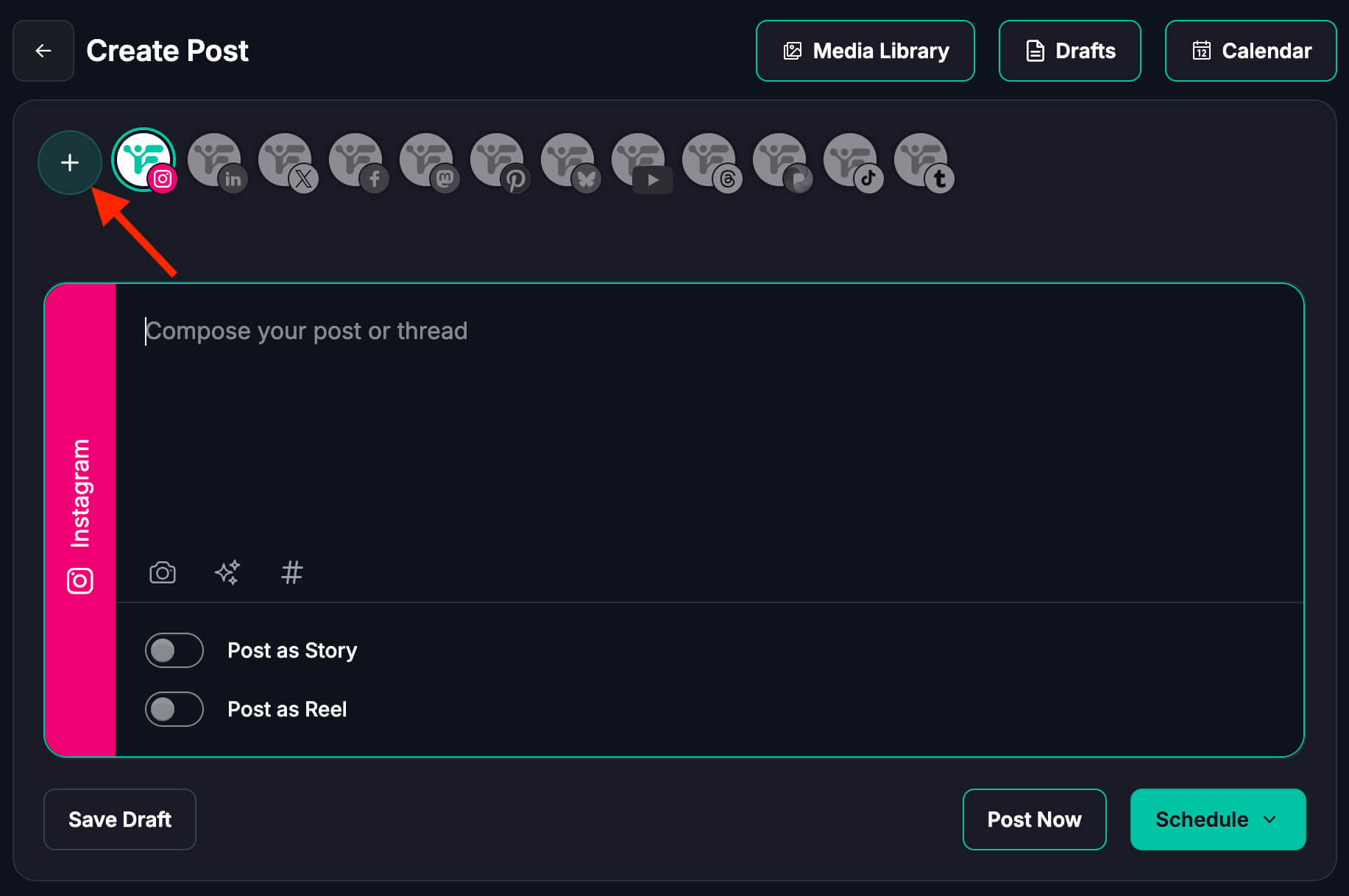
- Connect PeerTube: add your instance, the server that hosts your PeerTube videos. We connected with Spectra, a PeerTube server; tubefree.org is another good option.

- Select your networks (e.g. YouTube and PeerTube).
- Upload your video and write your post text (this becomes the description). You add the title for each platform in the next step.
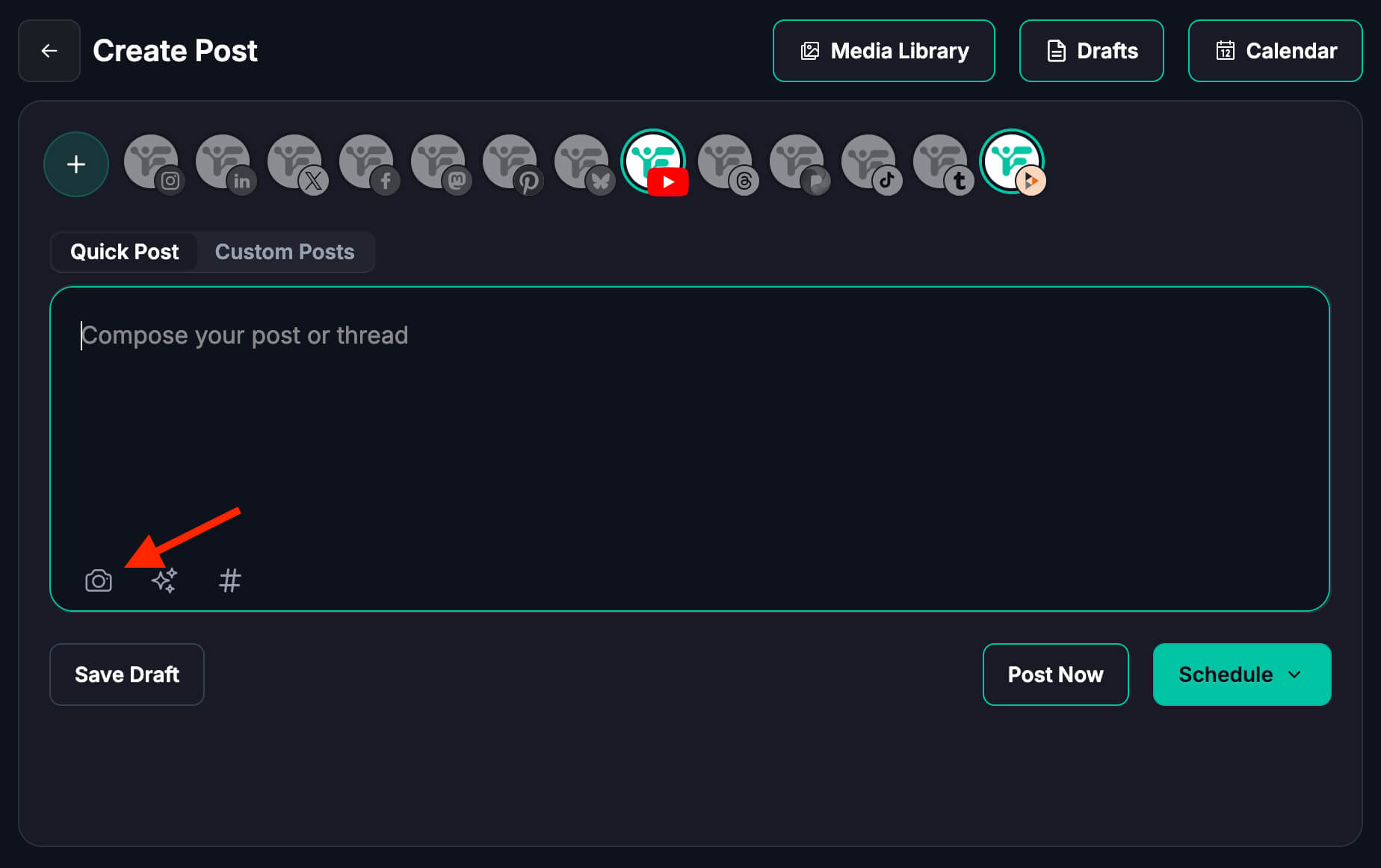
- Use Custom post to edit details per platform.
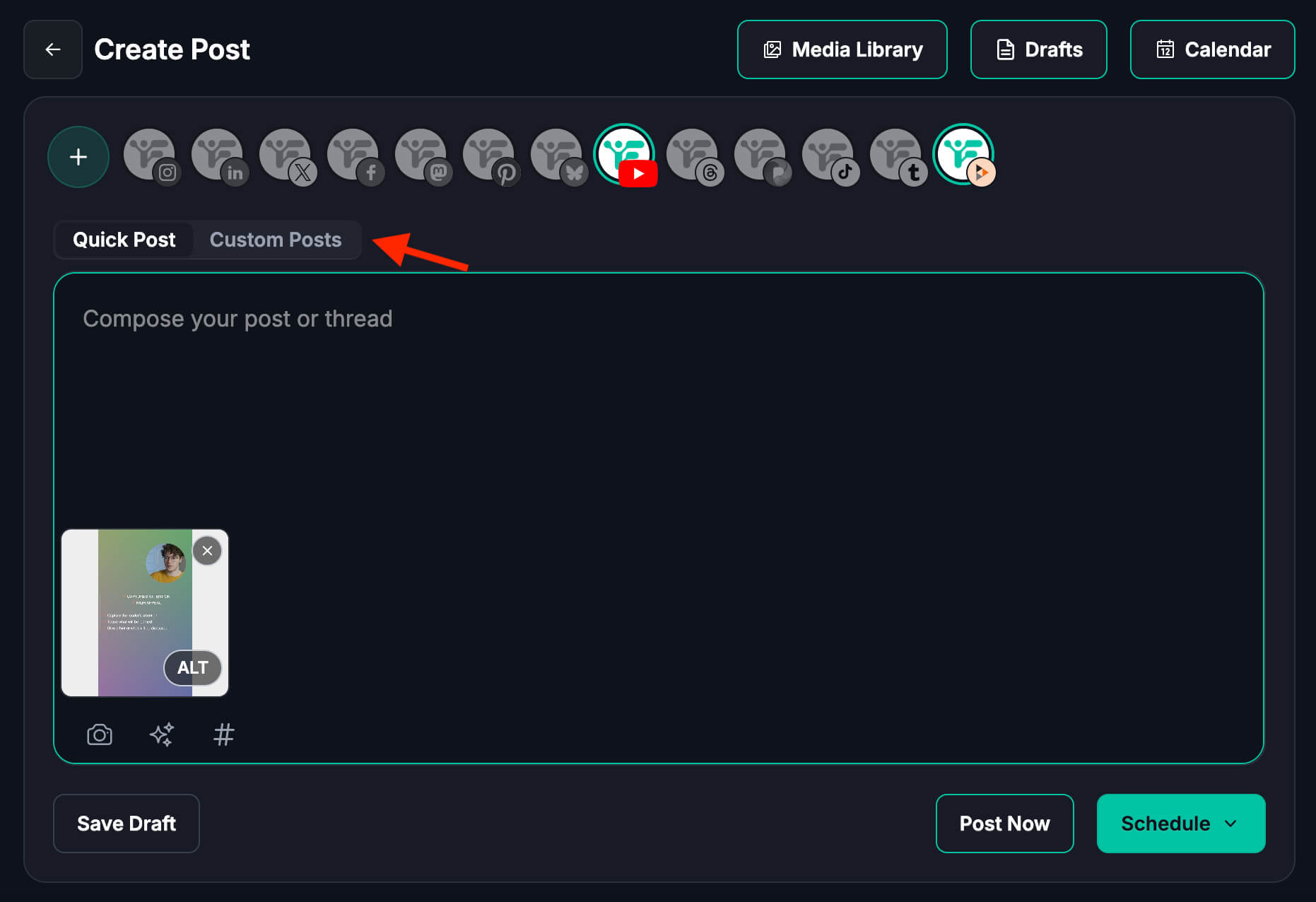
- for PeerTube, set title, channel, and who can view the post (everyone, internal, or unlisted); for YouTube, set title, visibility (e.g. public), and whether to notify subscribers. All of this is done from Fedica’s scheduler.
- For PeerTube, set title, channel, and who can view the post (everyone, internal, or unlisted); for YouTube, set title, visibility (e.g. public), and whether to notify subscribers. All of this is done from Fedica’s scheduler.
- Pick your publish date and time or send it to a Content Pipeline Queue that targets timezones or a specific cadence automatically. Fedica sends the video to both platforms at that optimized time.

Ready to crosspost your shortform and longform videos?
Connect your YouTube channel and PeerTube instance
In Fedica, open the scheduler and click the plus button, then connect PeerTube by adding your instance URL (the server that hosts your videos). Spectra and tubefree.org are two options. Add your YouTube channel the same way. Once both are connected, you choose them when you create a scheduled post.
Upload your video and use Custom post for per-platform details
Upload your video file and write your post text (description). Then open Custom post to edit each platform separately: for PeerTube you can set the channel and visibility (everyone, internal, unlisted); for YouTube you can set title, public visibility, and whether to notify subscribers. Everything stays in Fedica’s scheduler—no switching tabs.
Pick your time and let Fedica handle the rest
Set the date and time you want the video to go live. Fedica publishes to PeerTube and YouTube at that time. One place to manage both.
Best practices when you crosspost video to PeerTube and YouTube
Use the same title on both platforms when you can so the video is recognizable everywhere. If your audiences differ a lot, customize the caption per platform in your scheduler.
Check analytics on both PeerTube and YouTube to see where views and engagement come from. Keeping metadata consistent and reviewing both dashboards keeps your crosspost Peertube YouTube workflow simple and measurable.
When to keep everything identical vs tweak per platform
For most videos, the same title and description work on both. If your audiences differ a lot, you can customize per platform in the scheduler. Start identical; tweak only when you see a reason.
Handling captions, thumbnails, and links cleanly
If you add links in the description, make sure they work on both platforms. Add alt text for images when you can for accessibility. Captions can be uploaded once if the format is compatible.
Simple ways to measure what’s working
Check analytics on both YouTube and PeerTube. See where views and engagement come from. Over time you’ll see which platform drives more of what you care about.
Why you don’t have to pick one video platform (PeerTube or YouTube)
You can crosspost Peertube and YouTube: schedule once, publish to both. Use both platforms instead of picking one. YouTube has the audience, but relying on it alone is risky. Interest in decentralized platforms like PeerTube is growing. A single scheduler sends one video to both at the same time so you keep YouTube’s reach and build presence on PeerTube without double work.
Why having both platforms helps
YouTube is rented space; algorithm and policy changes happen. Decentralized social media is about data empowerment, transparency, and ownership. Publishing to both PeerTube and YouTube means you’re not dependent on one platform, and you’re already there.
What PeerTube adds
PeerTube is an open-source, federated video platform: instances talk to each other so your video can be discovered across the network. Many creators use it alongside YouTube so they have reach and a second home.
Schedule Videos Across Many Platforms, but Start Free:
What PeerTube is in plain language (and how it fits with YouTube)
PeerTube is a free, open-source video platform that no single company runs. Different groups run “instances” connected via ActivityPub (like Mastodon and other Fediverse apps). You can follow and watch across instances: YouTube-style video, decentralized. It fits alongside YouTube so you can crosspost Peertube YouTube from one workflow and reach both audiences at once. You can use both.
How federation works without the jargon
Federation means many independent servers agree to share content. When you upload to one PeerTube instance, other instances can show it, and they can use peer-to-peer delivery so popular videos don’t overload one server.
You get distribution without one central gatekeeper. Your video can be discovered across the whole network.
PeerTube vs YouTube: not either/or
Many people use both: YouTube for reach and discovery, PeerTube for community and control. Crossposting to both keeps your options open.
One upload to PeerTube and YouTube: no duplicate work
One upload and one schedule send your video to both PeerTube and YouTube. That’s what crosspost Peertube YouTube in a single scheduler delivers: no duplicate work, no missed platform. You avoid uploading twice, rewriting metadata twice, or publishing at different times. Same-day publishing to both keeps your audience experience consistent and your workflow clean. One calendar, one place to check.
One schedule to PeerTube and YouTube
In Fedica you set one publish time and the video goes to both platforms at that time. You don’t upload again or schedule on each site.
Same-day publishing
Publishing to both on the same day keeps your audience experience consistent and your content calendar simple.
Crosspost Peertube YouTube: schedule once, publish to both
You crosspost Peertube YouTube by scheduling once and letting one tool send your video to both PeerTube and YouTube. In Fedica you use one calendar, one upload, and one publish time, and both platforms go live together. No juggling two workflows or re-uploading the same file. One place to manage both destinations means your video reaches both audiences at the same time.
How Fedica’s PeerTube + YouTube crossposting scheduler fits into your day
Fedica’s scheduler is built for multi-platform publishing: schedule YouTube videos and Shorts, schedule long videos on Twitter (X), or schedule posts to X communities from one calendar. You add your video, set title and description, pick your PeerTube instance and YouTube channel, choose a time, and Fedica handles the rest. One calendar, both platforms. We built it so you don’t have to choose one platform over another: one workflow, both audiences.
What “schedule to both at once” looks like in practice
You upload the file once, write your caption once, and set one publish time. When that time hits, the video goes to PeerTube and YouTube. No second upload, no second round of metadata.
Who the PeerTube + YouTube crosspost workflow is perfect for
Scheduling one video to both PeerTube and YouTube fits indie creators who don’t have time for two upload workflows, privacy-minded orgs that want to grow on PeerTube while keeping YouTube reach, and anyone testing PeerTube without leaving YouTube. You get one schedule, both platforms, and no extra manual steps.
If you want to crosspost Peertube YouTube without doubling your work, this workflow is built for you.
Indie creators and small teams
If you don’t have time to run two separate upload workflows, one schedule to both platforms saves time and keeps you consistent.
Privacy‑minded orgs and community projects
Groups that care about decentralization and open tech can grow on PeerTube while still reaching people on YouTube. One pipeline, two audiences.
People trying PeerTube without burning the YouTube bridge
You can test PeerTube and build an audience there without leaving YouTube. Your existing subscribers stay on YouTube; new ones can find you on PeerTube too.
What to do if YouTube changes the rules again
YouTube is rented space. Policies and algorithms change. Decentralized social media is about data empowerment, transparency, and ownership; interest in federated video keeps growing. When you have a second home for your videos (like PeerTube), you’re less exposed. By crossposting Peertube YouTube now, you’re already publishing to both. So if one platform changes, the other is there. A single scheduler keeps the workflow simple so maintaining both doesn’t cost extra time.
Building a more resilient video presence
By publishing to both PeerTube and YouTube, you’re not dependent on a single platform. If one channel has a bad year, the other is already there.
Making decentralized platforms part of your long‑term plan
Adding PeerTube (or similar) to your routine now means you’re ready if you ever want to lean more on decentralized video. Crossposting is a low-friction way to start.
Try scheduling your next video to PeerTube and YouTube at once
Schedule your next video to both PeerTube and YouTube in Fedica: one workflow, both platforms, no second upload. You pick the time once and the video goes live on both at that moment. One crossposted video is enough to try the crosspost Peertube YouTube workflow and see how it fits your channel. Fedica’s calendar supports both so you can manage everything in one place.
A small experiment to de‑risk your channel
You don’t have to move everything. Try one video and see how it fits your channel.
How Fedica can grow with your publishing stack
Fedica already supports scheduling across many platforms. Using it to crosspost Peertube and YouTube keeps your content calendar in one place and your video strategy more resilient.
Crosspost PeerTube and YouTube Now!
Frequently Asked Questions
Quick answers to common questions about crossposting PeerTube and YouTube. You can schedule one video to both platforms at once with a scheduler like Fedica: one upload, one time, both destinations.
Can you crosspost PeerTube and YouTube at the same time?
Yes. You can schedule one video and have it publish to both PeerTube and YouTube at the same time. With Fedica, you upload once, set your title and description, pick your PeerTube instance and YouTube channel, and choose a time. When that time hits, the video goes live on both platforms.
How do I schedule a video to both PeerTube and YouTube?
Connect your YouTube channel and PeerTube instance in Fedica, then create a new scheduled post. Add your video file, title, description, and thumbnail, select both destinations, and set the date and time. Fedica publishes to both at that time so you don’t have to upload or schedule twice.
What is PeerTube and how does it work with YouTube?
PeerTube is a free, open-source video platform that runs on independent “instances” connected via ActivityPub (the same federation used by Mastodon and other Fediverse apps). It’s not owned by one company. You can use it alongside YouTube: many creators crosspost to both so they keep YouTube’s reach while building an audience on decentralized video.
Do I have to choose between PeerTube and YouTube?
No. You don’t have to pick one. You can publish to both and use YouTube for reach and discovery and PeerTube for community and control. Scheduling one video to both platforms (for example with Fedica) lets you keep your options open without doubling your workload.
Can I use the same video on PeerTube and YouTube?
Yes. Using the same video file, title, description, and thumbnail on both platforms is common. You can keep everything identical or tweak the text per platform if your audiences differ. Fedica’s scheduler lets you set both destinations and optionally customize the caption per platform.
How do I publish to PeerTube and YouTube without uploading twice?
Use a scheduler that supports both platforms. In Fedica you upload the video once, add your metadata once, and choose both PeerTube and YouTube as destinations with one publish time. Fedica handles sending the video to both, so you don’t upload or paste the same details twice.
Is PeerTube free and is it good for creators?
PeerTube is free and open-source. Many instances are free to use; some ask for a small donation or offer paid hosting. It’s good for creators who want a non-corporate home for their videos, care about decentralization, or want a backup if YouTube’s rules or algorithm change. Crossposting from YouTube to PeerTube (or the other way around) lets you try it without leaving YouTube.
What’s the easiest way to post to PeerTube and YouTube together?
The easiest way is to use one scheduler: upload your video once, set title and description once, pick both PeerTube and YouTube, and set one time. Fedica’s content calendar supports this so you get a single place to manage both platforms and your video goes live on both at the same time.