Inactive accounts come in two kinds on Twitter: accounts you follow that stopped posting, and inactive followers who still follow you. Fedica’s unfollow inactive Twitter accounts tool finds the first kind in Sort Accounts You Follow, with toggles for accounts that haven’t posted in 2 or 6 months and an Unfollow button on each one. The second kind you filter in Sort Followers by last activity date.
Spotting inactive followers only scratches the surface of what you can do to protect your account!
How Do You Find and Identify Inactive Twitter Followers You Follow?
Here’s how to Find and Unfollow inactive accounts:
Go to Sort Accounts You Follow under Manage in Fedica for the complete list of people you follow.
Toggle on Inactive accounts – not posted in 2 months or not posted in 6 months. The “Last Seen” date on each card is the date of that account’s last post.
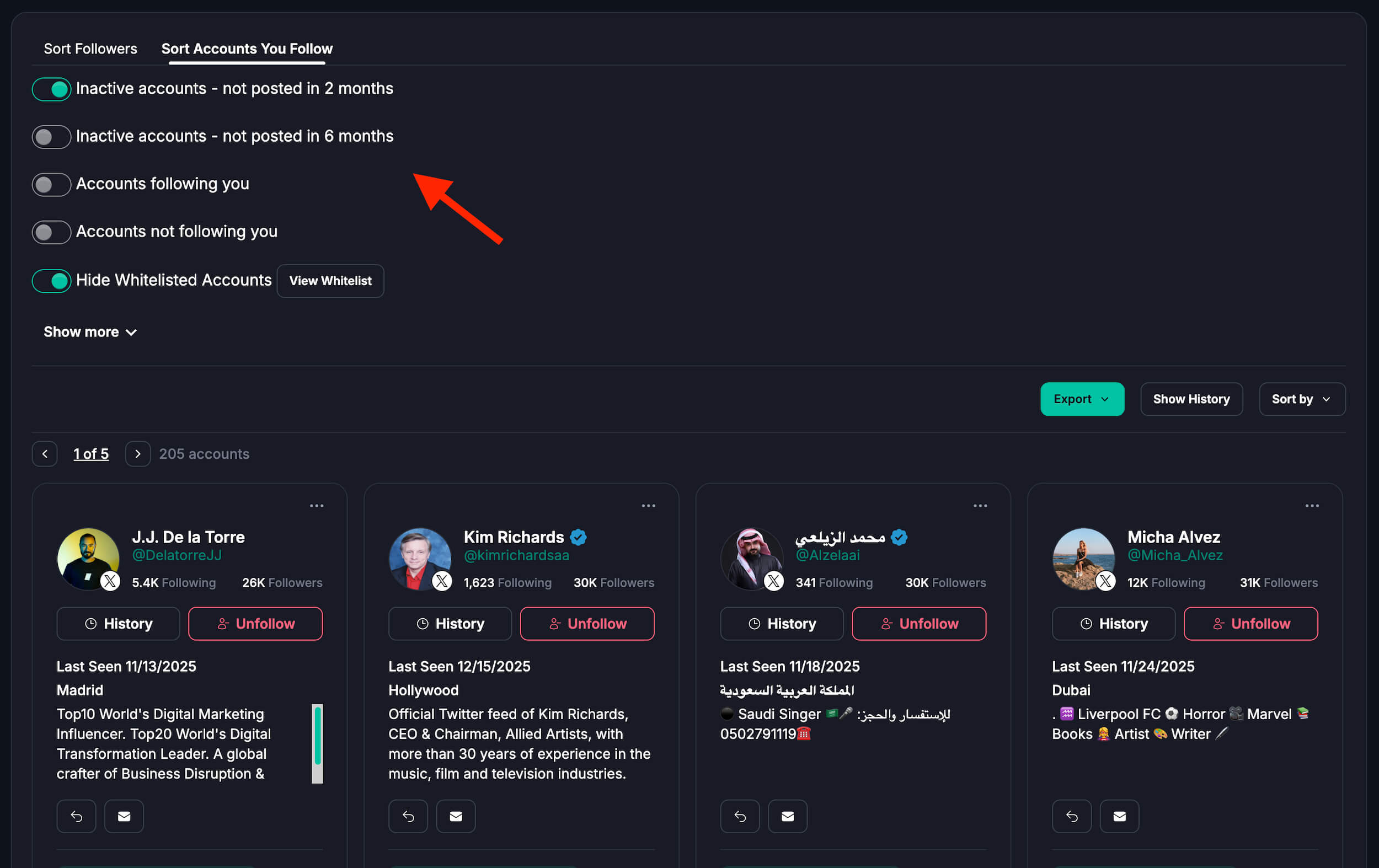
The inactive toggles stack with the other filters, like accounts following you, accounts not following you, a follower range or a keyword in the bio. The Sort Followers tool works the same way from the other side, with a filter for followers you also follow:
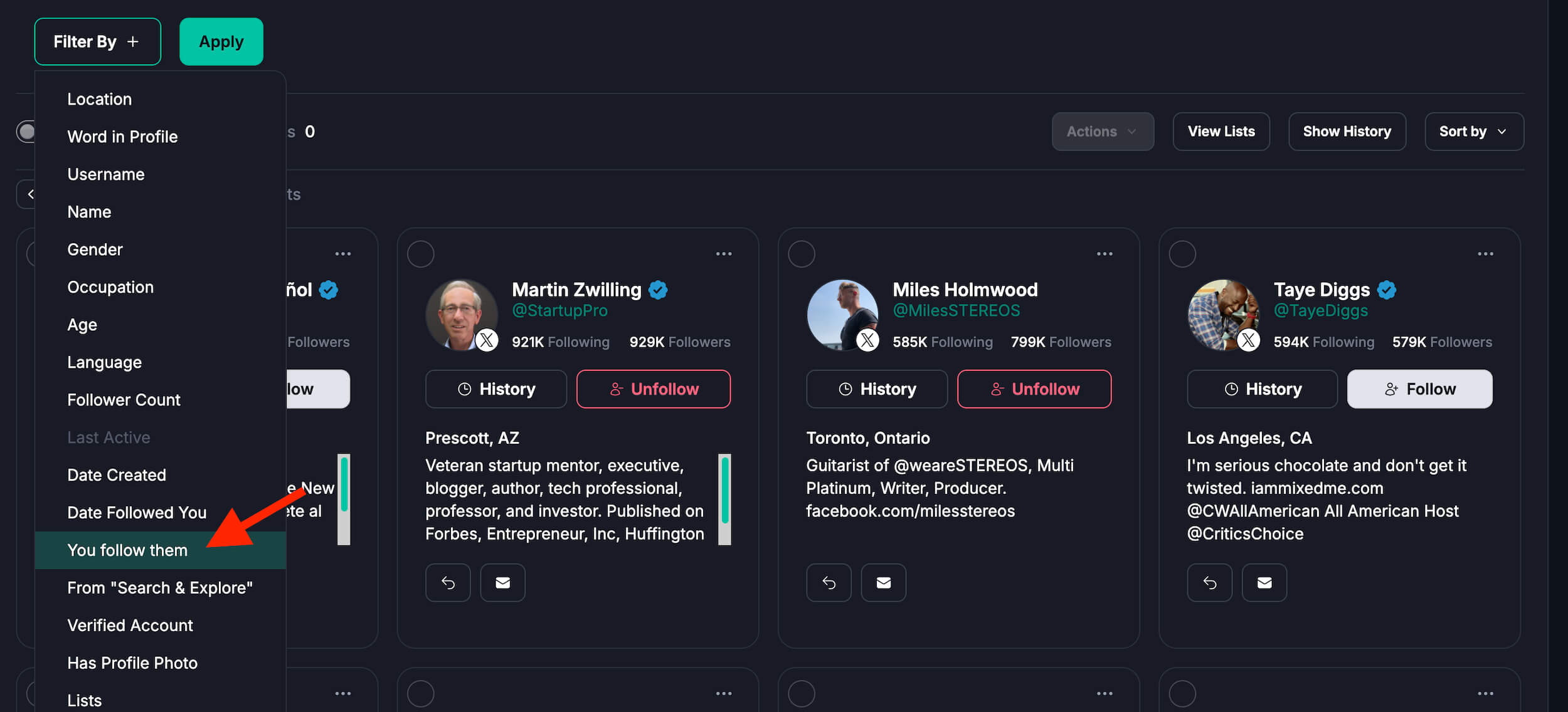
You can also add more filters to this list using Fedica. You may filter by keywords in their profile or follower count, avoid or include people in specified lists, and make a whitelist of accounts you never want to unfollow by accident. With Fedica, you can be sure that you’ll never endanger a meaningful relationship by not knowing who is following you back.
How Do You Find and Identify Inactive Twitter Accounts Following You?
Instead of Sort Accounts You Follow like above, this is done when you filter your followers in Fedica using the Sort Followers tool.
Apply the following Filter:
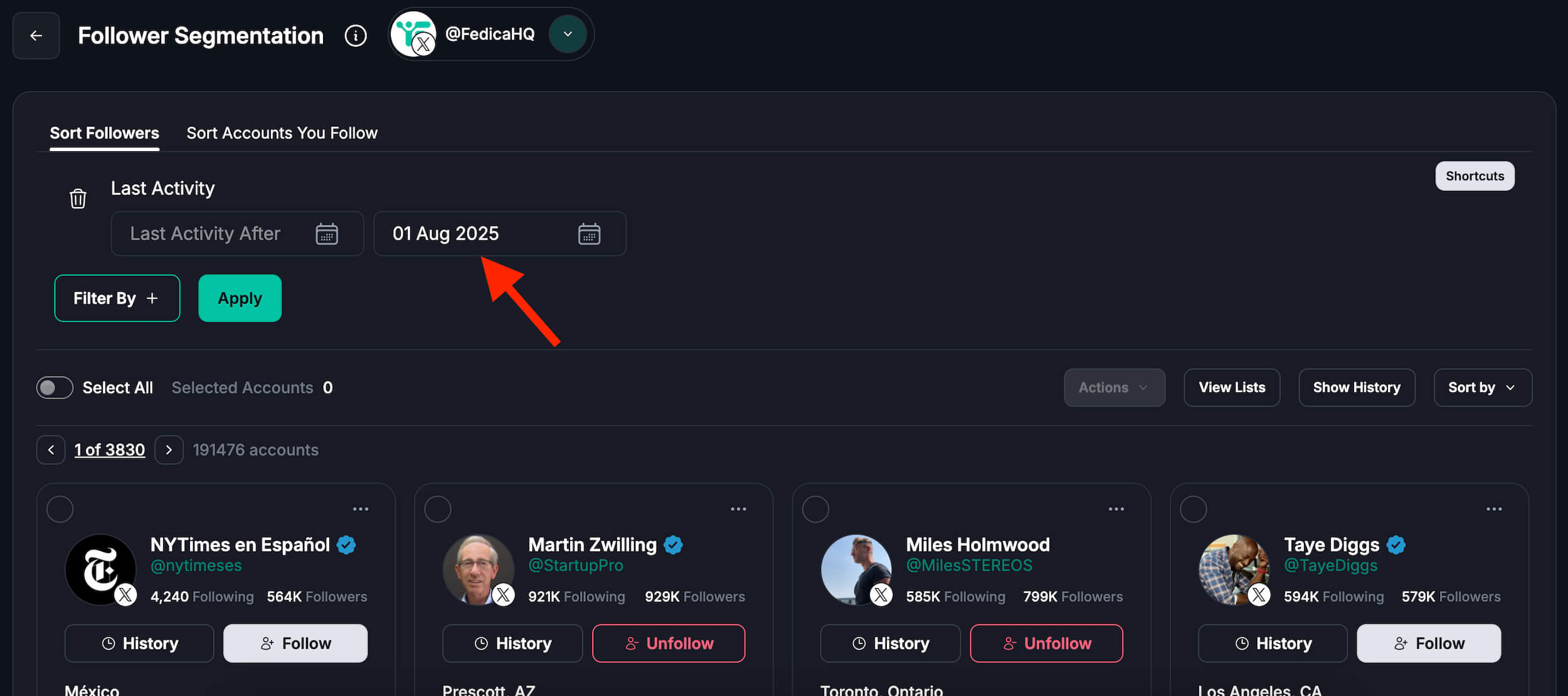
- Last Active
- Enter the date range Last Activity Before [Date] to see inactive followers who haven’t posted since that date.
- Choose how inactive they should be. Typically people look for whose inactive since 6 months ago, and some choose even up to 2 months ago. It’s up to you!
When you sort your followers, by who is inactive, it’s easy to look through the list and remove those who are really inactive simply by clicking the unfollow button.
Mass Unfollow Twitter Tool for X: Should You Use Them?
Fedica does not let you one-click unfollow a bunch of accounts. Why? It’s not allowed by X. But you can unfollow many accounts fast from a list of users with an easy unfollow button in Fedica.
It’s literally the fastest way to unfollow people while keeping your account protected from auto-suspension.
X’s follow limits cap how many accounts you can follow in a day (400), and the same page doesn’t set a number for unfollows. Still, try not to act suspiciously by mass unfollowing a bunch of people at once. And don’t worry, we have some safety guards in our service that protect you.
What’s allowed: Unfollow groups of people once in a while instead.

Although some services say they provide this feature for free, many were forced to close their doors or discontinue providing follower management in 2023 due to an increase in API prices.
With other features like the ability to find fake followers and an X unfollowers tool built into your subscription, Fedica is likely the best suite of tools available for tracking inactive followers on X.
Wondering whether X deletes dormant accounts? See Does X (Twitter) Delete Inactive Accounts?
Reasons to Unfollow Your Twitter Inactive Followers
Unrelated Content
Inactive accounts don’t, by definition, publish fresh content. It’s unlikely that their feeds will provide content you find fascinating or current trends.
Confused feed
Your Twitter stream doesn’t get updated with new content from inactive accounts. You’ll see more tweets from relevant, active users if you unfollow them.
Pay Attention to Active Users
You can make more room in your feed by unfollowing inactive accounts and following more relevant and active individuals or brands that share your interests. By doing this, you can make your Twitter experience more interesting.
Ratio of Followers/Following
A large number of inactive followers may give the impression that your follower-to-following ratio is out of proportion. A skewed ratio might not accurately represent this ratio, which is a criterion that certain brands or influencers look at.
What Is the Issue With Inactive Twitter Followers?
A few issues for Twitter and its users might arise from inactive accounts:
Skewed Metrics
A large number of inactive followers may distort the perceived reach of a person or campaign. This can deceive advertising and makes it more difficult to measure true involvement.
Username Pool Stagnation
The amount of memorable handles that are available to new users is reduced by inactive accounts that hang onto usernames they never use.
Loss of Historical Record
Occasionally, tweets or exchanges with historical significance may be stored on dormant accounts. A portion of internet history might be lost if they were completely deleted.
Emotional Impact
People who utilize the accounts of departed users as a source of nostalgia may find it distressing when their accounts are deleted.
Unfollow People Who Don’t Follow You Back
Here’s how to Unfollow Users Who Unfollowed Your Account:
To view the list of users who have not followed you back, navigate to Unfollows in Fedica.
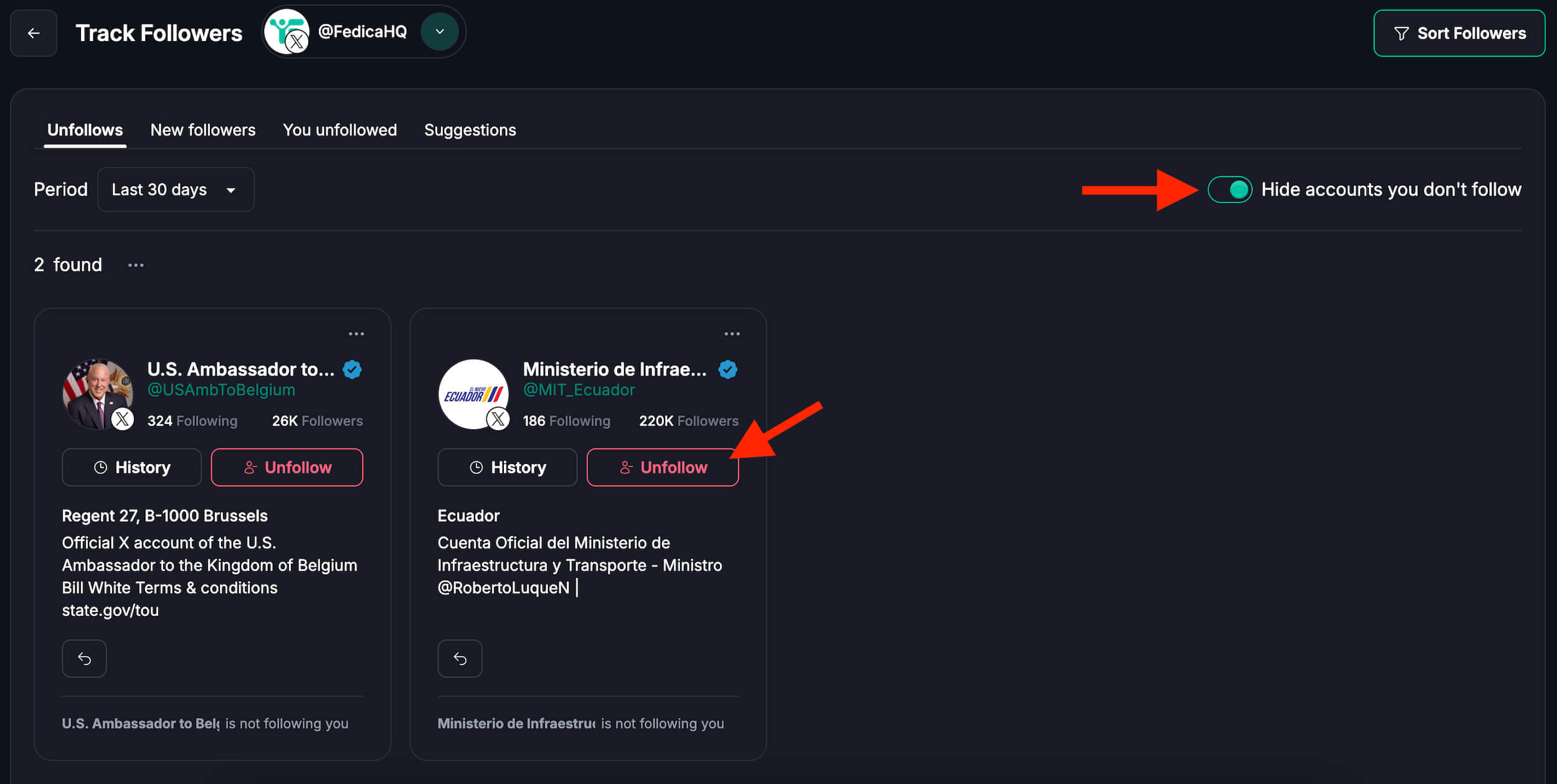
After that, you can perform the following:
- View the follows to unfollows ratio graph
- Hide accounts you don’t follow
- Easily unfollow users.
Keep in mind that if you click on History on Fedica, you can always see who has followed and unfollowed you in the past as well as when you did the same.
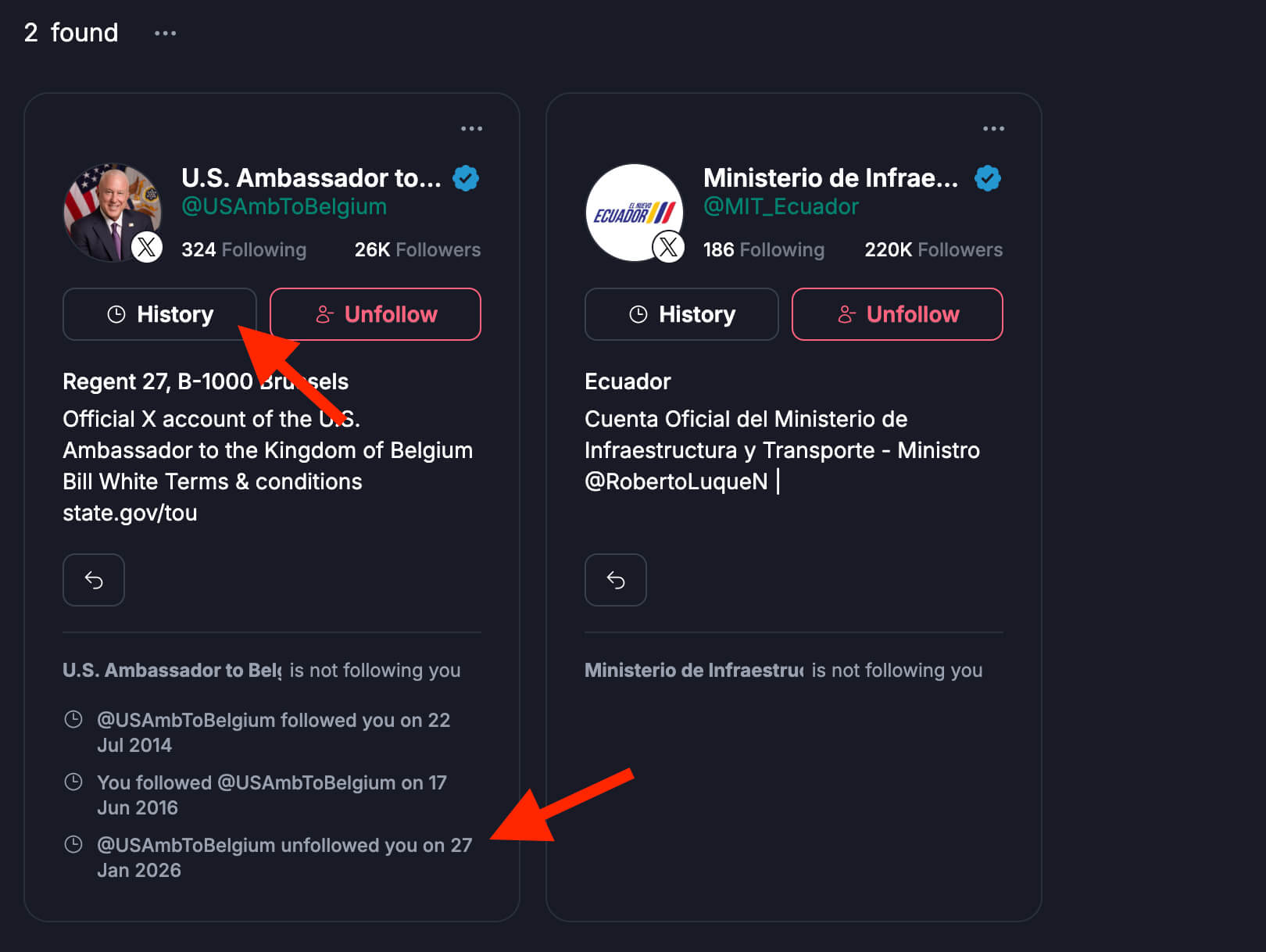
Unfollow Accounts With a Low Follower Ratio:
You can also view their follower to follow ratio on the list of accounts under the unfollows page in Fedica. In this manner, it is simple to see who follows and receives a follow-back simply by glancing at a brief excerpt of their profile.
X (Twitter) Follower Tracker
The best Twitter follower tracker has an interactive map of your followers worldwide, and more stats to get the entire picture:
Twitter Follower Map
You can track your followers around the world and even down to what city they are living in.
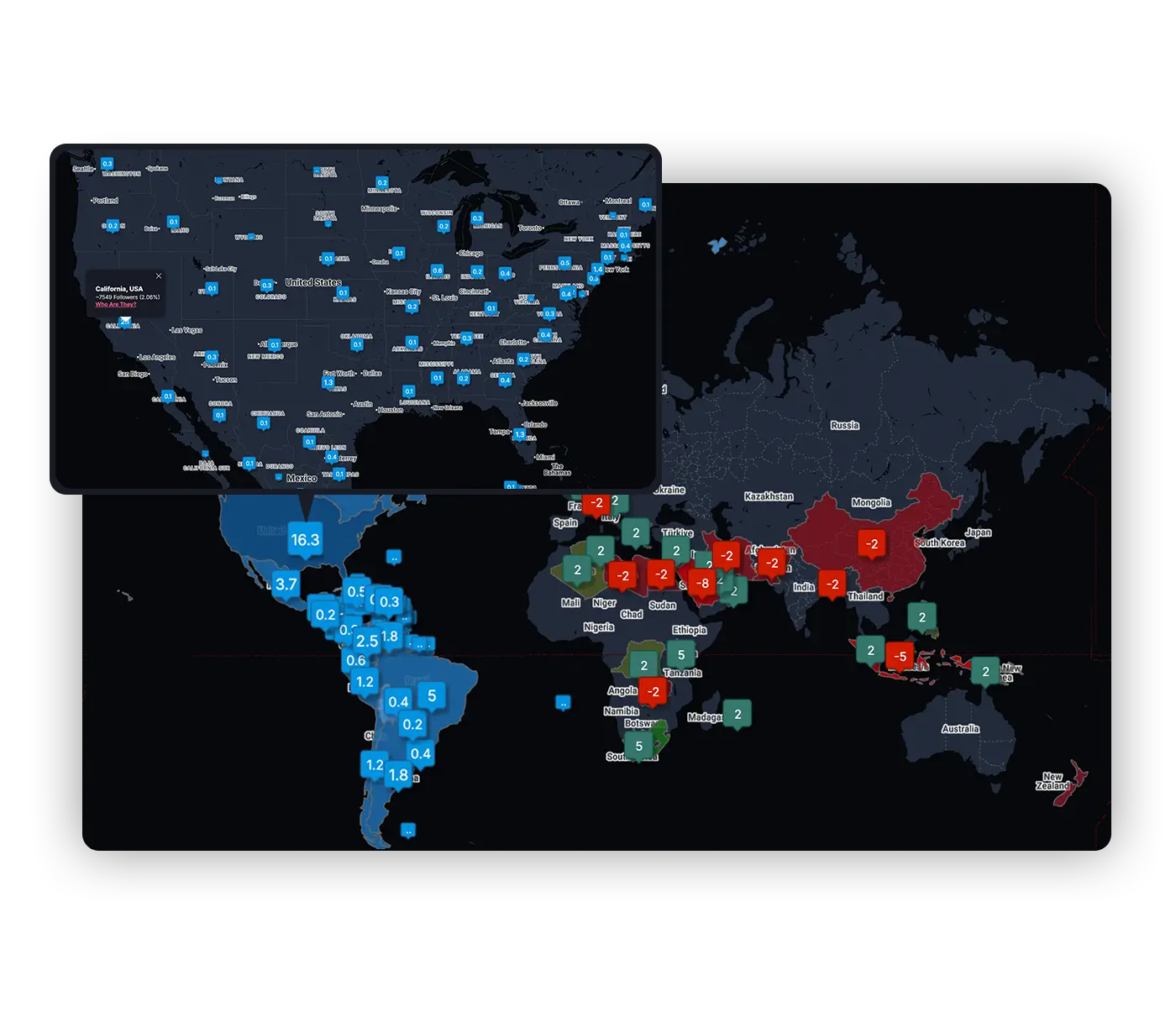
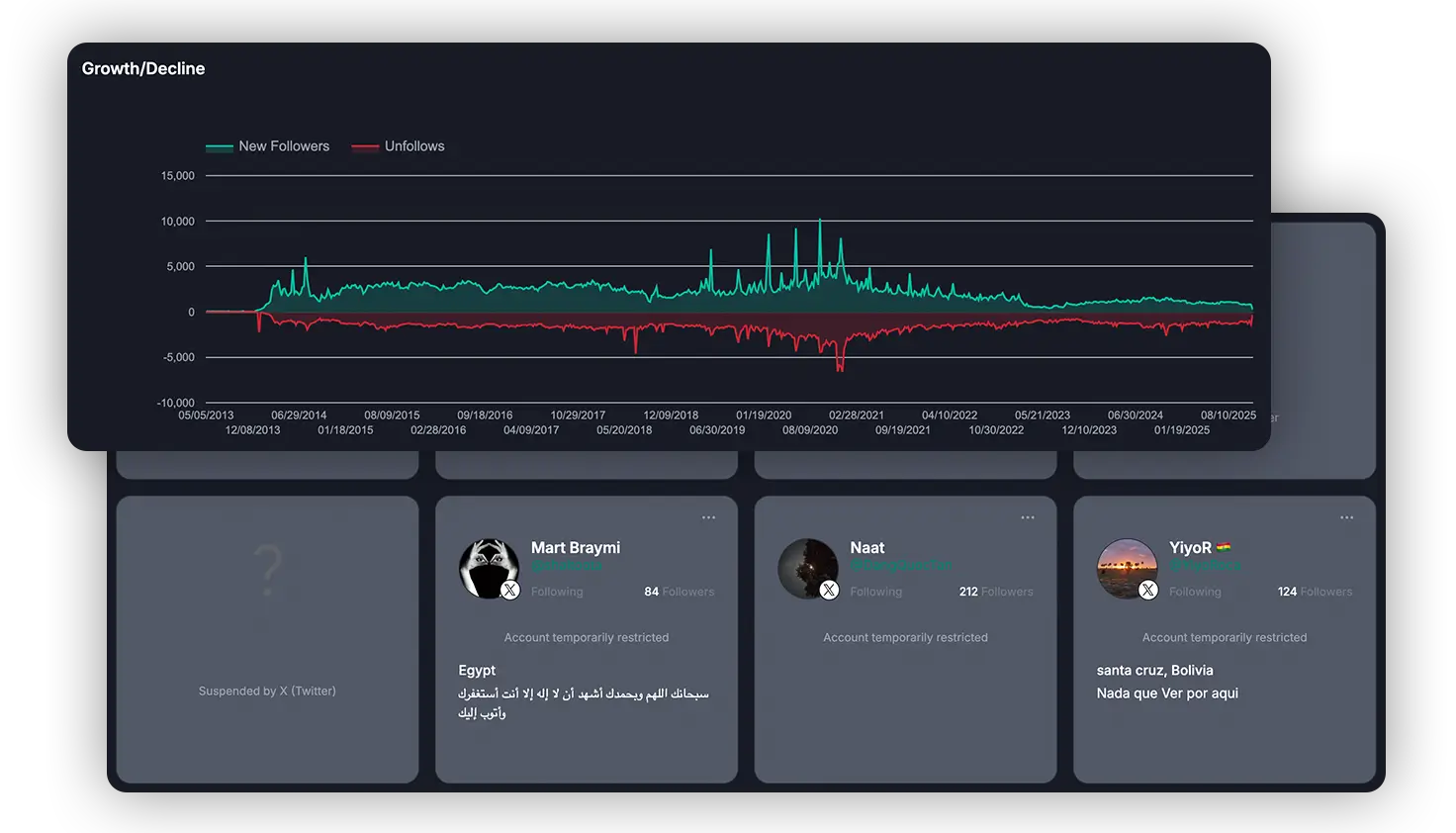
Growth and Decline
This is another kind of map to track your followers visually across the globe, but it shows which countries, states, and cities, you got the most follows from and unfollows from and you can see that change daily.
Total Accounts you follow
See the inactive accounts you follow. To see the list of inactive twitter followers following you, filter them in your audience with the Sort followers tool – which is available for X (Twitter), Mastodon, Pixelfed and Bluesky.
Monitor Twitter Followers
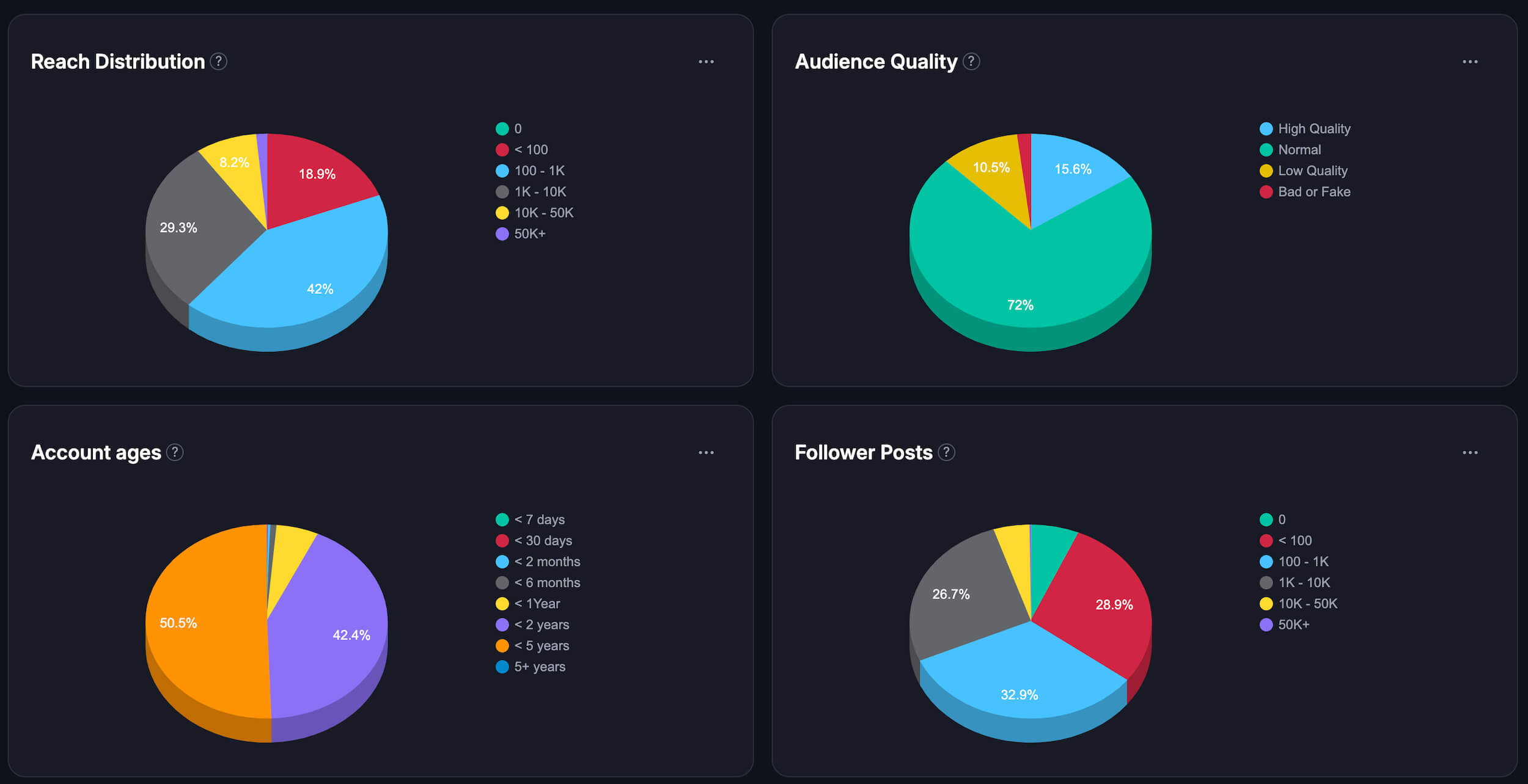
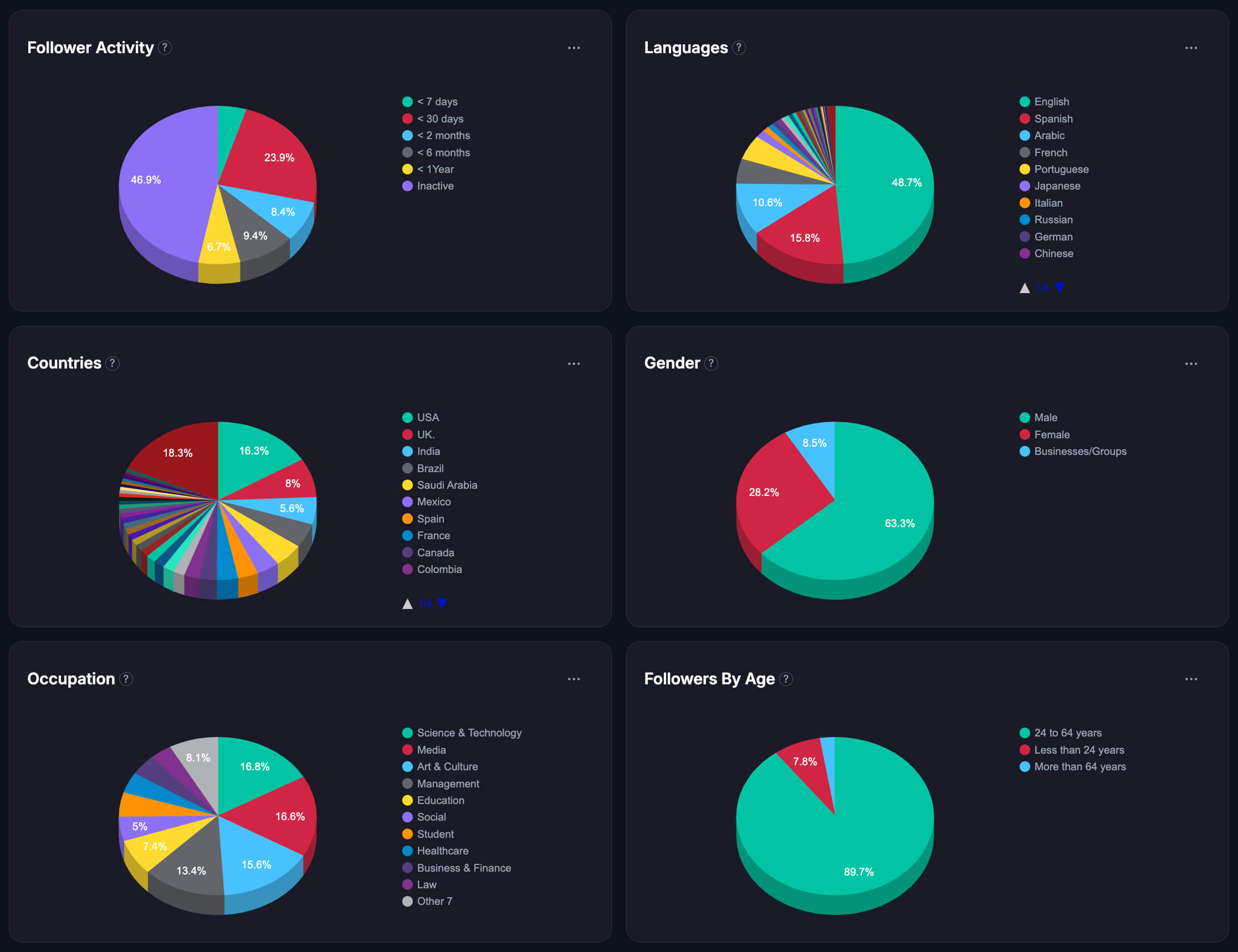
Monitor your Twitter followers by tracking follower stats like Reach Distribution, Audience Quality, Account Ages and Follower Posts, Follower Activity, Languages, Country, Gender, Occupation, and Followers by Age: