You’re spending thousands on social media marketing, but when your client asks “Are we getting closer to our target customers?” you’re stuck showing them meaningless follower counts and engagement rates that don’t answer the real question.
Your monthly reports are filled with vanity metrics that look impressive but tell you nothing about whether your social media strategy is actually driving business results.
This is why only 30% of marketers believe they can measure social media ROI. They’re stuck with surface-level data that doesn’t connect to business outcomes.
Traditional social media analytics tools provide basic metrics but lack the audience insights needed for strategic decision-making.
Table of Contents:
How to Write a Social Media Monthly Report (That Actually Proves ROI)
You’re showing your client that you got 1,000 new followers, but what does that actually mean for their bottom line?
Here’s how to write a social media monthly report that actually proves ROI:
Step 1: Identify Your Target Customer Demographics
Start by clearly defining who your ideal customers are. What are their age ranges, locations, interests, and buying behaviors?
Use Fedica’s audience analysis to export demographic data and see if your current followers match your target customer profile on supporting platforms.
Step 2: Analyze Audience Quality Over Quantity

Move beyond vanity metrics like follower counts and instead focus on who those followers actually are.
Export your audience data to CSV and analyze the demographics of people engaging with your content most frequently.
Ask yourself: “Are these the people who will actually buy from us?”
Step 3: Connect Metrics to Business Outcomes
Transform your monthly report from basic metrics to actionable business intelligence by connecting your social media data to real business results.
Use Fedica’s exportable data to show:
- Which content attracts your target customers
- How your audience quality has changed month-over-month
- Whether you’re getting closer to or further from your ideal customer base
- Specific recommendations for next month’s strategy
Fedica changes traditional reporting by providing the missing link: AI-driven analytics with exportable data that proves audience quality and content effectiveness.
Instead of just showing follower counts, you can export detailed demographic data that tells you whether those followers are actually your target customers. See how this is done for Bluesky analytics, for example.
With Fedica’s demographic-rich data, you can see the people behind your engagements and understand which customer personas around the world like what content. This transforms your monthly report from a collection of numbers into a strategic document that shows exactly how your social media efforts are moving you closer to or further from your ideal customers.
Get user data in your
analytics on supported platforms
How to Export Social Media Monthly Report Data to CSV
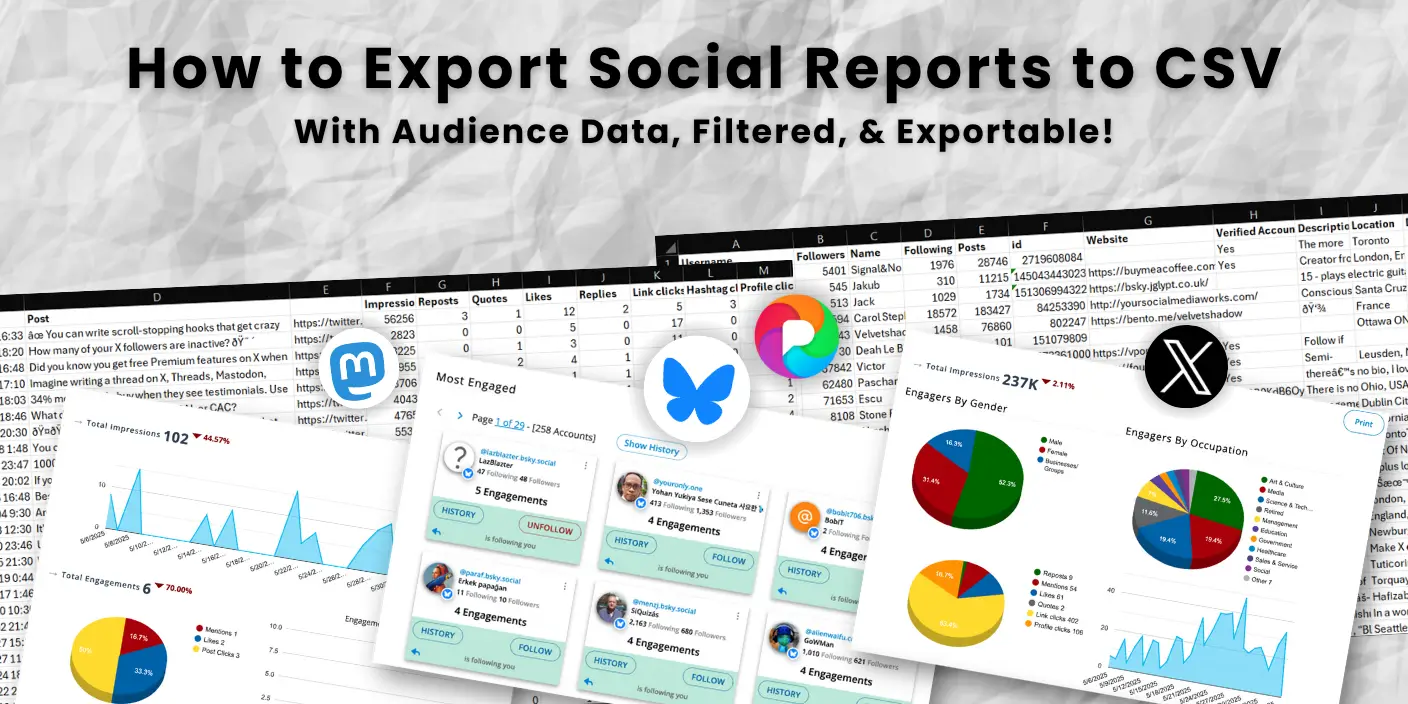
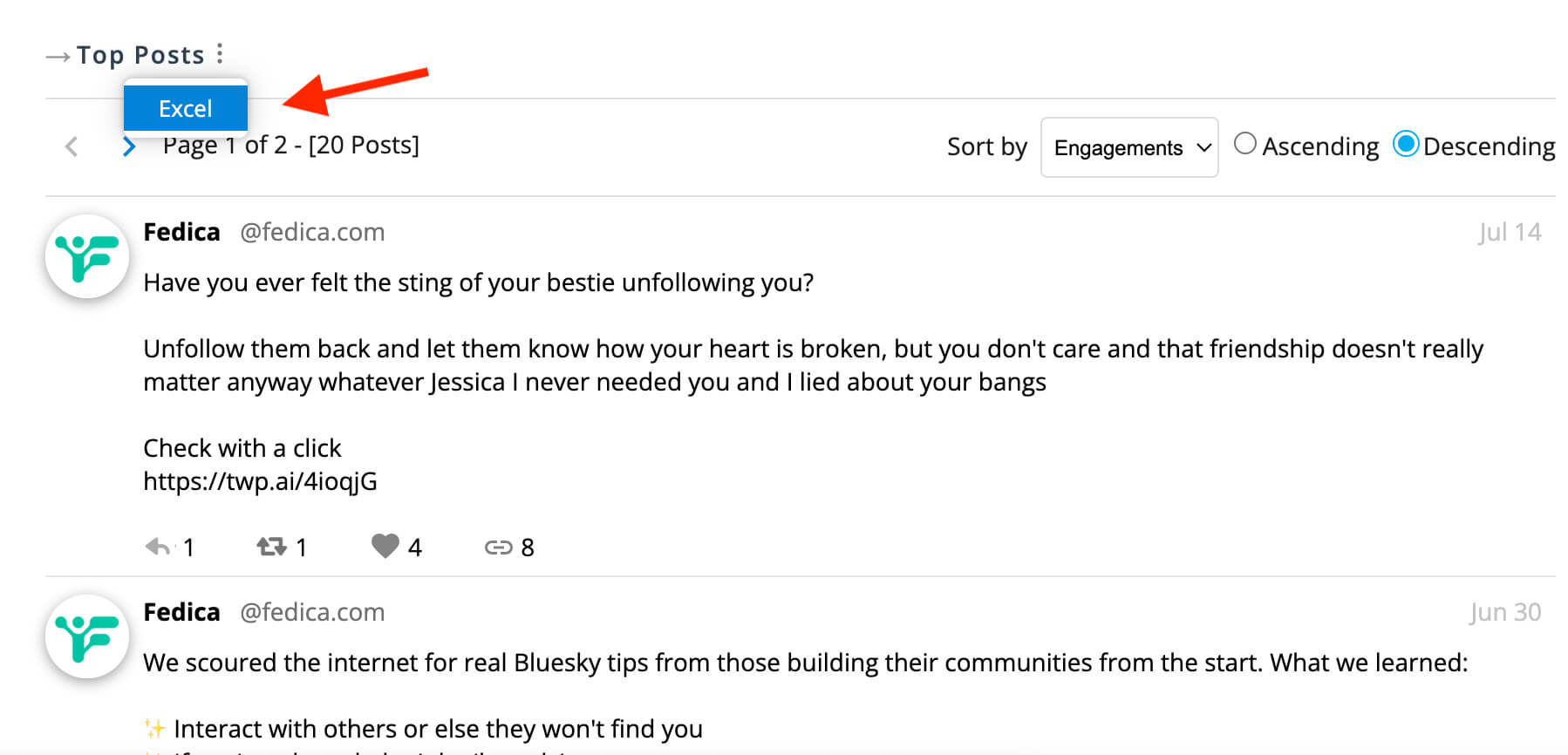
To export your data, find the three-dot menu icon in your audience analysis section and click export in any analysis report in Fedica. Choose your format – PDF or CSV of your entire report, or individual sections as CSV. You can also save graphs as images to post, share, or add to reports.

You can also click on the top right three-dot menu to export a PDF or CSV of your entire analytics report, or go to each section or each graph and individually export as CSV or save the graph as an image to post or share or add to a report.
The CSV files are one click to open in Google Sheets, making it easy to analyze your data further. This gives you interactive engagement analytics and robust demographic reporting while identifying top performing and related keywords that you can use to inspire your next posts.
Exporting Twitter analytics data to CSV, for example, allows you to take your data outside the platform for deeper analysis and custom reporting which are not available on the native X analytics.
Fedica makes this process simple with one-click exports that include detailed audience demographics and engagement data and let you analyze your data in Google Sheets, create custom reports for clients, or integrate the data into other business tools.
Having worked with agencies on their reporting processes, I can tell you that the ability to export detailed audience data is what separates successful social media strategies from guesswork.
With downloadable reports and exportable data, your social media dashboard becomes a powerful reporting tool that provides strategic insights for business growth.
Fedica might be the only analytics platform for social media that lets you export social media analytics data to CSV that also includes validation to a target audience.
This gives you the complete picture with demographics, which topics resonated with who around the world, and how different people react to which posts, transforming your social media analytics into actionable audience insights that drive performance tracking and business growth.
Get user data in your
analytics on supported platforms
The Problem with Traditional Social Media Monthly Reports
In my 4 years of experience building marketing strategies, it’s always about making less guesses. If you don’t need to guess if your strategy is getting closer or further away from your ideal customers, that’s all you need to focus on. And attribution is everything. There are a lot of things that you can’t prove with marketing, so the more you can prove, the better. That’s why we try to tie outcomes and reel people to the data with Fedica.
Fedica lets you export your Twitter analytics data to CSV, among other platforms, with detailed audience demographics, so you can see exactly who’s engaging with your content and whether they match your target customers.
Instead of spending hours manually gathering data, you get one-click exports that show you the real people behind your metrics – their age, location, interests, and engagement patterns.
This transforms your monthly report from a collection of meaningless numbers into proof that your social media strategy is working or needs adjustment.
With exportable data and comprehensive analytics, you can create performance tracking reports that actually drive business decisions.
Most tools give you follower counts and engagement rates but can’t tell you whether those followers are your target customers or just random people who happened to like your post.
This leaves you making decisions based on incomplete data and hoping your strategy is working.
Traditional social media reporting tools give you the same old metrics: follower growth, engagement rates, reach. But they don’t answer the critical question: “Are we attracting the right people?”
Without this level of detail, you can’t make informed decisions about whether to create accounts for other languages, create different content pipeline streams for different personas, or add new potential product offerings.
Social Media Strategy for Monthly Reports: Stick Close to the Money
The “Stick Close to the Money” strategy ensures your social media content attracts your ideal customers rather than just random engagement.
Here’s how to implement the “Stick Close to the Money” strategy:
Step 1: Post Content for Your Target Audience
Start by posting content you think your target audience would like. Focus on topics, formats, and messaging that should resonate with your ideal customers.
This approach leverages audience insights and performance tracking to create strategic insights that drive business outcomes.
Don’t worry about going viral or getting massive reach – focus on attracting the right people, not just any people.
Step 2: Check Your Monthly Report for Demographic Data
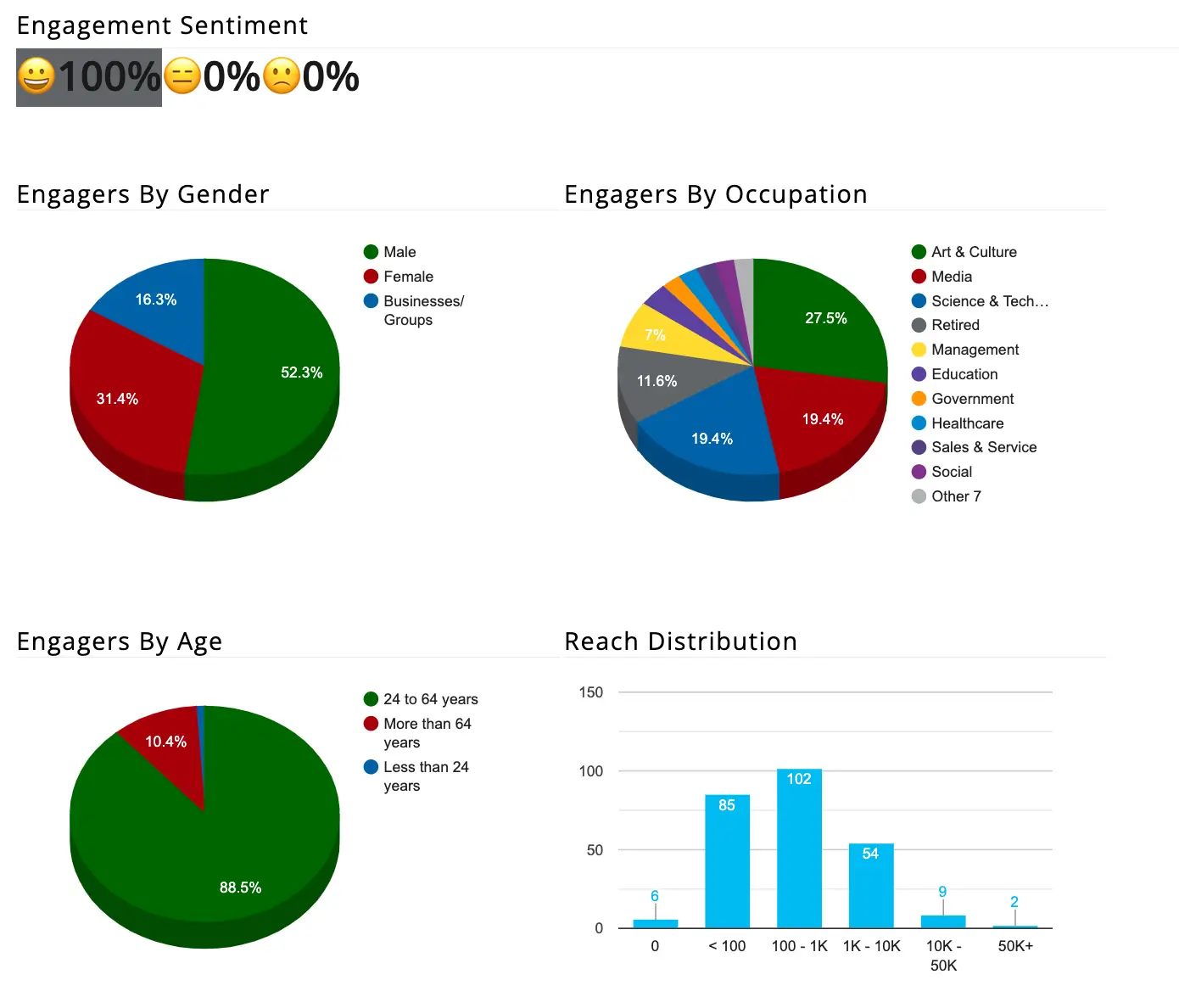
Use your monthly report data to see if you’re actually attracting the right demographic.
Look at who’s engaging with your content most and analyze their characteristics to determine if you’re moving closer to or further from your target customer base.
When you check those demographics in your analytics, it becomes easy to know what topics to talk about and what to stop talking about.
Step 3: Analyze Engagement Patterns and Adjust Strategy
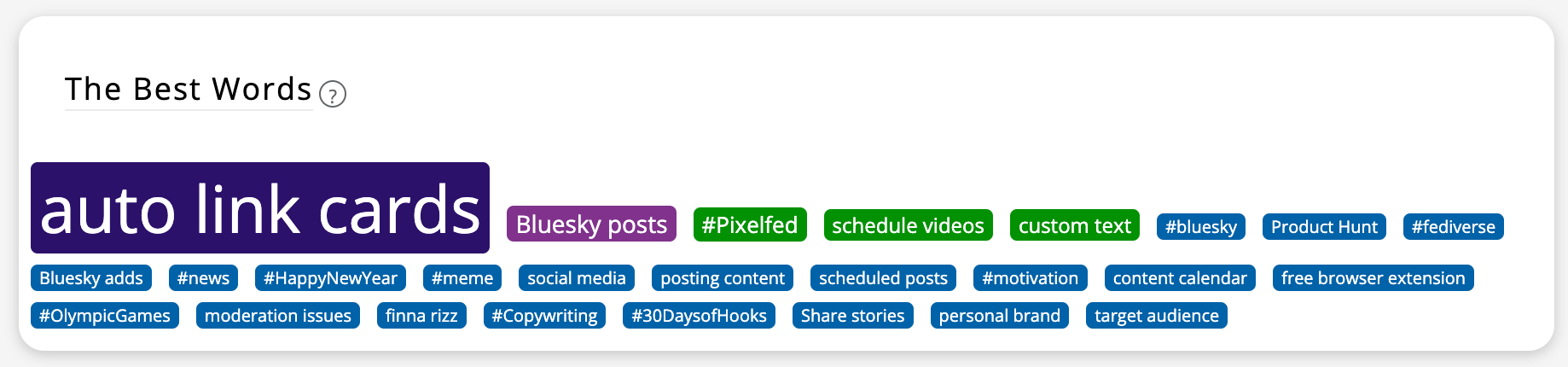
Look at who’s engaging with you most and what their top topics are.
Export your audience data to CSV and analyze the demographics of people engaging with your content most frequently.
Ask yourself: “Are these the people who will actually buy from us?”
Step 4: Optimize Content Based on Data Insights
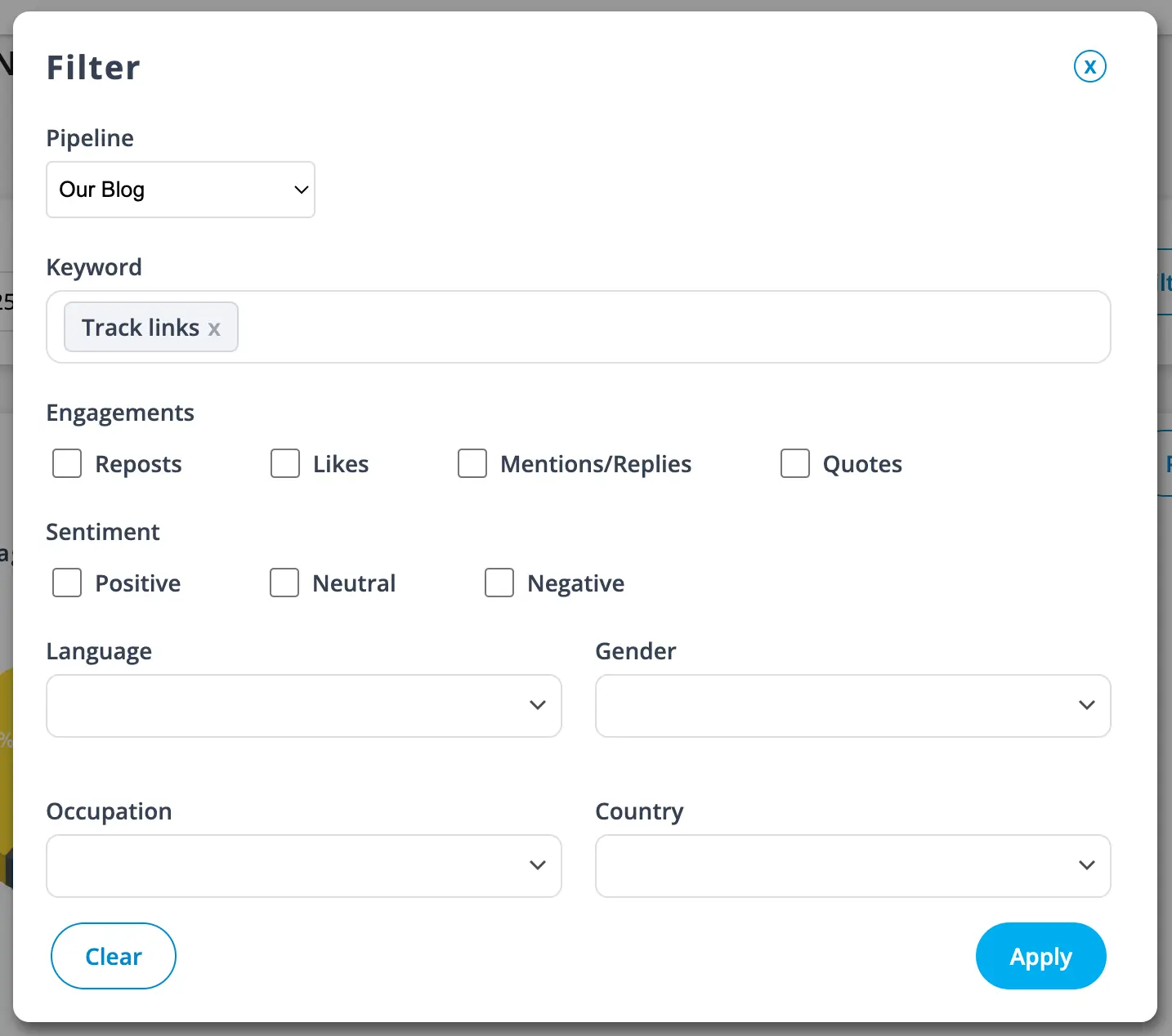
Fedica’s content filtering lets you generate engagement with the right people knowing what kinds of content gets which result.
You can filter your social media analytics by keywords, demographics, sentiment, and more to see exactly which content resonates with your target audience.
This advanced data analysis capability transforms your social media dashboard into a powerful reporting tool that provides actionable audience insights.
Step 5: Repeat Monthly and Track Progress
That’s as simple as it gets to check every month if you were getting closer or further from your target customer base based on the content you’re posting.
This means you can “improve engagement, identify new product offerings, discover diverse interests, and resonate with people around the world” by knowing what content different personas like the most.
Follow this process:
- Post content you think your target audience would like
- Check your monthly report to see if you’re attracting the right demographic
- Analyze who’s engaging with your content most and their top topics
- Adjust your content strategy based on what the data reveals
- Repeat monthly to track progress toward your target customer base
Schedule for Free Right Now!
How to Write a Social Media Audit Report
Writing a social media audit report involves analyzing your audience quality, content performance, and overall account health to identify areas for improvement.
Based on my experience with hundreds of social media audits, the most successful agencies focus on audience quality first, then optimize content based on what the data reveals.
Here’s how to write a comprehensive social media audit report:
Step 1: Conduct a Follower Quality Audit

Start by examining your follower demographics and engagement patterns to see if you’re attracting your target customers.
Use Fedica’s follower audit feature to identify bot activity, inactive users, and fake followers. If you have bot-like followers, your other metrics will not be accurate, and your growth will slow down.
Filter and sort your followers to identify inactive people and those without profile pictures. This protects your account from spammers and people who don’t contribute to your community.
Step 2: Analyze Your Content Strategy
Determine which posts resonate with your ideal audience and which ones might be attracting the wrong people.
Compare your follower demographics with the people actually engaging with your content. Are you attracting your ideal customers based on the content you post?
Export your content performance data to CSV and analyze which topics and formats drive the highest quality engagement.
Step 3: Run Advanced Audits for Strategic Insights
Fedica supports multiple kinds of audits that go beyond basic metrics:
- Conversation Audit: Search keywords and export entire analysis based on that keyword to see the list of people involved and whether they match your ideal customer demographics.
- Competitor Account Audit: Audit anyone’s followers, like future collaborators, with a full range of audience analysis tools to take even more action.
- Cross-Platform Analysis: Compare your performance across different social media platforms to identify where your target audience is most active.
Track all the people who stop following you, and check the history of who followed who when. This helps you understand your audience churn and identify patterns.
See it in detail!
Get Social Media Monthly Reports That Actually Matter
Fedica stands apart from other social media analytics tools by focusing on actionable insights rather than just vanity metrics.
While competitors provide basic engagement numbers, Fedica gives you the complete picture of who your audience really is through detailed demographic data and exportable user lists.
This unique approach transforms social media from a cost center into a strategic tool that directly impacts business outcomes and client retention.
Our advanced data analysis capabilities and audience insights provide the strategic insights that modern reporting tools lack.
Key Fedica Features:
- Actionable insights instead of vanity metrics
- Complete audience picture with detailed demographic data, on supported platforms
- Exportable user lists with full demographic breakdowns, on supported platforms
- One-click CSV exports that open in Google Sheets
- Link click tracking visible in Google Analytics
- Target audience validation that other tools can’t provide
While other tools focus on templates and basic metrics, Fedica provides the missing link: exportable audience data that connects social media metrics to actual business outcomes. This transforms social media from a cost center into a strategic tool that directly impacts client retention and revenue growth.
What Makes Fedica Unique:
- Exportable User Lists
Get actual lists of people who engaged with your content, not just aggregate numbers - Demographic Validation
See if your followers match your target customer profile with detailed breakdowns - Cross-Platform Integration
Export data from multiple platforms into unified CSV reports - Link Click Tracking
Track which social media posts drive actual website traffic - Audience Quality Scoring
Identify bot activity and assess follower authenticity - One-Click Google Sheets Integration
Export data that opens directly in Google Sheets for further analysis
We also track link clicks to your website that is instantly visible in Google Analytics for supported platforms like X, Mastodon and Bluesky (more to come), giving you the validation to a target audience that other tools simply can’t provide.
Problems Other Tools Can’t Solve:
- “Are my followers actually my target customers?” – Other tools show follower counts but can’t tell you who those people really are
- “Which content attracts the right audience?” – Most platforms show engagement rates but not audience quality
- “How do I prove ROI to my clients?” – Traditional reports show vanity metrics without connecting to business outcomes
- “Can I export my audience data for deeper analysis?” – Most tools lock your data inside their platform
- “Are my followers real or bots?” – Fedica’s audience quality scoring identifies fake accounts that hurt your metrics
Fedica solves these problems by providing the missing piece that every agency needs: exportable audience data that proves your social media strategy is working and shows exactly who your content is reaching.
🚀 Don’t let your competitors get ahead
Get real ROI with exportable user data
Frequently Asked Questions
How to write a social media monthly report?
Focus on audience quality over vanity metrics. Use Fedica’s exportable demographic data to show whether your content is attracting the right customers, then connect your metrics to actual business results. Include audience demographics, content performance, and specific recommendations based on what the data reveals about your target audience. Effective data analysis and audience insights from your social media dashboard will transform your performance tracking into actionable business intelligence.
How to get a social media monthly report?
Use analytics tools like Fedica that automatically pull data from your social media platforms. Fedica makes this simple with one-click exports to CSV that include detailed audience demographics and engagement data. This gives you reports that show the real people behind your numbers, not just follower counts. Our social media analytics platform provides comprehensive reporting with audience insights and performance tracking capabilities that transform basic metrics into actionable strategic insights.
How often should social media monthly reports be generated?
Generate social media reports monthly for regular tracking, though weekly reports work well for active campaigns. Fedica provides exportable reports that you can create at any time. Get multiple reports on specific topics or campaigns too. The key is consistency. Monthly reports help you spot trends and make better decisions about your content and audience.
What are the best social media analytics tools?
Fedica stands out as the best social media analytics tool because it shows you the list of users and demographics in your analytics across supported platforms. While other tools provide basic metrics, Fedica gives you exportable audience data that proves ROI and audience quality, while also allowing keyword filtering to dive into social media strategy impact.
How to write a social media audit report?
Analyze your audience quality, content performance, and overall account health. Use Fedica’s audit features including follower quality checks, content strategy analysis, and competitor research to find areas for improvement. Export the audit data to CSV for detailed analysis and present findings with specific recommendations for improving your social media strategy.
How to export social media analytics to Google Sheets?
Fedica makes it easy to export all analytics from your content and followers as a CSV file that opens directly in Google Sheets with one click. We also track link clicks to your website that are instantly visible in Google Analytics for supported platforms like X and Bluesky, giving you complete visibility into your social media ROI.
How to create a social media monthly marketing report?
Focus on outcomes, not just numbers. Use Fedica’s analytics to gather data about your social media performance and show clear business impact. Include audience demographics, content effectiveness, and ROI metrics, then export to CSV for analysis in Google Sheets or Excel for professional presentation to clients.
How to export data into CSV?
To export social media analytics data and audience data to CSV, find any section or graph in Fedica and click the three-dot menu button to export to CSV. This gives you detailed audience demographics and engagement data that you can analyze further in Google Sheets or Excel.
What is an executive summary for a social media monthly report?
An executive summary is a brief overview highlighting key findings and business impact. Use Fedica’s exportable data to create summaries focusing on audience quality, content performance, and strategic recommendations. Include the most important metrics that prove ROI and show how your social media efforts drive real business results, making it easy for executives to understand your strategy’s value.
How to export data from analytics?
Click the top right three-dot menu in Fedica to export a PDF or CSV of your entire analytics report, or go to each section or graph individually to export as CSV or save as an image. This gives you flexibility to create custom reports, share specific data, or integrate analytics into other business tools.
How to export social media monthly report data to CSV?
Click the three-dot menu icon in your Fedica analytics dashboard to export data. You can export individual sections, entire reports, or specific graphs as CSV files that open directly in Google Sheets. Fedica’s exports include detailed audience demographics and engagement data for comprehensive analysis and custom reporting.
What makes Fedica different from other social media analytics tools?
Fedica is the only platform that lets you export lists of engaged users with demographic information. While Hootsuite and Sprout Social only provide basic analytics, Fedica gives you the missing piece: the ability to export detailed user data that proves audience quality and ROI. Other tools show you follower counts and engagement rates, but Fedica shows you exactly who those people are and whether they match your target customer profile.