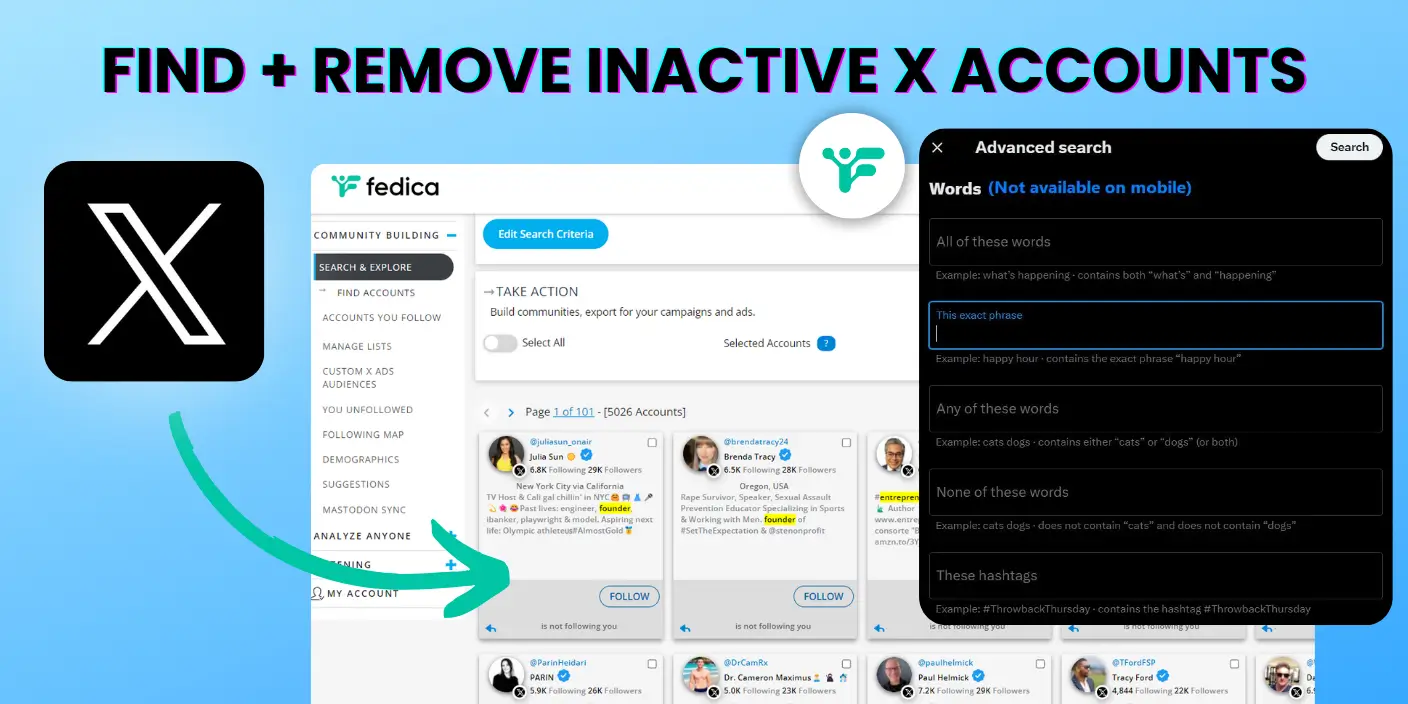
Inactive Twitter accounts. Find them, remove them, and avoid being them. All this and your questions answered!
X can delete inactive accounts, at least on paper. X’s inactive account policy asks you to log in at least every 30 days and says accounts “may be permanently removed due to prolonged inactivity.” Until spring 2023, the same page said every 6 months. Inactivity is based on logging in, not posting, and X says it can’t release inactive usernames.
Then there are the ghost followers that haven’t tweeted in ages but still show up in your follower count. Are they helping or hurting your engagement? Neither. But you can identify them, filter them out and get rid of them easily.
Does X (Twitter) Delete Inactive Accounts?
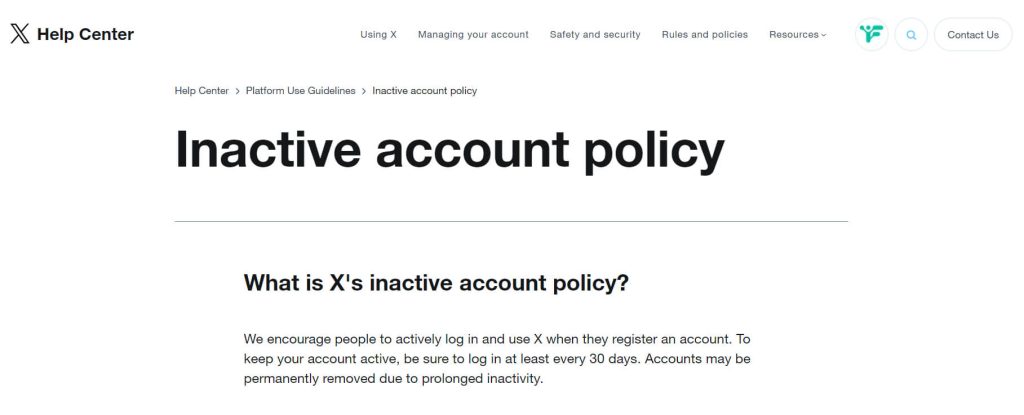
X’s official policy states that accounts need to log in at least every 30 days, and that accounts “may be permanently removed due to prolonged inactivity.” Note the “may”. The policy doesn’t say when removal happens or how long “prolonged” is.
The rule used to be looser. Copies of the policy page saved by the Internet Archive show it changed in spring 2023:
| Internet Archive copy of the policy page | Log-in rule |
|---|---|
| April 19, 2023 | At least every 6 months |
| May 3, 2023 | At least every 30 days |
| August 23, 2026 | At least every 30 days, and “accounts may be permanently removed due to prolonged inactivity” |
Inactivity Means Logging In, Not Posting
X measures inactivity by log-ins. The policy says “Inactivity is based on logging in,” and adds that you may not be able to tell whether an account is currently inactive, because not all signs of account activity are publicly visible. An account that hasn’t tweeted in a year may still log in every week.
That’s why follower tools measure something different. Fedica’s inactive filters go by the date of an account’s last post, the activity anyone can see.
Platforms set these rules themselves and can change them, as X did in 2023. That’s one reason we support Fediverse platforms with scheduling tools, where you own your data and are in control of your account.
But here’s a pro tip: if you want to keep your account safe, try to log in at least once a month. Better safe than sorry.
Cleaning House: Removing Inactive Twitter Accounts
Now, let’s talk about something you can control: Finding and removing inactive accounts to improve your growth and experience on X.
We recently wrote about how to find those accounts fast by removing Followers on Twitter from your follower list. But why?
One reason is inactive followers! Having a bunch of inactive followers can actually hurt your engagement rates. It’s like throwing a party and half the guests are mannequins – not exactly a recipe for a bumpin’ shindig.
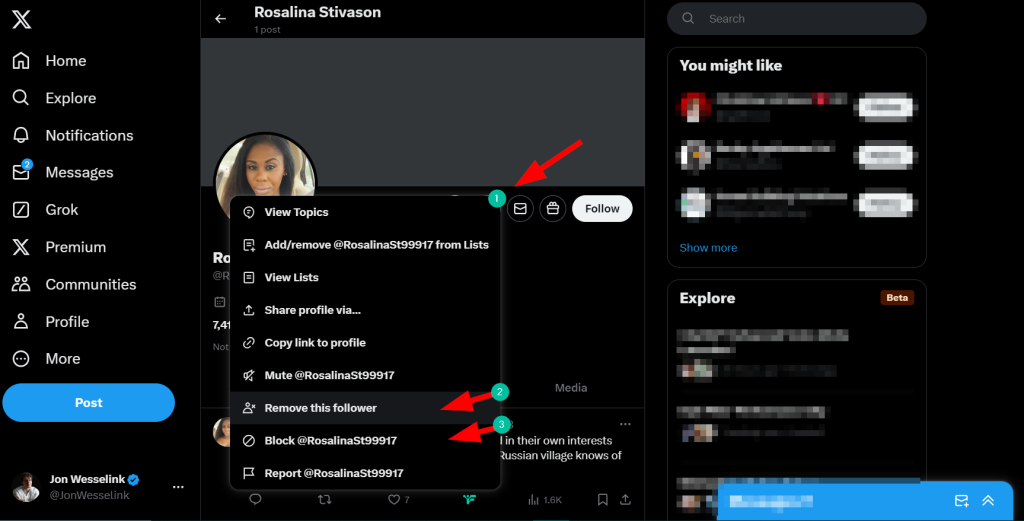
Here’s how you can give your followers a good spring cleaning:
- Find inactive Twitter accounts
- Head over to the person’s profile page
- Click that little “…” menu
- Choose “Remove this follower” or “Block @Name” if you’re feeling extra spicy
If you’re using Fedica (and honestly, why wouldn’t you be?), we make this simple. Here’s how to find and unfollow inactive Twitter followers, and the inactive accounts you follow too.
It’s like having X-ray vision for your follower list. No more guessing games!
Want to find active accounts to follow to replace those inactive ones? We got you! There is a tool to help you search Twitter accounts and you can set the activity date there, and don’t forget the Bot Detection Tool which finds all the accounts in your followers that hurt your growth. It’s like having a bouncer for your Twitter account. No fake IDs allowed, so Find Fake Followers with Quality Audit!
Keeping Your Account Active
Before we wrap up, let’s talk about keeping your own account active. Here are a few quick tips:
- Set a reminder to log in at least once a month (that’s all you need to do)
- Share or retweet something interesting if you’re short on original content (not necessary to avoid deactivation)
- Engage with others by liking or commenting on their posts (just to be sure)
- Use Fedica’s scheduling tool to keep your account active even when you’re busy, or crosspost with custom content to other platforms at the same time!
Remember, social media is about being social. Don’t let your account gather dust!
FAQ: Inactive Twitter Accounts
Still got questions? We’ve got answers! Here’s a roundup of what confuses people about inactive Twitter accounts:
Does Twitter delete inactive accounts?
Officially, yes. X’s policy says accounts that don’t log in at least every 30 days may be permanently removed. Until 2023 the rule was six months. In practice, many long-dormant accounts are still live, so logging in monthly keeps you clear either way.
How long until Twitter deletes inactive accounts?
X doesn’t give a timeline. The policy sets the log-in rule at 30 days and says accounts may be removed after “prolonged inactivity,” without saying how long that is. A quick monthly log-in keeps you on the safe side.
Can you claim an inactive Twitter account?
It’s not easy, but here are your best bets, ranked by likelihood of success:
- Reach out: Try messaging the account or tracking down the owner. Who knows? They might be willing to sell the handle.
- Trademark dispute (for companies): If you’ve got a trademark, you might be able to claim a username that’s violating it.
- Report impersonation (for individuals): Some folks have had luck reporting impersonation for handles of their full name.
Keep in mind, X’s policy says “We cannot release inactive usernames at this time.” If you’re striking out, consider tweaking your desired username. Try adding numbers, underscores, or abbreviations like FedicaHQ, Fedica_, or TryFedica. We prioritized leaving our name in the first characters to help with search!
Why won’t Twitter delete inactive accounts?
With all the new competition in the social media space, X is probably more focused on growing their user base than spring cleaning old accounts. More accounts, even inactive ones, might look better on their books.
How do I find a deactivated Twitter account?
It’s like looking for digital breadcrumbs:
- Search their name. If the account’s deactivated, you’ll see a message saying so.
- Try the Wayback Machine. This internet time capsule might have old snapshots of their profile.
Are deactivated Twitter accounts still visible?
Nope, they vanish like a ghost in the machine. You won’t be able to search for the account or find its URL. If you type in the URL directly, you’ll just see an error message saying “Deleted or Deactivated Account”.