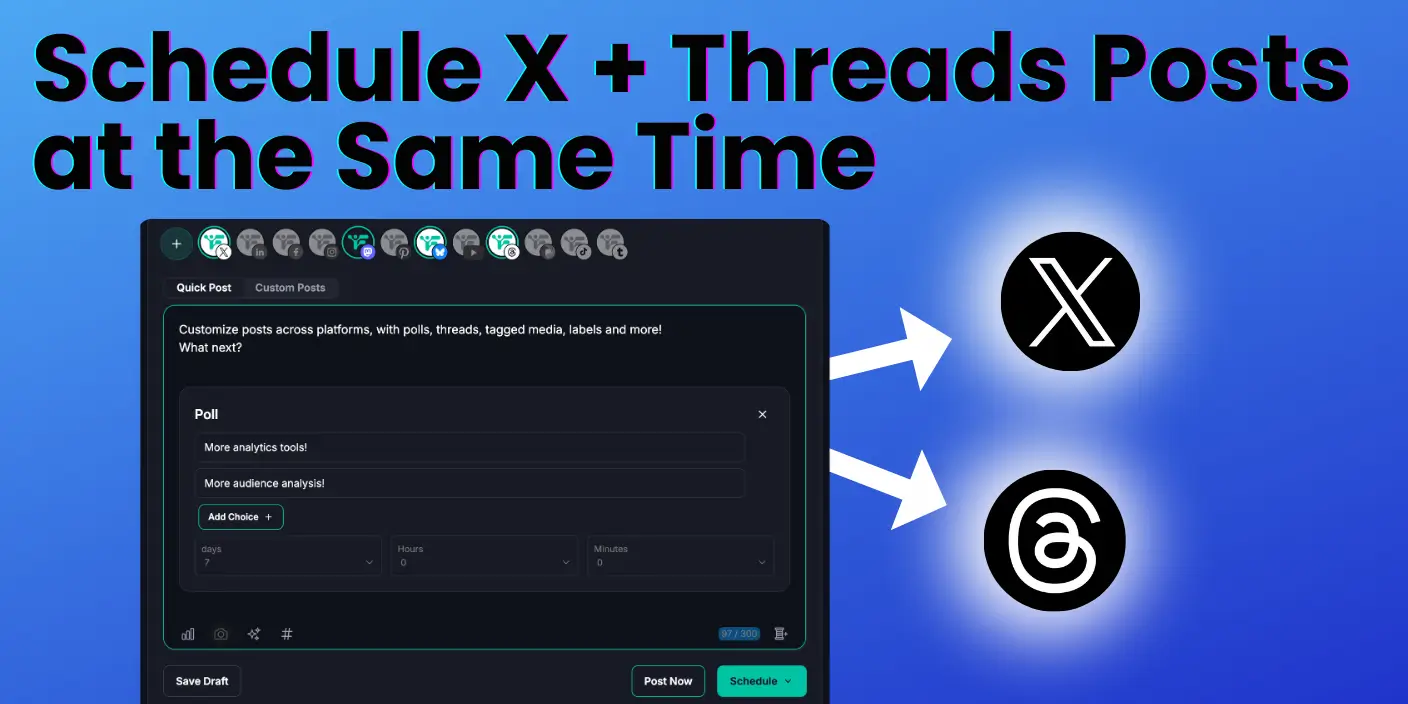
You can post to Twitter and Threads at the same time with Fedica using just a few clicks. There’s no complex setup needed and no server bridging required. Just create an account and start posting to both platforms for free.
We’ve worked with many social media managers and content creators who found other crossposting tools too complex. Server bridging solutions mess with post formatting and cause problems. That’s why it’s best to post natively on each platform using Fedica for a simpler experience.
Fedica lets you write your content once, then select both Twitter and Threads. You can customize per platform if needed before publishing. Your posts go out natively to each platform with proper formatting and quality. You can schedule posts in advance or publish immediately, all from one simple interface.
Key Takeaways
- Post to Twitter and Threads at the same time to reach nearly 400 million people daily across both platforms without doubling your work.
- Sign up for Fedica free with no credit card needed, no complex setup, and no server bridging.
- Write once and customize per platform automatically by matching character limits (280 for Twitter, 500 for Threads) and using platform-specific topics and direct-community scheduling.
- Native posting keeps proper formatting and quality on both platforms, helping you avoid formatting issues from server bridging.
- Schedule posts to both platforms using one unified interface, which works even on the free plan.
How to Post to Twitter and Threads at the Same Time with Fedica
- Write your post in Fedica’s composer.
- Select both Twitter and Threads.
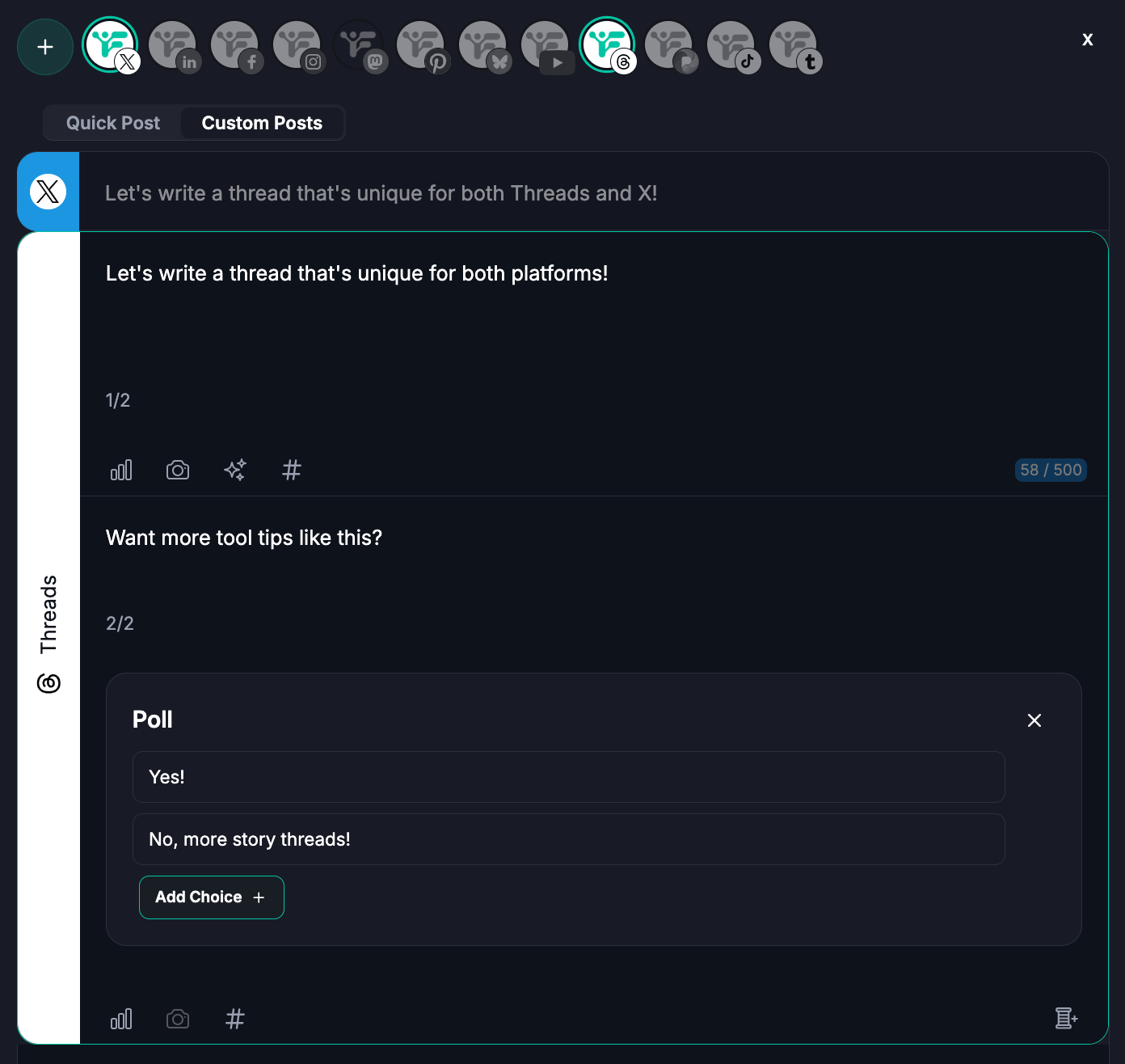
- Customize per platform if needed.
- Choose to schedule or post now.
- Click publish.
Fedica posts natively to both platforms with no server bridging needed and no automation setup required. Your posts appear exactly as you intended with proper formatting and proper media display. Fedica handles platform differences automatically, so you get no formatting issues, broken links, or truncated content.
We’ve found that native posting works best because it maintains quality on each platform and followers see it as fresh posts, not ‘bridged’ posts. Server bridging solutions can mess with post formatting and cause issues that make your content look unprofessional. With Fedica, you get clean, professional posts that appear on both Twitter and Threads exactly as if you posted them directly to each platform.
Why Post to Twitter and Threads Simultaneously?
Posting to Twitter and Threads at the same time lets you reach nearly 400 million people daily across both platforms without doubling your work.
Twitter has about 250 million daily active users who focus on real-time news. Threads has about 150 million daily active users connected to Instagram’s ecosystem.
When you post to both platforms at the same time, you access two different audiences using one workflow. Fedica makes this simple by letting you write once and post to Twitter and Threads simultaneously, which helps you save hours of manual posting and maximize your reach.
Each platform serves a different purpose. Twitter focuses on real-time news and current events, while Threads connects you to Instagram’s ecosystem with a more conversational and community-focused experience.
Posting to both platforms lets you reach both groups with the same content. Fedica makes this simple so you can write once and post to both Twitter and Threads at the same time without switching between apps or duplicating your effort.
How to Get Started Posting to Twitter and Threads with Fedica
Create a free account with no credit card needed. Fedica’s free plan lets you connect up to 9 accounts, which is one per platform. You can schedule up to 10 posts at any given time, making it perfect for getting started with crossposting to Twitter and Threads at no upfront cost.
Once you create your account, you can start connecting right away. There are no automation rules to set up and no server bridging to configure. Just connect your accounts and start posting.
How to Connect Your Twitter and Threads Accounts for Crossposting
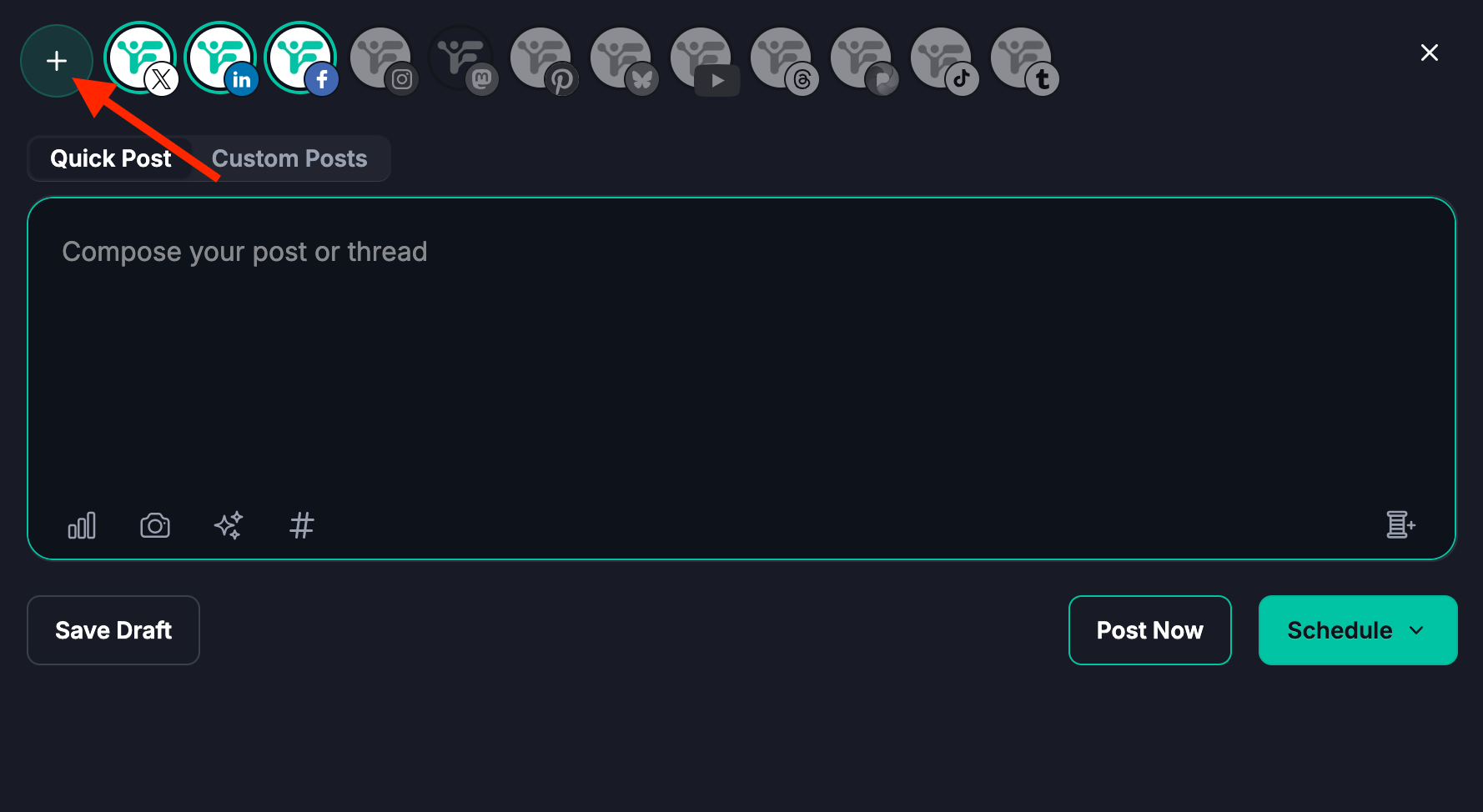
- Open Fedica and click to connect your X account.
- Authorize the necessary permissions.
- Click to connect your Threads account.
- Authorize the necessary permissions.
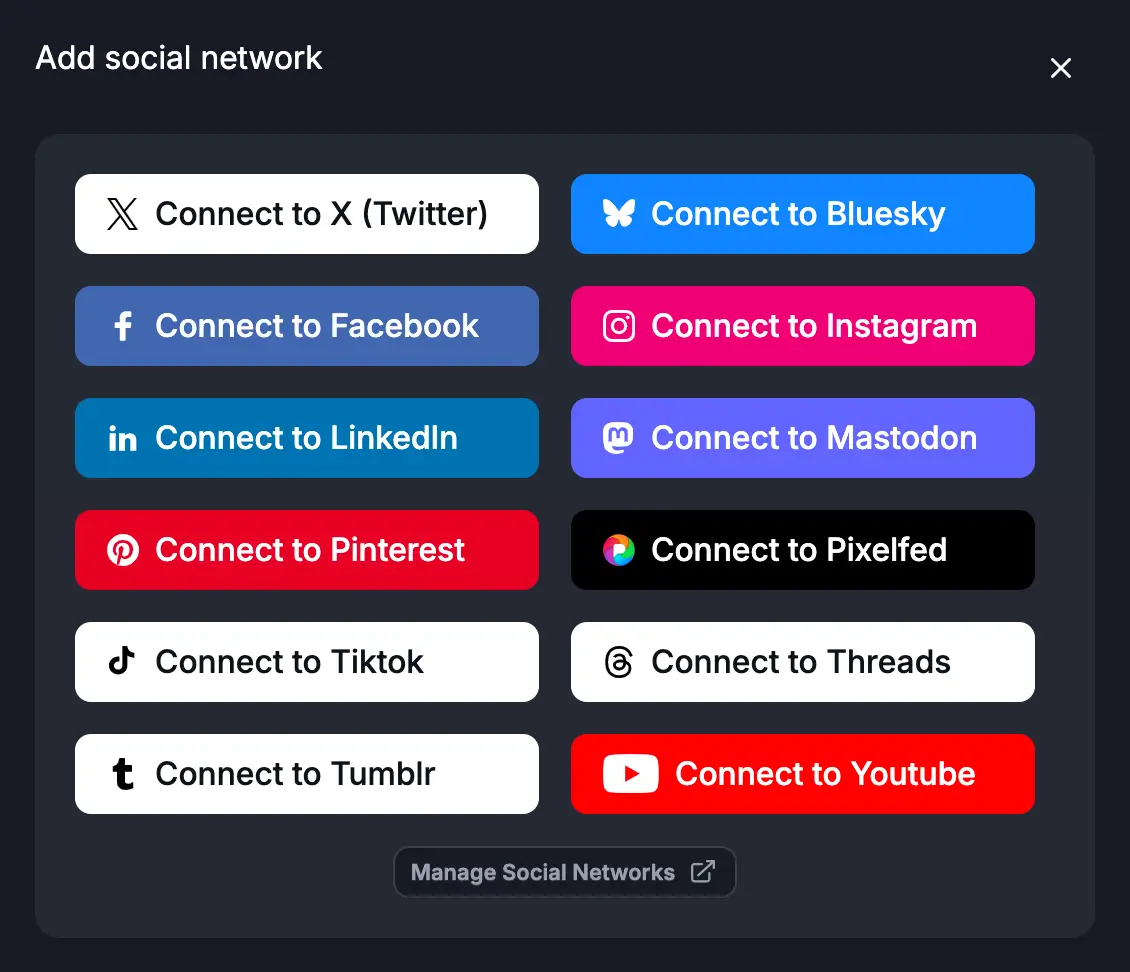
Both accounts connect in one place without navigating multiple pages or setting up complex automation. The entire process takes minutes, not hours.
Once connected, your accounts stay linked in Fedica’s unified dashboard. You can manage both platforms from one interface, making it easy to post to Twitter and Threads at the same time without switching between different tools or apps. This saves time and reduces the chance of errors.
Learn how to track link clicks on Threads to
see which content drives the most engagement.
Best Practices When You Post to Twitter and Threads
Follow platform-specific best practices to maximize engagement on both platforms. This includes matching character limits, using platform-appropriate topics and direct-community scheduling, adding media, and optimizing timing for each audience.
Many crossposting tools ignore these differences and send identical content to both platforms, which hurts your engagement rates. Fedica helps you customize content automatically so you can write once and optimize for both with little to no manual adjustments needed.
Character Limits
- Twitter: Limits you to 280 characters. X Premium subscribers can post up to 25,000 characters. Only 280 are visible without clicking “Show more.”
- Threads: Lets you post up to 500 characters. About 280 characters are visible in the feed. You need to click “See more” to see the rest.
- Fedica: Helps you customize your content length automatically so you can write once and optimize for both. Fedica lets you schedule posts with up to 25,000 characters for Twitter (with X Premium) and up to 500 characters for Threads.
Hashtags
- Twitter: Works well with hashtags but they are often not needed.
- Threads: Supports multi-word hashtags as Topics.
- Fedica: Lets you customize hashtags for each platform. Your content performs well on both. You can schedule multi-word topics from the scheduler in Fedica for Threads. They force you to use the same ones everywhere.
Topics and Communities
- Threads: Doesn’t let you schedule posts directly to Topics natively on the platform.
- X (Twitter): Doesn’t let you schedule posts directly to X Communities natively on the platform.
- Fedica: Lets you schedule directly to Topics on Threads and schedule directly to X Communities on X, which you can’t do on the platforms themselves. This helps you reach more targeted audiences and increase engagement within specific communities. Many other crossposting tools don’t support direct scheduling to Topics or Communities, forcing you to post manually or use separate tools. You can learn more about Threads Topics and how to schedule posts to them without hashtags.
Media
Add images, videos, or other media to increase engagement. Both platforms support media.
Fedica ensures your media displays properly on each platform when you post to Twitter and Threads at the same time, helping you maintain quality and proper formatting. Use Fedica’s Media Library to add Alt-text and schedule posts including that with a click. Some crossposting solutions struggle with media display, especially when using server bridging. You can also schedule polls on threads to boost engagement and gather audience feedback.
Timing
Optimize your posting times for each platform’s audience. Fedica’s built-in analytics help you find the best times to post to each platform. You can schedule your crossposts for maximum engagement and do it all without leaving the platform. Many tools require you to research optimal times manually or use separate analytics tools but Threads analytics can help you optimize your posting strategy in Fedica.
See which content gets the most engagement on Threads.
Customizing Your Posts for Twitter and Threads
Fedica lets you customize your posts for each platform so you can write once without writing everything twice. Write your main message, then customize character counts, hashtags, and media for each platform. Your posts are optimized for both Twitter and Threads while maintaining your brand voice across both platforms.
For example, you might write a 450-character post for Threads that includes more detail and context. Fedica can automatically trim it to 280 characters for Twitter while preserving the key message.
You can also adjust hashtags since Threads supports multi-word hashtags like #SocialMediaMarketing, while Twitter works better with single-word hashtags like #Marketing. All of this happens in one interface without switching between tools or rewriting content.
Fedica’s customization options let you tailor your content for each platform so you don’t duplicate your work.
How to Schedule Posts to Twitter and Threads Simultaneously
Set your preferred posting times in a Content Queue and Fedica will publish to both platforms at the same optimized time. You can also post immediately or at a specific time if you prefer.
Fedica’s scheduling features let you plan your content calendar in advance by scheduling multiple posts at once and setting different times for different days. This ensures your content goes out to both Twitter and Threads at optimal times for each platform’s audience. The free plan includes scheduling for up to 10 posts. You can learn how to schedule threads posts free and schedule threads posts across platforms to maximize your reach without additional costs.
Schedule to both Twitter and Threads from one interface, which works even on the free plan. This saves time and ensures consistency across both platforms.
Frequently Asked Questions
How do I link Twitter to Threads?
Yes, you can link Twitter/X and Threads accounts for crossposting using social media management tools. Most tools require connecting both accounts through their platform and setting up automation rules or manually configuring crossposting settings. However, Fedica offers a simpler approach where you just sign up and connect both accounts to post to Twitter and Threads at the same time. It only takes a few clicks with no complex setup and no bridging across servers. You get native posting to both platforms with easy customization options included.
How to crosspost to Threads?
To crosspost to Threads, use a social media management tool like Fedica that supports Threads. Sign up for free and connect your Threads account, which requires an Instagram account. Then write your post, select Threads along with any other platforms, customize the content if needed, and publish. Fedica makes crossposting to Threads simple with no complex automation needed and no server bridging required. You can also learn about crossposting Instagram to Threads and cross post Threads to Bluesky to expand your crossposting strategy.
How to schedule posts on X and Threads at the same time?
You can schedule posts on X (Twitter) and Threads at the same time using Fedica. After connecting both accounts, write your post and select both X and Threads. Customize per platform if needed, then choose your preferred posting time. Fedica’s scheduling feature lets you set the same time for both platforms or different times if you prefer. Schedule right to X communities and Threads Topics from Fedica.
How can I connect my Twitter/X and Threads accounts to cross-post?
You can connect your Twitter/X and Threads accounts through social media management platforms that support crossposting, like Fedica. Typically, this involves going to account settings, finding the crossposting or connected accounts section, and authorizing both platforms. However, this process can be complicated with multiple steps and many settings to configure. Fedica simplifies this by letting you just sign up and authorize both your Twitter and Threads accounts in one place. You’re ready to crosspost with no need to navigate complex account management pages or set up automation rules.
How do I post to Twitter and Threads at the same time?
Most crossposting tools require you to set up automation workflows, configure posting rules, or use separate interfaces for each platform. Some tools even require bridging posts across different servers, which can cause formatting issues. With Fedica, posting to both platforms at the same time is straightforward. Write your post once, select both Twitter and Threads, customize the content for each platform if needed, then publish. It’s native posting to both platforms with no complexity of server bridging and no automation setup needed.